For the longest time, Arch Linux has had a reputation for being hard, technically demanding, and best left to Linux veterans.However, thanks to an army of Arch-made-simple distros, the once-dreaded distro is now more accessible than ever before.But are they really simple enough for Linux newcomers and complete beginners? Add How-To Geek on Google Add as Preferred Source Follow on Google Discover Well, to understand the current landscape, I tested the top three Arch-based distros on DistroWatch: Omarchy, EndeavourOS, and CachyOS.
Arch is generally considered hard because of its complicated installation process, maintenance overhead, and highly involved setup and configuration.As such, I wanted to see if any of these distros could truly streamline the experience enough to make them viable daily drivers and potential Windows 11 replacements.EndeavourOS Easier than vanilla Arch, but still not ideal for absolute newcomers Close EndeavourOS is one of the most popular "Arch made easy" distros and a favorite among Linux purists.
You see, one of the main reasons Arch is so popular is because it gives you a minimal base to build your own personal operating system.However, that also means you actually need to know what all the different components that go into a working operating system are, as well as the pros and cons of each, to make meaningful decisions.It's this aspect of Arch that makes it so daunting for newcomers.
Now, EndeavourOS streamlines this by shipping with a graphical installer and reasonable defaults, making installing the distro super simple.You’ll have a working system up and running in a few minutes.That said, beyond the core system components, it leaves you with a very minimal installation.
This makes it a great base for building a personalized Linux PC, as long as you know what you want and what you're doing.However, if you're completely new to Linux, it can feel a bit too minimal and uncomfortably empty, which is why I've always been hesitant to recommend it to complete newcomers.It also doesn't include any helpful abstractions that remove the maintenance overhead that comes with running an Arch-based distro.
If you're a Linux newcomer and actually want to learn Arch Linux, EndeavourOS can make sense.But for folks looking for a streamlined experience, I'd skip this one.Related Why I Hopped from Manjaro Linux to EndeavourOS I liked Manjaro, but I love EndeavourOS.
Posts By Dave McKay Omarchy Beautiful, powerful, but completely alien to the familiar Windows way of computing Close Omarchy is a really powerful and cool-looking distro made by David Heinemeier Hansson (DHH), the creator of Ruby on Rails.It ships with very opinionated defaults and offers a futuristic AI-first workflow that has made it a subject of a lot of controversy in the Linux community.Some people don't like it, but those who do, love it so much that it has been able to raise tens of millions of dollars in funding.
Now, the big debate surrounding Omarchy is that it bundles a bunch of tools, which many Linux purists argue is unnecessary or bloat.And while that's true if you're looking for a minimal distro that you can mold to your own specific workflow, I personally think a bloated distro is actually good for Linux newcomers.One of the biggest frictions as a new Linux user is not knowing what apps work, what features are available, and what even is possible.
However, with a heavily customized and curated distro like Omarchy, you get to see Linux in all its glory.All that said, I really don't think Omarchy is a suitable Windows 11 replacement, and it primarily boils down to the desktop environment, or the lack thereof.Omarchy uses a tiling window manager called Hyprland.
You get no taskbar, you can't save icons on the desktop, app windows don't have title bars with window buttons, and by default, you can't even freely move windows around with your mouse.In fact, the mouse is a second-class citizen, and you're expected to do almost everything by remembering keyboard shortcuts.Granted, when you get used to it, tiling window managers can indeed help boost your overall productivity.
Also, in my experience, Omarchy has one of the easiest-to-learn Hyprland setups.However, if you're switching from Windows 11 to Omarchy, you'll encounter a steep learning curve, and it can take you anywhere from a few days to a week to get used to it.And even then, it's going to be a new workflow, not a recreation of how you used to do things on Windows.
As such, I can't really call Omarchy a Windows 11 replacement.Related Looking for the best Linux window manager? Here’s how I rank them Whether you want the simplicity of i3 or the eye-candy of Hyprland, this guide breaks down the best WMs for your Linux workflow.Posts 4 By Dibakar Ghosh CachyOS The community's favorite actually earns its spot Close CachyOS is something of a darling distro in the Linux community.
It's been sitting at the top of DistroWatch since mid-2025, and it's there for good reasons.First of all, much like Omarchy, you're getting a lot of extra bells and whistles that help streamline the Arch experience and make it more accessible.At its core, CachyOS includes the CachyOS Hello app, which contains a lot of useful scripts to help you update the OS, remove orphaned packages, re-rank your mirror list, and more.
This allows you to easily maintain your distro without having to open the terminal or remember complicated commands.It's also based on the Btrfs file system with Snapper support.The distro is designed to automatically take system snapshots before routine system updates.
As such, if you happen to run into a buggy update that's causing trouble, you can easily revert to an older system snapshot and basically undo the update.This is a really useful safety net that makes Arch a lot more viable by removing the hassle of troubleshooting a buggy update.However, unlike Omarchy, CachyOS ships with KDE Plasma as the default desktop environment.
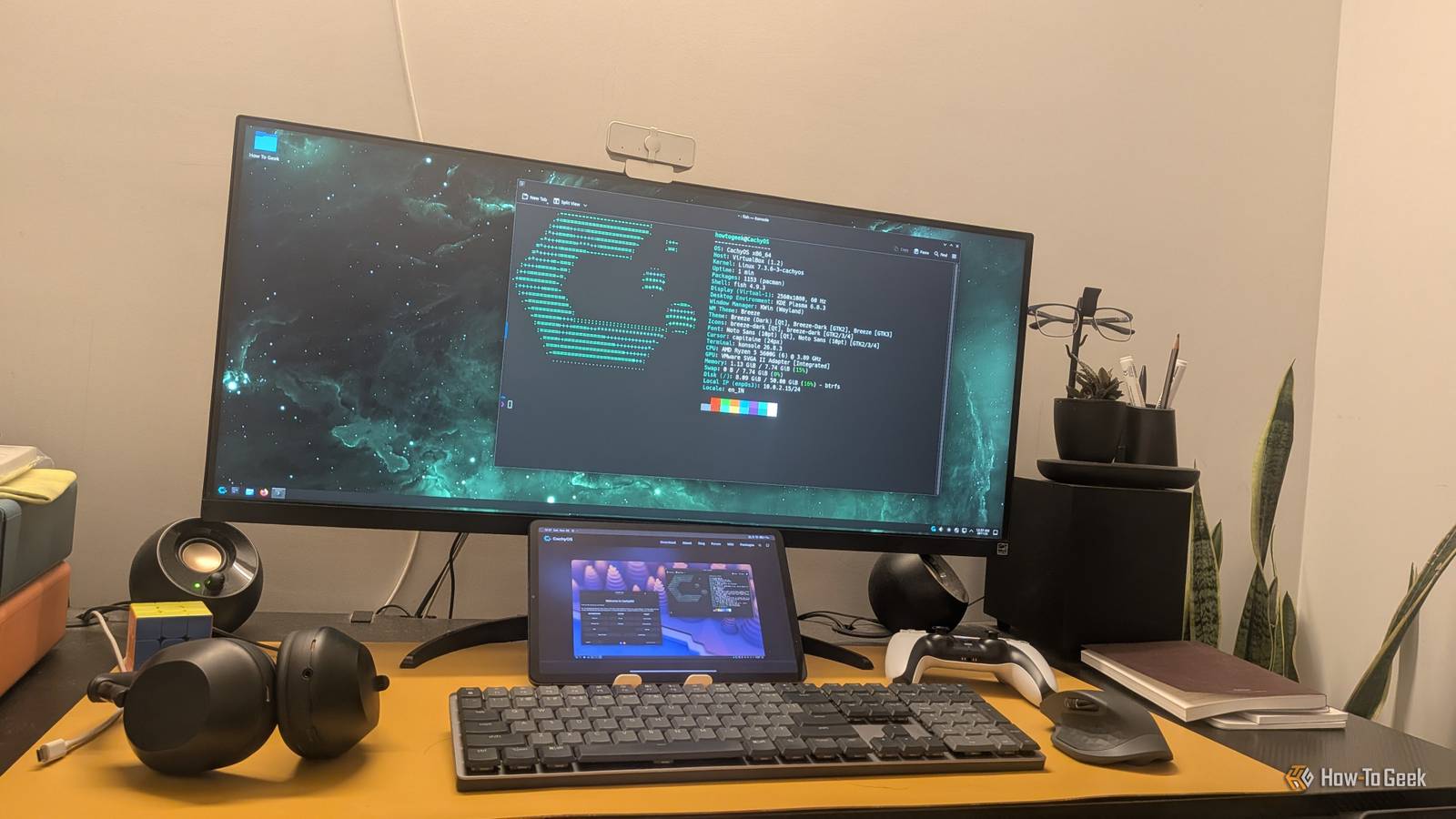
This gives you a familiar Windows-like interface complete with a taskbar at the bottom, a Start menu-like app launcher on the left, a system tray with the current date and time on the right, pinned and running apps in the middle, a desktop where you can save icons, and floating windows you can drag around with your mouse.Overall, CachyOS gives you a familiar workflow with enough tools and abstractions to streamline much of the technical overhead, making it a worthwhile Windows 11 alternative.Related This simple CachyOS feature lets me use Windows without dual-booting There are fewer and fewer reasons for me to use Windows.
Posts 9 By Nick Lewis But why not just use Linux Mint or Zorin OS? If you're switching from Windows to Linux, the usual advice is to go with Linux Mint or Zorin OS.Both are very stable, reliable, and come with a Windows-like layout that's easy to get started with.However, not everyone switching to Linux is necessarily looking for something easy or a Windows replica.
For instance, you might be eyeing Linux because you saw all the cool things it can do in a YouTube video or its customization potential in Reddit communities like r/Unixporn.Many of those demonstrations use Arch Linux, which is an ideal testing ground because you not only get access to almost all the popular Linux software thanks to the AUR (Arch User Repository), but also the latest software updates as soon as they're released, thanks to its rolling-release model.As such, many enthusiasts and power users don't actually want to start with something safe and familiar.
They want to dive straight into Arch — and for them, CachyOS is an excellent option.Related CachyOS made my Mint laptop feel slow, and I haven't looked back This Arch-based distro made me forget I was even using Linux.Posts 7 By David J.
Buck
Read More