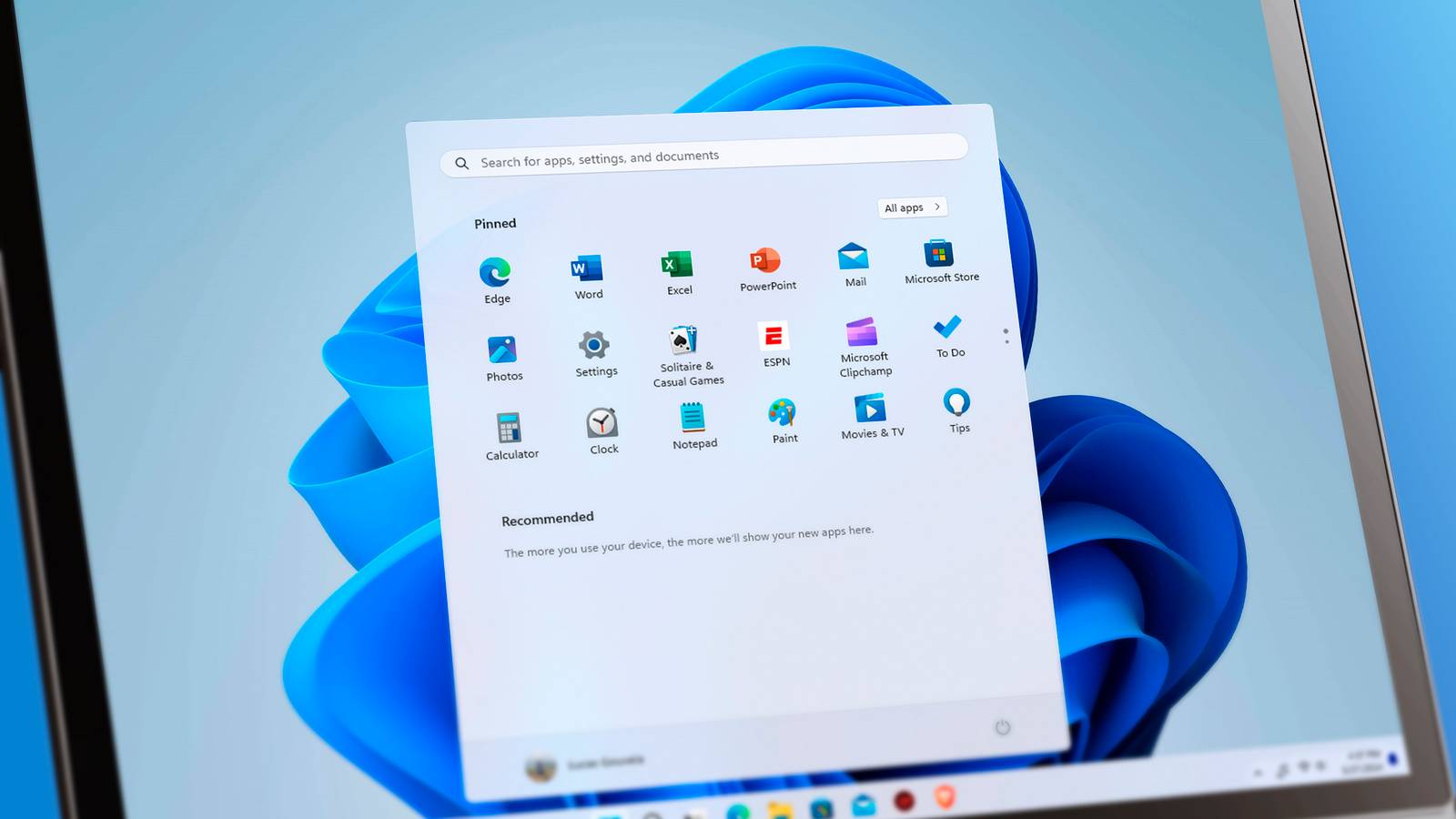
There was a time when you could get by with a few minor tweaks to the default settings, or even some lightweight de-bloating script when setting up a fresh Windows system.That time was before Windows 11.The vanilla version of Windows 11 is practically unusable for me, and it takes a whole rigmarole to make it usable.
This is how I customize my Windows installation.Use a local account Microsoft really, really wants you to use an online account Modern versions of Windows now force users to sign in with an online Microsoft account in order to install and use the OS.It started with a simple prompt request which you could skip.
Then Microsoft took away the button, so you needed to disconnect from the internet to create a local account.Then Microsoft took away the option entirely, and the installer would not let you proceed unless you were connected to the internet and signed in with a Microsoft account.People still find workarounds to install local accounts, but Microsoft has patched quite a few of them already.
At the time of this writing, you can still bypass this restriction by opening a command prompt window (CMD) and running this command.reg add HKLM\SOFTWARE\Microsoft\Windows\CurrentVersion\OOBE /v BypassNRO /t REG_DWORD /d 1 /f When you reboot into the installer, it will restore the "I don't have internet" button, which Microsoft removed.Make sure you've disconnected from the internet before rebooting though.
Microsoft will probably patch this workaround at some point, which is why it's better to modify the installer image (the .iso file) directly.Windows 11 Home What's included? Device encryption, find my device, firewall and network protection, internet protection, and more Brand Microsoft $139 at Microsoft Expand Collapse Customize the installer Cut the bloat at the source Instead of trying to wrestle with the OS after the fact, you can get ahead of it by modifying the OS installer itself.Rufus is a neat little open source tool for creating bootable drives.
However, Rufus can also customize the installer itself.You can check a few boxes to get an installer that gives you a local account, bypasses any hardware checks, and even minimize some telemetry.Then there are heavy-duty tools that can modify the .iso file used to make a bootable Windows disk.
Tools like Tiny11 or NTLite can strip away the bloatware, stop telemetry, and give you local user accounts by default.If you want to go a step further, you could try something even leaner, like AtlasOS.It uses these "playbooks" which you're supposed to run on a fresh installation of Windows and it completely de-bloats it.
It starts up faster and runs buttery smooth, even on lower-end hardware.It can even surgically remove specific Windows features like virtualization or Windows Defender.Run a debloating script and stop feature updates A leaner Windows machine without reinstalling the OS If you're trying to wrangle an existing installation of Windows, your best bet is to use a debloating script.
This script from Chris Titus Tech is my go-to, and it has been for the past few years.It has been bullet-proof in my experience, and I've never had any issues with it.The source code is available on the official GitHub repo for this utility, so you can see for yourself exactly what changes it's making.
To use it, open Powershell and run this command.irm https://christitus.com/win | iex You'll need to open PowerShell with admin privileges to make this work.Open the Start menu and search for "powershell" and then open it as an administrator.
This command will load a window for Chris Titus' Windows Utility.Switch to the "Tweaks" tab and apply the default essential tweaks.This should get rid of most of the preinstalled junk.
It also removes ads from the Start menu and search.Also, the utility minimizes Microsoft's telemetry and tracking across the OS.Stop feature updates I'd also recommend disabling feature updates for Windows here.
Feature updates have been consistently breaking Windows for almost a year now, which is why I only allow essential security updates.Under the "Updates" tab, select the "Security (Recommended)" option.This option gives you the periodic security updates to keep your computer safe, but it halts any feature updates for a year.
Quiz 8 Questions · Test Your KnowledgeWindows PowerShellTrivia challengeCmdlets, pipelines, and scripting power — see how well you really know Windows PowerShell.BasicsScriptingCommandsSecurityAdvancedBegin 01 / 8BasicsWhat does the 'Get-Help' cmdlet do in PowerShell?ADownloads the latest PowerShell updatesBDisplays documentation and usage information for a cmdletCOpens the PowerShell online community forumDLists all installed modules on the systemCorrect! Get-Help is one of PowerShell's most essential cmdlets.It displays detailed documentation, syntax, examples, and parameter descriptions for any cmdlet, making it a built-in manual you can access without leaving the terminal.Not quite.Get-Help displays documentation and usage information for cmdlets and functions.
You can use it like 'Get-Help Get-Process -Examples' to see real-world usage examples right in your console.Continue 02 / 8BasicsWhich of the following best describes a PowerShell 'cmdlet'?AA compiled executable (.exe) designed to run in PowerShellBA shortcut alias for a traditional command-line toolCA lightweight .NET command built into PowerShell that follows a Verb-Noun naming conventionDA script file saved with a .ps1 extensionExactly right! Cmdlets are specialized .NET classes that follow a strict Verb-Noun naming pattern, such as Get-Process or Set-Item.They are not standalone executables but rather lightweight commands compiled into PowerShell itself.Not quite.A cmdlet is a lightweight .NET command built into PowerShell that follows a Verb-Noun naming convention, like Stop-Service or New-Item.
They differ from traditional executables and script files in how they are constructed and invoked.Continue 03 / 8ScriptingWhat file extension is used for PowerShell script files?A.batB.shC.psmD.ps1Correct! PowerShell scripts use the .ps1 extension.This extension signals to the system that the file contains PowerShell code, and execution policies may restrict whether these scripts can run depending on your environment settings.Not quite.PowerShell script files use the .ps1 extension.
The .bat extension is for Windows batch files, .sh is for Unix/Linux shell scripts, and .psm1 is actually used for PowerShell module files, not standard scripts.Continue 04 / 8SecurityWhich PowerShell execution policy allows only scripts that are digitally signed by a trusted publisher to run?ARestrictedBAllSignedCRemoteSignedDUnrestrictedSpot on! The AllSigned policy requires that every script — including those written locally — must be digitally signed by a trusted publisher before PowerShell will execute it.This is one of the strictest policies available and helps prevent unauthorized code from running.Not quite.AllSigned is the policy that requires all scripts to be digitally signed by a trusted publisher.
RemoteSigned only requires signing for scripts downloaded from the internet, while Restricted blocks all scripts, and Unrestricted allows everything.Continue 05 / 8CommandsWhat does the pipeline operator '|' do in PowerShell?ASaves the output of a command to a log file automaticallyBRuns two commands simultaneously in parallelCPasses the output objects of one cmdlet as input to the next cmdletDCompares the results of two separate commandsCorrect! The pipeline operator passes objects — not just plain text — from one cmdlet to the next.This object-oriented pipeline is one of PowerShell's most powerful features, allowing you to chain commands like 'Get-Process | Sort-Object CPU | Select-Object -First 5'.Not quite.The pipe operator '|' passes the output objects of one cmdlet as input to the next cmdlet in the chain.
Unlike traditional shells that pass plain text, PowerShell passes full .NET objects, preserving all their properties and methods.Continue 06 / 8AdvancedWhich cmdlet would you use to discover all available cmdlets, functions, and aliases in the current PowerShell session?AGet-ModuleBGet-CommandCShow-CommandsDFind-CmdletWell done! Get-Command lists all commands available in the current session, including cmdlets, functions, aliases, and external executables.You can filter it with parameters like 'Get-Command -Verb Get' or 'Get-Command -Module ActiveDirectory' for targeted results.Not quite.Get-Command is the cmdlet used to list all available commands in your session.
Get-Module shows loaded or available modules, and neither Show-Commands nor Find-Cmdlet are standard PowerShell commands in most environments.Continue 07 / 8ScriptingIn PowerShell, how do you declare a variable?ABy prefixing the variable name with a dollar sign, like $myVariableBBy using the 'var' keyword before the variable nameCBy using the 'let' keyword, as in let myVariable = 5DBy wrapping the name in square brackets, like [myVariable]Correct! In PowerShell, all variables are prefixed with a dollar sign ($).For example, '$name = "Alice"' creates a string variable.PowerShell variables are loosely typed by default, but you can strongly type them using syntax like '[int]$age = 25'.Not quite.
PowerShell variables are declared using a dollar sign prefix, such as '$myVariable = 10'.Keywords like 'var' and 'let' belong to languages like JavaScript, and square brackets in PowerShell are used for type casting, not variable declaration.Continue 08 / 8AdvancedWhat is the purpose of the 'ForEach-Object' cmdlet in PowerShell?AIt searches the file system for objects matching a specific nameBIt performs an operation on each item in a collection passed through the pipelineCIt groups objects from a pipeline into categoriesDIt retrieves a single object from a large dataset by indexExactly right! ForEach-Object iterates over each object in a pipeline collection and performs a script block on it.For example, 'Get-Process | ForEach-Object { $_.CPU }' retrieves the CPU value from every process object — making it ideal for bulk operations.Not quite.
ForEach-Object performs an operation on each item passed to it through the pipeline.Inside the script block, '$_' represents the current object being processed.It's one of the most frequently used cmdlets for automating repetitive tasks across collections of objects.See My Score Challenge CompleteYour Score/ 8Thanks for playing!Try Again Get the old context menu back It keeps messing with my muscle memory We've all used the Windows right-click context menu so much that it has become muscle memory for us.
We didn't have to look for the right option or even think about it.With Windows 11, Microsoft has rearranged the context menu for seemingly no reason.This is more of a pet peeve.
There's a tweak in Chris Titus' Windows Utility for restoring the classic context menu.But if you want something simpler, you can modify the registry with this command to get the old menu back.reg add "HKCU\Software\Classes\CLSID\{86ca1aa0-34aa-4e8b-a509-50c905bae2a2}\InprocServer32" /f /ve You'll need to restart Windows Explorer to see the changes.
You can make Windows 11 usable with a little bit of work If you're not locked into Windows due to PC games or some Windows-only software, I highly recommend switching to macOS or Linux.But if you must use it, you can make it reasonably pleasant with these tweaks.
Read More