
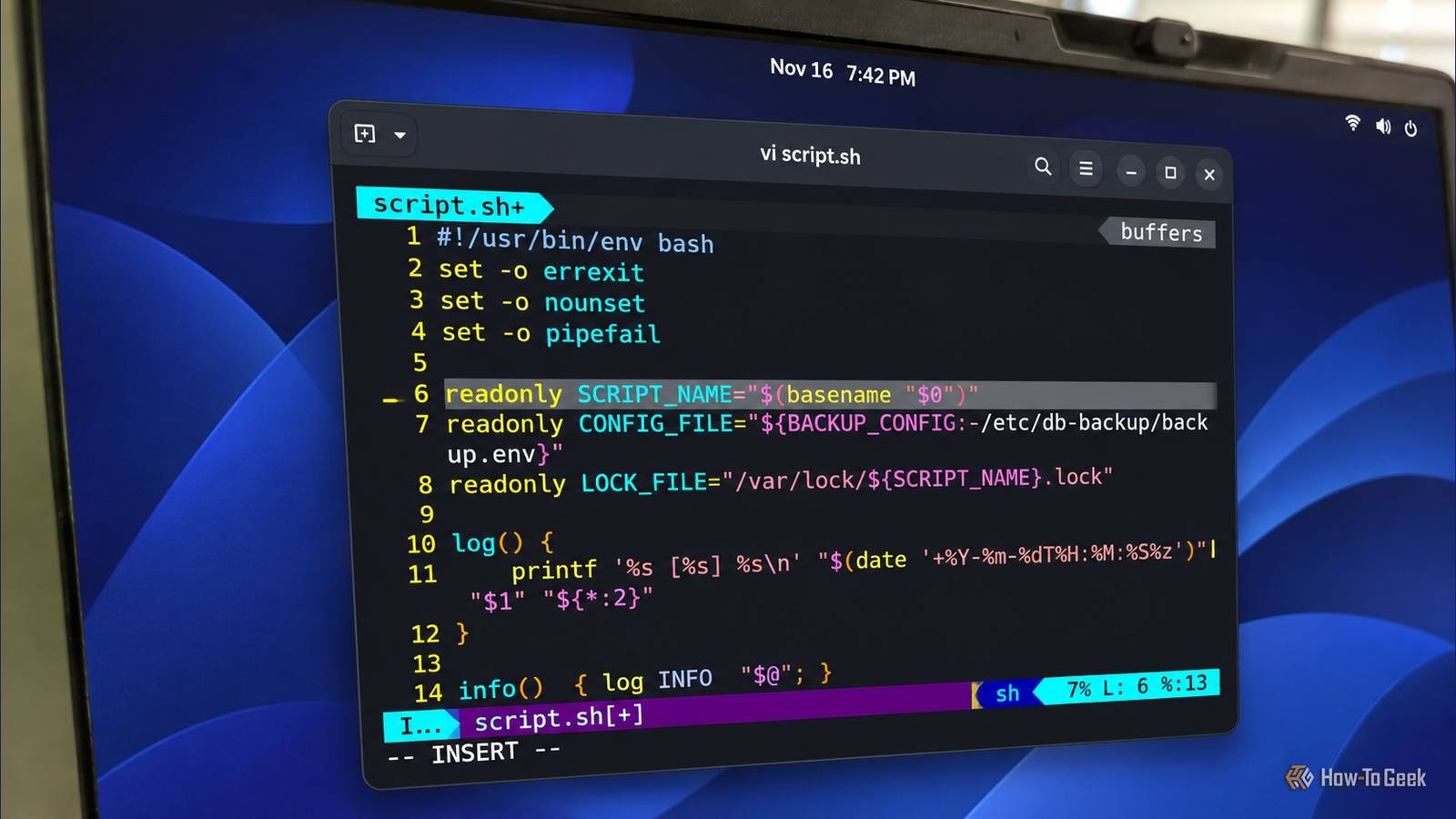
If you have written Bash scripts for any length of time, you have probably encountered the recommendation to use #!/usr/bin/env bash instead of #!/bin/bash.It appears in tutorials and discussions about shell scripting best practices.It is said that using env makes scripts more portable because Bash is not installed in the same location on every Unix-like operating system.
Add How-To Geek on Google Add as Preferred Source Follow on Google Discover That is a legitimate advantage, but there is a security implication worth understanding.When you use env, the PATH environment variable determines which Bash executable runs your script.If an untrusted directory appears earlier in that search path, the script could execute a completely different program before any of its own commands run.
For most scripts executed under your own account, this is unlikely to create a serious security problem.However, the situation changes when a script runs with elevated privileges and a less-trusted user can influence its environment.The security problem starts with how env finds Bash PATH determines which interpreter gets executed Close When a Bash script begins with the following shebang: #!/usr/bin/env bash The operating system launches /usr/bin/env, which searches the directories listed in PATH for an executable named bash.
The first matching executable is then launched to interpret the script.This is convenient because Bash might be installed under /bin, /usr/local/bin, or another directory.For example, FreeBSD commonly installs Bash under /usr/local/bin, while NixOS places binaries in the Nix Store.
However, PATH is an environment variable, and its contents are not necessarily trustworthy.Users, development tools, and applications routinely modify it.Consider the following search path: /home/user/.local/bin:/usr/local/bin:/usr/bin:/bin The user’s local executable directory takes precedence over the system directories.
If an executable named bash exists there, env will select it before the system-provided Bash.That behavior is normally intentional as it allows users to install newer versions of applications without replacing system packages, but it can become dangerous when a privileged process searches a directory controlled by someone with fewer privileges.There is another, less dramatic reason why I sometimes prefer an explicit interpreter path.
Passing arguments through a shebang can get surprisingly awkward.For example, I might want to start Bash with the -e option, which tells it to exit when a command fails under the conditions covered by errexit.With a fixed path, I can simply write: #!/bin/bash -e You might expect #!/usr/bin/env bash -e to work the same way, but on Linux, the kernel passes bash -e as a single argument to env.
It then tries to find an executable with that entire name, which obviously is not what you intended.Modern GNU env does support the -S option to split arguments: #!/usr/bin/env -S bash -e That solves the problem on systems with a compatible version of env, but now you have another compatibility issue to think about.Older implementations do not support -S! You may find that slightly ironic, considering that portability is the main reason why you would use env in the first place.
You can reproduce the problem with a simple Bash script How PATH can change which Bash interpreter runs You can observe this behavior without modifying any system files or installing another Bash version.First, create a temporary directory: mkdir -p /tmp/bash-demo Next, create an executable named bash inside it: #!/bin/sh echo "Unexpected interpreter selected!" >&2 exec /bin/bash "$@" This wrapper prints a message before launching the actual Bash interpreter.It is harmless, but it demonstrates how another executable can run before the original script.
Now, create a second script: #!/usr/bin/env bash echo "Running the original script" Execute it with the temporary directory placed at the beginning of PATH: PATH="/tmp/bash-demo:$PATH" /tmp/example.sh You should see: Unexpected interpreter selected! Running the original script Notice that the original script was never modified.Its shebang still requests Bash through env, but the executable selected first is our wrapper.Now replace the shebang with an explicit interpreter path: sed -i '1c#!/bin/bash' /tmp/example.sh Now execute the script again with the same modified PATH: PATH="/tmp/bash-demo:$PATH" /tmp/example.sh This time, the output is: Running the original script This becomes dangerous when privileged scripts trust PATH Cron jobs, systemd services, and sudo can expose the problem Imagine a maintenance script that runs as root.
Perhaps it creates backups, manages system services, or performs scheduled administrative tasks.If the script uses #!/usr/bin/env bash and its execution environment contains an attacker-controlled directory early in PATH, an executable placed in that directory could be launched with the script's privileges.The attacker would not need to modify the maintenance script itself.
The weakness would be in the environment used to execute it.For example, a root cron job might explicitly configure its PATH to include a directory writable by an ordinary user.A systemd service could have an Environment=PATH=...
setting that includes a writable application directory.Neither arrangement is inherently unsafe merely because it uses cron or systemd.The problem arises when the configured search path crosses a trust boundary.
Related 4 innocent-looking Linux commands that can ruin your day The terminal will do exactly what you tell it to — to the point of malicious compliance.Posts 1 By Dibakar Ghosh Another example involves sudo.Many systems configure sudo with env_reset, which establishes a restricted execution environment, and secure_path, which replaces the caller's PATH with a controlled value.
These settings provide important protection, although their behavior depends on the actual sudoers' configuration.Someone might remove secure_path, configure environment preservation rules, or otherwise allow an untrusted PATH to reach a privileged command.The --preserve-env option alone does not necessarily override secure_path.
You can inspect the effective sudo configuration with: sudo -l You can also look for a configured secure path using: sudo -V | grep -i 'path' A third possibility is a privileged wrapper that explicitly adds a user-writable directory to PATH before executing another script.In that case, even an otherwise carefully configured system could select an unexpected interpreter, but there is something else I want to emphasize here.If an attacker can control PATH when a root script runs, they might not even need to exploit the shebang.
Consider a script that uses /bin/bash but calls ordinary commands such as grep, tar, awk, or rm without specifying their full paths.Bash still has to locate those executables, and an attacker-controlled directory appearing earlier in PATH could allow one of them to be substituted.This is why changing the shebang alone is not enough to secure a privileged script.
You should also establish a trusted search path for commands executed after the interpreter starts.For example, you could add: PATH=/usr/local/sbin:/usr/local/bin:/usr/sbin:/usr/bin:/sbin:/bin export PATH This limits subsequent command searches to those directories, assuming they are appropriately protected.However, it cannot protect the initial interpreter lookup performed by env, because that happens before the first line of your script executes.
The interpreter has already been selected by the time Bash reaches the PATH assignment.You don’t need env in every Bash script I have used #!/usr/bin/env bash in my own scripts and recommended it to others, and I still think it's reasonable advice in many situations; it solves a genuine portability problem.What bothers me is how often it's presented as the correct way to write a shebang, as though #!/bin/bash were an outdated practice everyone should abandon.
Most of us are not writing scripts that need to run on every Unix-like OS.We are writing for a particular machine, a few servers, or an environment we already control, and there, an explicit interpreter path often makes more sense.There are exceptions, though, such as some minimal environments that ship only /bin/sh (BusyBox ash).
I think if your script doesn't need Bash-specific features, targeting POSIX with #!/bin/sh is the better portability choice (don't do it on systems with dash), provided you actually write POSIX-compatible code, since changing the shebang alone won't make Bash syntax portable.Related This Bash redirection trick replaces echo ...| command The here string is the leaner, more versatile cousin of the here doc.
Posts 4 By Bobby Jack The point isn’t that everyone should switch to /bin/bash.An explicit path doesn't eliminate PATH-related risks elsewhere in your script, and env doesn't magically solve them either.The problem is the assumption that one approach is universally better solves cross-system interpreter location but makes interpreter selection depend on the execution environment, a trade-off worth weighing, especially for privileged scripts.
The same applies to other interpreted languages, Python included, where interpreter choice can matter even more because versions and packages differ.#!/usr/bin/env python3 is useful when you deliberately want a virtualenv's interpreter, but that flexibility means you need to know which interpreter will actually run.So the next time you see "always use env," take it with a grain of salt; it is good advice in the right circumstances, not a universal rule.
Read More