I've used Outlook in one form or another for decades.Like many long-time Microsoft users, I stuck with it because it was familiar, my Hotmail account worked with it, and I never felt a strong reason to change.But the recent Outlook outages made me wonder whether Outlook was still the best email client for the way I work.
Add How-To Geek on Google Add as Preferred Source Follow on Google Discover The outage would have happened regardless of which email client I used, but the disruption was enough to shake me out of a long-standing habit.It made me realize I'd been using Outlook largely because it was familiar.I hadn't seriously compared it with alternatives in years.
If I was going to reconsider Outlook, I needed something else to compare it against, and open-source Thunderbird felt like the most natural place to start.Getting started was simple Thunderbird quickly became more than a test Close I started by connecting my personal Hotmail account.I expected the usual process of checking server settings, configuring authentication, and troubleshooting sync issues.
Instead, Thunderbird detected everything automatically, opened Microsoft's sign-in page, and had my account up and running in less than a minute.My folders appeared exactly where I expected them, my messages started downloading immediately, and I could send and receive email without touching a single server setting.Related 5 open-source projects that secretly power the world Without them, nothing would be the same.
Posts 49 By Nick Lewis In practice, switching email clients turned out to be much less disruptive than I expected.I wasn't abandoning Hotmail, changing my email address, or migrating years of messages elsewhere.Thunderbird was simply a different way of accessing the same account.
Once my Hotmail account was working, I decided to go further and connect my business Gmail account.That process was just as straightforward.Within a short time, Thunderbird was handling both my personal and work email, complete with their existing folders, messages, and identities.
Email threads are much easier to navigate I can actually follow conversations One of the first things I checked was a long email chain involving multiple participants and weeks of back-and-forth discussion.Thunderbird displayed every message as a clearly separated entry in chronological order.I could scroll naturally through the conversation from start to finish, and I could also jump directly between individual replies using Thunderbird's thread controls.
By comparison, I often find long conversations in Microsoft's current Outlook app for Windows (often referred to as the "new Outlook") harder to navigate.Even with conversation view enabled, I spend more time expanding and collapsing messages and figuring out exactly where a particular reply sits in the chain.Thunderbird presents the same discussion in a much cleaner, more chat-like format that I found easier to follow.
Related I gave the new Outlook 6 months to get its act together—and the outcome didn’t surprise me Maybe it's time to give up altogether.Posts 36 By Tony Phillips Since email is largely about reading and responding to conversations, the difference became noticeable very quickly.Thunderbird's approach simply worked better for me.
Thunderbird's old-school design is a strength The simpler interface won me over Thunderbird looks more traditional than the new Outlook.To some, that might seem like a step backward, but for me, it's one of the app's biggest strengths.The menus are where I expect them to be.
The settings are easy to find.I can right-click almost anything and discover useful options, and customizing views feels straightforward rather than frustrating.The email composer looks like a desktop email composer, not another productivity workspace.
Nothing feels hidden, simplified, or rearranged for the sake of looking modern.Related These free and open-source apps can replace what Microsoft charges you $10 a month for If you only use a handful of Microsoft apps, these free, open-source alternatives could give you a way out of the subscription.Posts 3 By Tony Phillips Thunderbird also felt consistently responsive during everyday use.
Adding accounts, searching messages, switching folders, and moving between views all happened quickly.I didn't benchmark anything, so I'm not claiming Thunderbird is objectively faster than Outlook.In everyday use, though, it consistently felt faster.
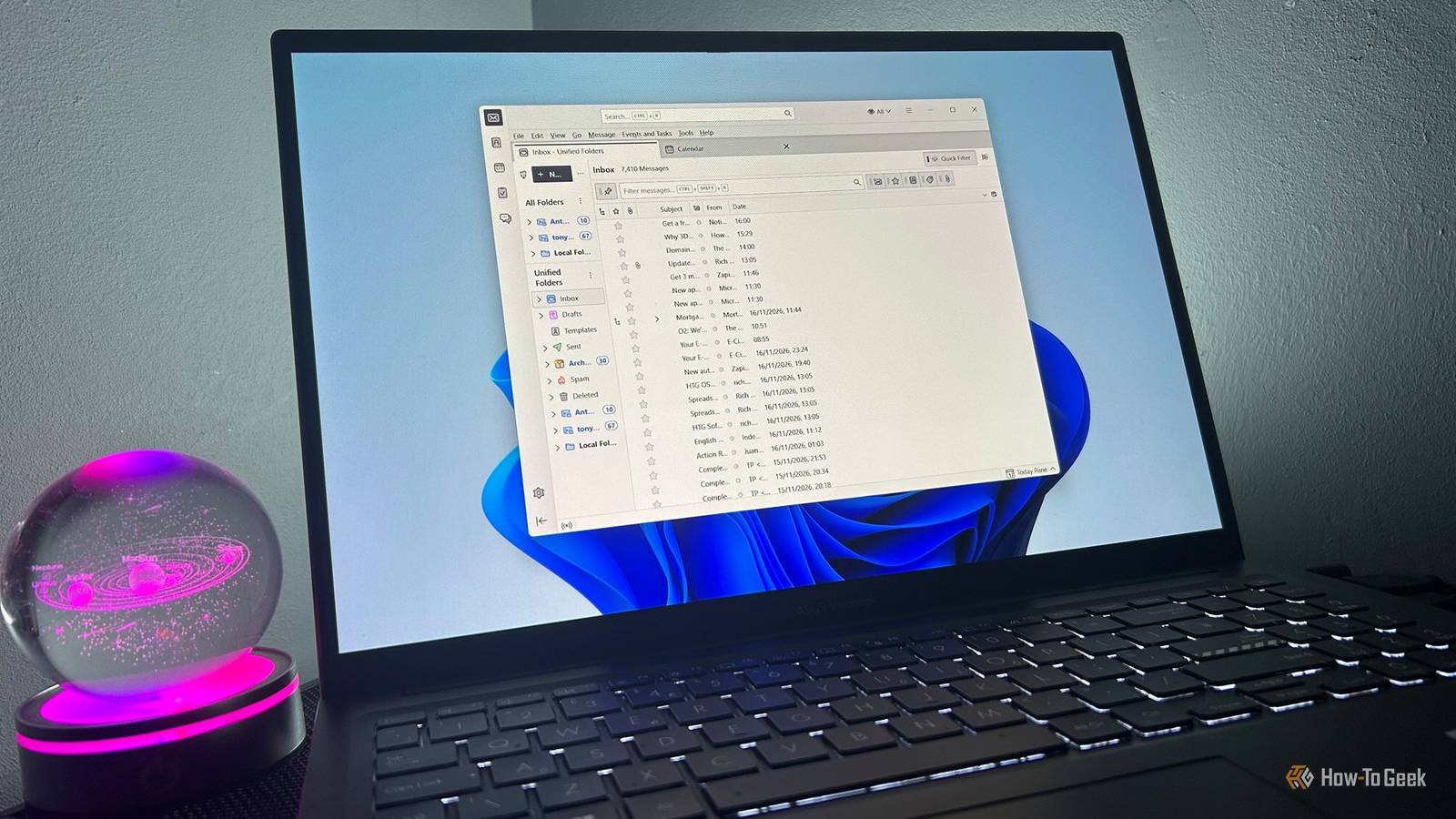
After years of redesigns, integrations, sidebars, and ecosystem features appearing across Microsoft's products, I'd forgotten how refreshing it can be to use software that seems primarily concerned with helping me manage email.One inbox, the simple way Managing multiple accounts became much easier Once both accounts were connected, I started using Thunderbird's Unified Folders view.Having a single inbox, sent-items view, and archive view made a bigger difference than I expected.
Instead of constantly jumping between personal and business accounts, I could see everything from one place and decide what needed my attention first.My only initial complaint was that it wasn't always obvious which account a message belonged to when everything was displayed together.After a little tinkering, though, I switched to Thunderbird's Table View and added an Account column.
That made it easy to see where messages had come from while keeping the convenience of a unified inbox.By that point, I was managing my personal and work email from a single interface.Outlook still has advantages Thunderbird won't be the right choice for everyone As much as I've enjoyed using Thunderbird, there are still areas where Outlook has the advantage.
The biggest one for me was calendars and contacts.Email worked almost immediately, but calendars and contacts didn't integrate as seamlessly.Thunderbird offered to sync my Google calendars during setup, but Microsoft calendars and contacts still felt less straightforward than email.
Since most of my scheduling already happens through Google Calendar on my phone, I decided not to spend much more time trying to refine that part of the setup.Related Outlook is hiding a powerful automation tool—here's how to use it The best tool you're probably not using.Posts 1 By Arol Wright Outlook also remains the stronger option if your workflow revolves around Microsoft's wider ecosystem.
Teams integration, Microsoft 365 services, and enterprise-focused features all work more naturally within Outlook.Those advantages just weren't important enough in my workflow to outweigh the things I preferred about Thunderbird.Rethinking Outlook The recent outages were the catalyst for trying something new, but Thunderbird's everyday usability is what made it feel like a genuinely viable alternative to Outlook.
What surprised me was how quickly it handled both my personal Hotmail and business Gmail accounts, how much easier it made long conversations to follow, and how well it covered the parts of Outlook I actually use every day.It also forced me to re-evaluate a software choice I'd been making largely out of habit.
Read More