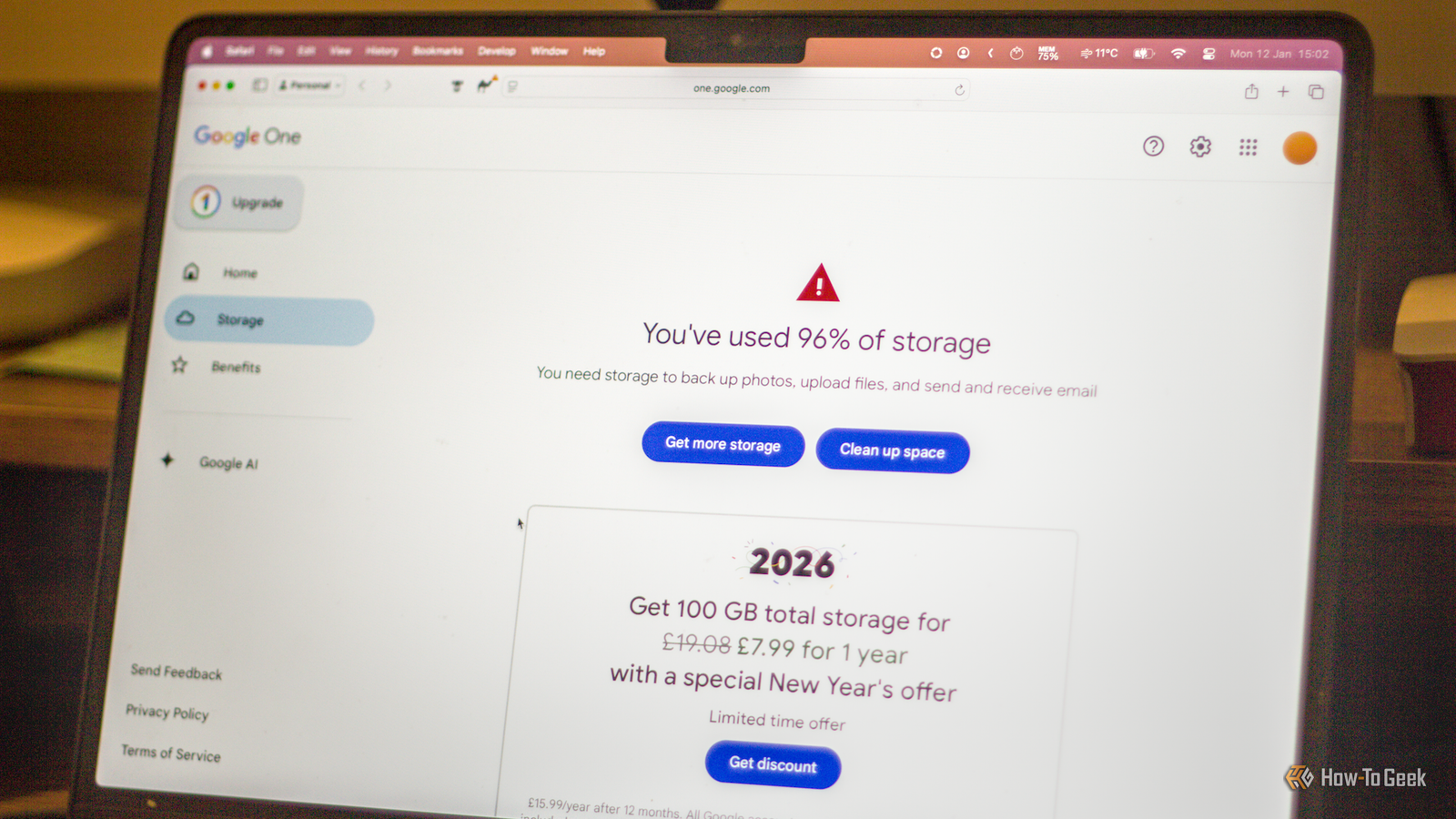
Cloud storage is as useful as it is seamless, at least these days.Most of us use some form of cloud storage; after all, those photos you take with your phone end up somewhere, and there's a reason why you can easily access them across many devices.But cloud backups, while convenient, can quickly turn every file into a recurring storage bill, and that's not even the only caveat.
I fell for it myself, and here's why you shouldn't follow in my footsteps.Automatic backups made the decision for me Convenience has a bill attached Cloud backups became a huge part of my storage plan, and I didn't even plan for that to happen.I follow the 3-2-1 rule, so they were convenient, and honestly, I didn't think much about it at first.
That's how they get you, though.Letting my phone back up photos, my PC sync desktop folders, and my files follow me across devices all sounded like the responsible (not to mention super easy) thing to do.In some ways, it was.
Losing important files is awful, and automatic backups are one of the most convenient ways to avoid that.The problem is that automatic doesn't equal intentional.Nope.
Not at all.Over time, all my files started counting toward the same storage pool.I wasn't choosing what deserved to live in the cloud anymore.
The majority of my files just snuck in there, all because my devices were choosing for me, and they were far from picky.That's where the bill comes in.Once your storage fills up, the obvious fix is to pay for more, because deleting things suddenly feels risky ...
and so, so tedious.That was the trap for me: cloud storage stopped being a convenient backup and instead, it became the place where everything went by default, and I wasn't ready to deal with that mess.Quiz8 Questions · Test Your KnowledgeHow well do you know cloud storage logos?Trivia challengeThink you can tell your clouds apart? Match these iconic logos to the services behind them.CloudLogosStorageBrandingTechBegin01 / 8LogosWhich cloud storage service uses a simple blue cloud outline as its primary logo?AGoogle DriveBOneDriveCDropboxDiCloudCorrect! iCloud uses a clean, minimalist blue cloud outline as its logo, perfectly matching Apple's sleek design philosophy.
It's one of the most recognizable cloud icons in the tech world.Not quite — the answer is iCloud.Apple's iCloud uses a simple blue cloud outline that reflects its minimalist design language.It's been a staple of Apple's ecosystem since the service launched in 2011.Continue02 / 8BrandingWhich cloud storage service is represented by a blue box icon?ADropboxBBoxCOneDriveDpCloudCorrect! Box uses a straightforward blue box as its logo, which cleverly reflects its name.
The service is popular in enterprise environments and focuses heavily on business collaboration features.Not quite — the answer is Box.While Dropbox also uses blue in its branding, Box's logo is literally a blue box shape.The company deliberately uses simple, clean imagery to appeal to business users.Continue03 / 8LogosDropbox's logo features a distinctive icon — what shape or object does it depict?AA cloud with an arrowBAn open boxCA blue dropletDInterlocking circlesCorrect! Dropbox's logo features an open blue box, symbolizing storage and accessibility.
The logo has evolved over the years but has always kept that recognizable box shape central to its identity.Not quite — Dropbox's logo features an open blue box.Despite the name suggesting a 'drop', the visual is actually a box, emphasizing storage.The company refreshed its logo in 2017 to be more colorful and dynamic.Continue04 / 8CloudGoogle Drive's logo is famously multicolored.
As of 2026, which three colors make up its triangular icon?ARed, blue, and greenBRed, yellow, and blueCGreen, yellow, and blueDRed, yellow, and greenCorrect! Google Drive's logo is a triangle divided into green, yellow, and blue segments — mirroring Google's classic brand colors.Previous versions of the logo had a small slice of red as well.Not quite — Google Drive's logo is a triangle divided into green, yellow, and blue segments — mirroring Google's classic brand colors.Previous versions of the logo had a small slice of red as well.Continue05 / 8StorageWhich cloud service uses a logo that resembles a colorful pinwheel or windmill made of overlapping squares?AGoogle PhotosBAmazon DriveCOneDriveDMegaCorrect! Google Photos uses a set of overlapping half-circle shapes that resemble an abstract pinwheel, rendered in yellow, red, green, and blue.
Earlier versions of the logo were much more literally inspired by a pinwheel.Not quite — Google Photos uses a set of overlapping half-circle shapes that resemble an abstract pinwheel, rendered in yellow, red, green, and blue.Earlier versions of the logo were much more literally inspired by a pinwheel.Continue06 / 8BrandingWhich cloud storage service uses a bright yellow 'M' shape as part of its logo?AMediaFireBMegaCMozyDMyDriveCorrect! Mega uses a bold red and white logo with a stylized 'M', often accompanied by bright accent colors.Founded by Kim Dotcom after the Megaupload shutdown, it emphasizes end-to-end encryption and privacy.Not quite — the bold 'M' logo belongs to Mega.
Mega was launched in 2013 by Kim Dotcom as a successor to Megaupload and positions itself as a privacy-first cloud storage provider with end-to-end encryption built in.Continue07 / 8TechAmazon's former cloud storage service for personal files used which name and associated logo style?AAmazon Vault, with a lock iconBAmazon Photos, with a camera iconCAmazon Drive, with an "a" logo and blue cloudDAmazon Cloud, with a gradient cloudCorrect! Amazon Drive used the Amazon "a" logo with a cloud on a blue background.Amazon has since shifted focus to Amazon Photos for consumer cloud storage, though Amazon Drive existed until 2023.Not quite — Amazon Drive used the Amazon "a" logo with a cloud on a blue background.Amazon has since shifted focus to Amazon Photos for consumer cloud storage, though Amazon Drive existed until 2023.Continue08 / 8LogospCloud's logo and branding is most closely associated with which color and icon combination?AOrange cloud with a lightning boltBTeal cloud with a 'P' inside a circleCGreen folder with a cloud above itDPurple circle with a 'P' insideCorrect! pCloud uses a teal cloud with a 'P' inside a circle, emphasizing its focus on security and privacy.
The Swiss-based company highlights encryption and lifetime storage plans as key differentiators from competitors.Not quite — pCloud uses a teal cloud with a 'P' inside a circle, emphasizing its focus on security and privacy.The Swiss-based company highlights encryption and lifetime storage plans as key differentiators from competitors.See My ScoreChallenge CompleteYour Score/ 8Thanks for playing!Try Again Sync slowly replaced my backup plan This is where things get messy The bigger problem is that syncing and backing up aren't the same thing, even though cloud services kind of make them feel interchangeable at times.A backup should give you a separate copy you can recover from when something goes wrong.
Meanwhile, sync is mostly about keeping the same files available across devices.That's awesome when you want to open a document on your PC and then keep working on it from your laptop, but it's not the same thing as a proper safety net.Once sync becomes your default, every change starts to matter more than it should.
Deleting a file in the wrong place or cleaning up a folder in another can end in disaster real quick.Once this happened to me, I realized I didn't exactly need more storage, I just needed to figure out what my files were and where they all went.Samsung 9100 PRO $425 $680 Save $255 7 Storage capacity 1TB, 2TB, 4TB, 8TB SSDs aren't cheap, but at this point, it's better to pay once and have it for years.
The Samsung 9100 Pro remains a favorite of mine.Hardware Interface M.2 NVMe $425 at Amazon $480 at Best Buy Expand Collapse The first step was getting a real copy of everything Do this before you delete anything As a freshly reformed cloud sync agnostic, I knew I had to sort this mess out.But before I could start cleaning up my cloud storage, I had to make sure I actually had my files somewhere else, which may sound obvious, but isn't that obvious (thanks to the aforementioned syncing thing).
If you're in the same position, start out by securing the files you care about.Export your photos, download your documents, save your desktop folders, and put everything important on a local drive before you even think about deleting cloud copies.I repurposed some smaller drives to make my storage easier to organize; one of them is even called an "abuse drive" (and with good reason).
Related If your external drive is always plugged in, it isn't a backup Why your 'backup' drive is corrupting files: The danger of USB hubs and micro-disconnects Posts 10 By Monica J.White I stopped treating the cloud as my main hard drive It was honestly about time Once I had local copies sorted out, I had to rethink what belonged in the cloud in the first place.For me, that meant separating files into actual categories.
Work files, photos, games, project folders, installers, downloads, random nonsense ...You get the gist.Not all of that stuff needed to follow me across every device, which meant I could cut back considerably and not end up stuck in a subscription loop.
Cleaning this up and making sense of it was the part that finally made the whole thing manageable.My cloud storage stopped being one giant junk drawer.It became a smaller, more deliberate part of my entire storage setup.
I didn't get rid of the cloud, but I did get rid of my cloud storage subscription, which was pretty nice.The cloud is better when it has a smaller job Cloud storage became useful once again when I stopped treating it like the default.These days, physical media is having a huge comeback, and I'm all for a comeback on portable SSDs.
If only they weren't so expensive ...But at least once you pay for one, you own it, with no strings attached.SanDisk Extreme Portable SSD Portable SSDs may not be the fastest form of backups, but they're the closest thing to cloud storage that you can physically own.
$189 at Amazon Expand Collapse
Read More