Mesh Wi-Fi is the ultimate hack when it comes to coverage problems, right? I mean, yes.Of course.It fixes all manner of problems, and if the first one doesn't cut it, just add another node.
Eventually, your entire house will be covered in glorious Wi-Fi, right? Add How-To Geek on Google Add as Preferred Source Follow on Google Discover Well, there's a catch.Every additional wireless hop can introduce extra overhead, and at some point, having more mesh nodes might actually make your network worse.More mesh nodes don't automatically mean better Wi-Fi Coverage and performance are two different beasts Close The whole point of mesh Wi-Fi is to provide decent wireless coverage throughout your home, and it does that job pretty well.
Instead of relying on a single router to address your every wish and clean up every Wi-Fi dead zone, you get multiple access points that work together in (allegedly) perfect unison with the goal of keeping your devices connected.It's a fantastic solution for larger homes, that's for sure, and while it's not flawless, it's as good as it gets for those of us who have to deal with randomly weird layouts that the router deems to be an insurmountable obstacle.There are some misconceptions about mesh Wi-Fi, though, and one of the most common ones I come across is that adding more mesh nodes means more performance.
I'm not surprised, as the tech world in general has a major "bigger number = better" problem, so why wouldn't this narrative also apply to mesh Wi-Fi...Except, it really doesn't.Related 6 uncomfortable truths about your mesh Wi-Fi system These are the things nobody tells you before you buy a mesh Wi-Fi system Posts 3 By Monica J.
White See, every mesh satellite needs a way to communicate with the main router, and that connection is called backhaul.It can be wired, using Ethernet, or wireless, using Wi-Fi.The latter is where things get interesting, because adding more mesh nodes only means that your data might have to travel through multiple satellites before it can make it to the router.
Sounds like lag? That's good, because it should.Doing it like this means additional wireless transmissions, which can eat into the available airtime and potentially reduce your speeds.Every wireless hop comes with a performance penalty Your data has to travel farther than you think Let's dig into how this works.
Say you've got a mesh system with three nodes: the main router, one satellite in the living room, and another one in the bedroom.Your phone connects to the bedroom satellite, which then routes that to the living room satellite.Finally, that signal makes it to the main router.
Hurray, right? We made it! Except that's two wireless backhaul hops before your data even reaches the router, and each requires another transmission.Since Wi-Fi radios generally can't transmit and receive simultaneously on the same channel, all that forwarding can eat into the available airtime and reduce throughput.You might've heard that every wireless hop cuts your speed in half, and while that can be a useful rule of thumb for systems sharing the same radio for backhaul and client traffic, it's not a universal truth.
Tri-band mesh systems with dedicated backhaul radios can handle this much better, but the actual penalty still depends on the hardware, signal quality, and interference.This is exactly why I'm such a huge advocate of running Ethernet to your mesh nodes.Related 5 simple network mistakes that are secretly killing your internet speeds Your router is probably in the worst spot in your house Posts 1 By Patrick Campanale Independent testing shows just how bad it can get Losing over 70% of your download speed is no joke You might think I'm being dramatic with all this whining, but it can get pretty bad indeed where mesh is concerned.
The folks over at RTINGS have some pretty shocking numbers to share.They tested six TP-Link Deco X60 mesh units, positioned roughly 30 to 50 feet apart, and compared their performance in different configurations.When they forced the nodes into a linear chain, meaning each satellite had to pass data through another one to reach the main router, the performance drop was staggering.
At a depth of three wireless nodes, download throughput had dropped by 72%, leaving just 163Mbps.At the maximum tested depth, that figure fell all the way to 92Mbps, while latency more than tripled.Ouch.
Losing that performance just because your data has to hop between access points is pretty wild.163Mbps is perfectly usable, sure, but still, it does give you pause.The way your mesh nodes connect matters more than how many you have Star topology beats an unnecessarily long chain If you're faced with a less-than-stellar internet connection and the idea to keep throwing mesh nodes at the problem until it goes away, stop for a second.
You can add more mesh nodes, sure, but first, start thinking whether you even need them.You absolutely do? Fine, but let's make sure your data doesn't have to pass through all of them.It all comes down to network topology.
In a star topology, each satellite connects directly to the main router, meaning traffic doesn't have to make unnecessary stops on the way; it's a clear path to the optimal destination.But if you daisy chain those things, well, you've got satellites connecting through other satellites.Not ideal, and a potential performance nightmare.
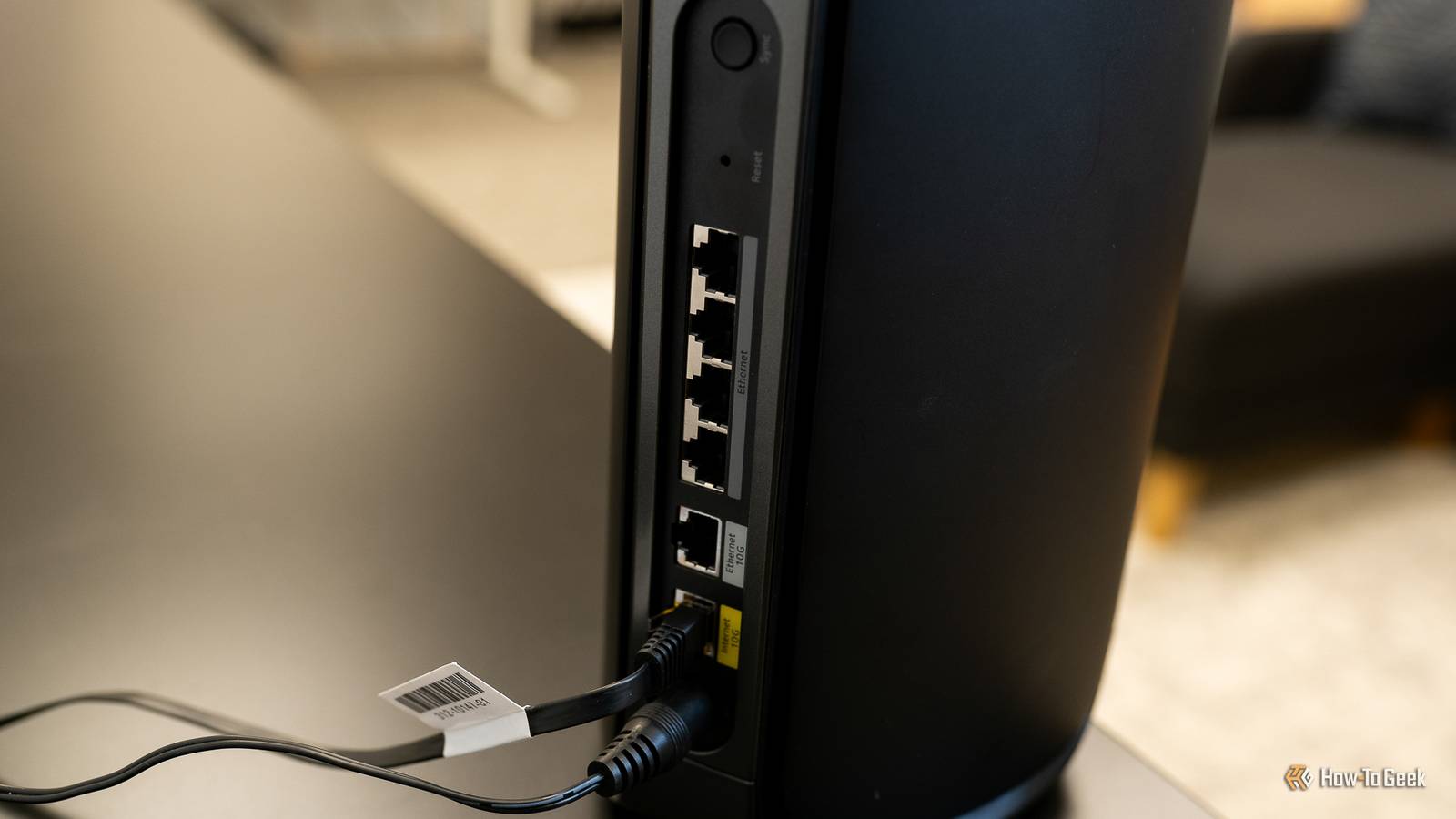
Fortunately, mesh systems will often choose their own route, but automatic doesn't always mean optimal.If something is wrong, investigate.Ethernet backhaul is the easiest way to avoid the mesh speed tax For me, the best solution to these problems is Ethernet backhaul.
It lets you connect your mesh satellites to the main network with Ethernet, removing those extra wireless relay hops and freeing up airtime for your devices.If you're at all able to wire some stuff up, go for it, the benefits are massive.Related It's official, homelabbers are the most likely to be targeted by hackers Hackers are constantly looking for home servers, and the numbers are terrifying Posts 7 By Monica J.
White
Read More