As a developer, I constantly run into tiny problems that interrupt my flow.Formatting a messy JSON response, decoding a Base64 string, or testing a quick regex.The usual solution is opening a browser tab and pasting your data into one of countless online utilities, often cluttered with ads and questionable privacy practices.
That routine worked for years, but it’s also inefficient.Recently, I came across DevToys, a free desktop app that bundles dozens of these everyday developer tools into a single offline toolbox.Instead of bouncing between websites, everything runs locally on your Windows machine, and it’s surprisingly convenient once it becomes part of your workflow.
One tool to solve everyday developer tasks Everything lives in one desktop app At its core, DevToys is a collection of developer utilities packaged into a single desktop application.The app is free, open source, and available across platforms, but it feels especially at home on Windows, where it integrates cleanly with the system and launches instantly when you need it.The interface is straightforward.
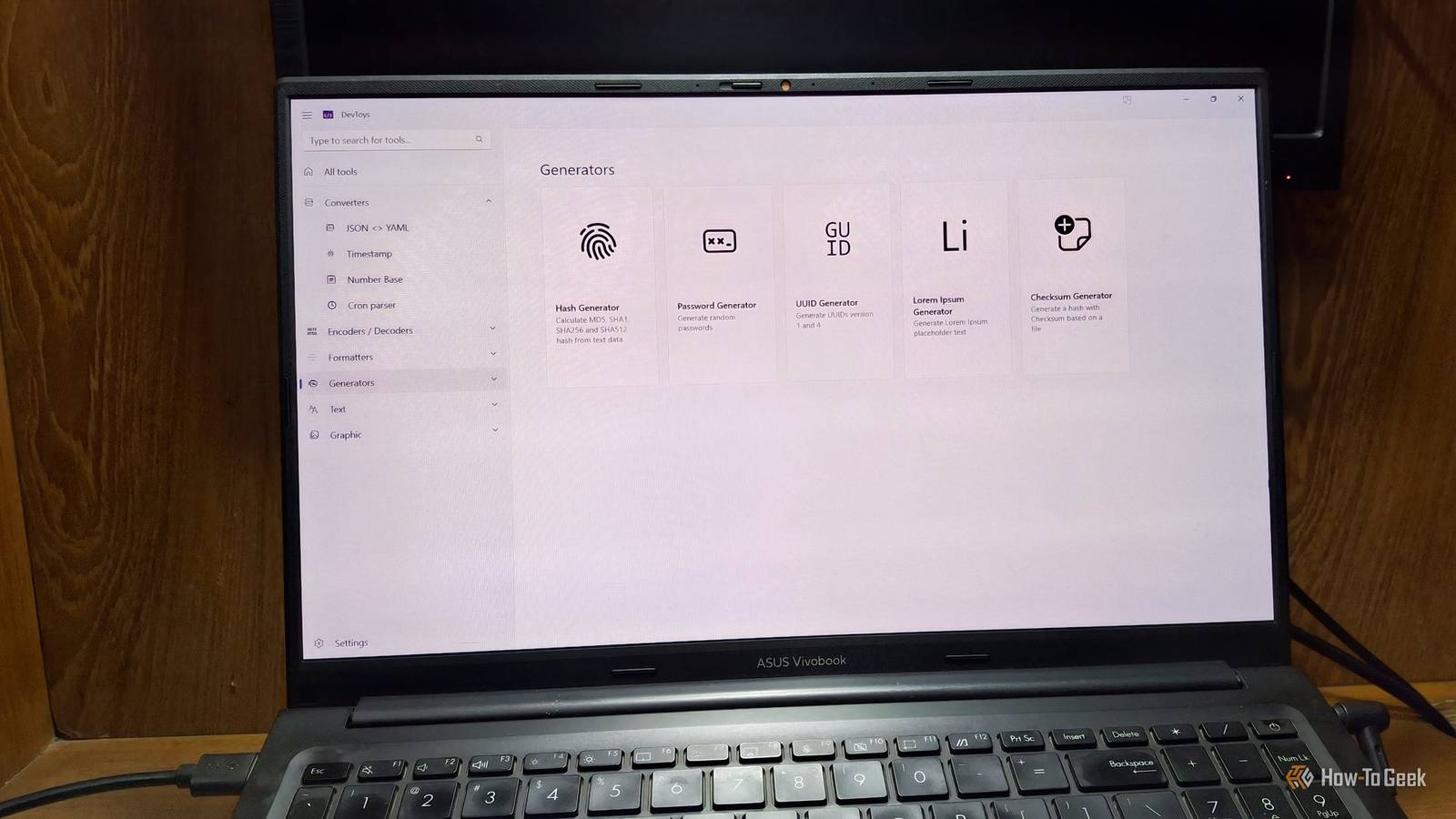
A sidebar organizes tools into categories like converters, encoders, formatters, generators, and testers.There’s also a search bar, so you can jump directly to the tool you need instead of scrolling through the list.Once you open a tool, the layout is typically split into input and output panels, making it easy to paste data on one side and immediately see the result on the other.
More importantly, the built-in tools cover a surprising number of everyday tasks developers run into.Need to format something? There are tools for JSON, SQL, and XML.Working with encoded data? There are decoders for URL, GZip, and even JWT.
There are also practical utilities like a UUID generator, password generator, and Lorem Ipsum generator for quick placeholders.You’ll also find testing tools such as a regular expression tester and graphic utilities, along with formatters for SQL and XML.None of these tasks is particularly complex on its own, but they’re the kind of small chores that pop up repeatedly during development.
Having them all in one place means you can solve them in seconds without ever leaving your desktop.Related PowerToys Is the Ultimate Work From Home Companion App Working for home can be a trade-off in conveniences.Here's how I use PowerToys toWFH smarter, not harder.
Posts 2 By Kipp Burroughs Smart detection makes the app surprisingly fast Automatically detect what tool you need One feature that quickly stood out to me is DevToys’ Smart Detection.Instead of manually browsing through the tool list, the app can analyze what’s currently in your clipboard and suggest the most relevant utilities.When DevToys detects something recognizable, it shows a small lightbulb indicator next to the tools that match the clipboard content.
The app can even automatically paste the content directly into it, saving an extra step.You have to turn this setting on first.In practice, this means you often don’t need to search for anything at all.
You copy a piece of data, open DevToys, and the app already points you to the right tool.After using it for a while, this detection system makes the entire toolbox feel much faster and more fluid to work with.Related I Use This Free Tool as My Go-to Solution for Most of My Windows Needs Managing Windows has never been this easy.
Posts By Aman Kumar You can extend it with more tools The built-in utilities are great, but DevToys is also extensible What makes DevToys more than just a fixed toolbox is its extensibility.The default set of tools is already useful, but you’re not limited to what ships with the app.There’s a growing ecosystem of community-built extensions that you can install to expand its capabilities.
There’s also an SDK available, which means you can build your own tools if you have a specific workflow in mind.For developers who like to tailor their environment, this opens the door to turning DevToys into a more personalized toolkit rather than just a collection of generic utilities.You'll need some C# experience to delve into this.
And if you prefer working in the terminal, there’s a separate CLI version that brings many of these tools to the command line.That makes it possible to integrate them into scripts or automation workflows without relying on the graphical interface.Related The $0 Linux "Swiss Army Knife" every developer should install today Discover the all-in-one Linux toolbox that handles JSON, JWT, Cron, and image conversion in a single, private interface.
Posts 7 By Zunaid Ali Some small hiccups Not dealbreakers, but annoying nonetheless During my test, I couldn't get the Base64 Text tool to get to work.Every time I opened that tool, the app crashed.I'm not sure why that was happening.
There were logs for the crash.However, I couldn't figure out anything from that.Subscribe to the newsletter for smarter dev tools Join the newsletter for curated developer-tool coverage, practical tips, and extension recommendations—explore utilities like DevToys, how-to guides, and tool integrations that help eliminate small, repetitive development friction.
Get Updates By subscribing, you agree to receive newsletter and marketing emails, and accept our Terms of Use and Privacy Policy.You can unsubscribe anytime.Another tool that was causing problems was the Markdown Preview tool.
The preview window was totally missing the first few times I tried using it.That means, when I was writing anything on the left pane, the app was supposed to show the preview on the right pane.But that window was missing and I couldn't see anything.
Finally, after opening and closing the app a few times, the markdown preview finally appeared.A small tool that saves a surprising amount of time After spending some time with DevToys, what stood out most wasn’t any single feature.It was how often I reached for it.
The app quietly removed friction from small, repetitive tasks that would otherwise break my focus.
Read More