Back in the day, before Android had support for gesture navigation, custom launchers were on a level playing field with the stock launcher your phone comes with.But starting with Android 9 Pie, when Google introduced gesture navigation to Android, something changed.Add How-To Geek on Google Add as Preferred Source Follow on Google Discover Instead of handing over the reins to the custom launcher when you switch to it, Android reserved gesture navigation and multitasking controls for the stock launcher, which resulted in major issues with third-party launchers, especially during the days of Android 9 and 10.
While these issues have been mostly resolved, gesture navigation with custom launchers is still not perfect.Custom Android launchers can't handle navigation gestures The crux of the issue All these issues stem from the fact that QuickStep, a component of the stock launcher, is responsible for handling gesture navigation and multitasking on Android phones.While QuickStep—or the phone maker’s own version of it — is seamlessly integrated with stock launchers, such as the Pixel Launcher and One UI Home, it treats third-party launchers like regular apps, and not like launchers that should have complete control over your home screen and navigation.
It all started on Google Pixel devices when they received the overhauled recent apps screen with Android Pie.The feature was only available on the stock launcher, and Google didn’t give third-party launchers the permissions needed to use Overview, so they couldn’t offer its full range of features.The issue got worse with the launch of Android 10, with Google flat-out disabling gesture navigation for third-party launchers.
The company fixed this with an update, but the fact of the matter is that custom launchers still can’t handle navigation gestures; as I’ve said, that job is reserved for QuickStep.Over time and with updates, gesture support for custom launchers arrived on most vendors’ phones, but some issues linger, limiting the usability of third-party launchers.Related I'm still using 3-button navigation on Android—Here’s why It's better, especially Samsung's layout.
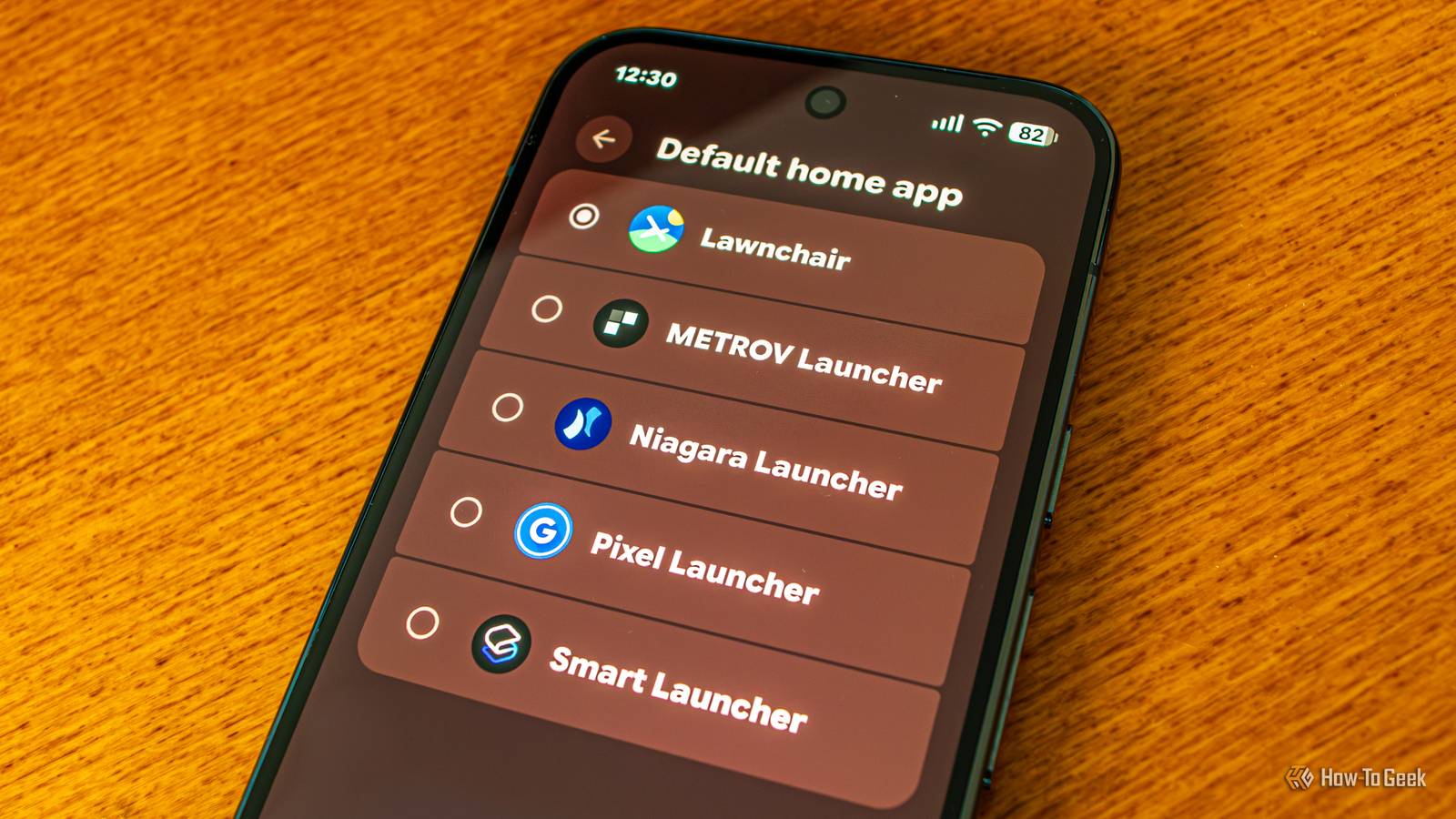
Posts 32 By Cory Gunther Despite improvements, gesture navigation with custom launchers is still less than ideal It works fine most of the time, but there are multiple hiccups Close I’ve been using Lawnchair and METROV launchers for a good while now, after the limitations of my Pixel’s stock launcher made me look elsewhere for a launcher that lets me customize things the Pixel Launcher doesn’t support.While Lawnchair is my go-to choice, I sometimes switch to METROV to soothe my nostalgia for Windows Phone’s Metro UI.Recently, I also started playing around with Smart Launcher and Niagara Launcher, but I’m not ready to commit to either of them — although I like Smart Launcher more and more the longer I use it.
While I haven’t noticed any major issues related to gesture navigation with any of the four custom launchers I’ve been using on my Pixel 10 Pro, I have noticed a number of smaller hiccups showing that Google still has some kinks to iron out.The most jarring one is how the recent apps screen works on the stock Pixel Launcher compared to third-party launchers.With the stock launcher, you barely have to swipe up from the bottom of the screen to summon the recent apps screen, and it shows up while your finger is still on the display, which feels smooth as butter.
The action completes in the blink of an eye, especially if you speed up system animations in Developer options.With third-party launchers, though, you have to swipe up higher, wait for the haptic feedback, and then lift your finger for the recent apps screen to show up, which feels much less fluid.It’s also a sign that the Android system handles custom launchers more or less like regular apps, since the gesture for opening the recent apps screen is the same as when you’re inside an app, minus the “pulling up the app window” animation.
This isn’t the only gesture navigation issue I’ve noticed when using custom launchers.For instance, the swipe-up gesture that takes you to your main home screen page rarely works on Lawnchair.Instead of a single swipe up from the bottom of the screen, I usually have to swipe up two or three times in quick succession for the gesture to register and take me to my default home screen page.
I’ve also noticed this with Smart Launcher, but it’s much less frequent than on Lawnchair, where it happens virtually every time.On Niagara, swiping down to pull down Quick Settings also triggers the home screen’s pull-down animation, resulting in the home screen “bouncing” down for a moment before the Quick Settings panel appears.On top of that, the Quick Settings pull-down animation isn’t as fast and fluid with third-party launchers as it is with the stock launcher.
I’ve tested this with all four custom launchers I’ve mentioned, and the difference is quite subtle on all of them, but enough for me to notice.Last but not least, I’ve also noticed that no matter which custom launcher I use, the recent apps screen stutters a bit when moving fast between open apps, especially when swiping down to close it and return to the home screen.This isn’t related to my Pixel’s underpowered Tensor G5 chip because the recent apps screen has impeccable animations no matter how fast you move around it when using the stock launcher.
I don't find this deal-breaking, but it can be annoying My Pixel’s stock launcher is too limiting, so I'd rather live with the gesture hiccups Now, let me be clear: I don’t find these issues deal-breaking.Far from it.Sure, they be annoying, especially the delayed recent apps screen animation.
However, I’ve learned to live with them because custom launchers offer so much more than the Pixel’s fairly confining stock launcher.I can remove the irritating Google search bar from the bottom, use stackable widgets (you can also use them with the stock launcher thanks to the Essentials app), use infinite scrolling to loop between the first and last home screen page with a single swipe, switch to a minimalistic home screen when I feel like it, and do so many more things that aren’t available on the Pixel Launcher and likely won’t ever be.Google could fix this if it wanted to The kicker here is that Google could fix this by allowing third-party launchers seamless integration with QuickStep.
This way, the Android system wouldn’t see custom launchers as regular apps, which would likely remove all the residual gesture navigation issues, as well as finally enable that smooth recent apps screen opening animation outside the stock launcher.I wouldn’t mind if the system-level permissions needed for QuickStep integration were gated behind a 24-hour waiting period (like the one for sideloading apps), multiple warnings I had to read in full, or any other measure that would make clear that I should give the permission only to apps I fully trust.But considering just how much work Google has put into fixing gesture navigation issues without integrating QuickStep with custom launchers, I doubt we’ll ever see that.
In other words, if you want to keep using custom launchers on your Android phone, get ready to keep putting up with these small but annoying limitations.
Read More