So you've scored a good deal on a dedicated NAS, but it didn't come with any drives.No problem, you happen to have some old desktop PC drives lying around that fit perfectly.The NAS powers on, the drives work, and you feel pretty good about yourself.
Sadly, you're probably setting yourself up for disappointment, because regular PC desktop drives aren't the right fit for NAS duty.Instead, you should opt for purpose-built NAS drives, and I'll give you more than a few good reasons why.Not all hard drives are designed for 24/7 operation It's not what your desktop drive signed up for If you take a second to think about it, you'll realize that the job of a desktop hard drive and a NAS drive are very different.
A desktop drive spends most of its time spun-down and idling.Especially these days with SSDs playing the role of system drive.Desktop drives provide good performance in short bursts, but aren't really thrashed that hard.
Drives in a NAS however, need to serve the needs of multiple users and automated software such as backup agents.The NAS itself also constantly does checks and maintenance, standing ready to serve or receive data at a moment's notice.In other words, purpose-built NAS drives are designed to run all day, every day, without complaint.
These differing design goals have significant real-world impact.In the end, if your NAS is NAS-ing as intended, it's going to thrash those desktop drives in a way they aren't rated for and potentially shorten their operational lives.Vibration is a serious problem in multi-drive systems These are not the good kind of vibes When computers still had mechanical hard drives in them by default, there might be two or three of them in a nice spacious tower.
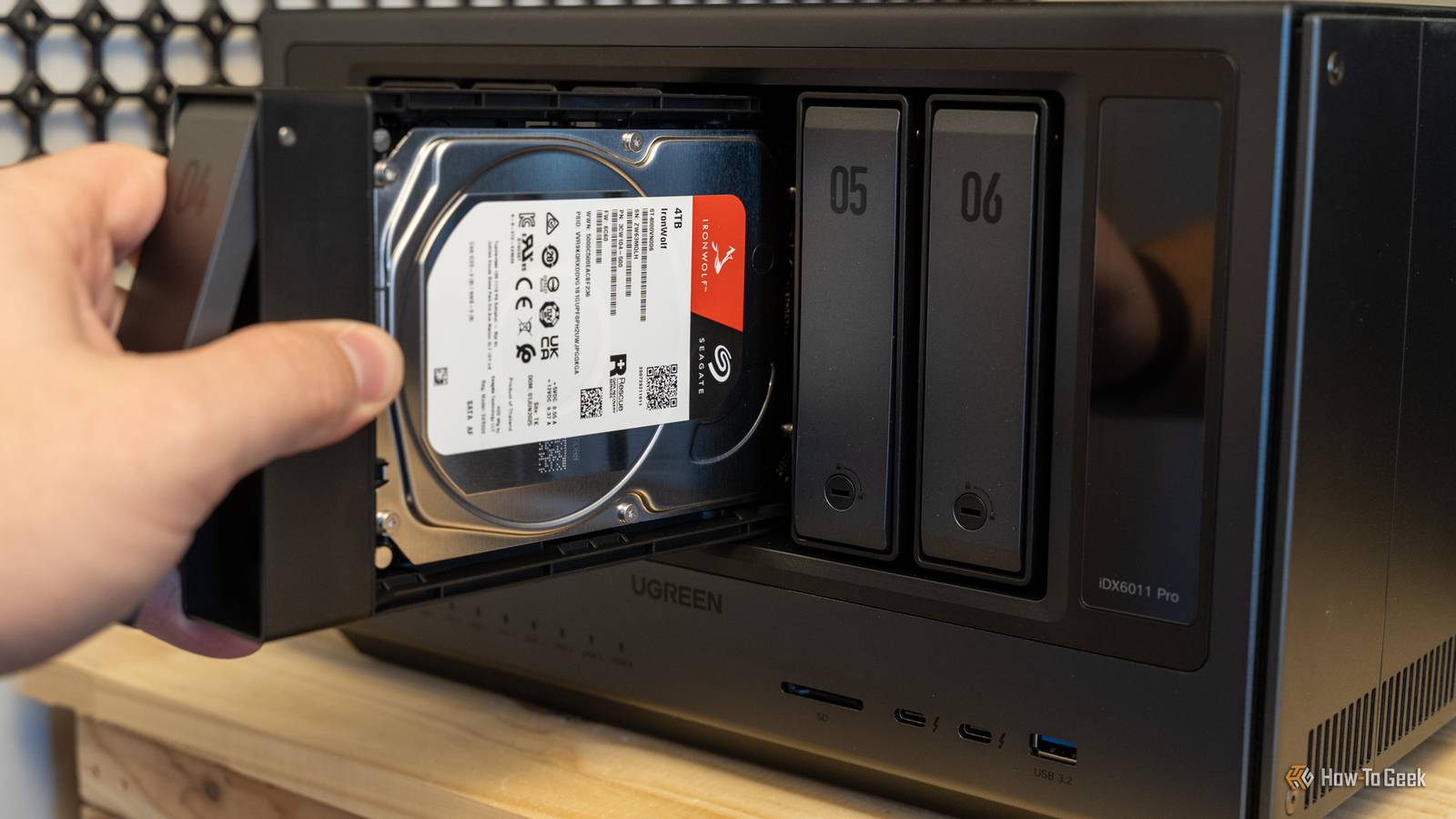
However, in a proper NAS you might stuff four, six, eight or more drives into close proximity and they're all running.This means lots of vibration, which can and does create interference with read and write operations.NAS drives include rotational vibration sensors that allow the drives to compensate for that interference in real time, maintaining performance, preventing excessive wear, and reducing the chances of read or write errors.
It might not be a big deal in a two-bay NAS, but if you're moving into big-boy territory, it's a significant factor.Error recovery behavior can break RAID arrays Desktop drives aren't team players If you've invested in a multi-bay NAS, you probably plan to use a RAID array so that there's some redundancy for your data in case some drives go down.That's a great idea, but a desktop drive might be the wrong choice for one important reason.
All modern hard drives have built-in error correction, and when the drive detects an error it will try to fix it internally before letting the drive controller know about it.Trying everything to recover a bad sector is good behavior in a single desktop drive.After all, there's no redundancy, so saving the data is a top priority.
In a RAID array there is another copy of that data, so drives designed for this purpose don't spend as much time trying to recover.This is important, because of a drive is unresponsive for too long while trying to recover from an error, the RAID controller might interpret that as the drive being dead, at which point it gets dropped from the RAID array.Fixing this issue can then involve a long and painful rebuild process.
Reliability ratings and validation are on another level They're just built different I already alluded to this above, but the biggest argument for NAS drives is simply that they are built tough.That's why they cost more.They are tested and certified for running NAS workloads, to be packed in with other drives, and to run all the time.
Subscribe to the newsletter for smarter NAS drive choices Get the newsletter for hands-on NAS and storage guidance: buying comparisons, reliability checks, vibration and RAID considerations, plus practical tips to choose and protect drives across multi-bay setups and storage builds.Get Updates By subscribing, you agree to receive newsletter and marketing emails, and accept our Terms of Use and Privacy Policy.You can unsubscribe anytime.
As a consequence, these drives have much longer warranties than your average desktop drive.This reflects the confidence the manufacturer has in that drive, and it also gives you a good idea of how much you can trust it.While a desktop drive might have a two-year warranty, NAS drives tend to offer 3-5 years.
This means if you invest in these drives now, you'll get repairs or replacements for longer, and you can time your drive replacement schedule accordingly.I don't want to tell you not to equip your NAS with the drives you have or can get for cheap.However, you need to understand the data integrity risks you get from pushing desktop drives into a workload profile they were not designed for.
If the data on you NAS isn't that important and you just want something to store data for a year or two, then go right ahead.But you can't say no one told you otherwise.WD Red Plus 2TB HDD Storage Capacity 2TB Brand Western Digital Spindle speed 5400 RPM Workload 180 TB per year Cache 64MB Suitable for NAS $80 at Amazon $85 at Western Digital Expand Collapse
Read More