Adobe Creative Cloud offers some of the best applications for creative jobs.The only drawback? You have to pay up to $70 a month—or about $840 per year—to access them.There are first-year promotions available, but even those add up to about $740 per year.
That is a big commitment, especially considering the annual subscriptions come with hefty early termination fees.Add How-To Geek on Google Add as Preferred Source Follow on Google Discover ArtCraft is an open-source suite that aims to replace seven of the most popular apps within Adobe's Creative Suite with free alternatives.It is still in the alpha stages, but the work so far is quite impressive.
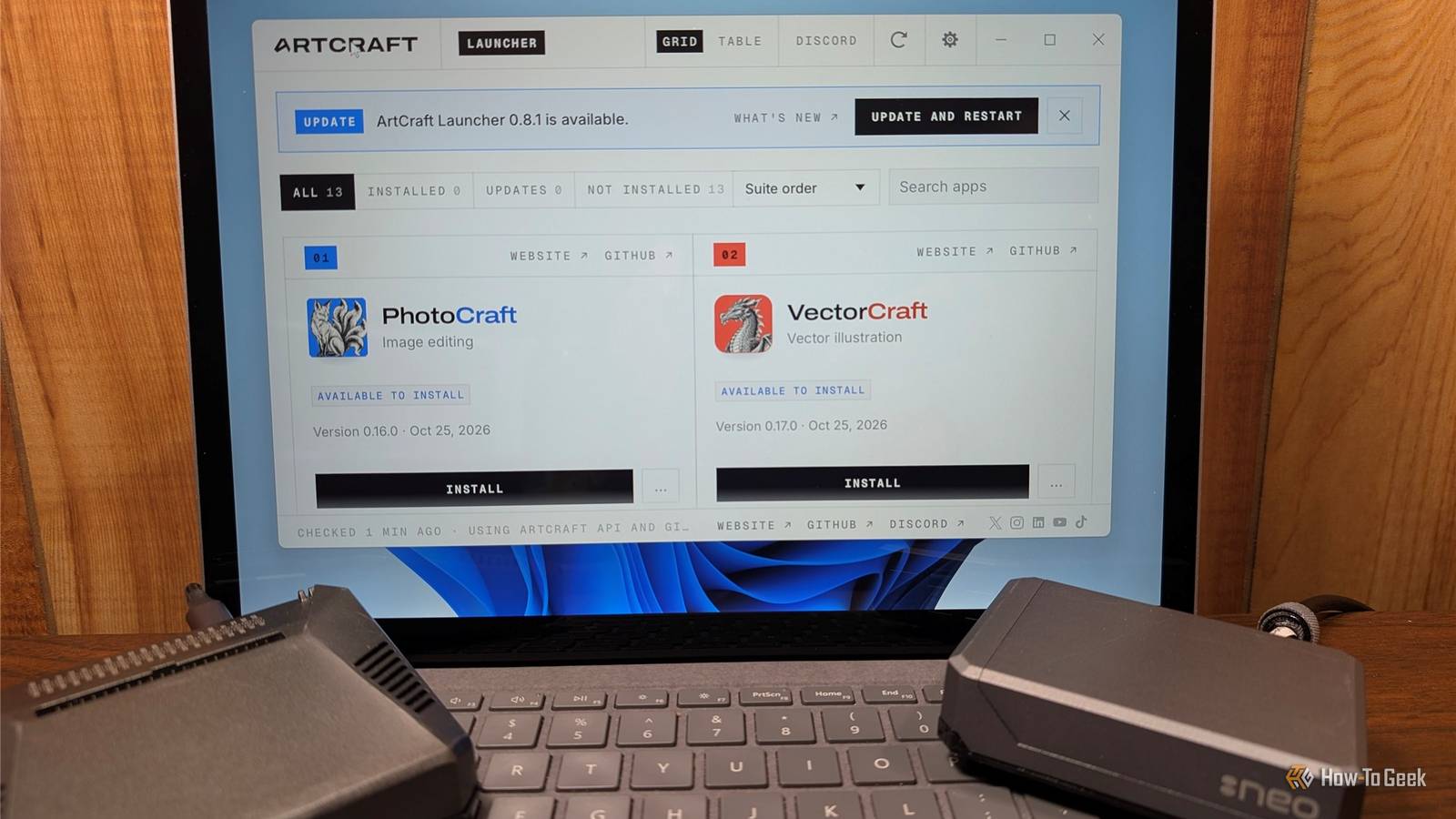
It also works on all major desktop operating systems; Linux users aren't left out in the cold this time.ArtCraft is an open-source Creative Cloud replacement Not all AI-coded projects are slop ArtCraft is a suite of applications built (with AI) from scratch in Rust that are designed to look, feel, and act like the Adobe tools we've become familiar with over the last few decades.If you have used Adobe's products for a few years, you'll find these replacements pretty intuitive.
You get PhotoCraft for Photoshop, VectorCraft for Illustrator, FilmCraft for Premiere Pro, LightCraft for Lightroom, EffectCraft for After Effects, DesignCraft for InDesign, and PdfCraft for Acrobat.The project has already expanded its scope beyond Adobe.There are clones of Word, Excel, PowerPoint, Figma, AutoCAD, and Pro Tools in progress too.
You can run it natively on Windows, macOS, and Linux, or use the browser version.Most importantly, it is local-first.You don't need an account, a cloud subscription, or a connection to a remote server.
What ArtCraft does well Many of the apps are ready for basic work Close Many of the apps are already ready for real-world use.PhotoCraft, for example, currently supports layers, masks, adjustment layers, and brushes.It can open and save PSD files.
According to the developer's testing, it was able to open and re-save a PSD file without distorting the image 99.4% (307/309) of the time.It can also handle files from Krita and Affinity.That isn't full feature parity with Photoshop, but it is enough for many simple editing tasks.
FilmCraft is progressing similarly.It offers a Premiere-style workflow.It has the usual three-point editing you expect, typical trim tools, a full color grading suite, and a video effects bin with more than 90 effects.
It also has a basic set of tools for working with audio.LightCraft, ArtCraft's Lightroom replacement, has most of the tools you would need to edit RAWs.You can tweak a photo's light (exposure, contrast, highlights, shadows, whites, blacks) and color, and apply effects.
It also supports masking, and has a handful of common preset filters.Related I canceled Lightroom and tried Darktable—these 4 features won me over After canceling Lightroom, I found Darktable's approach changes everything.Posts 3 By Jorge A.
Aguilar All of the apps work on Linux.They're also designed to integrate with AI via an MCP server.On whole, it is an excellent start to an extremely ambitious project.
There are still some shortcomings It is important to remember that all of these apps are new and still in the alpha phase.The documentation specifically warns that they're not ready to replace Photoshop—or any of the other apps—for daily professional work.There is a feature tracker that you can use to keep an eye on which features have been added and how developed they are.
So far, most of the apps have focused on breadth of features rather than full completeness.There are some limits that are significant.At the moment, third-party plugins aren't supported, which means you can't yet use VSTs for audio or OpenFX for video.
FilmCraft, the Premiere replacement, can't open PRPROJ (Premiere) files yet.It is also still using CPU-based export, which is slower than GPU-accelerated exports.Getting started with ArtCraft Download the apps individually or use the ArtCraft launcher You can get the apps from the GetArtCraft website or the official GitHub repos.
Windows users can choose between an MSI installer or a portable ZIP, macOS users get a DMG, and Linux users have three options: AppImage, Flatpak, and a DEB file.If you don't want to install anything, you can use the browser build instead.To see how it'll work for you, I'd recommend opening up a PSD in PhotoCraft or editing a RAW in LightCraft to see how it actually handles your workflow.
I'm not a heavy editor by any means, and I was pleasantly surprised.If you're an engaged hobbyist or a professional, you'll likely find the shortcomings much more quickly.They're a work in progress ArtCraft isn't a "Creative Cloud killer" but it is a promising start.
It offers a familiar layout (a significant problem) and a growing list of features.Even if it never achieves full feature parity, Adobe's own pricing has created a great financial incentive to muddle through with an imperfect replacement.As AI continues to improve and ArtCraft's capabilities grow, it'll present an increasingly appealing alternative for hobbyists.
Read More