Adobe Acrobat offers plenty of useful PDF tools, but paying a recurring subscription just to edit, sign, or convert documents can feel excessive.Especially when a self-hosted alternative can handle most of the same everyday tasks.Add How-To Geek on Google Add as Preferred Source Follow on Google Discover BentoPDF brings PDF editing, annotations, signatures, conversions, and document management together in one application.
Its newer text-editing capabilities make it an even stronger Acrobat alternative.You can use it for free personally, or get a lifetime commercial license for $79.BentoPDF finally lets you edit existing PDF text Change text without rebuilding the entire document One of the biggest reasons people stick with Adobe Acrobat is its ability to edit existing PDF content.
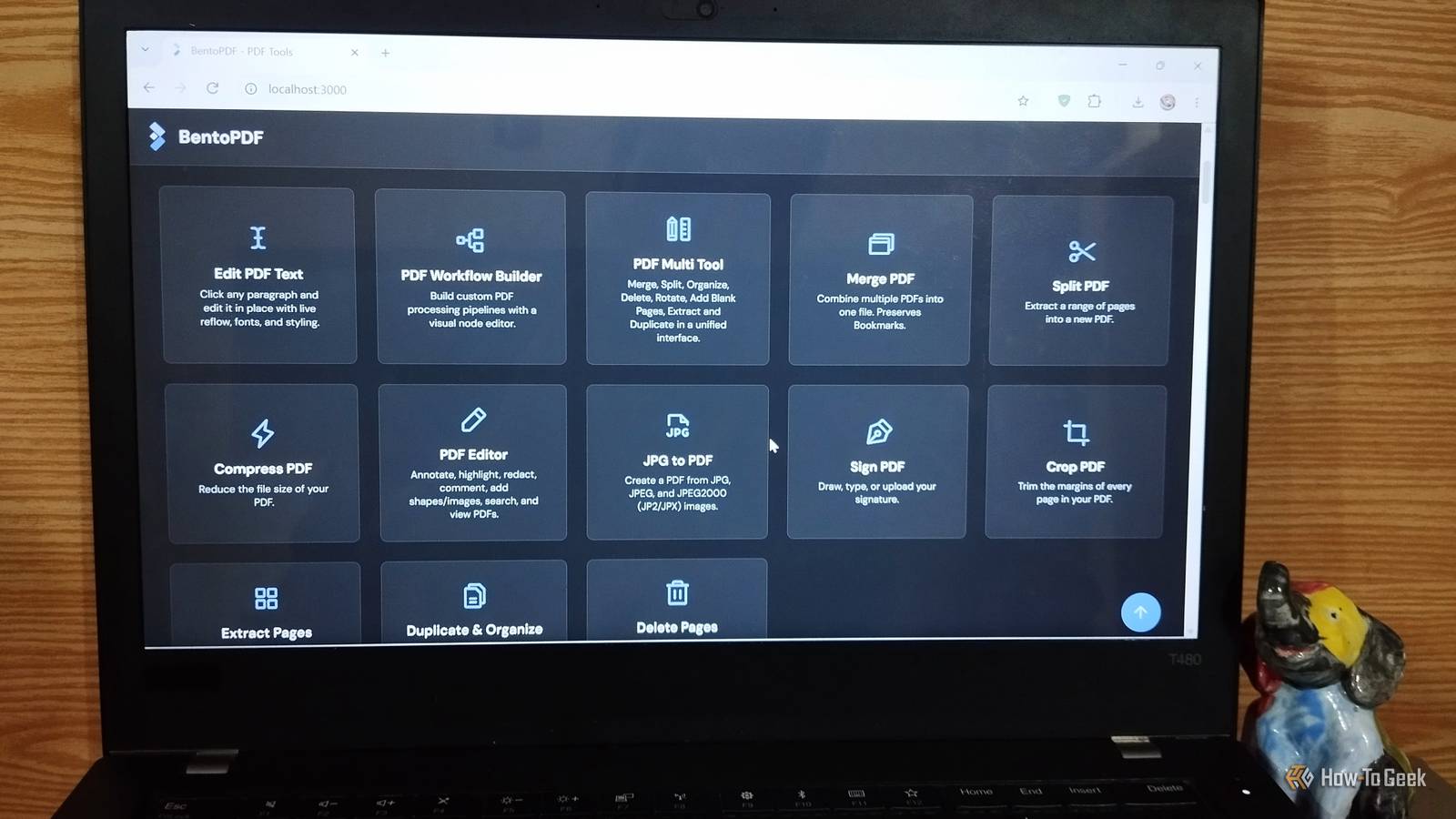
BentoPDF now offers a dedicated Edit PDF Text tool that lets you modify text directly instead of simply placing another text box over it.You can select existing text, make changes, and adjust its formatting without recreating the document from scratch.This is particularly useful when you need to correct a typo, update a sentence, or make a quick change to an existing document.
You can also adjust text styling, making it more than a basic annotation tool.Don't worry, Edit PDF Text is a separate tool, and BentoPDF still offers its PDF Editor tool.The text-editing tool lets you modify existing content, while PDF Editor focuses on markup and annotations.
Together, they make the experience much more convenient.Everything you need to edit, annotate, and sign PDFs Highlight text, fill out forms, and add your signature Editing existing text is only part of the PDF workflow.You also need to review documents, leave feedback, fill out forms, and sign paperwork.
BentoPDF has separate tools for each task, so you don't have to switch between applications.The PDF Editor handles annotations, letting you highlight text, add comments, draw shapes, and insert images.When you need to sign a document, there's a dedicated signing tool for that, too.
You can also create fillable PDF forms or fill out existing ones, which is handy when dealing with applications and other paperwork.Related These 5 Obsidian shortcuts changed how I organize my notes I've tested every Obsidian shortcut, and only these ones changed how I take notes.Posts By David J.
Buck Having these tools alongside text editing makes BentoPDF feel much more complete.Converting PDFs doesn't require another application Convert documents and images to and from PDF PDF conversion is another everyday task that shouldn't require installing a separate application.BentoPDF includes tools for working with PDFs and other common document formats.
You can convert PDFs into formats such as Word documents and images, as well as turn supported documents and images into PDFs.This is useful when someone sends you a PDF that you need to edit in a word processor or when you want to combine images into a single document.Of course, conversion quality matters, too.
Complex layouts, fonts, and tables may not survive intact, so always check the output before sharing it.BentoPDF makes document management easy Merge files, split pages, and compress documents BentoPDF isn't limited to editing individual documents.It even offers a collection of page-management tools that makes it easy to organize PDFs without hopping between different applications.
You can merge multiple documents, split a PDF into smaller files, extract individual pages, and rearrange or delete pages.There are also tools for compressing PDFs, adding page numbers and watermarks, editing bookmarks, and managing tables of contents.I particularly like having these tools available in one place.
Instead of hunting for a separate utility every time I need to combine two documents or remove an unnecessary page, I can simply open BentoPDF and pick the relevant tool.Ditch the Acrobat subscription, not the features Host your own toolkit and keep your documents private The biggest appeal of BentoPDF isn't just its feature collection.You can host it yourself using Docker and access the toolkit through a browser.
You don't need a recurring subscription or an online PDF conversion service to get started.BentoPDF is designed to process documents locally in your browser rather than uploading them to its own servers.Self-hosting also gives you control over where the application runs and who can access it.
That said, you still need to secure your deployment, particularly if you expose it beyond your local network.Of course, BentoPDF isn't a 100% replacement for Adobe Acrobat.You may miss some advanced features, broader format support, or the convenience of having a dedicated support team.
Self-hosting also means taking responsibility for updates, maintenance, and troubleshooting.But for everyday PDF editing, annotating, converting, signing, and organizing, it covers most of what you need.Keep your PDFs under control and your money in your pocket BentoPDF started as a small internal utility in 2025 and quickly grew into a promising open-source PDF toolkit.
Its rapid development and growing feature set make it a serious competitor to Adobe Acrobat, with the potential to win over many of its users.It may not replace every advanced Acrobat feature, but it already covers around 90 to 95% of everyday PDF needs.You can host it yourself, keep document processing under your control, and avoid another subscription.
For most people, that's a pretty sweet deal.
Read More