Android today is dramatically different from when it launched 17 years ago.However, some things are surprisingly still the same.The app drawer is one of those things, but you don't have to keep using it the old way.
We can do better.The app drawer has always been a feature that distinguishes Android from iPhone.Rather than having all of your apps on the home screen or in folders, the full list is neatly tucked away in the app drawer.
That concept is still good, but as you’ll see, it hasn’t evolved like other parts of the OS.The first Android app drawer Let’s go all the way back to October 2008 and the release of the very first Android phone, the T-Mobile G1.It shipped with Android 1.0 (no dessert nicknames yet).
The default home screen featured an analog clock widget, a few apps, and a pull tab at the bottom of the screen—the app drawer.Swiping up on the pull tab revealed the full list of installed apps in an alphabetical grid.To find an app, you would scroll vertically through the list.
That was the extent of the app drawer’s abilities.Just a barebones, incredibly simple implementation.Eventually, more Android devices were released, and manufacturers had their own take on how it should look.
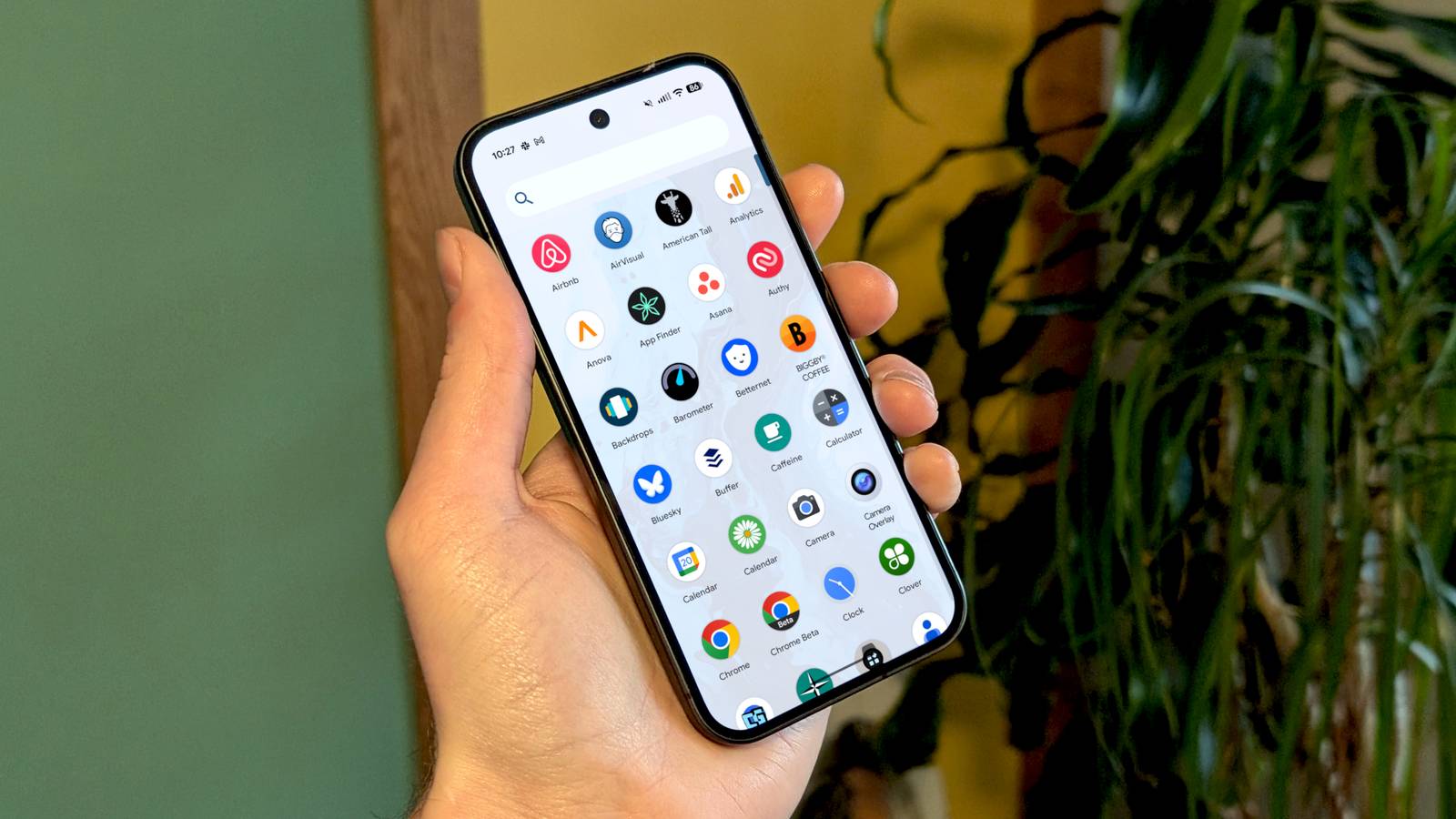
The functionality remained the same, though, and it hasn’t changed much since then.We’re still scrolling through grids of app icons, but the list is much longer now, and that’s a problem.Related The Android Navigation Bar Has a Weird History There was a time when phones had buttons for more than just volume.
It might be ancient history now, but navigating an Android phone used to be a very different experience.The journey from physical clicks to fluid swipes has been a long one—let's take a look back.Posts 6 By Joe Fedewa Why are we still scrolling? There are better options Be honest, do you know how many apps are installed on your Android phone? There’s a good chance the real number is higher than you think.
I have around 200 apps installed on my phone, and since I’ve been writing about Android for a long time, I know that’s nearly double what I had eight years ago.A simple grid of icons may have been fine when there were far fewer apps available, but it’s not good enough anymore.I can’t tell you how many times I’ve scrolled through the app drawer longer than I should have.
My brain isn’t always great at remembering and picking out a specific icon, and the grid layout negates some of the alphabetical effect.I’ve tried a couple of alternatives, and there are two that stand out as definitive improvements.The first one is a simple change you can make.
Many home screen launchers now include search bars in the app drawer.However, what’s even better is the ability to automatically start a search when you open the app drawer.Subscribe for smarter Android tips and launcher fixes Want practical Android guidance? Subscribe to the newsletter for hands-on Android coverage: launcher recommendations, app-drawer tips (Lawnchair, Niagara examples), and straightforward, actionable advice for finding and launching your apps and other Andro Subscribe By subscribing, you agree to receive newsletter and marketing emails, and accept our Terms of Use and Privacy Policy.
You can unsubscribe anytime.This is a setting I first noticed in Lawnchair Launcher.When I swipe up to open the app drawer, the keyboard automatically opens, and I can instantly start typing the app name I’m looking for.
The search bar was always there, but this small change made me actually start using it.Finding and launching apps is so much faster now.To enable, go to the Lawnchair settings > App drawer > Search bar settings > Automatically show keyboard.
For a completely different take on the app drawer, give Niagara Launcher a try.Rather than a traditional grid, the apps are organized into a single app per line list.But what makes it awesome for finding apps quickly is the alphabet on the side of the home screen.
You can tap a letter and immediately see all the apps that start with that letter without the extra step of opening an app drawer.Stop getting lost on your phone I’ve realized that when I can’t directly do the thing I grabbed my phone for, I’m much more likely to get distracted by something else.Using an app drawer with a quick method for launching apps is one way I’ve tried to fix that.
Android offers a wide variety of third-party home screen launchers with unique ways to find and open apps.If you feel the same as I do, it’s time to ditch the archaic app drawer.Related Samsung's One UI 7 Has Changed How I Feel About Default Android Launchers I've swapped out the default home screen launcher for an alternative ever since I started using Android.
Samsung's 7th version of One UI, currently rolling out to Galaxy phones, is the first I genuinely like.Posts 2 By Bertel King
Read More