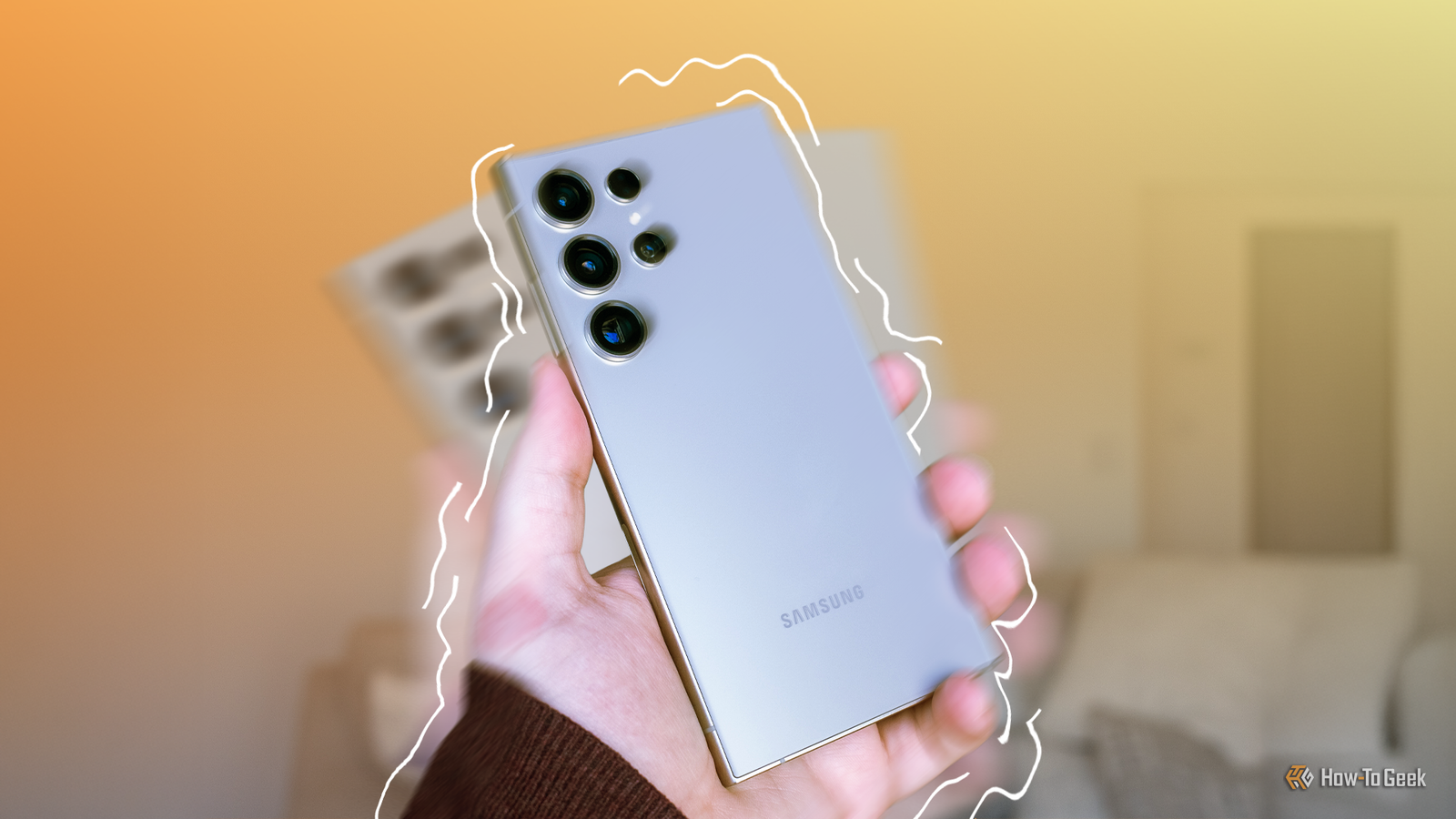
Have you ever shaken your smartphone and heard something rattling inside? It's not loose parts—well, technically it is, but it’s placed there intentionally.Here's what's actually going on.Why your phone rattles when you shake it It’s actually a feature, not a bug I discovered this completely by accident.
My Motorola has this neat little trick called —you make a sharp karate-chop motion twice, and the flashlight toggles on or off.I use it all the time, especially at night when I need to go to the bathroom without turning on the lights and waking up my partner.Now, a few weeks back, I noticed a faint but unmistakable rattle coming from inside the phone as I shook it.
Close My first instinct was to dismiss it.It’s a mid-range Motorola—maybe something came loose.But then curiosity got the best of me, and I shook my Pixel 10, then my partner’s Samsung, and sure enough, both made the same rattling sound.
I could only think of two possible explanations.Either all three devices were damaged from the off-roading trip we did a week before, similar to how my back is still aching.Or there’s a common structural defect present in all three smartphones.
Turns out, it’s the latter (sort of)—it was structural, just not a defect.The culprit is actually a specific mechanism inside the camera module called the OIS (Optical Image Stabilization) actuator.Google Pixel 10 Brand Google SoC Google Tensor G5 Display 6.3-inch Actua OLED, 20:9 RAM 12 GB RAM Storage 128 GB / 256 GB Battery 4970mAh $799 at Amazon $799 at Best Buy $799 at Google Store $799 at AT&T Expand Collapse Why are the camera parts moving around? The OIS mechanism works by physically moving a floating lens element (or in some designs, the sensor itself) to counteract shaky hands.
As the name suggests, it helps you click more stable images.Remember back in the 2010s when we had to keep our hands very still, or else the images would come out blurry? Well, that level of dexterity isn’t necessary anymore thanks to OIS.When you're taking a photo or recording a video, your phone's motion sensors—typically the gyroscope and the accelerometer—constantly monitor how the device is moving.
Your phone then uses that data paired with the OIS mechanism to shift the camera lens or sensor in the opposite direction to compensate for your movement—keeping your shot smooth and sharp.Related There Are a Lot of Sensors in Your Phone, Here's What They Do Your phone can do a lot of cool stuff thanks to the many sensors inside.Posts The key detail here is that the OIS system isn't rigidly fixed in place.
It's free-floating—suspended in a way that allows it to move freely in multiple directions.When you forcefully shake your phone, it starts to move around in its housing, making the rattling noise.Now, you and I aren’t the first people to notice this.
Some Samsung users probably reported the issue, which is why the company put out an article way back in 2022 officially acknowledging that the rattling sound is a normal characteristic of how OIS functions and has no impact on your phone's performance.You can check if your smartphone has OIS by looking at its spec sheet.I’ve found GSMArena particularly useful for this kind of research.
Search for your device, head to the camera specifications, and it'll clearly state whether OIS is present.Of course, you can always check your phone manufacturer's official spec sheet as well.Your phone might still be able to do image stabilization using EIS—Electronic Image Stabilization—instead of OIS.
Rather than moving physical components, EIS uses software to crop and shift the image digitally to simulate a steadier shot.Since EIS has no moving parts, it produces no rattle.What if your phone is rattling and it doesn’t have moving parts? This is when you should actually be worried If your phone doesn't have OIS, and it's still rattling when shaken, something is likely loose inside.
This could happen from a bad drop or just general wear over time.The usual suspects include loose screws, the haptic motor, the internal shielding plate, or, in rare cases, a speaker assembly.You can do some guesswork to narrow it down.
If you're noticing audio issues—muffled sound, distortion, or reduced volume—a loose speaker is the likely culprit.If your vibration feels weak or inconsistent, the haptic motor might have shifted.Loose buttons or a SIM tray are easier to spot since you'll often feel them physically wobble when you press or touch them.
That said, this is all guesswork.You won't know for sure without someone actually opening the phone up.The practical advice would be to take it to a technician ASAP.
Mention that you're hearing a rattling sound.A good repair shop will be able to open it up, identify what's loose, and properly reseat or secure the component.Catching it early keeps the repair simple.
More importantly, stop shaking it.Every time you rattle a phone with a loose component, you risk making things worse.A wire could disconnect, a component could detach entirely, and what might have been a simple fix turns into a much more expensive repair.
Related 7 Tools for Mobile Phone Repair, and Tips for Using Them Repairing a phone yourself can be done, but you'll need some help.Posts By Jason Fitzpatrick Will shaking your phone damage it? As if our phones aren’t fragile enough To be fair, most modern smartphones are robustly built, and the OIS mechanism is designed to handle real-world movement—be it bumpy car rides or the occasional drop into your bag.In fact, after I first discovered that rattle, I went a little overboard testing it, and my OIS still works perfectly fine.
I also went down a rabbit hole of forum posts and community threads trying to find someone who had actually damaged their OIS from shaking, and I came up empty.Subscribe for clear answers on phone rattles and more Want to stop guessing about mysteries like a rattling phone? Subscribe to the newsletter for clear, practical explainers on hardware quirks (like OIS camera rattles), straightforward troubleshooting tips, and device insights that help you make informed repair decisions.Get Updates By subscribing, you agree to receive newsletter and marketing emails, and accept our Terms of Use and Privacy Policy.
You can unsubscribe anytime.However, it would be dishonest to say there's zero risk.The OIS mechanism uses moving parts, and like any moving part, it is subject to shock damage.
If your unit happens to have a manufacturing defect—which is rare, but does happen—vigorous or repeated shaking could potentially damage it.Furthermore, even if the OIS mechanism doesn’t break, there are other components that might come loose.The bottom line—if your phone has OIS, the rattling noise is completely expected and natural.
If it doesn’t have an OIS, then see a technician sooner rather than later.
Read More