Keep is one of Google's better products.It has a great UI, and you can capture notes with just one tap.Despite using it for years, however, I have wanted an alternative.
So why bother replacing it? I can give you two reasons and a free, open-source app that does what Keep can't.Memos does what Keep can't This app is free, self-hostable, and supports native Markdown The app is called Memos.It has 58000 stars on GitHub, and it's exceptionally well-documented.
You can self-host it with Docker.If you're coming from Google Keep, Memos has a very familiar interface, except you can write in Markdown.There's a quick capture window where you can upload file attachments, link to other memos, or tag notes with a location.
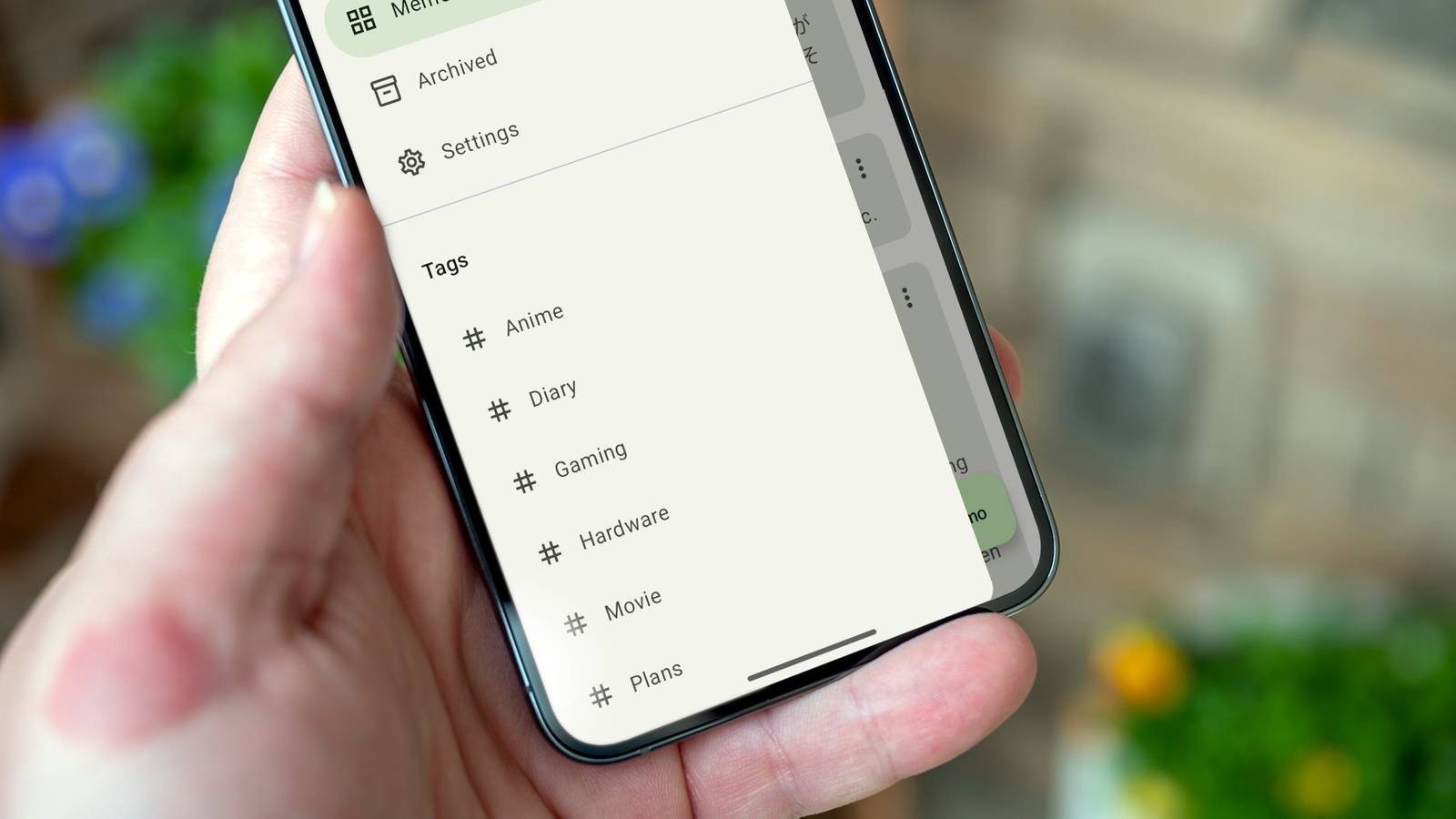
You can organize notes by including one or multiple hashtags.The tags show up on the sidebar as filters, as labels do on Keep.Use the slash key within the capture window to quickly create to-do lists or tables.
There's a mobile app too.A self-hosted instance of Memos will keep your notes synced and private between devices.Two reasons to switch from Google KeepFans of Obsidian will love Memos For longer notes and journals, I mostly use Obsidian.
It's a notes app that stores your notes as plain-text Markdown files.It's an open file format, which most notes apps, including Memos, can read.Since Memos also saves notes as Markdown files, it's easy to move notes between the two apps.
That's not possible with Google Keep because it saves its notes in a proprietary format, even if you manage to download them from Google's servers.Plain-text files give you total control over your data.So that's the first reason.
But why not use Obsidian for all my notes? Obsidian isn't great for quick notes and to-do lists, especially if you like to include photos or screenshots in your notes.Keep does a great job with quick to-do lists and images, but it does not support Markdown.Memos gives you the best of both worlds because it supports attachments and to-do list features, just like Google Keep.
The second reason has to do with cutting subscriptions and generally moving away from big tech services.I've been making an effort to replace Google apps with self-hosted alternatives.Until a year ago, I used Google Docs, Keep, Drive, and Calendar almost every day.
These days, I only use Google Maps, YouTube, and occasionally Colab.It's better for privacy, but I also really enjoy tinkering and self-hosting software.If it's something that interests you too, Memos makes a lovely replacement for any SaaS note-taking app, including Keep.
You don't need to worry about manually copying your Keep notes to Memos.I'll show you a way to import them all as perfectly formatted Markdown files.Setting up Memos Self-hosting your own instance of Memos The developers provide a demo instance of Memos where you can test it out before installing it.
You'll need two things to get Memos up and running.Docker.A free app that lets you deploy apps as "virtual containers" using simple text instructions.
Server.This could be any PC or laptop that can stay on 24/7.You can technically run it on your regular PC too, but you won't be able to access it when the PC is off.
Alternatively, you can get a lightweight VPS and spin up a Docker container for Memos there.Just open the terminal on your server device (or ssh into your VPS) and run the following command to install Docker.curl -fsSL https://get.docker.com | sh Test that it's installed and running properly with this command.
docker run hello-world Create a new directory for Memos (this is where all your notes will be saved too) and cd into it.mkdir memos && cd memos Create a new file called docker-compose.yaml.This file will act as the recipe for building and deploying Memos as a Docker container.
nano docker-compose.yaml The command above will create the new file and open it with the text editor nano.Copy the chunk of code below and use Ctrl+Shift+V to paste it into the new blank file.services: memos: image: neosmemo/memos:stable container_name: memos ports: - "5230:5230" volumes: - ./data:/var/opt/memos restart: unless-stopped Now press Ctrl+O and Enter to save the changes.
Then hit Ctrl+X to exit the nano editor.We're now ready to deploy the container.Run this command.
docker compose up -d Open your browser, type the public IP address of your server, followed by :5230.It could look something like this: Subscribe to the newsletter for self-hosted notes guides Looking for hands-on migration scripts, self-hosting walkthroughs, and Markdown workflows? Subscribe to the newsletter to get focused coverage of Memos, import tools, privacy-minded note setups, and practical how-tos.Get Updates By subscribing, you agree to receive newsletter and marketing emails, and accept our Terms of Use and Privacy Policy.
You can unsubscribe anytime.http://140.245.111.159:5230 Run curl ifconfig.me in the server terminal to look up its public IP address.If you can't access the Memos interface on that public IP address and port, the firewall on your server is probably blocking access.
Add the 5230 port to the firewall's allowlist and try again.Move your notes from Google Keep to Memos This script can automatically import Keep notes into Memos If you want to import Keep notes, you can use this Python script.You'll need your Google Takeout data for Keep (which you can request from your Google account settings).
Google will email you a .zip archive containing your notes as JSON files.You'll also need to create and copy an access token from Memos (go to Settings > Access Tokens > Create.) Move the Keep takeout folder to your server (you can use the scp command for that.) Then clone the GitHub repo, cd into it, and run the Python script.git clone https://github.com/MatthieuTinnes/move-keep-to-memoscd move-keep-to-memospython3 keep2memos.py --instance http://localhost:5230 --token replace_this_text_with_your_token --folder ~/Keep It'll automatically reformat the Keep notes as markdown files and import them into Memos.
Obsidian OS Windows, iOS, Android, macOS, Linux Brand Obsidian Price $4/month (Sync), or $8/month (Publish) Free trial Free version available Download for free Expand Collapse Memos gives you native markdown support of Obsidian and the convenience of Google Keep If you love Obsidian or Markdown notes in general, you'll love Memos too.This is coming from someone whose default notes app was Keep for years.
Read More