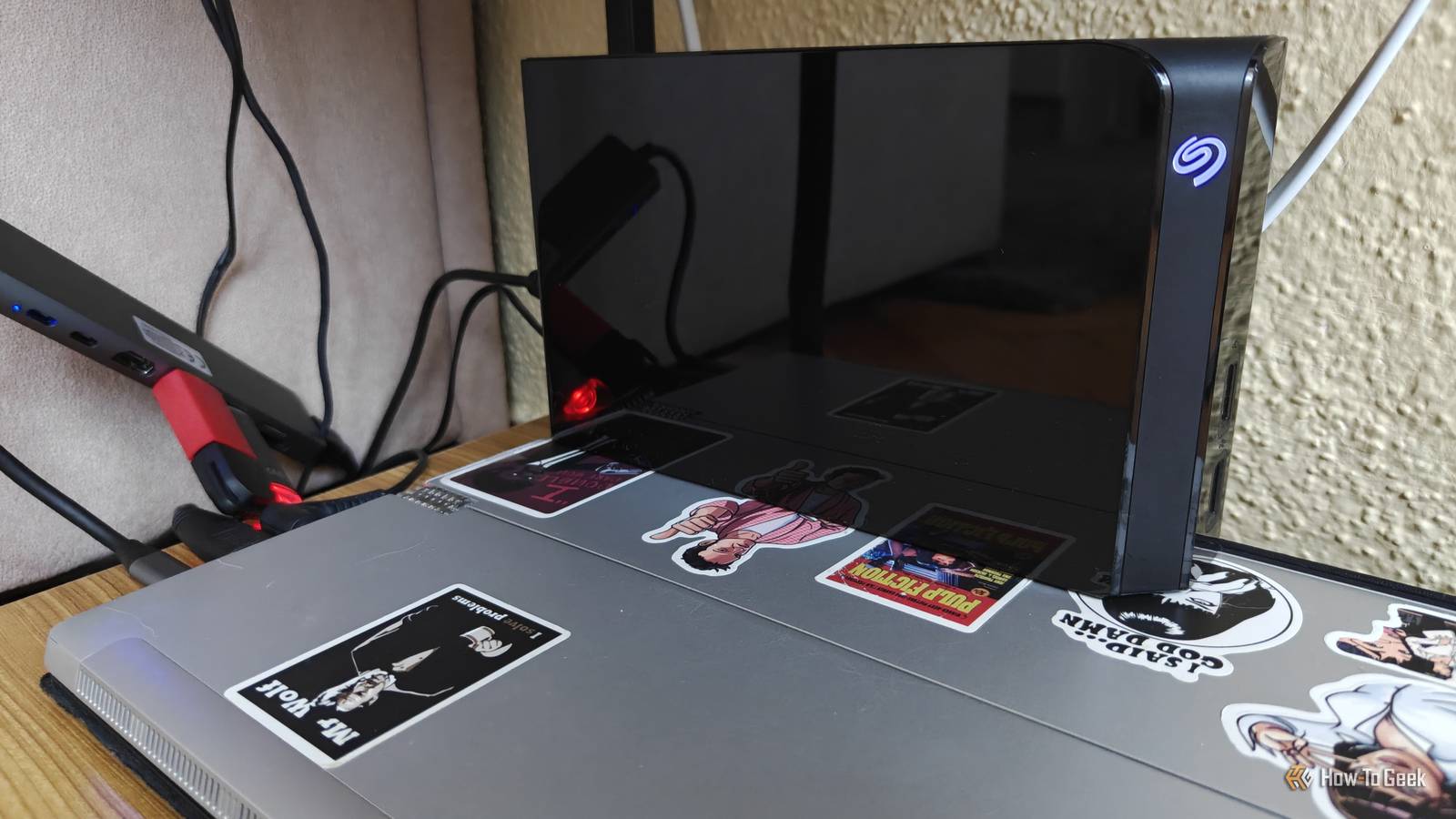
I discovered the joys of homelabbing and self-hosting earlier this year when I turned an old laptop and a hard drive into a home server.It started out as a simple NAS, but quickly turned into a full-blown hobby.Every time I discover a new self-hosted service that looks useful, I find an excuse to try it out, and before I know it, it's another container running on my server.
What started as a little NAS experiment has grown into a whole collection of self-hosted services that I can no longer imagine my life without.Here are the ones I like the most—well, so far, anyway.6 The *arr stack takes the work out of managing my media My messy media collection finally makes sense If you've ever ripped your own media, you know how tedious it can be to organize everything.
A movie might be called something like Interstellar.2014.1080p.BluRay.x264.mkv.When you play the file in a media player, that's the title you see at the top.Shows are especially difficult to organize because you might rip them from a variety of different discs and collections, with special episodes, different formats, and so on.
Music isn't much better, either.The bottom line is that it can all get pretty messy.And while you could try to organize everything yourself, there's a much easier way: using the *arr stack.
It's a collection of open-source apps that help me manage and organize my media.Different apps are built for different types of media or purposes: I currently run Sonarr for TV shows, Radarr for movies, Lidarr for music, and Bazarr for subtitles.Importing my media through these apps took all the guesswork out of organizing my collection.
They gave every file a neat filename and organized everything into the appropriate folders, making my library much easier to browse without ever having to manually rename or move a single file.5 I built my own fitness tracker with Endurain Goodbye, Strava Strava is a popular fitness tracking app that essentially acts as a social media platform.It allows you to track and share your runs, but since I prefer to keep things like this completely private, I opted to use an open-source alternative called Endurain.
It's essentially designed to be a self-hosted alternative to Strava, giving me a convenient place to store and view my training data through a browser.Unfortunately, Endurain currently lacks an integrated app, but I was able to use FitoTrack instead.It's an Android app that lets me export my runs as GPX files, which I can then import into Endurain.
4 Home Assistant is my go-to smart home service A smarter, more private smart home If you're even slightly into smart home stuff, you've probably heard of Home Assistant.It's an open-source platform that lets you bring smart home gadgets and even some services together in one place, where you can control and automate them.At first, Home Assistant might seem like some super-nerdy solution for advanced automations that lets you do literally anything you can imagine.
Want to create a house-wide alarm when a sensor detects a gas or water leak? Done.Make your lights turn on at sunset? Done.However, my real-world use of Home Assistant is much more basic—and yet, I couldn't imagine my life without it.
I have a bunch of Tuya-compatible light bulbs in my lamps that I was able to make private and run 100% offline thanks to a Home Assistant integration called Tuya Local.While I can control my lights through the Home Assistant app on my phone or PC, Home Assistant also allows me to add NFC tags that automatically trigger the lights when I scan them with my phone.It's super convenient, and trust me when I say I've barely even scratched the surface of what Home Assistant can do.
3 AdGuard Home handles DNS for my whole network DNS filtering is extremely underrated AdGuard Home acts as a DNS sinkhole for my whole network.In simple terms, it lets me add blocklists that automatically filter unwanted traffic from my network, such as trackers and telemetry.It's a must-have for smart home devices that require an internet connection, such as smart TVs.
More importantly, AdGuard Home lets me offload the DNS workload my router normally handles to my much faster NAS, which has made my whole web browsing experience feel much snappier.Admittedly, this is just a band-aid fix for the weak hardware inside my router, but for all intents and purposes, it's been working really well.And should my NAS ever go down, my router can simply switch to the alternate DNS.
2 Immich gave me the storage space that Google Photos couldn't My photos on my hardware Immich is a self-hosted photo and video platform that looks and feels suspiciously like Google Photos.I'd been struggling with a full Google account because of Photos for years, and I eventually caved and started paying for a subscription.However, after doing some napkin math, I realized just how much more sense it made to invest in a hard drive instead.
And so I did.I bought a 6TB hard drive and immediately started offloading years' worth of photos and videos to it.However, viewing files through File Explorer isn't exactly fun or easy, and you can forget about having any useful search functionality.
Thankfully, Immich saves the day.Just like the *arr stack automatically manages all of my media, Immich automatically organizes my photos and even lets you use machine learning to make its search functionality more useful.The best part? My private photos remain private by staying on my own hardware.
Related I stopped paying for Google Photos the moment I discovered this self-hosted alternative Your massive photo library is the perfect excuse to buy a NAS Posts By Ismar Hrnjicevic 1 Jellyfin is the reason I started homelabbing My very own streaming service Close The sole reason I got into self-hosting in the first place was that I got tired of subscription services and wanted to spin up my own home media server.I briefly checked out Plex because it seemed like the default recommendation, but I didn't really like its cluttered interface or being shoved behind various paywalls while actively trying to escape subscriptions.Thankfully, I didn't have to struggle for long because I discovered Jellyfin soon after.
It's an easy-to-use, self-hosted media streaming service that delivers all of my neatly organized shows, movies, and music through a simple interface across all the devices in my home: my TV, phone, laptop, and desktop PC.There isn't much to be said about Jellyfin, except that it does its job extremely well.From the day my homelab came into existence to today, it remains my most beloved and most-used service.
This might sound a little cheesy, but it would be hard to imagine my life without the everyday entertainment that Jellyfin provides.The rest of my homelab keeps everything running in the background Aside from the services I mentioned above, there are a few supporting apps that help me manage my homelab, such as Portainer for managing Docker, Homepage for quick access to all my self-hosted services, and Tailscale for remotely accessing my server.But the real stars of the show are the services above, and if you're a homelabber who's missing any of these, you should fix that immediately! Related 3 Self-Hosted Services I'm Running in My Homelab and Use Every Day Plus, which ones I'm looking to try next.
Posts 6 By Jordan Gloor
Read More