I am suspicious of fitness trackers.I'm not saying we can't trust companies to safeguard the data they generate, but it would be nice to not have to trust them in the first place.That is why I've been happy to wear a Pebble Time 2, which is the first Android-compatible product I've worn that generates health metrics without also uploading that information to the web.
An open-source smartwatch that syncs data directly to your phone It's your choice whether to associate this information with an account Close The Pebble Time 2 is a modern redesign of a classic smartwatch.It functions like the Pebble smartwatches of a decade ago, but with modern amenities.Now, in addition to tracking steps, there is more detailed sleep data, and the watch includes a heart rate monitor.
Pebble explicitly states that the Pebble Time 2 is not a fitness smartwatch, but I've found that it does have an advantage over competing watches.PebbleOS is open source, and the data generated doesn't sync to the cloud by default.It instead goes directly to your phone, and it's up to you whether you want to back that data up to a Pebble account.
If you do upload your data, it's a valid question whether Pebble can protect it from attack or data leaks, as well as Samsung, which can safeguard health data with end-to-end encryption.Still, there's peace of mind that comes from generating health metrics using a product by a company that isn't interested in pushing ads.Personally, this helps me exhale.
The information my watch generates is for me and me alone.Obviously, not everyone has this concern.Fortunately, the privacy angle isn't the only thing the Pebble Time 2 has going for it.
Health data can be boring, but Pebble makes it fun There's always a place for animation and charm Close My eyes gloss over during tech briefings when companies start talking about the health tracking capabilities of their smartwatches.I understand how some of this information can be potentially life-saving, but as a general rule, I don't need to know the exact number of steps I take in a day, or how many hours of sleep I got last night, to know if I'm taking care of my health.Go to bed earlier, stay active, and drink more water — what I need to do isn't hard to figure out.
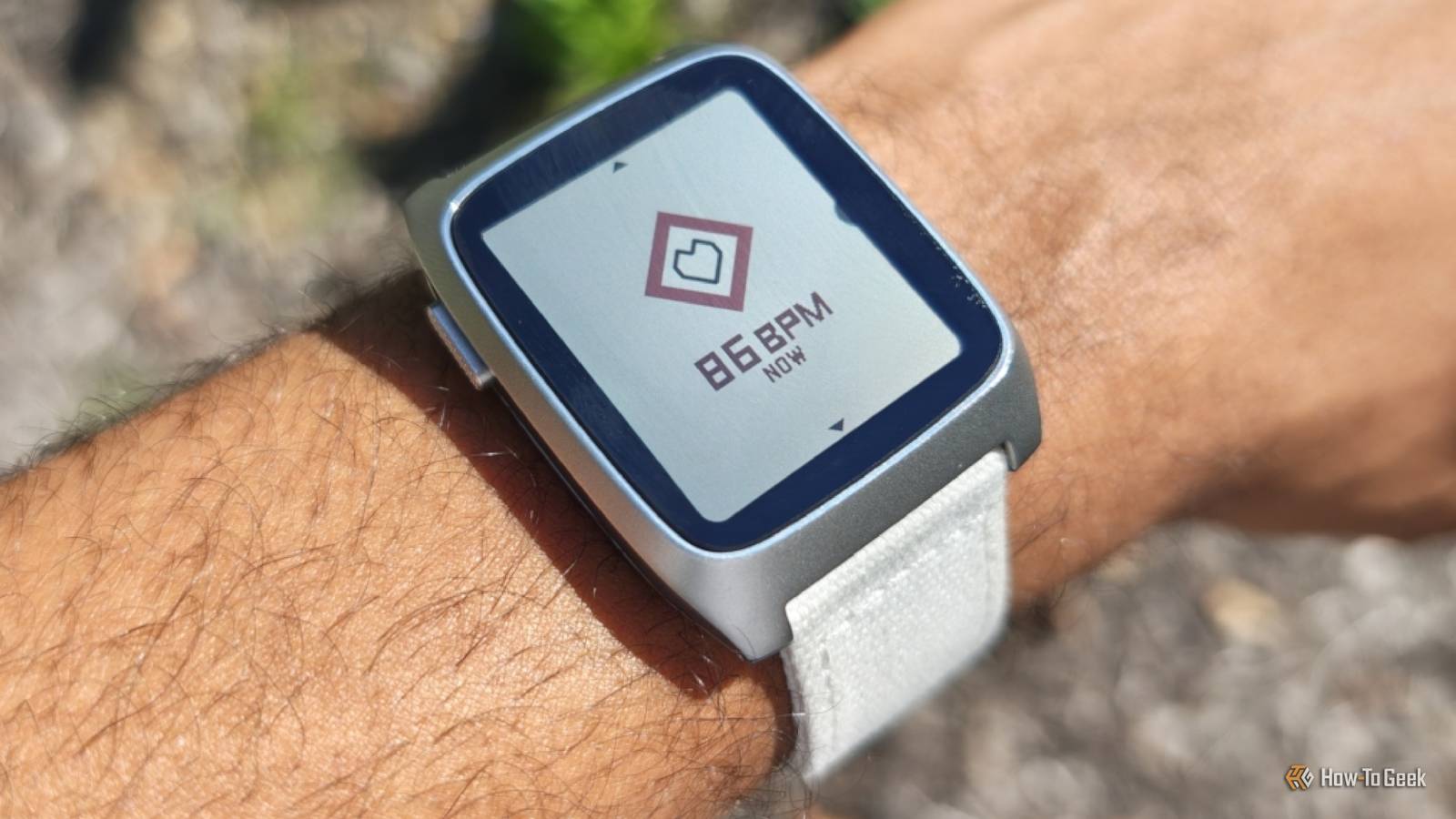
Yet the way Pebble displays this information admittedly makes me smile.I'll admit that I underestimated what the device's e-paper display is capable of.When I press the top button on my watch, the number of steps I've taken animates its way onto my screen.
Tapping the button again shows my heart rate, and an additional tap shows me my hours of sleep.The fluidity surprisingly stands out to me more than it does on my Samsung Galaxy Watch 8.Pressing the middle button lets me dive deeper into any of these metrics.
I can see my trend data going back over the past week.If I want more details, I can switch over to the companion app on my phone.Here I can see weekly and monthly data displayed in charts.
The Pebble Time 2 is not a fitness smartwatch There are many features I have to do without Pebble's small team cannot hope to compete with the sort of resources that Apple, Garmin, or even Amazfit are able to throw at being the most compelling fitness tracker.If you need the most accurate and wide-ranging metrics, it's better to look at other brands.You can expect some popular features not to be here.
There is no fall detection.A Pebble watch cannot monitor your skin health.There is no body battery or morning energy score.
This watch does not double as a fitness coach.You can't compete with friends.If you've come to appreciate any or all of these things, then a Pebble may be too big a sacrifice.
But if, like me, you're only casually interested in fitness data, then the Pebble Time 2 is more capable than the company's warning would suggest.The trend data is accurate enough to be useful, and the presentation is both fun and functional.The Pebble may be missing many bells and whistles, but what's here is done well.
As an open-source enthusiast, that's a trade-off I'm used to making, and one I'm happy to accept.Is my concern over health data overblown? Privacy concerns vary by company.Apple does a good job of allowing you to back up your health data to an encrypted iCloud account or local backup.
Samsung lets you enable enhanced data protection to encrypt your Samsung Health data, though it isn't on by default.Google offers no such option and has the ability to view and share health data, though it has said that it won't.We live in a moment when big tech companies use any and all data they can get their hands on to train AI models.
Personally, I feel most comfortable not giving them access to that data to begin with.
Read More