By now, you've probably heard that enabling an EXPO (AMD) or XMP (Intel) profile in your motherboard's BIOS can improve RAM performance.These predefined overclocking profiles are tested by the memory manufacturer and should work in most systems without issue.However, there's more you can do to squeeze performance out of your RAM.
Few people outside the overclocking community know this, but manually tuning your secondary RAM timings can deliver further performance gains.A couple of weeks ago, I set out to do just that on my gaming PC, and the gains were far greater than I expected.EXPO/XMP increases RAM speed and tightens timings, but it doesn't necessarily optimize every memory timing There's more to RAM than transfer rates Close RAM kits often have their EXPO/XMP profile's frequency and primary timings printed on the label, but they'll usually run at default JEDEC speeds until you enable the overclocking profile in your BIOS.
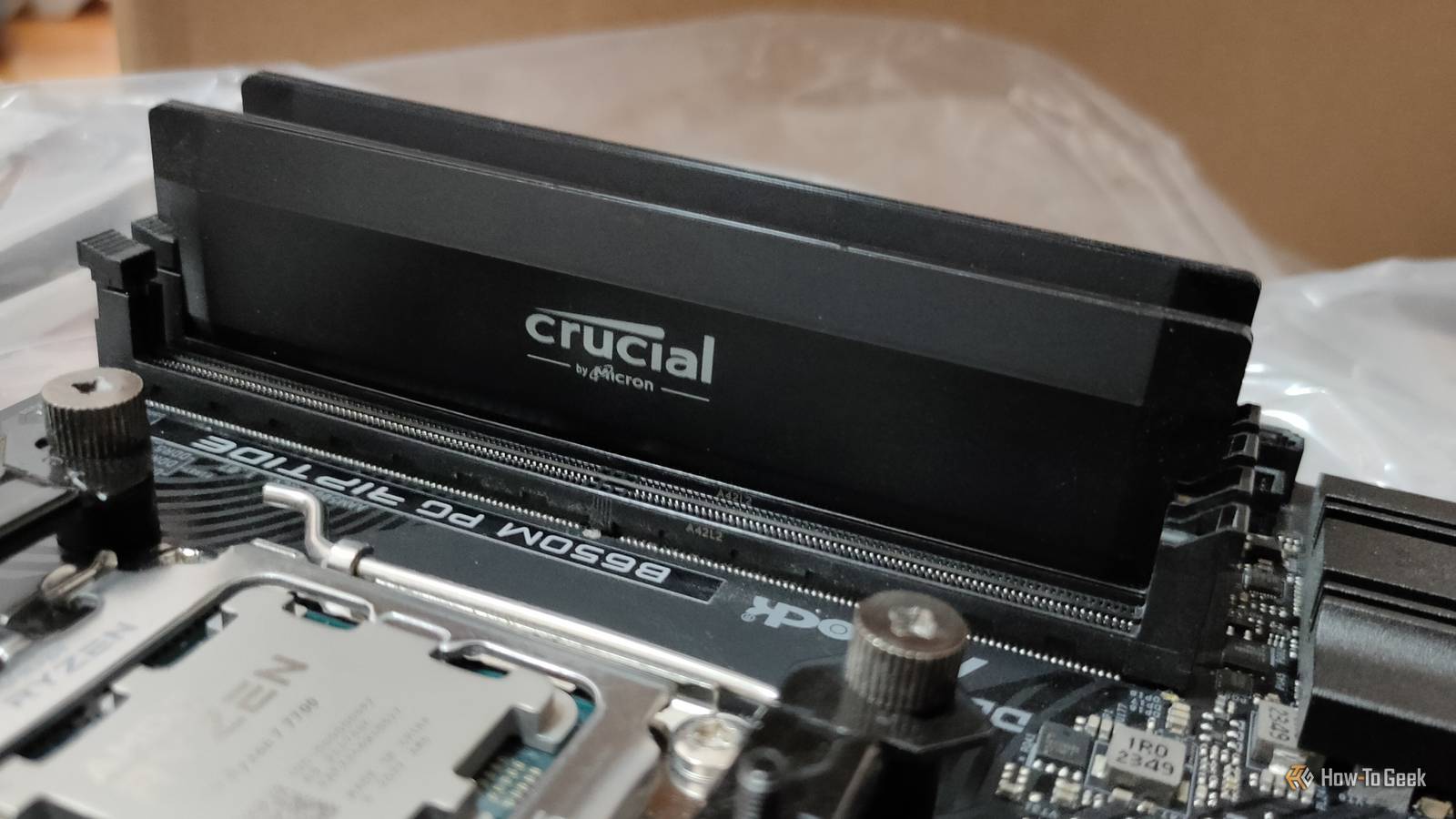
Enabling EXPO/XMP switches the RAM to its advertised speed and timings.For example, my Crucial 32GB DDR5 Overclocking kit supports both EXPO and XMP, allowing me to switch from the conservative 5600 MT/s CL46-45-45-45-90 JEDEC baseline to the much faster 6000 MT/s CL36-38-38-38-80 EXPO profile.If you're wondering why this matters for performance, it's because your CPU has to wait for RAM to deliver data that isn't already stored in its cache.
Tighter memory timings can reduce that delay, meaning the CPU spends less time waiting and more time working.This is especially impactful in memory-sensitive, CPU-bound workloads and games, where tighter timings can noticeably improve 1% lows and, sometimes, average FPS.That's where EXPO and XMP profiles come in handy.
These profiles offer gamers a one-click overclock that's been tested by the memory manufacturer and will likely work in your rig.Some kits also offer a second, more conservative profile to fall back on in case the maximum advertised speeds fail in your specific rig.However, these profiles don't necessarily optimize every secondary and tertiary timing.
Depending on the memory profile and your motherboard's automatic settings, you could be leaving considerable performance on the table.Luckily, you can manually tune these additional timings without changing the memory speed, which is exactly what I set out to test a few weeks ago.My manually tuned RAM outperformed both JEDEC and EXPO in my benchmark tests Your mileage may vary We've established that RAM can affect CPU performance, particularly in memory-sensitive workloads, so that's what we'll focus on here.ž My benchmarks were done using my overclocked Ryzen 7 7700 and include Intel Memory Latency Checker (MLC), a tool for measuring memory latency and bandwidth, the 7-Zip benchmark, which measures CPU compression and decompression performance and indirectly reflects the effects of RAM tuning, and a couple of games.
The first game is , whose built-in benchmark is often used to test performance differences between RAM configurations.The other is , which I tested using the exact graphics settings I normally play at to get a more realistic picture of how RAM tuning affects my gaming performance.Without further ado, here are my RAM benchmarks at the default JEDEC speed and timings.
Close Next, here are the results with my RAM running the EXPO 1 profile.Close Finally, here are the results with the same EXPO 1 profile, but with custom secondary timings and a mild Infinity Fabric overclock from the stock 2000MHz to 2067MHz.Close As you can see, there's a very clear correlation with tighter RAM timings.
The gap between JEDEC RAM frequency and latency and EXPO is unsurprisingly substantial across the board.The difference of 11 in average FPS and an even bigger gap in CPU simulation in is nothing to scoff at, as it shows that even in a mild GPU bottleneck, faster RAM and lower primary latencies make a substantial impact.The real surprise came from just how big of a difference my custom secondary timings made.
At least on my particular RAM kit, EXPO largely leaves secondary timings untouched, with only some being slightly tightened or left even looser.I only tightened one primary timing, tRAS, while optimizing tRC, tRRDS, tRRDL, tFAW, and tRFC, and increasing tREFI, among a few other changes.These adjustments resulted in healthy performance improvements across all my tests.
Most notably, I saw an approximate 4% increase in both average FPS and 1% lows in 's CPU simulation, which is a pretty healthy performance gain.Surprisingly, that's the same percentage that AMD claimed in gaming performance benchmarks with its new EXPO ULL (Ultra Low Latency) memory profiles, which are available in some new RAM kits.EXPO ULL tightens secondary and tertiary timings, similar to the adjustments I made manually.
Since buying a new RAM kit in 2026 is out of the question due to the shortage, those of us who are lucky to already own DDR5 should consider trying our hand at manual timing optimization instead.However, it's worth pointing out that your mileage may vary by numerous factors, such as your RAM, motherboard, and, perhaps most significantly, CPU.AMD CPUs with X3D V-cache are significantly less dependent on RAM timings, as much of the data they need can be stored in the CPU's cache instead.
Many Intel CPUs often benefit the most from tightened secondary RAM timings, while non-X3D AMD chips like mine are somewhere in the middle.There's no way to know until you do some research or test the differences yourself.I made some rookie mistakes that turned RAM tuning into a 16-hour ordeal The wrong approach made everything ten times harder When I started tuning my RAM timings, I did everything backwards.
I tried to optimize multiple timings at once while also tweaking the Infinity Fabric clock speed.This approach was practically asking for trouble.My system failed to boot dozens of times, crashed within minutes of entering Windows, and sometimes refused to POST altogether, forcing me to reset my CMOS between tests.
The worst false sense of security came at the start, when I pushed my Infinity Fabric clock speed all the way to 2167MHz.I thought I'd won the silicon lottery, but I simply wasn't keeping Windows running long enough for a crash to occur.Whenever a test failed, I blamed the RAM timings instead of the Infinity Fabric overclock that I thought was stable.
I ran into a similar issue when I pushed tREFI to 50,000.While most timings benefit from being lowered, tREFI is one you generally want to increase because it controls how long RAM waits between refresh cycles.Pushing it too high can cause memory errors that won't appear until hours into testing, as the RAM heats up and becomes unstable.
After plenty of trial and error, I eventually did what I should have from the start: adjust my timings one by one, using online guides and some help from ChatGPT.I ran a quick 15-minute stability test in TestMem5 with the Absolut @ anta777 configuration after each change.Once I had all my timings dialed in, I ran a final TestMem5 test and a VT3 stress test in y-cruncher for several hours to ensure complete stability.
If you decide to tighten your RAM timings, research your specific memory kit beforehand to get an idea of what it can handle, only change one timing at a time, and run a quick stress test after each change.Just make sure to set reasonable expectations.Learn from my mistakes — you can't just hop into the BIOS, tweak the timings, and get instant results.
You'll spend several hours tweaking settings in the BIOS, rebooting, testing, and potentially clearing your CMOS.Still, if you like getting performance for free, the effort may be worth it.Your RAM kit might have performance left to give, but unlocking it takes time I saw measurable performance improvements from tightening my secondary RAM timings, and there's a good chance you could too.
The gains are most noticeable in CPU-limited workloads and games, where lower RAM latency can improve average FPS and 1% lows.That said, before spending several hours tuning your RAM, check benchmarks for your specific CPU to see whether, and by how much, it benefits from tighter secondary and tertiary timings.Ultimately, I'm glad I tuned mine.
Related Avoid These 5 PC Building Mistakes You don't want to spend too much or too little.Posts 6 By Nick Lewis
Read More