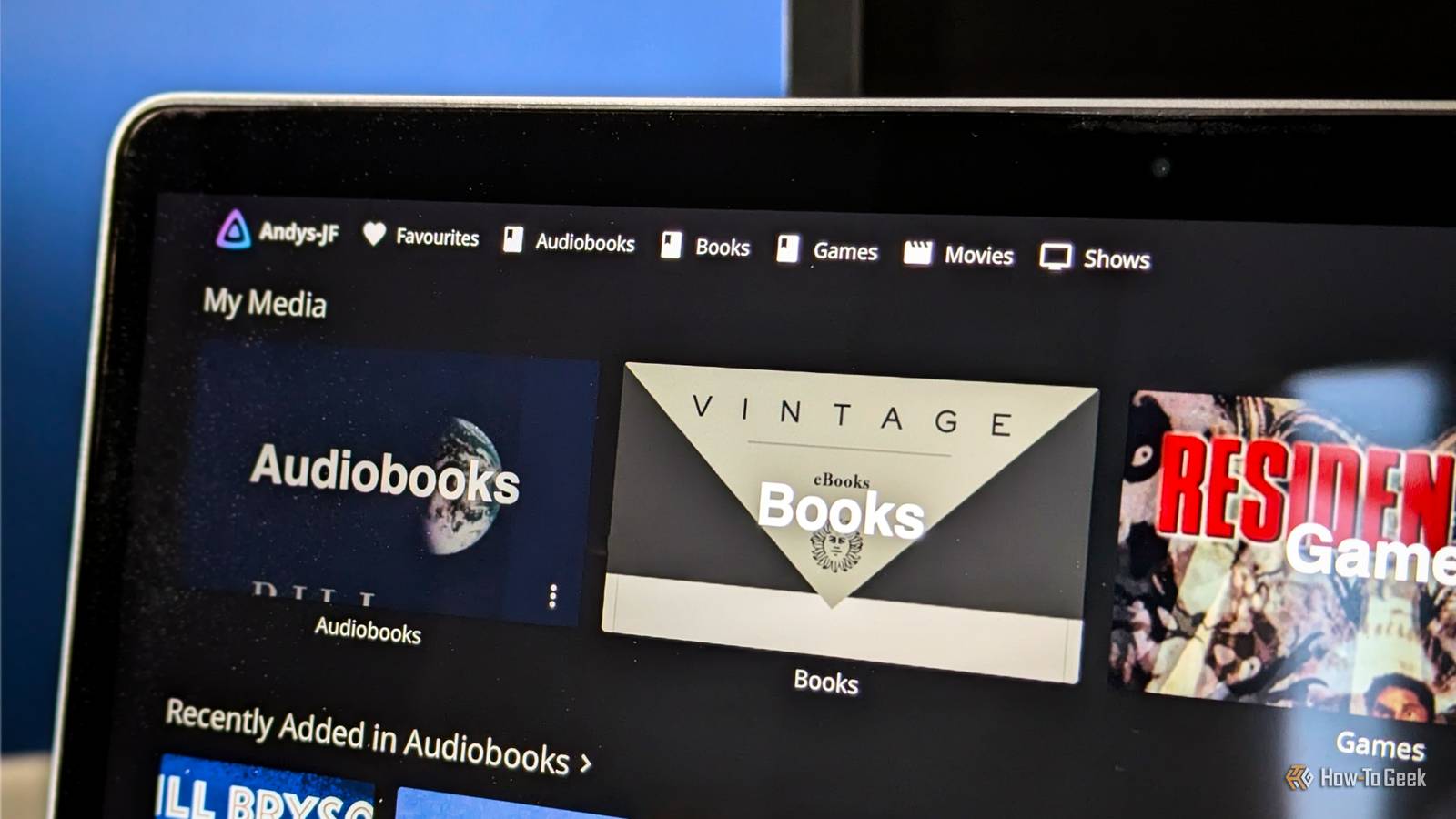
Jellyfin is best known as a free, open-source Plex alternative.I've used it for some time to watch my library of movies and TV shows, but it's becoming increasingly useful for other types of content too.I now use it for gaming, eBooks, and audiobooks.
I turned Jellyfin into a games library with JellyEmu Jellyfin is like a retro games console Close Jellyfin's plugin support is one of the app's biggest strengths.Plugins add features missing from the stock app and let you add functionality you didn't expect.As a long-time retro-gaming emulator user, I was excited to discover JellyEmu, a plugin that adds game management and playback to Jellyfin.
JellyEmu imports your ROM library into your media server.It fetches game metadata and artwork, letting you browse your titles through the familiar Jellyfin interface.It also lets you play games from within the app, including on your mobile devices.
I've got a large ROM library, and it's inconvenient to keep copies on my Mac and my phone, but now I don't have to.JellyEmu is a little complicated to set up.To start, it's a plugin, which makes it more hands-on to install.
You have to sign up for API keys from various services like IGDB to pull in the metadata.These are free, but they're still a hassle to get.And you need to follow the instructions when you configure it.
For example, you have to choose the Books content type for your game library, and you also need to pay attention to the folder structure, keeping your ROMs sorted and arranged in a way that Jellyfin can make sense of.Once it's done, you get support for games on a wide range of platforms, including classic Nintendo consoles, PlayStation, PSP, Sega systems, arcades, and more.And it works pretty well.
Obviously, the legal considerations apply here as they always do.Emulation is a gray area, so make sure you use games and ROMs legally where you live.Jellyfin 12 has a proper eBook upgrade And it works well with comics, too I normally use Calibre to manage my eBook collection, but Jellyfin 12 has introduced some much-needed upgrades in its eBook support, to the point where I'm looking to make a permanent switch.
It doesn't do file conversion, but it has integrated much of the functionality of the old Bookshelf plugin, a favorite for anyone who wanted to use eBooks in Jellyfin.So now you can import your eBook library into Jellyfin.It supports files like EPUB and PDF, plus comics and comic archives, and it pulls in metadata from the files themselves and online providers.
It also syncs your reading progress as you read, and this is account-specific, so you can share your library with others.The eBook reader isn't the prettiest, but it's workable.Other Jellyfin clients might give better results.
Moonfin offers a slightly better reading experience for me.You can also download the books to your phone to read them in another app of your choice.You'd lose the progress syncing if you did that, but it's a good option if you only read on one device.
I'm not a comic book person myself, but on testing a few files, it seems pretty good at handling them as long as you keep them in their own separate Comics folder.It's still early days for Jellyfin's native eBook and comic book support, but it's a very promising start.Having my collection on my server and accessible on any number of devices is extremely useful, and it's likely to only get better from here.
Audiobooks complete the story Though you might need a different client app to listen Close The other type of digital media content I'm slowly moving into Jellyfin is my audiobook collection.I have been using the excellent Audiobookshelf, often described as Plex for audiobooks, but Jellyfin's improved support means I might not need it for much longer.Without any additional plugins, you can import your full audiobook library into Jellyfin.
It'll grab all the metadata and other relevant information to help you organize and access the library just as you would your movies and TV shows.The Jellyfin 12 documentation says the app should be able to access chapter information in M4B files.This hasn't been working for me or others online, so I started using the third-party client Moonfin for these files instead, and it brought an even bigger upgrade in the whole experience.
Beyond looking much nicer than the official Jellyfin app, Moonfin is packed with useful features.These include chapter support, a focused timeline, playback speeds, a sleep timer, and even a notes tool.It's available on a wide range of platforms and turns Jellyfin into a really effective audiobook service.
Jellyfin is becoming my complete digital media hub It's much more than a Plex clone Most people come to Jellyfin looking for a free alternative to Plex, but it's much more than that.Its open, extensible nature lets it move into other categories.Games, eBooks, comics, and audiobooks show how different extensions can build on the same basic media-server concept.
For me, Jellyfin is slowly becoming the home for all of my digital media, with plugins and third-party clients filling the gaps where necessary.
Read More