Windows 11 and its native apps don't have the best reputation.Microsoft has packed the system with all kinds of features, making it feel increasingly bloated.Having to put up with features you don't want is bad enough, but the real problem starts when apps consume valuable RAM in the background without your knowledge.
Some can use hundreds upon hundreds of megabytes.When you add them all up, they can take a considerable chunk of memory away from processes that actually need it.Here are a few such apps you may want to uninstall.
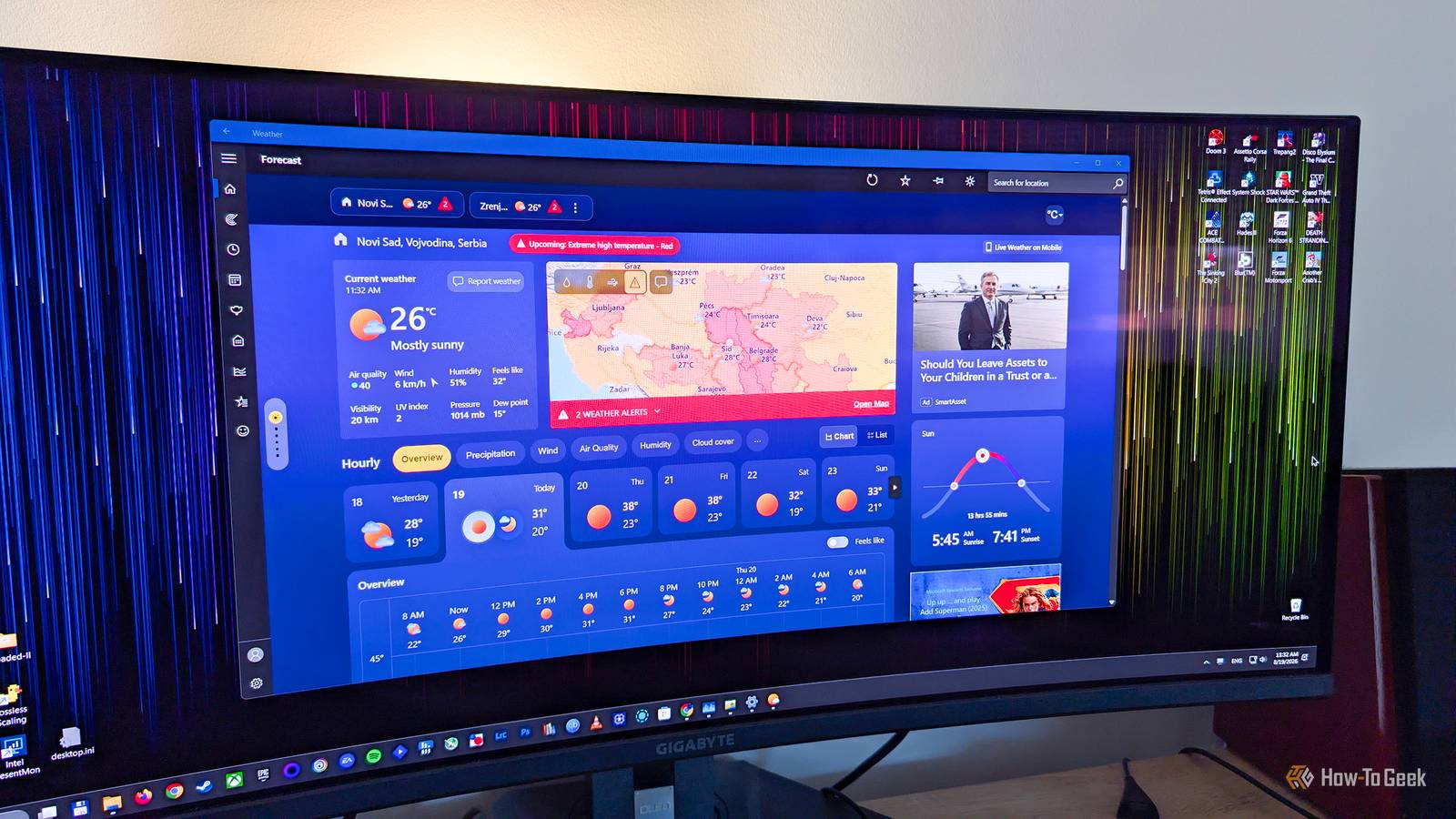
MSN Weather is the poster child It can use a ridiculous amount of RAM Close Checking the weather on your system should be something that only takes a couple hundred megabytes of RAM at most — and even that is generous considering you can just do a quick online search to check.Well, people recently discovered that when you leave it to Microsoft's native MSN Weather app to handle the job, the app can end up consuming north of 1GB of RAM within a few seconds of opening it.It's especially concerning when you consider the use case of the app.
You might open it in the morning to check the weather and leave the window open to check the forecast throughout the day.All the while, the app is gobbling up a massive amount of your RAM without your knowledge.Put simply, it's disproportionately large compared to what the app's job actually is.
Part of the reason behind the memory consumption is that MSN Weather, and a few other apps from this list, is a WebView2-hosted app, which essentially means it's running a mini web browser inside the app.The Widgets Board is another major resource hog Another web-powered resource hog The Widgets Board lives on the taskbar, and you can access it through the Widgets icon or by pressing the Windows+W shortcut.Whichever way you open it, the app instantly greets you with a myriad of news stories, sports results, stock market information, weather updates, and various other types of content.
It displays a surprising amount of information, and it can use up to a few hundred megabytes, depending on your system and the content being displayed.Despite this, I know that I'll catch some flak from other geeks for saying this, but I don't actually hate the Widgets Board.I don't use it personally, but I can totally see how someone could naturally gravitate toward it when they first boot up their computer in the morning to get started for the day.
If you like the feature, then you probably won't mind sacrificing a few hundred megabytes of your system's RAM to keep it running.Of course, if you don't need it and only ever bring it up by accident, consider disabling it.Outlook is a browser wearing an email app's costume Email shouldn't need so much RAM On the surface, Outlook is nothing more than a simple email app.
We've had those for decades at this point, so if they were able to run on machines that had less than 100MB of RAM, it would stand to reason that Outlook is an ultra-lightweight app, right? Right? Well, maybe it would, but this is Microsoft we're talking about, and since Outlook is another WebView2 app, it's incredibly poorly optimized for RAM consumption.It's not all that different from opening it in a browser tab.In fact, it's even worse than a browser tab in some ways because the app can remain active in the background after you close or minimize it.
It's actively syncing for things like notifications in the background, taking hundreds of megabytes of RAM with it.Closing Edge doesn't always close Edge Edge likes to stick around Microsoft Edge, the web browser we all love to hate, is Microsoft's most persistent app.No matter how many times you reject it, it'll keep coming back, asking you to try it over and over.
Unfortunately, being annoying after a Windows update is far from the only way it's persistent, because it can keep running in the background after you close it, consuming a noticeable amount of RAM in the process.It's one of those annoying opt-out-by-default behaviors Windows is known for.Part of the reason why Edge does this is because of a feature known as Startup Boost, which helps Edge open more quickly when you boot up your machine.
It sort of makes sense to keep enabled if Edge is open 95% of the time on your system, but for anyone else, the good news is that background activity can be disabled fairly easily.OneDrive is the first thing I get rid of on a fresh Windows install OneDrive never really stops working By now, you've probably heard of OneDrive, Microsoft's cloud storage and file syncing service.Syncing is almost always synonymous with consuming RAM in the background, so, as a surprise to no one, OneDrive can use up massive amounts of RAM.
One forum complaint indicates that the app might also be prone to memory leak bugs that cause it to eat up gigabytes of memory.Even if you aren't experiencing any bugs, the app can take up some system memory without your knowledge.If you don't use OneDrive or ever plan to do so, I suggest uninstalling it.
That's what I always do the second I boot up a new Windows machine.Not every RAM-consuming process is actually a problem Although apps need to use RAM to work, there's a big difference between spending and wasting this expensive, finite resource.If your machine only has 8GB of RAM, every megabyte counts, so consider uninstalling any default Windows app that you don't normally use.
Related How to Allocate More RAM to Apps or Games in Windows 11 Improve your app or game's performance.Posts By Mahesh Makvana
Read More