Those of us who like to use know that doing so comes with compromises, and the camera can be one of them.Photo quality often takes a hit, and that alone is enough to keep some of us on the stock version of Android even when we're unhappy with all the tracking and bloat.Fortunately, there's a camera app that comes a long way toward making this sacrifice a thing of the past.
Smartphone cameras rely on special processing If you replace stock Android, you may lose out When you buy a smartphone, it's no longer the size of the camera lens or the number of megapixels that determines the quality of your photos.These things still matter, to be sure.There are images you can get out of the Xiaomi 17 Ultra camera thanks to its relatively large 1-inch sensor that you can't get out of the smaller sensors on most phones—but that's not a phone available in the US (nor are any of the other phones with 1-inch sensors).
What we see is the striking difference between photos that come from a Google Pixel or a Samsung Galaxy versus those that come out of a niche phone like the Unihertz Titan 2 Elite, despite all three sporting roughly 50MP cameras.Google Pixel 10a 7 SoC Google Tensor G4 Display 6.3-inch Actua display The Google Pixel 10a is a barely updated version of the Google Pixel 9a, with a slightly brighter screen and an upgrade from Gorilla Glass 3 to Gorilla Glass 7i.Google has shaved the remaining few millimeters from the camera bump, making it completely flat.
Unlike prior versions of the Pixel a series, this model year does not share the same Tensor processor as the mainline Pixel 10.$449 at Amazon $449 at Google Store Expand Collapse This comes down to the proprietary processing that is baked directly into stock camera apps.When you replace your phone's original operating system with an alternative like LineageOS, the original camera app is typically replaced by an open-source camera app.
This software is general-purpose and isn't optimized for your specific phone.The results tend to be passable, but it can feel like taking a step down from a flagship phone to a midrange one, even though you're shooting with the same camera.Some ROMs do manage to include the stock camera app, and people are also able to work around the issue by installing Google's camera app, even though that isn't as easy as it sounds.
Neither is a viable option for those who switch to a custom ROM because they're seeking out open-source software.PhotonCamera is the best open-source camera I've used yet The results are strikingly close to those from a Pixel There are a few open-source camera apps that have been around for a long time.Open Camera is capable in the way old-school open source software is, meaning it presents you with all the options to tweak your camera yourself.
The Fossify suite of open source apps offers a camera, but it sits at the opposite extreme.It works, but there's very little you can tweak if you don't like how the photos come out.PhotonCamera is a newer option, and it's the most viable stock camera app replacement I've seen yet.
It's not available in the Play Store, nor will you find it in F-Droid by default.You'll need to add the IzzyOnDroid repo, which will open up access to many more open source apps.PhotonCamera takes a series of photos in rapid succession and then processes these images together to get the best result.
It harkens back to the early days of the Google Camera on Nexus phones, when we were presented with the option to take regular photos or wait a few seconds to capture higher-quality HDR ones instead.Now the Pixel Camera is able to produce those results instantly.PhotonCamera isn't as fast, but it's close, and there are ways to speed it up for fast-moving subjects.
Compare these two images, with the first taken on a Google Pixel 10a using the stock app and the latter captured on a Murena Fairphone 6 running /e/OS using PhotonCamera.Here is a comparison shot between a photo taken with the bundled camera app on a Moto Edge+ 2023 running LineageOS 23 and a photo captured with the same phone using PhotonCamera.Here is another one on the same phone, this time of a stack of magazines.
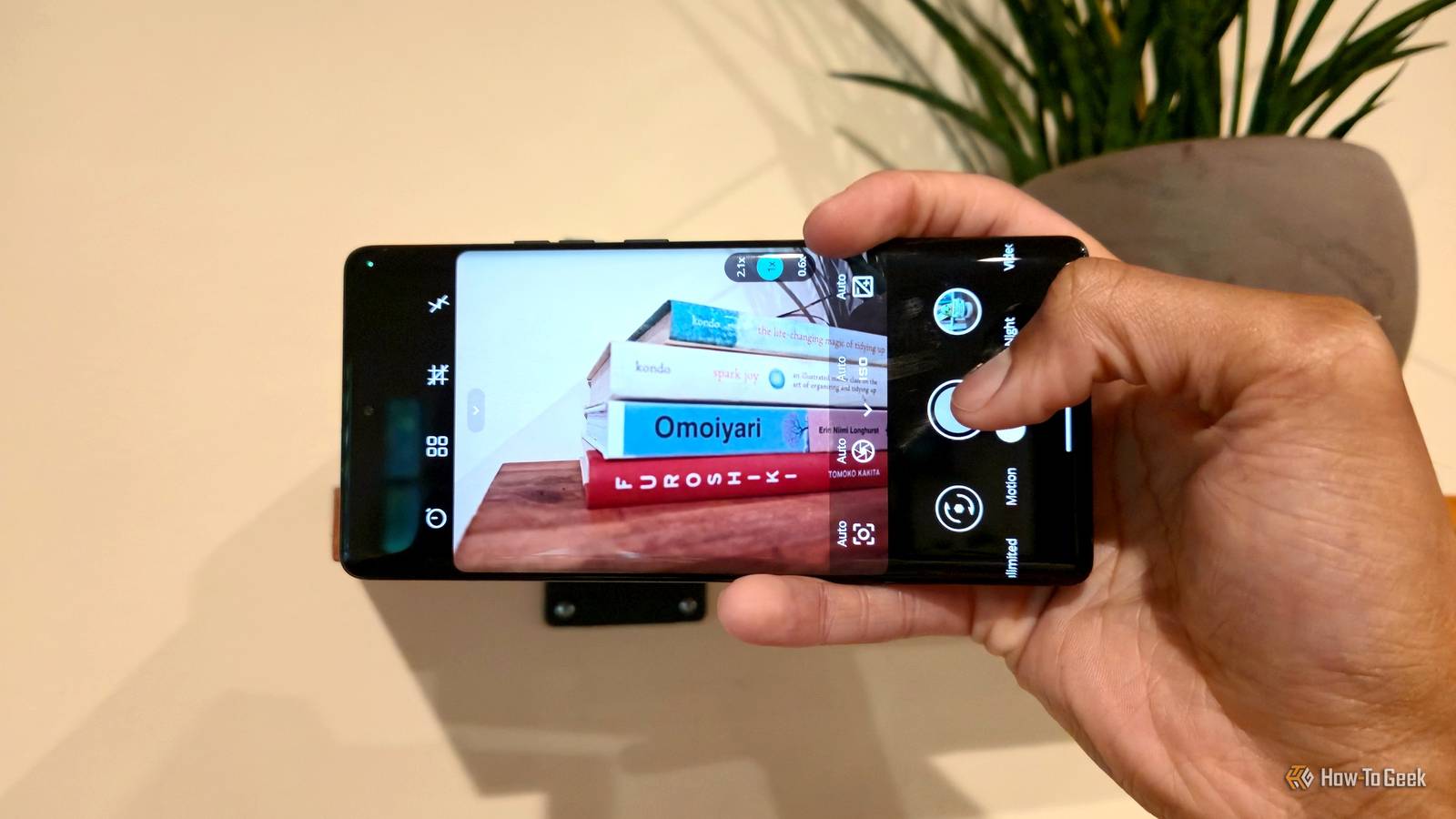
In general, the stock camera app's photos are sharper, whereas PhotonCamera employs more blur to achieve a shallow depth of field.The difference stands out more when the photos are viewed at full size on a computer monitor than they do on a small phone screen.PhotonCamera is simple enough to use right away Yet the app is packed with powerful settings for those who want them The PhotonCamera interface defaults to a purple gradient that I'm not quite a fan of.
Fortunately, this is easy to change.I like to dive into settings right away, select the teal theme, and turn the gradient off.Other standard features are even more accessible, such as grid lines for helping you center your shot or adhere to the rule of thirds.
You can decide whether to save your photos in JPG or RAW and disable noise reduction.You can also tailor the look of your photos by tweaking the level of sharpness, saturation, contrast, and exposure you're after.Subscribe for deep dives on open-source Android cameras Find curated guidance by subscribing to the newsletter: practical tips, app recommendations, device compatibility notes, and step-by-step installation pointers for PhotonCamera and other open-source Android camera solutions.
Get Updates By subscribing, you agree to receive newsletter and marketing emails, and accept our Terms of Use and Privacy Policy.You can unsubscribe anytime.The viewfinder contains shortcuts for activating a countdown timer and turning on the flash.
You can also just as easily access controls that stock apps often hide away behind a "pro" mode, such as adjusting the ISO and exposure.PhotonCamera isn't available for every phone I have an assortment of phones cluttering my desk at the moment.While I could install PhotonCamera on my Fairphone 6 and Moto+ 2023, the app does not work on more niche devices like the Unihertz Titan 2 Elite or the Bigme Hibreak Pro Color.
Downloading the app is the easiest way to find out if your phone is supported.Fortunately, it's free.
Read More