For those who can actually afford the luxury, a NAS can be a great addition to their setup.But in addition to serving storage and network functions, a NAS can also be a great option to breathe some new life into your PC.Here's how.
Offloading heavy background tasks Your NAS can silently handle what slows your PC down Most people think of a NAS purely as a place to dump files, a glorified hard drive sitting on the network.But once it's running, it becomes something more interesting: a second computer that never needs to share resources with whatever you're actually trying to do.That distinction matters more than it sounds, especially when your PC is trying to juggle a dozen background processes while you're rendering video, gaming, or just trying to get through a workday without watching a progress bar crawl.
The tasks that hurt PC performance most aren't usually the ones you're focused on.They're the quiet ones: scheduled antivirus scans, automated backup agents, torrent clients seeding in the background, media server software like Plex transcoding a stream for another device in the house.Each one competes for CPU cycles, disk I/O, and RAM.
On a mid-range machine, the combined effect is noticeable—you'll see frame drops, sluggish application launches, or audio stuttering at exactly the wrong moment.Quiz 8 Questions · Test Your KnowledgeInteresting and unique NAS use casesTrivia challengeBeyond basic backups — how well do you know the surprising things a NAS can do?MediaHome LabBackupNetworkingAutomationBegin 01 / 8MediaWhich popular open-source media server software is commonly self-hosted on a NAS to stream personal video libraries to any device?AVLC Media PlayerBKodiCPlexDInfuseCorrect! Plex is one of the most popular apps for turning a NAS into a personal Netflix-style streaming server.It organizes your media with artwork and metadata and can transcode video on the fly for different devices and connections.Not quite — the answer is Plex.
While Kodi and VLC are great media players, Plex is specifically designed as a client-server platform that lets you stream your NAS library to phones, smart TVs, and browsers from anywhere in the world.Continue 02 / 8BackupWhat is the name of the widely recommended data protection strategy that involves keeping three copies of data, on two different media types, with one copy offsite?ARAID redundancy ruleB3-2-1 backup ruleCDouble-parity protocolDMirror-and-sync methodCorrect! The 3-2-1 backup rule is a cornerstone of data protection strategy.A NAS plays a central role by acting as the second on-site copy, while cloud sync or an offsite drive satisfies the third copy requirement.Not quite — the answer is the 3-2-1 backup rule.RAID is often mistaken for a backup, but it only protects against drive failure, not accidental deletion or ransomware.
The 3-2-1 rule is the gold standard precisely because it covers multiple failure scenarios.Continue 03 / 8Home LabA NAS running a hypervisor or container platform like Docker can host a Pi-hole instance.What does Pi-hole primarily do?AMonitors hard drive temperatures across the networkBBlocks advertisements network-wide at the DNS levelCEncrypts all outgoing internet trafficDManages IP address assignments via DHCPCorrect! Pi-hole acts as a DNS sinkhole, blocking known ad-serving and tracking domains before they ever reach your devices.Hosting it on a NAS via Docker means it runs 24/7 without needing a dedicated Raspberry Pi.Not quite — the answer is that Pi-hole blocks ads at the DNS level.
Rather than installing an ad blocker on every single device, Pi-hole protects your entire network, including smart TVs and phones, by intercepting ad domain requests before any data is loaded.Continue 04 / 8SurveillanceMany NAS manufacturers offer dedicated surveillance software packages.What is the primary function of these applications?AMonitoring CPU and RAM usage across the local networkBManaging and recording footage from IP security camerasCScanning network traffic for intrusion attemptsDAutomating firmware updates on connected IoT devicesCorrect! Synology Surveillance Station and QNAP's QVR Pro are examples of NAS-based NVR (Network Video Recorder) solutions.They let you manage multiple IP cameras, set motion-triggered recording, and review footage without paying for a cloud subscription.Not quite — the answer is managing and recording IP camera footage.
A NAS can replace a dedicated NVR appliance entirely, storing days or weeks of footage locally.This is a compelling use case since it avoids ongoing cloud storage fees while keeping footage on hardware you control.Continue 05 / 8AutomationWhich self-hosted application, commonly run on a NAS, automatically downloads TV show episodes and movies by integrating with torrent or Usenet indexers?ARadarr and SonarrBBazarr and LidarrCOverseerr and RequestrrDProwlarr and ReadarrCorrect! Radarr handles movies and Sonarr handles TV shows — together they form the backbone of a self-hosted media automation stack.They monitor release groups, grab new episodes automatically, and pass files directly to your Plex or Jellyfin library.Not quite — the answer is Radarr and Sonarr.
While Bazarr handles subtitles and Prowlarr manages indexers, Radarr and Sonarr are the core apps for automating movie and TV downloads respectively.They integrate with your NAS download client and media server for a seamless pipeline.Continue 06 / 8NetworkingA NAS can be configured as a VPN server so that remote users can securely access the local network.Which VPN protocol, known for being modern and extremely fast, is supported by newer NAS operating systems like Synology DSM?APPTPBL2TP/IPSecCWireGuardDOpenVPNCorrect! WireGuard is a modern VPN protocol praised for its lean codebase, high speeds, and strong encryption.
Synology added WireGuard support to DSM, making it easier than ever to securely tunnel into your home network from anywhere without exposing your NAS directly to the internet.Not quite — the answer is WireGuard.PPTP is outdated and considered insecure, while OpenVPN and L2TP/IPSec are reliable but more resource-intensive.WireGuard achieves better throughput with less overhead, which matters on the modest CPUs found in many NAS devices.Continue 07 / 8Cloud ReplaceNextcloud is a self-hosted platform frequently deployed on a NAS.
Which major commercial cloud service does it most directly aim to replace?AAmazon AWS S3BGoogle Drive and Google WorkspaceCMicrosoft Azure Active DirectoryDDropbox BusinessCorrect! Nextcloud provides file sync, document editing, calendar, contacts, and video calls — a direct alternative to Google Drive and Google Workspace.Running it on a NAS means your data never leaves your own hardware, which is a major privacy and cost advantage.Not quite — the answer is Google Drive and Google Workspace.Nextcloud replicates the full productivity suite experience: shared folders, collaborative document editing, and mobile sync.
When paired with a NAS, it becomes a powerful private cloud that rivals Google's offering without any subscription fees.Continue 08 / 8Creative UseSome photographers and videographers use a NAS as the central hub for a collaborative editing workflow.Which protocol, natively supported on macOS and optimized for high-bandwidth file access, makes a NAS behave like a fast local drive for video editing?AFTPBWebDAVCSMBDAFP or SMB with MultichannelCorrect! For video editing workflows, SMB Multichannel (or historically AFP on older Macs) allows a NAS to deliver the kind of sustained throughput needed to scrub through high-bitrate footage without copying files locally first.Pair this with a 2.5GbE or 10GbE network and a NAS can rival a dedicated SAN for small creative teams.Not quite — the answer is SMB with Multichannel (or AFP on legacy Macs).
FTP and WebDAV are too slow and latency-prone for real-time editing.SMB Multichannel bonds multiple network connections to boost throughput, which is why NAS vendors like Synology specifically market this feature to creative professionals editing 4K and 6K footage.See My Score Challenge CompleteYour Score/ 8Thanks for playing!Try Again Moving these workloads to a NAS changes the equation entirely.A modern NAS device, even a relatively modest two-bay unit running something like Synology's DSM or QNAP's QTS, is perfectly capable of running a Plex media server, a download manager, a backup daemon, and a containerized application simultaneously without touching your PC's resources at all.
You install the package on the NAS, point it at the right directories, and your PC never has to think about it again.The performance difference on the PC side can be genuinely surprising.Removing even one heavy background process — say, a Plex transcode that was quietly consuming 15 to 20 percent of CPU — can free up enough headroom to make a system feel noticeably snappier.
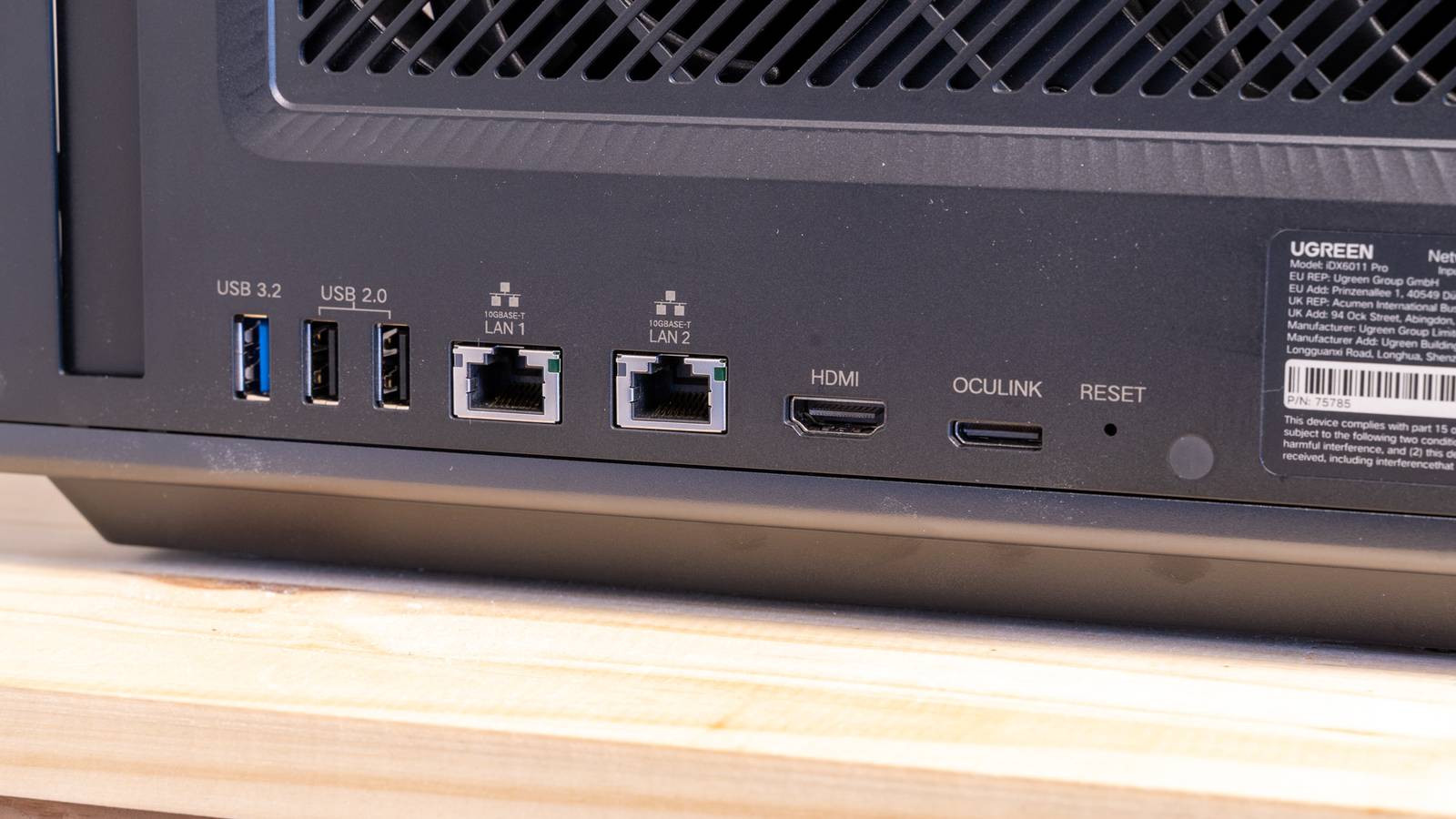
Do it with three or four tasks and you've effectively reclaimed a meaningful slice of your machine's capacity without spending a dollar on new hardware.UGREEN NASync DXP2800 Brand UGREEN CPU Intel 12th Gen N-Series This cutting-edge network-attached storage device transforms how you store and access data via smartphones, laptops, tablets, and TVs anywhere with network access.Memory 8GB (Upgradeable to 16GB) Drive Bays 2 x 22TB Ports 2.5GbE, USB-C, USB-A (x3) Caching Expandable up to 8TB OS UGOS Dimensions 7 x 9 x 4 inches Weight 3.5lbs $699 at Ugreen See at Amazon Expand Collapse Eliminating sync bottlenecks Constant cloud syncing quietly taxes your entire system If you use any cloud storage service, you're already familiar with the little sync icon that spins in your taskbar.
What you might not realize is how much work is happening underneath that icon, and what it costs your system in real terms.Cloud sync clients are some of the most consistently disruptive background processes on a modern PC, not because any single operation is expensive, but because they never stop.Every file save triggers a hash check, an upload queue evaluation, and potentially a network transfer.
Multiply that across a busy workday and you have a process that's almost always doing something, competing for disk throughput, network bandwidth, and CPU attention.The deeper problem is that sync clients are optimized for reliability, not for getting out of your way.They're designed to make sure your files are protected at all costs, which means they'll aggressively retry uploads, scan directories on a schedule, and index changes in real time regardless of what else you're doing.
Some clients are better-behaved than others, but even the well-written ones add measurable latency to disk operations when they're active.A NAS addresses this differently.Instead of syncing to a cloud service that lives on a distant server, you're syncing, or simply saving, to a device that's on your local network.
Transfer speeds are dramatically faster, typically limited only by your router and NIC rather than your internet connection's upload bandwidth.More importantly, a good NAS operating system can handle the sync logic itself.Synology's Cloud Sync, for example, can act as a bridge between your NAS and cloud providers, meaning your PC writes a file to the NAS at gigabit speeds and then the NAS handles the slower cloud upload on its own time, independently.
The result is that your PC finishes its part of the job almost instantly and moves on.The bottleneck shifts from a process running on your machine to one running on a dedicated device, and your workflow stops being interrupted by the rhythms of cloud infrastructure.Offloading seldom-used files and programs from your boot drive Clearing your SSD of clutter gives it room to breathe There's a widespread belief that SSDs don't slow down the way spinning hard drives do, and in a narrow technical sense, that's true—seek times don't degrade with fragmentation the same way.
But SSDs do slow down under certain conditions, and the most common one is being nearly full.NAND flash storage relies on a process called garbage collection and wear leveling to stay healthy and fast.When a drive is close to capacity, the controller has less room to manage these operations efficiently, and write speeds in particular can fall off significantly.
On a boot drive that's also storing your games library, your photo archive, your old project folders, and a handful of applications you use twice a year, it's easy to creep toward that threshold without noticing.The solution most people reach for is buying a larger drive, which works, but it doesn't actually change the underlying habit.A NAS offers a more elegant answer: use the fast, expensive local storage for what genuinely needs to be fast and local, and let the NAS absorb everything else.
Game installs for titles you haven't launched in six months, archived project files, your reference photo collection, software installers, old downloads—none of these need to live on your primary SSD.Moving them to the NAS and accessing them over the network when needed keeps your boot drive lean without requiring you to delete anything.Subscribe to the newsletter for NAS-to-PC performance tips Curious for deeper NAS-to-PC strategies? Subscribing to the newsletter gives access to practical, step-by-step guidance on offloading background tasks, cutting cloud-sync bottlenecks, and freeing SSD space—actionable tips to keep your PC responsive.
Get Updates By subscribing, you agree to receive newsletter and marketing emails, and accept our Terms of Use and Privacy Policy.You can unsubscribe anytime.There's also a secondary benefit that's easy to overlook.
A less-crowded SSD isn't just faster, but it's also easier for your operating system to manage.Windows, in particular, performs better when the system drive has room to write temporary files, manage its page file, and handle Windows Update staging without fighting for space.Users who move large media libraries and archival data to a NAS often report that their system feels more responsive across the board, which makes sense: the drive powering the operating system is no longer also functioning as long-term cold storage for files that haven't been opened in years.
A NAS quietly transforms your PC's day-to-day performance Adding a NAS to a home setup isn't just about storage capacity—it's about giving your PC room to focus.If you offload background tasks, eliminate sync friction, and clear space on your boot drive, a NAS can make an aging machine feel meaningfully faster without any internal upgrades.TerraMaster F4-425 Plus NAS 4-Bay CPU Intel x86 Quad-Core CPU Memory 4GB Powerful 4-bay NAS with fast 5GbE speeds, 16GB DDR5, and up to 144TB storage for advanced setups Drive Bays 4 Dimensions 8.74"D x 7.05"W x 6.06"H Weight 1.9 Kilograms $380 at Amazon Expand Collapse
Read More