Most people assume their phone's lifeline is something you either accept or ignore.Samsung builds in fast charging, so fast charging is what you get.The phone heating up while it's plugged in feels like a normal side effect instead of a sign that something's slowly going wrong.
If you want your phone's battery to last longer, you shouldn't keep this option on forever.Fast charging creates way more heat than you think Heat is what actually ruins your phone battery Close Electricity flows have a lot to do with why your phone gets so hot while charging.Standard fast chargers push power through at a high voltage, typically somewhere around 9V or 15V, but your phone's battery doesn't actually operate at those levels.
A lithium-ion battery runs at somewhere between 3V and 4.4V, depending on how charged it is, so the phone's internals have to constantly step that voltage down to match.That conversion process isn't free because a chunk of the energy that doesn't make it into the battery has to go somewhere, and it goes out as heat, right inside the phone.On top of that, pushing a lot of current through any conductor generates heat, and the relationship isn't linear.
Double the current, and you quadruple the heat.Fast charging means high current, so the thermal load compounds quickly.Heat is the actual problem, and it's what kills batteries over time.
A phone that charges fast but stays cool will hold up far better than one that charges slowly but gets hot.In fact, leaving your phone plugged in overnight might be more damaging than fast charging it, because sitting at a full charge puts stress on the battery that slowly wears it down over time.The issue is that we tend to turn on fast charging and then leave our phones charging overnight.
It adds up fast.Keeping your phone cool matters far more than how fast you charge it, whether that's through better hardware or just not leaving it plugged in past full.However, because you're likely not turning fast charging off before bed every night, you're doing more damage than you know.
Turning off fast charging on your Samsung phone is easy Taking off your case doesn't fix the real problem The steps to turn fast charging on or off are different depending on which version of One UI your Samsung is running.On newer Galaxy phones running One UI 6.1, 7.0, or later, open Settings, scroll down to Battery, then tap Charging settings.From there, you'll see toggles for Fast charging and Fast wireless charging.
Just flip whichever ones you want.If you're on an older device running One UI 6.0 or below, you'll need to dig a little deeper.The fast charging switch here is found in Settings, then Battery, and then Device Care.
From there, go to Battery, More battery settings, and you'll usually see the toggle there.One thing that catches a lot of people off guard is that you can't change any of these settings while your phone is plugged in.If it's connected to a charger or sitting on a wireless pad, the toggles will be greyed out.
Unplug it first, make your changes, then plug it back in.That's because it may not be safe to make a change like this while it is in use.When phones get hot while charging, most people's first instinct is to close background apps or take their case off.
Those methods do help a little, but they're really just working around the problem.Killing background apps lowers the load on your processor, sure, but it doesn't change the fact that a high amount of electricity is still rushing into your battery.Taking off a thick case lets heat escape a bit faster, but you're just making it easier for the heat to leave once it's already built up inside.
Neither of these actually stops the phone from generating that heat to begin with.Turning off fast charging is different because it goes after the source of the problem.When fast charging is disabled, your phone stops negotiating that high-power connection with the charger and instead just draws a slow, steady trickle.
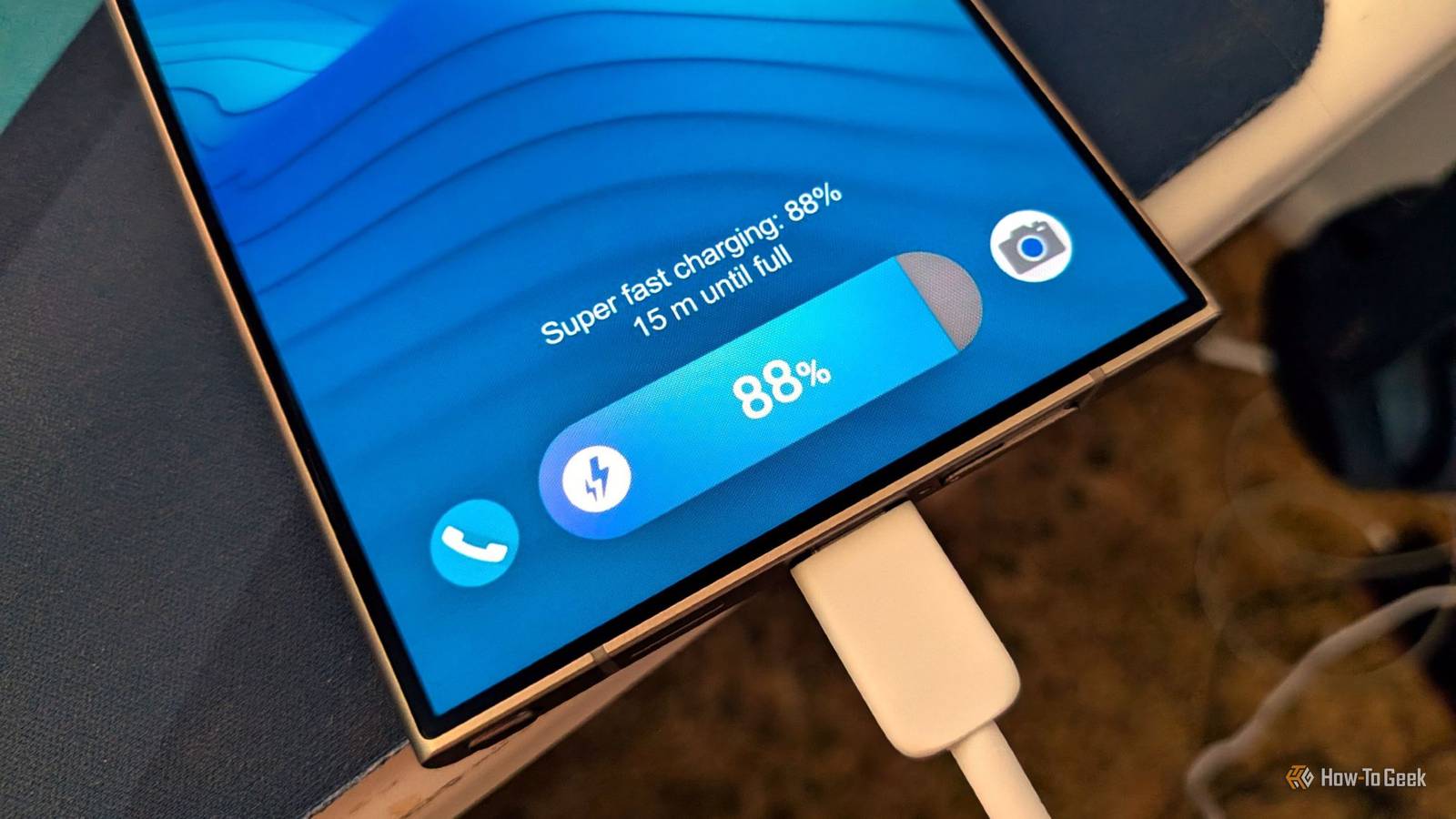
Slower charging adds years to your battery's lifespan You have to decide if the extra speed is worth it Turning off fast charging on a Samsung phone is a real trade-off.Flagship devices like the Galaxy S26 Ultra support 60W Super Fast Charging 3.0, which I've seen charge a dead battery to 62% in 20 minutes.Switch that off, and your phone drops back to 15W or even a slow 5W, meaning you could be waiting an hour or more for a meaningful charge.
For anyone with a packed schedule, that's inconvenient.Fast charging exists so you can plug in during a coffee break and walk away with enough juice to get through the afternoon.Giving that up means giving up one of the main things you paid for when you bought a premium phone.
It really comes down to how long you plan to keep your phone and how you use it day to day.Most batteries hit the point where they need replacing after around 300 to 500 charge cycles, which works out to roughly a year and a half to two years for the average person.At that point, you're either paying $50 to 100 for a battery swap or, as the majority of people do, spending $400 to $1,200 on a new phone entirely.
Slower charging can really delay getting to that point.If you upgrade every year, or you're rarely far from an outlet, the speed is probably worth it, and the trade-off is minor.But if you want your phone to feel like itself three or four years from now, the extra time on the charger is a small thing to give up.
This is just one fix If you swap phones every year, or you need a full charge in 20 minutes to get through your day, the slower speed will cost you more than it saves.But if you'd rather not spend $100 on a battery replacement or $1,000 on a new phone after two years, this is one of the more direct things you can do about it.The setting takes about 30 seconds to find, and you can always flip it back on when you actually need the speed.
Read More