I have the great honor and misfortune of being the designated techie in my social circle.Everyone I know funnels their network misery to me, and it didn't take long before I started bringing a few little tools with me to speed things along.My kit isn't anything special: just a handful of cheap, pocket-sized stuff that answers the important question: is it the cable, the port, the device, or the network itself? Here's what I carry.
Two Cat6 patch cables I actually trust A known-good cable is the most boring superpower you can own Close Everything starts here.A cable can look flawless and still be dead inside, whether it's a snapped locking tab, a pair that got crushed under a desk leg, or a kink that broke a wire.The problem is that you can't see any of that, so you end up blaming firmware and drivers for what is really just a bad three-foot cord.
I keep two or three short cables that I have personally tested and know are perfect.Swapping in a trusted cable is the fastest way to rule out the dumbest and most common failure on the planet.Do yourself a favor and label the good ones so you never mix your reference cables in with the mystery pile.
A pocket RJ45 cable tester The five-dollar gadget that ends the guessing This little thing is two pieces: a main unit and a remote.Plug both ends of a cable in, hit the button, and eight LEDs light up in sequence.If they march 1 through 8 in order on both units, the cable is wired correctly.
Any weird pattern means an open wire, a short, or a reversed pair, and you found your problem in about ten seconds.One warning: only ever test a cable that is unplugged from your gear, because firing a tester into a live switch port is a great way to fry something.It won't certify your cabling like a pro's $3,000 unit, but for home and field work a cheap tester is more than enough.
Related 6 networking upgrades that are a giant waste of money for most homes I’m a tech enthusiast, and I’ll never buy these 6 expensive networking devices again Posts 15 By Monica J.White A USB-to-Ethernet adapter Because every laptop worth carrying dropped its Ethernet port Modern laptops are gorgeous, thin, and completely allergic to Ethernet ports.That's fine until you need to know whether a problem is the Wi-Fi or the whole network, and you have no way to go wired.
A $12 USB-to-Ethernet adapter fixes that instantly.Plug it straight into the router, run a quick test, and the answer usually reveals itself.This is doubly useful when you're helping someone else, because you can never count on their devices having the ports you need.
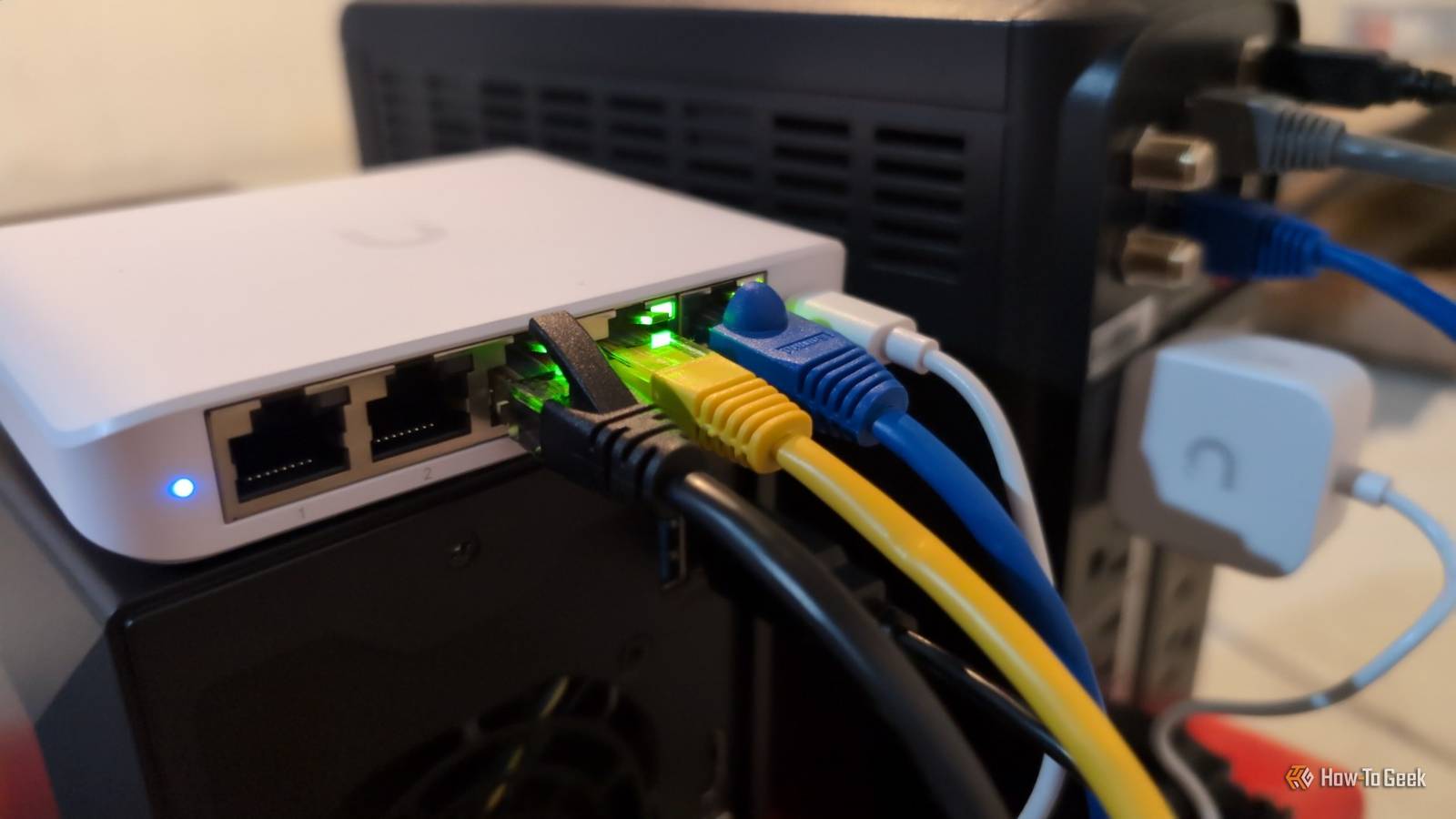
Grab a gigabit or 2.5G model and plug it into a blue USB 3 port so it isn't bottlenecked.A tiny unmanaged switch The dumbest box in the bag and one of the most useful Almost nobody keeps a spare five-port switch around, which is a shame, because they're cheap and they isolate problems beautifully.When a wired device is acting up, dropping it onto a little switch helps you figure out whether the fault is the device, the cable, the router port, or the path in between.
It's the same spirit as plugging two machines directly together to corner a stubborn issue.While you're at it, read the link lights on the ports.A solid light means the two ends see each other, the color usually hints at speed (amber often means 100 Mbps, green means you hit the full gigabit), and a blinking light means data is actually flowing.
Those three little LEDs tell you more than most people realize.Quiz 8 Questions · Test Your KnowledgeHome networking & Wi-FiThink you know your routers from your repeaters — put your home networking know-how to the ultimate test.Wi-FiRoutersSecurityHardwareProtocolsBegin 01 / 8Wi-FiWhat does the '5 GHz' band in Wi-Fi offer compared to the '2.4 GHz' band?ALonger range but slower speedsBFaster speeds but shorter rangeCBetter wall penetration and faster speedsDLower interference but identical speedsThat's right! The 5 GHz band delivers faster data rates but loses signal strength more quickly over distance and through walls.It's ideal for devices close to the router that need maximum throughput, like streaming 4K video.Not quite — the 5 GHz band actually offers faster speeds at the cost of range.
The 2.4 GHz band travels farther and penetrates obstacles better, which is why smart home devices and older gadgets often prefer it.Continue 02 / 8ProtocolsWhich Wi-Fi standard, introduced in 2021, is also known as Wi-Fi 6E and extends into a new frequency band?A802.11acB802.11axC802.11beD802.11nCorrect! 802.11ax is the technical name for Wi-Fi 6 and Wi-Fi 6E.The 'E' variant extends the standard into the 6 GHz band, offering a massive swath of new, less-congested spectrum for faster and more reliable connections.The answer is 802.11ax — that's Wi-Fi 6 and Wi-Fi 6E.Wi-Fi 6E adds support for the 6 GHz band, giving it far less congestion than the crowded 2.4 GHz and 5 GHz bands.
802.11be is actually the upcoming Wi-Fi 7 standard.Continue 03 / 8RoutersWhat is the default IP address most commonly used to access a home router's admin interface?A192.168.0.1 or 192.168.1.1B10.0.0.1 or 172.16.0.1C255.255.255.0 or 255.0.0.0D127.0.0.1 or localhostSpot on! The vast majority of consumer routers use either 192.168.0.1 or 192.168.1.1 as the default gateway address.Typing either into your browser's address bar will bring up the router's login page — just make sure you've changed the default password!The correct answer is 192.168.0.1 or 192.168.1.1.These are the most common default gateway addresses for home routers.
The 255.x.x.x addresses are subnet masks, and 127.0.0.1 is your own machine's loopback address, not a router.Continue 04 / 8SecurityWhich Wi-Fi security protocol is considered most secure for home networks as of 2024?AWEP (Wired Equivalent Privacy)BWPA (Wi-Fi Protected Access)CWPA2 with TKIPDWPA3 (Wi-Fi Protected Access 3)Excellent! WPA3 is the latest and most robust Wi-Fi security protocol, introduced in 2018.It uses Simultaneous Authentication of Equals (SAE) to replace the older Pre-Shared Key handshake, making it far more resistant to brute-force attacks.The answer is WPA3.WEP is completely broken and should never be used, WPA is outdated, and WPA2 with TKIP has known vulnerabilities.
WPA3 offers the strongest protection, and if your router supports it, you should enable it right away.Continue 05 / 8HardwareWhat is the primary difference between a mesh Wi-Fi system and a traditional Wi-Fi range extender?AMesh systems only work with fiber internet connectionsBRange extenders create a seamless single network while mesh systems create separate SSIDsCMesh nodes communicate with each other to form one seamless network, while extenders create a separate networkDMesh systems are always wired, while extenders are always wirelessExactly right! Mesh systems use multiple nodes that talk to each other intelligently, handing off your device seamlessly as you move around your home under one SSID.Traditional range extenders typically broadcast a separate network and can cut bandwidth in half as they relay the signal.The correct answer is that mesh nodes form one intelligent, seamless network.Range extenders are actually the ones that often create separate SSIDs (like 'MyNetwork_EXT') and can significantly reduce speeds.
Mesh systems are far superior for large homes with many devices.Continue 06 / 8ProtocolsWhat does DHCP stand for, and what is its main function on a home network?ADynamic Host Configuration Protocol — it automatically assigns IP addresses to devicesBDirect Hardware Control Protocol — it manages router firmware updatesCDistributed Hosting and Caching Protocol — it speeds up web browsingDDynamic Hypertext Communication Protocol — it secures data transmissionsPerfect! DHCP (Dynamic Host Configuration Protocol) is the unsung hero of home networking.Every time a device joins your network, your router's DHCP server automatically hands it a unique IP address, subnet mask, and gateway info so it can communicate without manual configuration.DHCP stands for Dynamic Host Configuration Protocol, and its job is to automatically assign IP addresses to devices on your network.Without it, you'd have to manually configure a unique IP address on every single phone, laptop, and smart device — a tedious nightmare!Continue 07 / 8RoutersWhat is 'QoS' (Quality of Service) used for in a home router?AEncrypting all traffic leaving the routerBPrioritizing certain types of network traffic over othersCAutomatically switching between 2.4 GHz and 5 GHz bandsDBlocking malicious websites using a DNS filterThat's correct! QoS lets you tell your router which traffic gets priority.
For example, you can prioritize video calls or gaming over a family member's file download, ensuring your Zoom meeting doesn't freeze just because someone is downloading a large update.QoS — Quality of Service — is actually about traffic prioritization.By tagging certain data types (like VoIP calls or gaming packets) as high priority, your router ensures latency-sensitive applications get bandwidth first, even when the network is congested.Continue 08 / 8HardwareWhat does the 'WAN' port on a home router connect to?AOther computers in your home network via EthernetBA wireless access point for extending Wi-Fi coverageCYour modem or ISP-provided gateway to the internetDA network-attached storage (NAS) deviceCorrect! WAN stands for Wide Area Network, and the WAN port is where your router connects to the outside world — typically to your cable modem, DSL modem, or ISP gateway.The LAN ports on the other side connect to devices inside your home network.The WAN (Wide Area Network) port connects your router to your ISP's modem or gateway — essentially your entry point to the internet.
The LAN (Local Area Network) ports are for connecting devices inside your home.Mixing them up can cause your network to not function at all!See My Score Challenge CompleteYour Score/ 8Thanks for playing!Try Again A DIY Raspberry Pi port sniffer My favorite show-off piece, and it cost about fifty bucks This is my favourite toy: a pocket gadget built around a Raspberry Pi Zero 2 W, a PoE hat, and a tiny e-paper screen.You plug it into a switch port, it powers itself off PoE (or a USB battery bank if there's no power on the line), and within about twenty seconds it prints the switch hostname, IP address, port number, and VLAN right on the display.
Commercial port-identification tools that do this cost anywhere from a few hundred to a few thousand dollars, and some still make you pair a phone to read the results.The Raspberry Pi device listens for the LLDP and CDP announcements that switches broadcast and just shows me the answer, no app required.When you're staring at a patch panel full of forty-eight identical ports trying to work out which one you're on, this thing is pure magic.
It's a fun weekend build, and next to a budget switch, it's more effort for a much bigger payoff.A pocket PoE tester and a tone-and-probe For the days the problem is power or a cable buried in a wall A PoE tester tells you whether a port is truly delivering power and at what class or wattage, and the good ones briefly apply a load, because a port can show the right voltage with nothing attached and then collapse the second a camera or access point draws real power.When a PoE device refuses to boot, this ends the argument fast.
The tone-and-probe is for tracing.Clip the tone generator onto one end of an unpowered cable, then wave the probe over a bundle until it squeals near the matching wire.It's how you find which cable in a messy rack goes where without any labels.
Niche? Sure.But the day you need it, nothing else will do.None of it is fancy, but it gets the job done Every item in here is small, cheap, and boring on its own, yet together they turn "I have no clue what's wrong" into "found it" in a matter of minutes.
I'm not trying to replace a professional's certifier, but these tools save a lot of time.If you get dragged into network diagnostic sessions as much as me, try building a kit and see how much it helps.
Read More