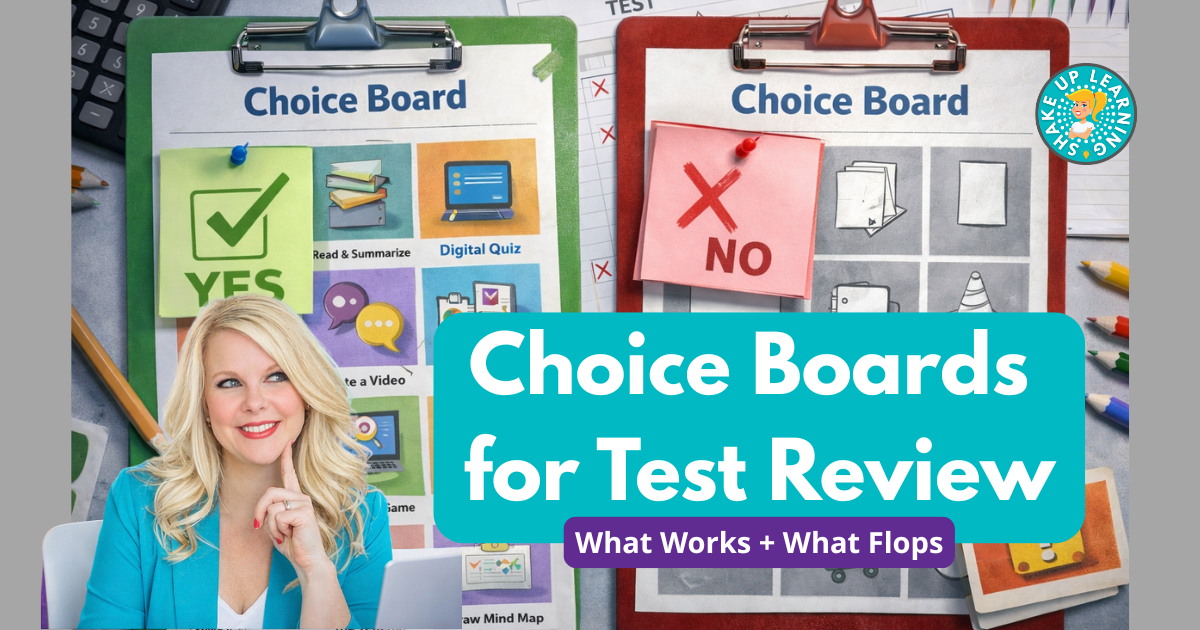
Testing season has a way of making everything feel heavier—students are tired, you’re tired, and “review days” can easily turn into either busywork or chaos.That’s why choice boards can be a win: they boost buy-in, give students a sense of control, and let you differentiate without creating five different assignments.But… choice boards can also flop.
The difference isn’t the template.It’s the structure.In this post, you’ll learn what makes test-review choice boards actually work, what common mistakes make them fall apart, and how to build a review board that’s aligned, manageable, and worth your time.
Listen to this podcast episode: Choice Boards for Test Review: What Works + What Flops While many of the review choice board ideas can be used in grades 3-12, most examples work best in grades 6-12.Adjusting the language of your tasks and directions is very important to customize them for your grade level and students’ abilities.Why Choice Boards Work for Test Review Choice boards work best when they’re used as a container for effective review—not a “fun activity day.” They help because they: Increase engagement by giving students a controlled choice Support differentiation (different paths, same goal) Make review more efficient (reusable formats, clearer expectations) Give you better visibility into what students know (if the tasks are designed right) The key mindset shift: Choice boards shouldn’t add more work.
They should organize the review you already need to do.*Related: Choice Board Best Practices (and Checklist) What Works: The 5 Rules of a Strong Review Choice Board 1) Keep the board focused (one main target) Choice boards flop when they try to review everything.For test review, pick: one standard, or one skill cluster, or a tight set of related skills (think “the big rocks”) A focused board leads to better practice—and better data about what students actually need help with.
2) Use a “Must-Do + Choose-To” structure When everything is optional, students either: choose the easiest tasks, or get stuck deciding and waste time A simple fix is to include one “must-do” task on your choice board that every student completes first (an anchor).Then students select a few options from the rest.This keeps the review aligned and prevents the “random task selection” problem.
3) Limit task types (don’t reinvent the wheel 9 times) The more task types you include, the more time it takes to explain, manage, and grade.A strong board uses repeatable formats: retrieve → explain → apply quick practice → error analysis → mini-check flash prompts → short response → reflection Your goal is to focus on the skill, not a fancy product.4) Build in “proof of learning” for every square Each square should clearly answer: What do I do? What do I turn in? How long should it take? If the board doesn’t define evidence, you’ll get confusion, missing work, or random submissions in five different places.
Pro tip: keep directions short on the board and link to details in your LMS or a doc if needed.5) Add pacing and checkpoints Choice boards need a light structure so students don’t drift.Examples: The must-do task is due by the first 10–15 minutes Choose 2 options by the end of class One final submit location for everything This prevents decision fatigue and keeps your classroom from turning into “everyone doing something different forever.” *Related: 6 Steps to Creating Custom Choice Boards What Flops: Common Mistakes (and Quick Fixes) Flop 1: Too many choices Too many options = decision fatigue, off-task behavior, and “I don’t know what to do” energy.
Everyone flocks to the tic-tac-toe board, but nine choices are A LOT for a newbie.Fix: Start smaller.Stick to 2-3 choices the first few times you implement.
Flop 2: Fun but fluffy tasks If tasks don’t actually practice the tested skill, the board becomes a “cute activity” instead of a review.Fix: Check task alignment square-by-square.If you can’t clearly explain how the task practices the standard, rewrite it.
Flop 3: Tasks that aren’t equal in effort Students always find the “easy square.” If one option takes 8 minutes and another takes 40, the board isn’t fair—and it won’t run smoothly.Fix: Estimate time and adjust.Keep most tasks in the same general range.
Flop 4: No clear turn-in system This is the silent killer.Students may complete tasks but submit nothing, or submit random pieces all over the place.Fix: Require one evidence page (Doc/Slides/Form) and one submission location.
Flop 5: Grading everything like a major project If you grade every option deeply, you lose the time-saving benefit.Fix: Pick one component for deeper feedback (often the must-do).The rest can be completion checks, quick spot checks, or self-checks and reflections.
Flop 6: No modeling Students can’t succeed at “independent choice” if they don’t understand what quality looks like.Fix: Do one square together as a model and show an example of what to submit.Two Simple Choice Board Models That Work You don’t have to get fancy.
These two models cover most test-review needs.Model 1: Retrieval Practice Choice Board Retrieval practice is powerful because it strengthens memory by having students pull information from their brain first, then check accuracy.Best retrieval-style tasks include: Brain dumps (quick “write everything you remember”) Flash prompts (short questions, short answers) True/False + fix-it (misconception busters) Sequence or steps (timeline, process, order) Cause/effect prompts Vocabulary application (not copying definitions) Quick teach-back (short explanation in writing or audio) Avoid on retrieval boards: “Study your notes.” Passively rewatching videos Big creative projects that don’t require recall A strong retrieval board feels fast, focused, and repeatable.
Model 2: Spiral Review Choice Board Spiral review works best when it’s controlled—not overwhelming.The goal is mixed practice across key skills while keeping the workload manageable.Good spiral review task types include: Mixed-skill mini sets (a few quick items across skills) Error analysis (find the mistake, correct it) Sort/classify examples (with a short justification) Mini quiz + reflection (“Which 2 do you feel least sure about?”) Short transfer tasks (same skill, different context) The best spiral boards are short, repeatable, and designed to prevent autopilot.
How to Make These Choice Boards Time-Saving (Not Time-Consuming) Here’s the truth: choice boards are only worth it if they save you time long-term.A few ways to keep them efficient: Build a template and reuse it with new content Use the same 6–8 task formats all year Keep the board focused on one target Require one submission artifact Use quick rubrics or checklists for the must-do You don’t need a new board every time—you need a repeatable structure.*Related: Creating Choice Boards with Book Creator A Simple Build Process You Can Use This Week If you want a quick workflow, try this: Choose one standard or skill cluster Write a must-do task that hits the core skill Add 6–8 options using 2–3 repeatable formats Define evidence + time for each square Choose a single submission method Model one option + set pacing checkpoints That’s it.
Keep it tight.Keep it aligned.Keep it doable.
Final Thought: The Goal Isn’t “More Review.” It’s Better Review.Choice boards don’t magically fix test prep—but when they’re structured well, they can make review more engaging, more effective, and less exhausting for you.If your last choice board flopped, don’t scrap the idea.
Scrap the parts that caused confusion: too many options unclear evidence uneven workload weak alignment no pacing system Fix those, and choice boards become one of the most teacher-friendly review tools you can use.Shake Up Learning 2025.Unauthorized use and/or duplication of this material without express and written permission from this blog’s author and/or owner is strictly prohibited.
Excerpts and links may be used, provided that full and clear credit is given to Kasey Bell and Shake Up Learning with appropriate and specific direction to the original content on ShakeUpLearning.com.See: Copyright Policy.
Read More