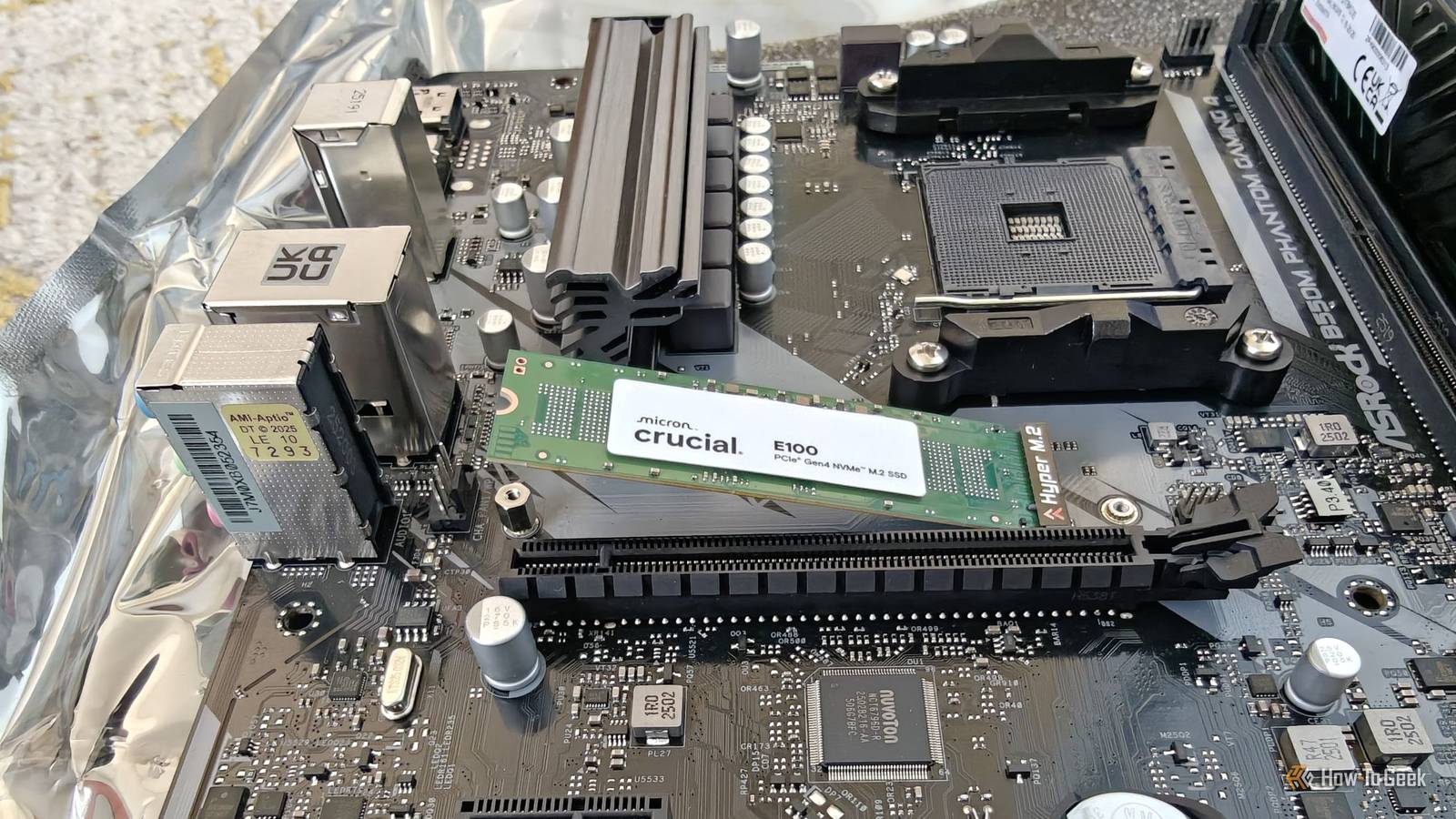
If you've ever bought a new motherboard and read the user manual or just checked the diagram on the manufacturer's website, you've likely noticed that the fastest (usually PCIe Gen 5) M.2 slot for an NVMe SSD is usually located right underneath the CPU, while the slower, older-generation slots are placed elsewhere.But why is that the case when it seems like such a busy area to begin with? Your fastest M.2 slot gets the worst seat on the motherboard It's right between the CPU and GPU Close PC builders know what a nightmare accessing the top M.2 slot can be.It's located right between the graphics card and a chunky CPU air cooler (if you're using one).
The slot itself is very slim, and it's in such a tight spot that you can barely touch the top of the heatsink with your fingers (and that's if you've got very thin fingers).Put simply, it's almost impossible to unscrew the heatsink and NVMe SSD to take it out or install a new one without also having to remove the graphics card.Physical accessibility to the slot is only part of the issue, though.
Another major problem with mounting an NVMe SSD in this spot is thermals.It's located between the two most power-hungry components in your entire system.As the GPU and CPU heat up under load, the radiated heat can make your SSD run hot too, which can cause it to thermally throttle.
Mind you, the drive can generate quite a bit of heat on its own and throttle itself under some circumstances.Related Stop running your NVMe 'naked': Why modern SSDs need a heatsink Your SSD is hotter than it should be, and it's only going to get worse Posts 3 By Goran Damnjanovic Shorter traces allow for faster storage PCIe doesn't like to take the long way around All of the aforementioned drawbacks beg the question: why do manufacturers insist on placing fast PCIe Gen 5 M.2 slots in this awful spot, rather than, say, next to the RAM or underneath the graphics card? The answer is actually surprisingly straightforward: this slot provides a direct pathway between the CPU and the SSD.This ensures the fastest possible connection, with the lowest latency and maximum bandwidth for your main drive.
Every other M.2 slot typically has to first go through the motherboard chipset, which has to share its connection to the CPU with the rest of the I/O, including SATA drives, USB ports, network controllers, and so on.It helps to think of the CPU and your NVMe SSD as two cities.The top M.2 slot is like a dedicated high-speed expressway that connects the two directly, while the secondary slots have to travel through a busy interchange (the chipset) before they can head toward their destination.
It's worth noting that some high-end motherboards feature a second expressway, but since consumer CPUs have a limited number of PCIe lanes available for storage and expansion, the motherboard has to allocate lanes from elsewhere to make this work.This direct CPU connection is especially important for high-end PCIe Gen 5 NVMe SSDs, which push extremely high signaling rates to achieve the fastest read and write speeds possible.The shorter the copper traces on the motherboard are, the easier it is to maintain signal integrity, which is why keeping the slot as close to the CPU as possible makes sense.
So, whether it's a relatively affordable motherboard like my ASRock B650M PG Riptide or a high-end model such as the ASUS ROG Crosshair X870E Dark Hero, you can rest assured that the primary M.2 slot is the one located right under the CPU.The second M.2 slot isn't necessarily much slower For most workloads, it's splitting hairs Even though the M.2 slot close to the CPU is difficult to reach, an internal storage drive isn't something you have to take out even semi-regularly on a typical PC.So, to get the best performance, you should put your primary NVMe SSD in the top slot.
That being said, I have to acknowledge that M.2 NVMe SSDs are quite expensive, especially with the ongoing shortage, so buying a smaller SSD now to use as your primary drive and adding a larger secondary one later isn't the most optimal solution from a performance standpoint.The good news, however, is that the performance gap between the "best" slot and the others isn't as big as you might think.Zak Killian from HotHardware ran a few benchmarks using the same PCIe Gen 4 SSD in the CPU-connected and chipset-connected slots and found that the SSD performed slightly better in the CPU slot in synthetic benchmarks, particularly when it came to sequential writes.
However, in gaming, the performance was nearly identical.So, if you buy a second NVMe SSD, swapping out your primary drive usually isn't worth it—even for games.Of course, that's unless you're buying a PCIe Gen 5 model and your motherboard's only PCIe Gen 5 slot is already occupied, which is often the case.
Related PCIe Gen 5 and DRAM are a waste of money: Capacity is the only SSD spec that matters I always look for these factors when buying an NVMe Posts 6 By Ismar Hrnjicevic So why don't motherboard makers put the fastest slot somewhere sensible? Every other location comes with a different compromise If manufacturers simply moved the primary M.2 slot elsewhere, the traces would get longer and would require more robust signal conditioning, potentially including retimers and redrivers, which could drive manufacturing costs up significantly.Technically speaking, motherboard manufacturers could place a PCIe Gen 5 M.2 slot somewhere else while maintaining a direct-to-CPU connection.The aforementioned ASUS ROG Crosshair X870E Dark Hero has a second PCIe Gen 5 M.2 slot that sits underneath the graphics card (though, admittedly, accessing it isn't much easier than the top M.2 slot).
The problem with this slot is that it shares bandwidth with the board's USB4 40Gbps ports.And if you want to operate the M.2 slot at x4 speed, you actually have to disable the USB4 40Gbps ports entirely.It's a massive trade-off, as the high-speed USB4 ports are one of the key selling points of this sub-$700 motherboard.
But what about the other side of the motherboard? While that would theoretically allow for all the same benefits, such as short traces and a direct connection to the CPU, placing the M.2 slot on the backside would introduce a whole array of other issues.For starters, accessing it would be a nightmare in PC cases that don't have a cutout behind the motherboard.Cooling would also be a major problem because there's not enough clearance for a heatsink.
Honestly, despite the primary M.2 slot being in a bit of an awkward spot, it remains the best solution we have right now.And the beauty of it is that the technology has become accessible enough that even many budget motherboards can now feature an ultra-fast PCIe Gen 5 M.2 slot.I'd still put my SSD in the annoying slot Even though the primary M.2 slot isn't in the most accessible position and it can be annoying to remove the graphics card just to install it, it's the best way for manufacturers to provide a fast, stable, direct connection to the CPU while keeping costs low.
Thankfully, the primary drive isn't something you have to take out of your PC often, and since there are some minor performance benefits even with a slower PCIe Gen 4 SSD, I strongly recommend using this slot instead of one that routes through the chipset when building a PC.
Read More