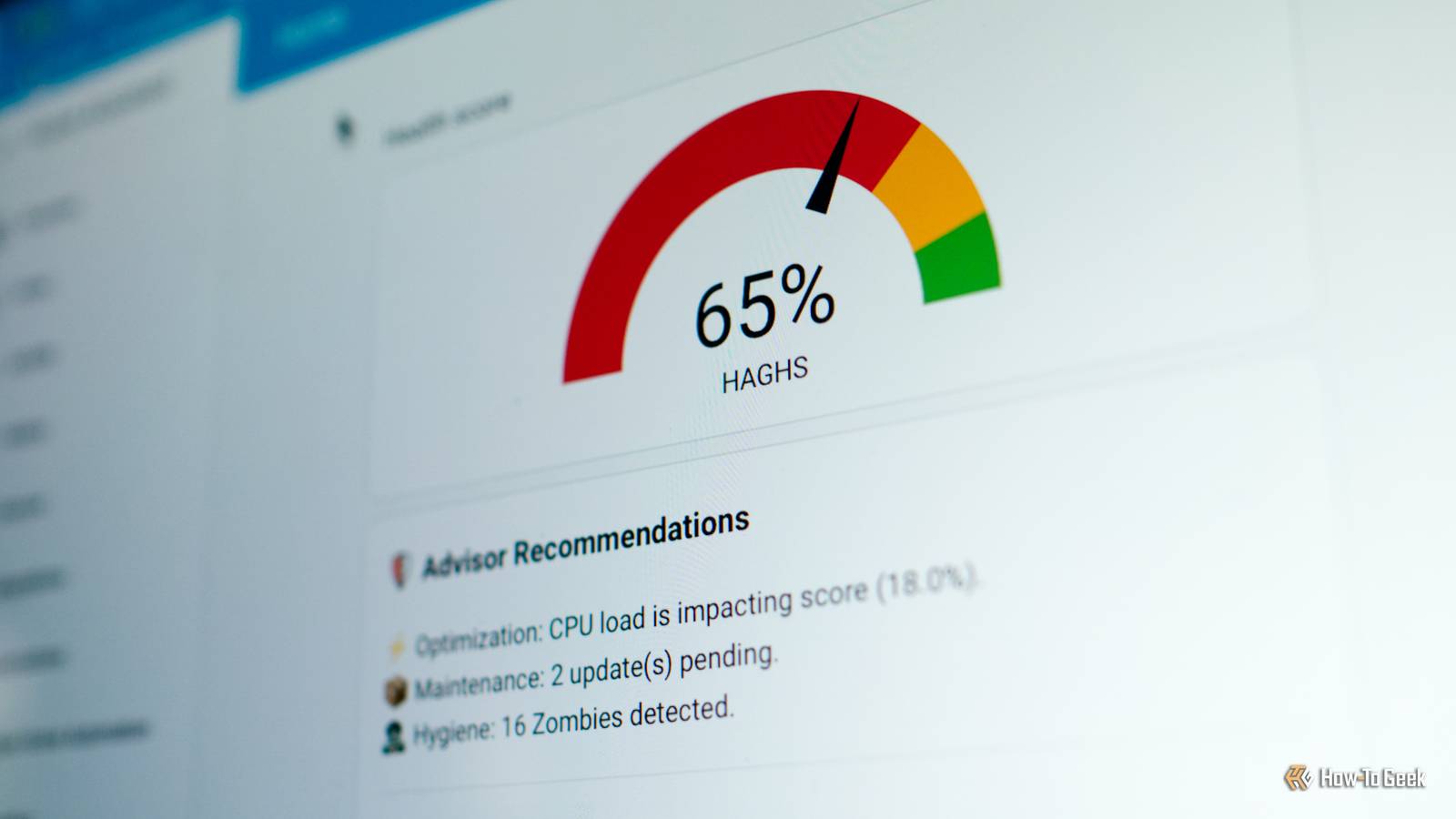
Your Home Assistant server can seem fine on the surface, while deep down it’s crying out for some attention.This can range from missing entities and services to performance problems that are slowing down your whole home.Here are three integrations you can use to find problems and fix them.
Spook Your friendly smart home ghost Spook is a self-described “scary powerful toolbox for Home Assistant.” It’s a Swiss army knife of sorts, taking a three-pronged approach to finding items that are in need of repairs, adding new actions that you can use in automations and scripts, and allowing you to add new devices and entities to Home Assistant.Spook is a custom integration that you’ll find in the Home Assistant Community Store (HACS).First install HACS on your Home Assistant server, then search the store for “Spook” and download it.
From here, you can add Spook to Home Assistant as you would any other integration using the Settings > Devices & services menu by clicking Add integration and searching for it.Spook requires that you restart your Home Assistant server when you first add it to your server, at which point it will perform some checks to help find issues.What we’re primarily concerned with here is the “Repairs” aspect of Spook, with anything it finds added to the repairs dashboard under Settings > System > Repairs.
Spook can look for missing entities in your automations and scenes, flag service calls that don’t exist, find ghost entities that you can probably delete, check your configuration files for broken YAML, spot zones that no longer exist that are still being referenced, and check whether dashboards are trying to reference entities that are long gone.If you don’t see anything listed in the repairs dashboard, congratulations! One of the best things about Spook is that it should suggest a remedy for every problem that it finds.So it won’t just say a problem has been found; it will tell you what entity, service, zone (and so on) the problem relates to, where it is referenced, and suggest a fix.
On top of this, Spook includes some pretty powerful tools for adding actions (denoted by the ghost emoji) to Home Assistant and providing additional helpers.Take a look at Spook’s Features page for the full picture.Watchman Generate clean reports to find problems Watchman is another tool that can help you find problems with your Home Assistant server, but one that specifically targets your configuration files.
Its primary method of action is to scan files to collect referenced entities, services, and actions.It then checks the state of each to determine their current state.The integration can be found in the default HACS repository; just add the community store and then search for it.
Once downloaded, you can add it to Home Assistant as you would any other integration.This project is designed to be lightweight, with the project author stating that the goal isn’t to find missing entity on your Home Assistant server.Once you’ve installed Watchman, find it under Settings > Devices and services > Integrations.
You’ll see a summary of what Watchman has found under the “Diagnostic” area, and you can Press the “Create Report” button to generate a text report.This can be found at /config/watchman_report.txt though you can change this using the integration’s settings panel.Watchman doesn’t suggest a fix, but it will tell you where the problem was found and what entity it refers to (as well as the entity’s state).
Even if you use Spook (above), Watchman might be worth using.Though I had a clean bill of health using Spook, Watchman found a switch referenced in a scene that I got rid of months ago.Home Assistant Global Health Score An exhaustive look at your server’s health If Spook and Watchman are like a check-up at the doctor’s office, Home Assistant Global Health Score (HAGHS) is a full blood panel.
This integration finds all manner of problems and lays them bare, and even gives you a nice round number against which to judge your server’s health.In order for the integration to work properly, you’ll need to add the System Monitor component and edit your configuration file before you begin.This is another integration that’s only available via HACS, and you’ll find it in the main HACS repository by searching for “HAGHS.” Once downloaded, head to Settings > Devices & services and use the Add integration button to search for “HAGHS” and install it.
HAGHS distills your server down to a percentage score, with 40% derived from hardware performance and 60% from application hygiene.You’ll see if your server is struggling under load, but the integration will also lay bare the total number of zombie entities and outstanding maintenance items (including pending updates) you need to deal with.Your database size (which should ideally fall below 1GB) and whether or not you have backups enabled will also be taken into account.
All of this can be shown via a nice dashboard card, which you can click on to get a full diagnostic report.Home Assistant Green Dimensions (exterior) 4.41"L x 4.41"W x 1.26"H Weight 12 Ounces Home Assistant Green is a pre-built hub directly from the Home Assistant team.It's a plug-and-play solution that comes with everything you need to set up Home Assistant in your home without needing to install the software yourself. $219 at Amazon Expand Collapse GEEKOM A5 mini PC $395 $439 Save $44 Brand GEEKOM The GEEKOM A5 mini PC packs 16GB of user-replaceable RAM, a user-swappable NVMe SSD, plus two other storage slots, giving you plenty of user-upgradability in this compact system.
The Ryzen 5 processor packs plenty of power for general tasks, and it's even great at lightweight gaming and CAD work too.$395 at Amazon $439 at Best Buy $439 at GEEKOM Expand Collapse These integrations can help diagnose slow Home Assistant automations or reveal why something isn’t working.They’re also ideal if you’re a sucker for keeping things neat and tidy.
Read More