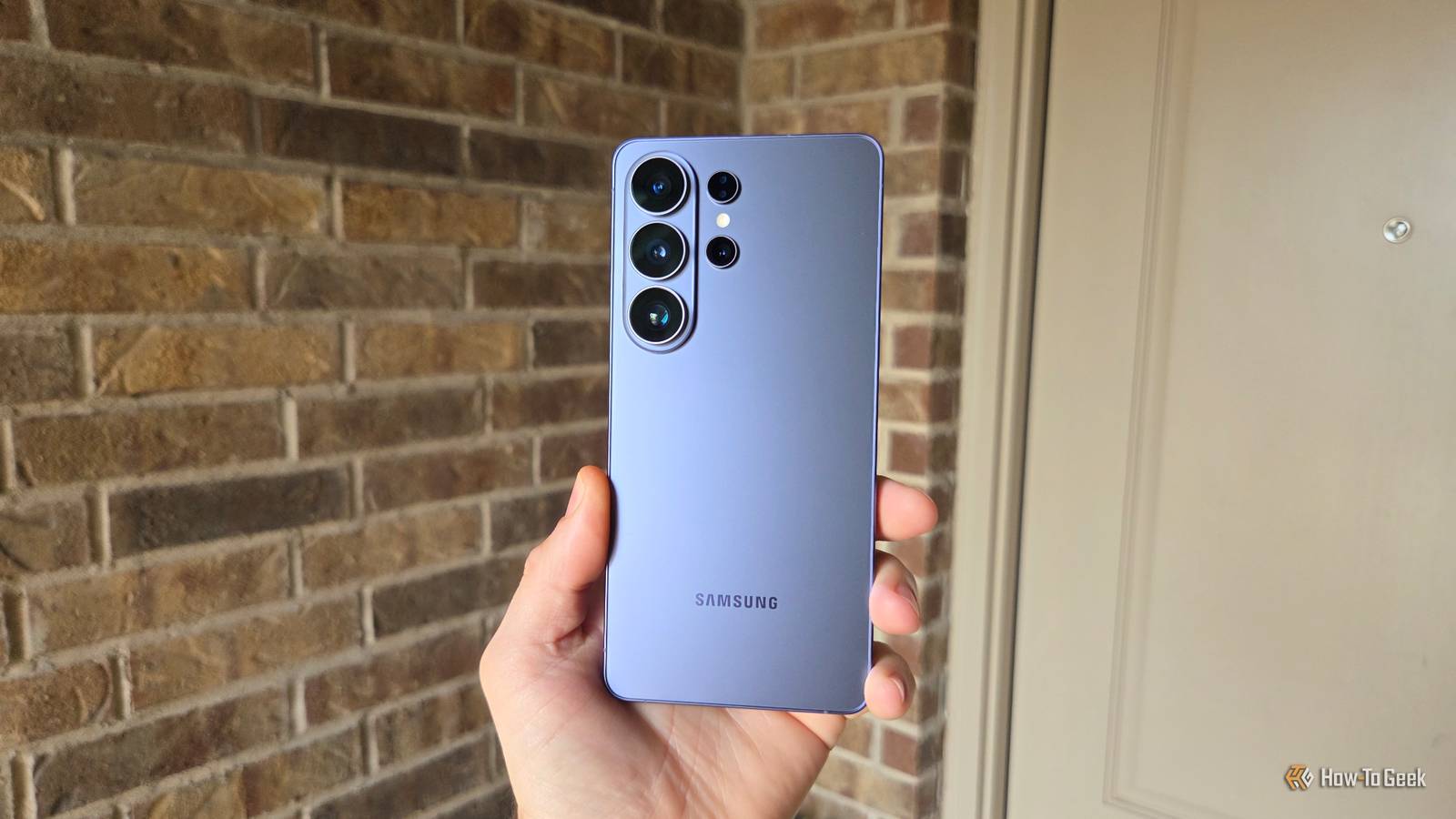
Samsung and Google make some of the best Android phones you can buy.And even though most flagship phones are nearly the same these days, with huge screens and countless cameras on the back, there are important differences.More than ever, those come in the form of software, and here are a few things my Galaxy S26 can do that my Pixel 11 Pro XL can't.
Each phone certainly has pros and cons in both hardware and software.There are actually a ton of differences between Google's Android software and Samsung's One UI overlay.Some are more important than others, depending on each owner.
While small things like the base Pixel 11 can't record at 8K (only 4K) and Samsung's base Galaxy S26 goes up to 8K aren't important to me, nor is Samsung's Privacy Display, there are a few other differences I can't live without.Modes & Routines Google's Pixel 'Rules' are no match Close I've said it before, but one of the things I missed most when I switched to Pixel was Samsung's Modes & Routines.All the features, controls, and game-changing automation right at your fingertips are something I value.
Modes & Routines is one of Samsung's best features, and Google doesn't have anything that comes remotely close.It works similarly to IFTTT, also known as "If This Then That." And once you customize a few actions, you'll unlock new ways to use your phone that the Pixel simply doesn't offer.Related Google Pixel "Rules" are a joke compared to Samsung's Modes & Routines Pixel Rules can do 8 things.
Samsung Modes & Routines can do everything.Posts 1 By Joe Fedewa For example, I leave my phone on silent mode 24/7, but there are people I still want to be able to get through and make my phone ring.Sure, this is nothing new, and phones have "priority contacts," but this is so much more.
If my wife calls, Modes and Routines turns off silent mode, lets my phone ring, and then once that call ends, the system switches back to silent mode.It all happens automatically.You can make those types of granular tweaks to almost anything imaginable.
Google Pixels can set a few rules, but Samsung's version can do just about anything.It's incredibly powerful and a pretty big deal.Horizontal Lock video capture is awesome Next-level stabilization Close Almost every high-end phone these days has some sort of "steady" mode while recording video, and they're not all created equal.
A prime example is Samsung's new Horizon lock, or horizontal lock, on the Galaxy S26 series.I've never been the biggest fan of the stabilization options on the Pixel series, and Google's latest releases are all about AI helping with colors or insane zoom levels that leverage AI to deliver a usable photo.That's neat and all, but it's kind of a gimmick.
You know what's not a gimmick? A feature that lets you shake your phone like crazy or rock it back and forth excessively, yet still get a beautiful, clear, and stable video.That's what you'll get from Samsung's Horizontal Lock, and the Pixel can't match it at all.Here's a preview of it in action.
Once you turn it on, the S26 Ultra uses its high-megapixel sensors and advanced image signal processor (ISP) to crop and stabilize video in real time, regardless of movement.You can shake the phone, turn it upside down, or move it way more than any normal person would, and it'll turn out great.Toddlers could record a good video with this feature; it's that good.
Your move, Google.Samsung's Edge Panels If you know, you know You're probably in one of two camps when it comes to Samsung's Edge Panels.You either love them and use the feature all the time, or it's one of the first things you disable.
Well, I guess a third camp is those who leave it enabled and never open it.I'm in the first group, and I've been using and enjoying Edge panels on my Samsung phones for over a decade.I think I finally started using it in 2015 on the Galaxy S6, and I've never looked back.
Whether it's for productivity, multitasking, or just quickly accessing a few essential apps that aren't on my rather clean home screens, the Edge Panel is great.One of my favorite aspects is the "App Pairs" feature, where I can flip open my Edge Panel, tap once, and it'll instantly open two apps in split-screen automatically.It's pretty helpful, and the more you take advantage of the Edge Panel's many features, the more you'll miss it if you ever switch to Pixel.
Related I changed one Samsung Galaxy setting, and notifications make sense again It's that easy, friends.Posts 8 By Cory Gunther Sure, there are third-party options for non-Samsung users that you can download on a Pixel, but it's not the same.Good Lock This is where the magic happens Any hardcore Samsung user is very aware of Good Lock, but there are millions of regular owners who have probably never toyed with it.
Good Lock is widely considered the ultimate customization tool for Android.It's not just customization, either, because it unlocks so many advanced controls, features, camera enhancements, tools, apps, one-handed modes, and more on Galaxy phones.Remember the old iPhone commercial tagline, "there's an app for that?" Well, think about that same level of endless possibility, only for your Galaxy phone.
With Good Lock, there's a "plug-in for that" for just about anything you can imagine.Related These 5 Good Lock tools completely changed how I use my Galaxy phone Customization tools that break Android's own rules Posts By Bilawal Bashir Trust me when I say Good Lock has a little bit of everything.You can even use a plug-in to launch apps with your fingerprint.
Wild, right? Chalk this up as one more thing my Samsung Galaxy has that my Pixel doesn't.Google focuses on clean Android, and while they've certainly made huge strides in recent years for customization, it's mostly surface-level.If you truly want to tinker with your Galaxy, start exploring Good Lock.
And that's not all Naturally, I could talk forever about device-specific hardware and software features, but at the end of the day, which phone you buy depends on your own preference.I'm also a huge fan of Samsung's Now Bar, which does things that Google's AI still can't.Samsung's DeX is way better than Google's desktop mode, the Secure Folder is great, and the list goes on.
Read More