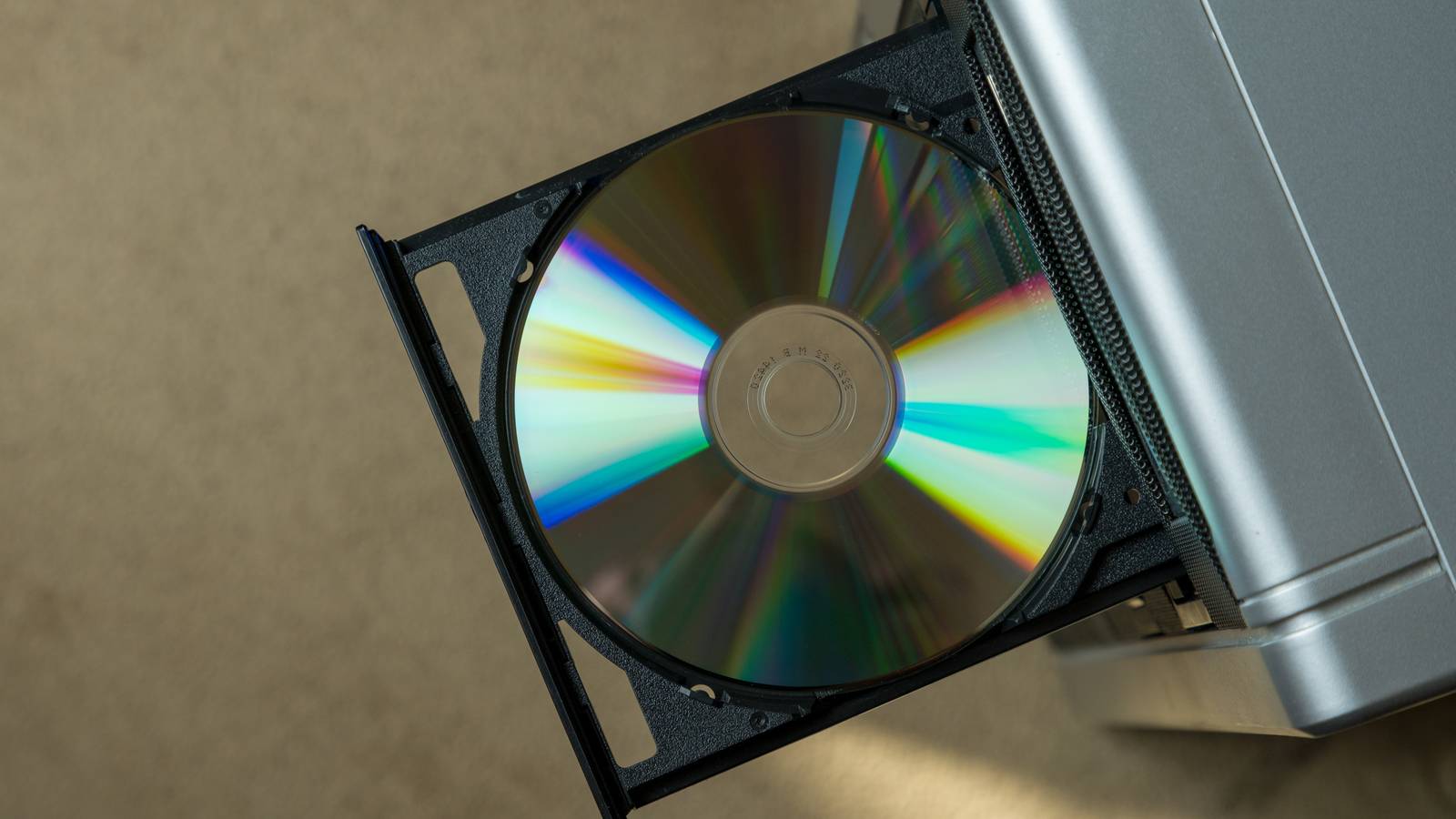
A DVD drive in your homelab? What madness is this? Well, if you actually stop to think about it, there are many logical reasons why your homelab should include at least one drive capable of reading and writing DVDs.Optical media is still the cheapest true cold storage The disc ain't dead yet You'd be forgiven for thinking the optical drive was no longer relevant.New PCs and laptops haven't included them for many years, and most people don't use physical media to install software or consume content anymore.
Yet, despite being old technology at this point, there's a lot to like about a good burned DVD-R that makes it a good addition to your mix of technology in your homelab.The first and most important factor is backup and cold storage.A burned DVD-R should give you up to ten years of storage if you keep it under the right conditions, and in my experience they last longer than this.
If you invest in special archival grade discs, they could last even longer.Standard DVDs store 4.7GB of data, and dual-layer discs store 8.5GB.Not a lot by modern standards, but still plenty to keep crucial files or images safe.
Of course, nothing stops you from getting a Blu-ray drive, but you better hurry.This technology stores much more data per disc, and it's even more robust than DVD, albeit more expensive.The details of optical technology you add to your homelab is less important than the principle of optical storage being great for medium- to long-term data storage.
Quiz 8 Questions · Test Your KnowledgeWeird and quirky storage drivesTrivia challengeFrom hybrid SSHDs to bizarre form factors — how well do you really know the oddest corners of storage technology?Hybrid DrivesForm FactorsHistoryHardwareOdditiesBegin 01 / 8Hybrid DrivesWhat does the acronym SSHD stand for in the context of hybrid storage drives?ASolid State Hard DriveBSolid State Hybrid DriveCSequential Storage High-DensityDStatic Spinning Hard DiskCorrect! SSHD stands for Solid State Hybrid Drive.These drives combine a traditional spinning hard disk with a small amount of NAND flash memory to accelerate frequently accessed data, giving users a middle ground between HDD capacity and SSD-like speed.Not quite — SSHD stands for Solid State Hybrid Drive.While 'Solid State Hard Drive' sounds convincing, it's actually a common misconception.
The 'hybrid' part is key, since these drives merge both spinning magnetic platters and flash memory into a single unit.Continue 02 / 8HistoryWhich company is widely credited with popularizing the consumer SSHD by releasing the Momentus XT in 2010?AWestern DigitalBToshibaCSeagateDSamsungCorrect! Seagate's Momentus XT was a landmark product that brought the SSHD concept to mainstream consumers.It combined a 500GB spinning platter with 4GB of SLC NAND flash and used adaptive memory technology to learn which data to cache for faster access.Not quite — it was Seagate that popularized the consumer SSHD with its Momentus XT in 2010.The drive used a modest 4GB of SLC NAND flash alongside a traditional 500GB platter, and it was groundbreaking enough to turn many heads in the enthusiast storage community.Continue 03 / 8OdditiesWhat was unusual about the Intel Optane Memory H10, released in 2019?AIt combined a 3D XPoint Optane cache with a QLC NAND SSD on a single M.2 cardBIt used a spinning platter alongside Optane memory in a 2.5-inch chassisCIt was the first drive to use PCIe 5.0 alongside SATA flash storageDIt embedded Optane memory directly into a USB thumb drive casingCorrect! The Intel Optane Memory H10 crammed both 3D XPoint Optane cache and QLC NAND storage onto a single M.2 2280 card.
This meant the Optane portion acted as a super-fast buffer for the slower QLC NAND, all within one slot — a genuinely clever hybrid approach for thin laptops.Not quite.The Intel Optane Memory H10 was unusual because it placed 3D XPoint Optane cache and QLC NAND SSD storage together on one M.2 card.This dual-storage-on-one-stick design was highly unconventional and required special Intel RST drivers to function correctly, making it a quirky product indeed.Continue 04 / 8Form FactorsThe Sony Microvault and similar tiny USB drives once came in novelty shapes like food items and cartoon characters.
What is the technical term for this category of novelty drives?APromotional flash drivesBSwag drivesCDesigner USBsDCustom-molded drivesCorrect! The industry term most commonly used is 'promotional flash drives.' They are widely produced as branded giveaways and collectibles, molded into virtually any shape imaginable — from sushi rolls to rubber ducks.Some rare novelty drives have become genuine collector's items over the years.Not quite — the most widely recognized industry term for novelty-shaped USB drives is 'promotional flash drives.' These quirky drives are manufactured in bulk for marketing campaigns and giveaways, and the moldable casings mean manufacturers have produced everything from mini pizza slices to tiny LEGO-style bricks.Continue 05 / 8HardwareApple's Fusion Drive, introduced in 2012, is a type of hybrid storage.How does it differ from a traditional SSHD?AIt uses proprietary Apple flash chips soldered directly to the HDD circuit boardBIt combines a separate SSD and HDD into a single logical volume managed by softwareCIt is a single physical unit with flash embedded in the same enclosure as the platterDIt caches only the operating system boot files using a dedicated firmware controllerCorrect! Apple's Fusion Drive is two separate physical drives — an SSD and an HDD — that macOS presents as a single unified volume using Core Storage (later APFS).
Unlike an SSHD where everything is in one enclosure, Fusion Drive relies entirely on software-level management to decide what lives on the flash and what goes on the platter.Not quite.The key difference is that Apple's Fusion Drive consists of two separate physical drives — an SSD and an HDD — merged into one logical volume by macOS software.A traditional SSHD is a single self-contained unit with its own firmware controller managing the flash cache, making them architecturally quite different despite achieving similar goals.Continue 06 / 8OdditiesWhat was the primary purpose of the Robson cache technology Intel developed before eventually pivoting toward SSDs?ATo use a small NAND chip on the motherboard to accelerate hard drive performanceBTo embed flash memory inside RAM DIMMs for faster boot timesCTo create a PCIe-attached SSD that could cache optical disc dataDTo use CPU-integrated storage for caching OS page filesCorrect! Intel's Robson technology — which became Intel Turbo Memory — placed a small NAND flash cache on a mini-PCIe card inside laptops to speed up hard drive access.
It worked alongside Windows ReadyBoost and ReadyDrive but was largely underwhelming in real-world performance, and the project was quietly shelved as SSDs took over.Not quite.Intel's Robson/Turbo Memory technology used a small NAND flash chip on a mini-PCIe card to cache hard drive data on laptops.It leveraged Windows Vista's ReadyBoost and ReadyDrive features but never lived up to the hype, and it was eventually abandoned as standalone SSDs became cheaper and far more effective.Continue 07 / 8HistoryThe iomega Zip drive was a popular removable storage medium in the late 1990s.
What was the original storage capacity of the first Zip disks released in 1994?A250MBB100MBC750MBD50MBCorrect! The original Iomega Zip disk launched in 1994 with a 100MB capacity, which was enormous compared to the 1.44MB floppy disks it aimed to replace.Later iterations pushed capacity to 250MB and even 750MB, but the original 100MB version was the one that captured the imagination of consumers and creative professionals alike.Not quite — the first Iomega Zip disks released in 1994 held 100MB, a staggering amount at the time when standard floppy disks only held 1.44MB.Later versions expanded to 250MB and 750MB, but it was that original 100MB capacity that made the Zip drive a cultural phenomenon in offices and design studios throughout the late 1990s.Continue 08 / 8HardwareWestern Digital's Black² drive was a quirky dual-drive product released around 2013.
What made it so unusual?AIt contained both a 120GB SSD and a 1TB HDD in a single standard 2.5-inch form factorBIt used dual spinning platters rotating in opposite directions to reduce vibrationCIt featured two separate SATA connectors, one for flash and one for the platterDIt combined SSD storage with a built-in PCIe controller on a 2.5-inch boardCorrect! Western Digital's Black² squeezed a 120GB SSD and a full 1TB HDD into a single 2.5-inch, 9.5mm-thick drive — the same size as a standard laptop hard drive.The catch was that it required special WD software to unlock the HDD portion, and it appeared as two separate drives to the operating system rather than one seamless volume.Not quite — the Western Digital Black² was remarkable because it packed a 120GB SSD and a 1TB HDD into one standard 2.5-inch laptop-sized enclosure.Unusually, users had to install WD's own software to unlock and access the HDD portion, and the two storage sections appeared as separate drives rather than being merged transparently like Apple's Fusion Drive.See My Score Challenge CompleteYour Score/ 8Thanks for playing!Try Again Compare that to flash storage or hard drives, and the cold storage outlook is less favorable.
Both hard drives and flash memory have to be powered up periodically to prevent their permanent failure.While optical discs can suffer from rot, that doesn't depend on active maintenance.So I think there's a good argument that optical discs are the best cold storage solution of the three.
That said, you should never use just a single medium for backups! Adding discs to the mix is the key here.LG Electronics 8X USB 2.0 Portable DVD Rewriter Connection Mini-USB 2.0 Portable Yes This slim external DVD burner from LG does everything you need a DVD drive to do without getting in your way.It's perfect for slipping into your laptop bag and forgetting about it until you need it.
Dimensions 7.45 x 6.6 x 1.5" Weight 0.69 lb $40 at Amazon Expand Collapse A DVD drive turns your Homelab into a media preservation machine The best of both worlds There are plenty of reasons why DVDs are still better than streaming shows or buying them digitally, but no one can argue that they aren't a little inconvenient.Well, if you have a media server of some sort as part of your homelab, then an optical drive allows you to ingest DVD content you own and store it digitally, serving it in your home with the same convenience as streaming services, without all the downsides.Optical discs are immune to many modern storage headaches The "ROM" or Read-Only Memory part of optical discs is easy to forget about, but it's a key part of why you want at least some optical technology in your homelab.
Once a disc is finalized, you can't change the contents.Well, unless it's a DVD-RAM or DVD-RW disc, but let's set that aside for now.This immutability gives DVDs an edge in some situations.
For example, ransomware can destroy the data on attached drives and SSDs, but it can't do anything to an optical disc in a drive.You also can't accidentally delete files from a disc you've burned, or be locked out of your disc because you forgot a password.Old software, firmware, and retro computing still depend on optical drives A lot of homelabbing involves not just new and modern technologies, but also running software for older systems, emulating operating systems in virtual machines, and tinkering with various retro setups.
At some point that's going to involve optical media.Whether it's installing an obscure OS or version of an OS from original discs, or giving a VM access to an old DOS game that came on CD, you're going to wish you had an optical drive eventually.You don’t even need an internal drive anymore If you haven't worked with optical drives in a while, you might still be thinking of those bulky units designed to go in 5.25-inch drive bays.
Which is a problem because modern PCs and servers don't have anywhere to put those.The good news is that USB external DVD drives are cheap and plentiful.That's all you need, and there's no performance penalty, even on USB 2.0, which is more bandwidth than an 8x DVD drive can use anyway.
So go ahead and treat yourself to some fun times with lasers.
Read More