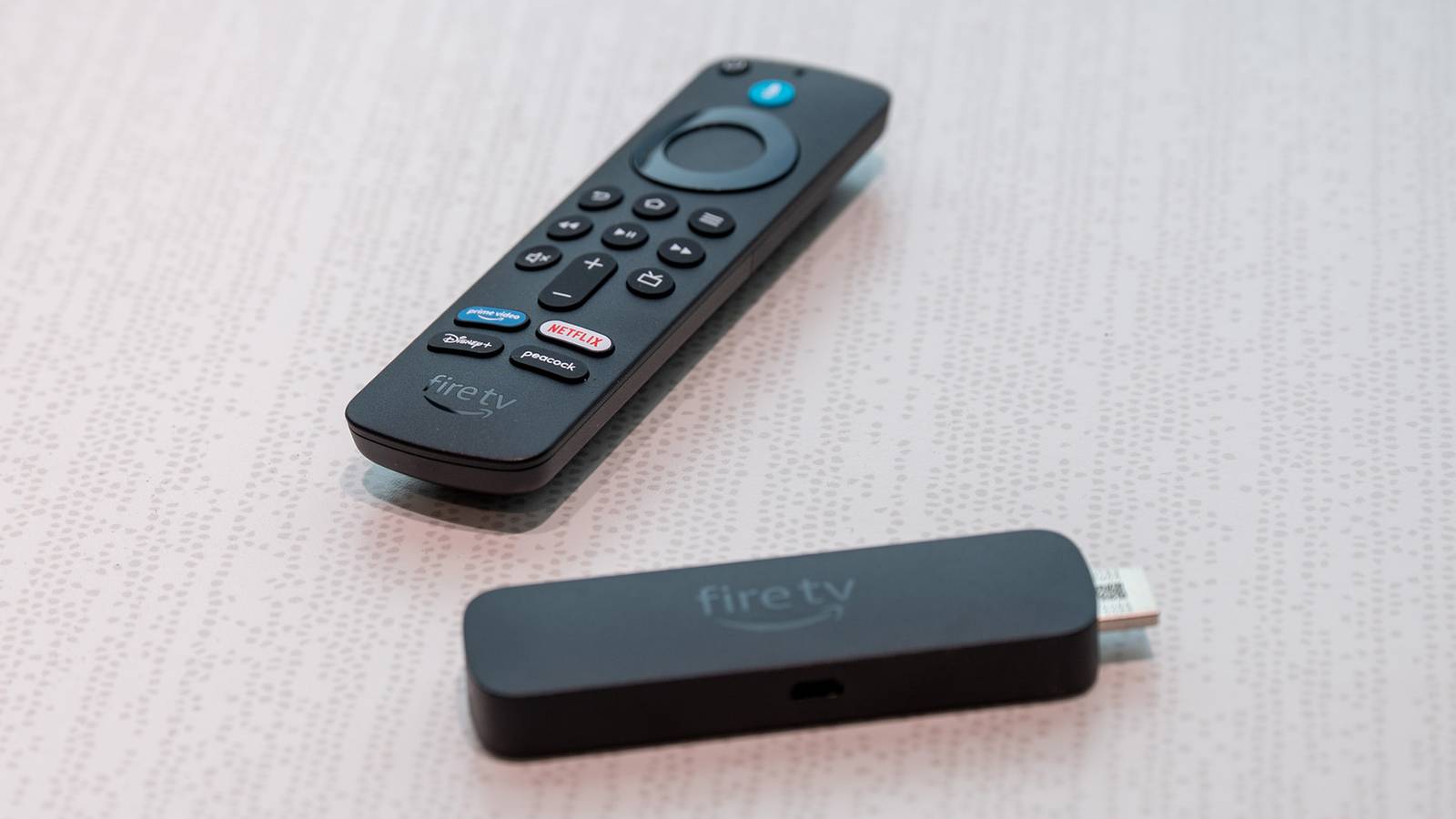
Nothing lasts forever, especially with technology and electronics.If you have an old 1st-generation Fire TV Stick from 2014, you probably don't use it anymore, and that's likely because it's no longer receiving software support or updates.Fire TVs and Sticks are also getting an overhaul to a new Vega OS that runs on Linux, not Android, and many owners are worried about support for older models.
Call it planned obsolescence, or maybe it's an effort to crack down on piracy, but Amazon is phasing out the Fire TV of old and replacing future TVs, sticks, and other hardware with Vega OS.That means your current model has an expiration date.If you're still using an older model, or even a Fire TV Stick 4K Plus, don't expect an updated version of Android.
This all starts with Amazon's all-new Fire TV Stick HD, featuring a new design, a USB-C port, and improved performance based on Vega OS.With that in mind, here's what you need to know.How long will my Fire TV Stick get updates? Amazon promises support through December 2030 Thankfully, Amazon isn't going to leave current customers in the dust, at least not initially.
During the switch to Vega OS, older models will continue to receive maintenance updates and security support, which is important.If you own any of Amazon's relatively new devices, you'll get support until at least December 21st, 2030, and potentially longer.Amazon's support page for software and security updates lists models and devices that will receive ongoing software support.
Nearly every model from the last 4–5 years is covered, but older models are left out in the cold.Basically, as long as you don't have something from like 2017, you'll be able to continue using that Fire Stick for several more years.Here's the full list right from Amazon: Fire TV Stick 4K Select Fire TV Stick 4K Plus Fire TV Stick 4K Max (2nd Generation) Fire TV Stick 4K Max (1st Generation) Fire TV Stick 4K (2nd Generation) Fire TV Stick 4K (1st Generation) Fire TV Stick HD (2nd Generation) Fire TV Stick HD (1st Generation) Fire TV Stick Lite Fire TV Stick (3rd Generation) Fire TV Cube (3rd Generation) Every Fire TV Stick or Cube mentioned above will continue to get support from Amazon until December 2030.
That said, the company interestingly included the original 2018 Fire TV Stick 4K, but it'll get its last update in 2029 instead.What will Fire TV Stick support look like in 2030? Binge all you want for years to come Just because Amazon promises support doesn't mean these Sticks will continue to be great, but they should at least still be able to download apps and app updates, get security patches, and work with most streaming services until 2030.That said, we could end up seeing a situation where newer features on streaming services, like Multiview, aren't compatible, and anything fun and new that arrives in Vega OS won't come to your older Fire device.
However, it'll keep chugging along and allow endless binge sessions for years to come.Related How ADB helped me unlock my Fire TV Stick's full potential ADB on Fire TV can do more than just install apps.Posts By Patrick Campanale Plus, all these current or older Android-based Fire TV Stick models have a healthy developer community, and you can often sideload apps and unlock additional features.
Just know that even though they'll receive support until 2030, it doesn't mean Amazon won't be trying to get everyone to upgrade.Or, you could get the latest 2026 model now and be prepared for the future.Amazon Fire TV Stick HD (2026) Amazon's new Fire TV Stick HD delivers smooth 1080p streaming in a slim new design, offers improved performance, and has USB-C. See at Amazon Expand Collapse How to identify what Fire TV Stick you have Scroll through settings to find your model As we all know, Amazon sells too many Fire TV Sticks, and the names can quickly get confusing.
So, if you don't know which model you have and want to know if it'll be supported, here's how to find out which Fire Stick you have.Open the Settings menu on your Fire TV Stick, navigate to My Fire TV, then select About.Scroll down to Fire TV, and you'll see a bunch of information about the device name, account, serial number, and the Device Type.
That section will display which device you have, and likely scroll across the screen to display the full name.Match the model in Device Type to the list detailed above, and you'll know exactly what to expect for your little dongle or streaming cube.2030 might not be the end of the road It's worth noting that Amazon is currently facing litigation over support for its 1st- and 2nd-gen models from 2014 and 2016, which is probably why the company released such a detailed and extensive list of support for current devices.
Things could change, but 2031 is looking more and more like the expiration date.I'm still using my trusty Fire TV Stick 4K Plus, and I plan on keeping it plugged into my garage TV for years to come.Just because support will end in 2030 doesn't mean it's the end of the road, and hopefully, the hardware will continue to work for a while longer.
I guess we'll have to wait and see.
Read More