We have two Windows gaming laptops in the house, and both of them are hooked up to TVs.For the most part, this works well, but even though the laptops and TVs are all different brands and models, I keep getting stability issues using a direct HDMI connection.I've troubleshooted this issue for a while now, and I just can't figure out the cause.
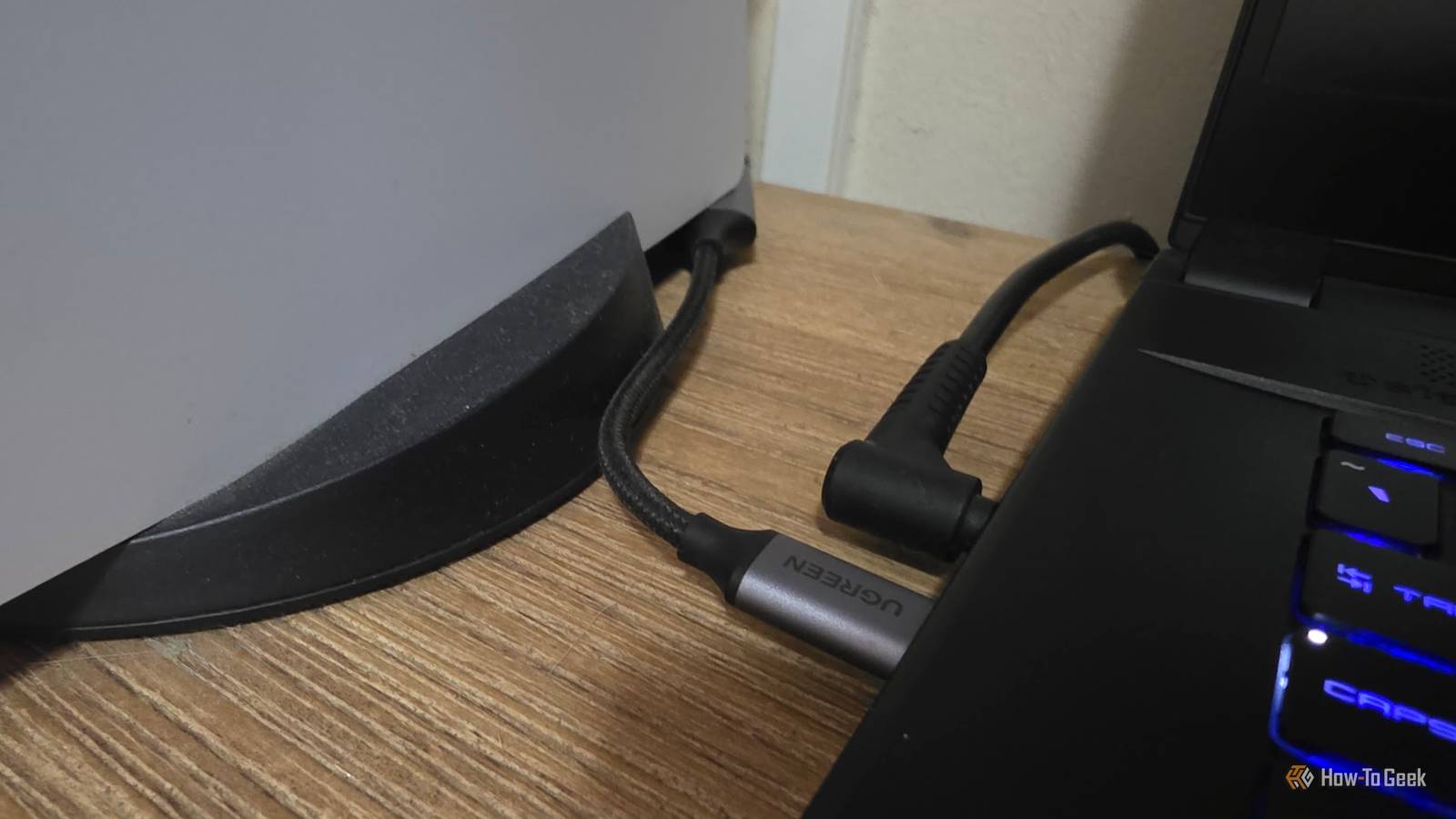
It doesn't happen with computer monitors, only TVs.But no combination of cables, TV settings, or GPU utility tweaks has completely eliminated the issue.Since my wife's gaming laptop supports USB-C DP Alt mode, I eventually threw my hands in the air and just used a UGREEN USB-C to HDMI dongle.
Just like that, all the issues went away.My HDMI port and USB-C port aren't actually taking the same path Different roads to the same destination Close To understand why this would even make a difference, we need to talk a little about the routing that's going on here.In the case of some gaming laptops, the HDMI port is a direct, low-latency connection to the dedicated GPU, not the integrated one.
This is pretty much how it is when you connect an HDMI port to your graphics card on a desktop system.It's not universally true though.On gaming laptops, different display outputs can be physically connected to different GPUs.
The HDMI port might be wired directly to the dedicated GPU, while a USB-C DisplayPort output might be connected to the integrated GPU, although the exact arrangement varies by laptop.However, when you use USB-C DP Alt mode, you're changing a lot of things in the chain that could be responsible for glitches.The signal could now be routed through the iGPU, which means a different driver is handling the output.
Likewise, your dongle is a completely different display interface than the HDMI port built into the machine.Even though the same GPU is rendering the image as before, it's now taking a different path than before, and so you might be bypassing whatever was causing the glitches.The USB-C connection has been dramatically more stable for desktop work It goes back to the basics When my wife connects to our living room OLED to play games using her laptop, she's still using the built-in HDMI port to minimize latency, and get the full benefit of her dedicated GPU's features.
The odd connection loss or minor glitch isn't that much of a problem in a video game.But, when she's hooking it up in order to browse the web or do some work, that's where it became an issue.When you're working on spreadsheets or trying to type up a letter, or read some PDFs, these instabilities can become really annoying.
That's why the USB-C adapter is such a welcome fallback, when you're just trying to get stuff done and don't need anything fancy.The native HDMI port still gives me some features USB-C doesn't This doesn't apply to every single setup, since it depends on your GPU and the specific adapter you're using, but we did lose some things when plugging in her laptop using USB-C.HDR doesn't work at all, and I'm not sure why, since it is an HDMI 2.1 adapter.
120Hz 4K UHD works just fine, so it should work, but neither the laptop nor the TV seem to think so while using this specific adapter.Also, since the rendering pipeline passes through the Intel iGPU, there is a slight performance cost of a few percentage points thanks to that overhead.It's just worth noting if you're going to try this with a laptop that can connect the dGPU directly to the HDMI port.
Quiz 8 Questions · Test Your KnowledgeUSB standards & connectorsTrivia ChallengeFrom clunky Type-A plugs to lightning-fast USB4 — test your knowledge of the universal serial bus revolution.HistoryConnectorsSpeedsStandardsHardwareBegin 01 / 8HistoryIn what year was the original USB 1.0 specification officially released?A1993B1998C1996D2000Correct! USB 1.0 was released in January 1996 by a consortium led by Intel, Compaq, Microsoft, and others.It aimed to replace the chaotic mix of serial ports, parallel ports, and PS/2 connectors that plagued early PCs.Not quite — USB 1.0 launched in January 1996.It was developed by a consortium including Intel and Microsoft to simplify the frustrating tangle of legacy ports on personal computers at the time.Continue 02 / 8SpeedsWhat is the maximum data transfer rate of USB 2.0, also known as 'Hi-Speed' USB?A12 MbpsB480 MbpsC960 MbpsD5 GbpsCorrect! USB 2.0 tops out at 480 Mbps, which is why it earned the 'Hi-Speed' label when it launched in 2000.
That was a massive leap over USB 1.1's 12 Mbps Full Speed ceiling, making it practical for external hard drives and cameras.Not quite — the correct answer is 480 Mbps.USB 2.0 is branded 'Hi-Speed' and launched in 2000, offering a 40x improvement over USB 1.1's Full Speed 12 Mbps mode, which made external storage far more viable.Continue 03 / 8ConnectorsWhich USB connector type was specifically designed for use with mobile phones and cameras, featuring a distinctive 5-pin trapezoidal shape?AUSB Type-BBUSB Micro-BCUSB Mini-BDUSB Type-CCorrect! USB Mini-B was the go-to connector for early digital cameras and mobile phones before being largely replaced.It features a recognizable five-pin trapezoidal design and was formally specified in USB 2.0, though it has since been superseded by Micro-B and USB-C.The correct answer is USB Mini-B.
It was the standard connector for early digital cameras and many mobile phones, featuring a 5-pin trapezoidal shape.It was eventually displaced by the slimmer Micro-B connector, which allowed for thinner device designs.Continue 04 / 8StandardsUSB 3.0 was later rebranded by the USB Implementers Forum.What is its current official name?AUSB 3.1 Gen 2BUSB 3.2 Gen 2x2CUSB 3.2 Gen 1DUSB 3.1 Gen 1Correct! The USB-IF rebranded USB 3.0 as USB 3.2 Gen 1 to fit into a unified naming scheme.
It still delivers the same 5 Gbps 'SuperSpeed' transfer rate — the confusing renaming was meant to streamline the standard's versioning but arguably made it more complicated.Not quite — USB 3.0 is now officially called USB 3.2 Gen 1.The USB Implementers Forum rebranded the entire USB 3.x family to create a unified naming structure, though the 5 Gbps SuperSpeed performance of the original USB 3.0 remains unchanged.Continue 05 / 8ConnectorsWhat key physical feature makes USB Type-C different from all previous USB connector types?AIt uses gold-plated contacts for better conductivityBIt is fully reversible and can be inserted either way upCIt is the smallest USB connector ever madeDIt supports only digital audio signalsCorrect! USB Type-C's most celebrated feature is its symmetrical, reversible design — you can plug it in either way without fumbling.Introduced in 2014, it also supports far higher power delivery and data speeds than older connectors, making it a true universal solution.The standout feature is its fully reversible design — you can insert a USB-C plug either way up, ending the frustration of guessing the correct orientation.
Introduced in 2014, USB-C also supports higher power delivery and data speeds than its predecessors.Continue 06 / 8HistoryWhich organization is responsible for developing and publishing the USB specification?AIEEE (Institute of Electrical and Electronics Engineers)BISO (International Organization for Standardization)CUSB-IF (USB Implementers Forum)DANSI (American National Standards Institute)Correct! The USB Implementers Forum (USB-IF) is the non-profit organization formed by the original USB developers to maintain and promote the USB specification.Founded in 1995, it certifies compliant products and grants the right to use the official USB logo.The correct answer is the USB-IF, or USB Implementers Forum.This non-profit was founded in 1995 by the companies that originally developed USB, including Intel and Microsoft.
It maintains the specification, runs compliance programs, and certifies products to carry the USB logo.Continue 07 / 8HardwareWhat maximum power output did USB Power Delivery 3.1 introduce, enabling charging of high-performance laptops?A60 wattsB100 wattsC140 wattsD240 wattsCorrect! USB Power Delivery 3.1, released in 2021, dramatically raised the ceiling to 240 watts using Extended Power Range (EPR) mode.This is enough to charge even power-hungry gaming laptops and workstations over a single USB-C cable, replacing bulky proprietary chargers.The answer is 240 watts.USB Power Delivery 3.1, introduced in 2021, added an Extended Power Range (EPR) mode that maxes out at 240W over a USB-C cable.
Earlier PD versions were capped at 100W, which was insufficient for many high-performance laptops.Continue 08 / 8StandardsUSB4, released in 2019, is based on which company's proprietary technology that was donated to the USB-IF?AApple's Lightning protocolBIntel's Thunderbolt 3 protocolCGoogle's USB-C Audio standardDAMD's SuperSpeed architectureCorrect! Intel donated the Thunderbolt 3 specification to the USB-IF, which became the foundation for USB4.This means USB4 at its fastest tier (40 Gbps) is technically compatible with Thunderbolt 3 devices, blurring the line between the two standards significantly.The correct answer is Intel's Thunderbolt 3.Intel donated its Thunderbolt 3 spec to the USB Implementers Forum, and it became the basis for USB4.
The top USB4 speed tier of 40 Gbps mirrors Thunderbolt 3, and the two standards share a high degree of compatibility.See My Score Challenge CompleteYour Score/ 8Thanks for playing!Try Again I'll take boring reliability over a theoretically better connection I can't track down the exact source of the glitching.It could be somewhere in NVIDIA's HDMI driver stack, the HDMI link itself, or the way these laptops negotiate with TVs.What I do know is that bypassing that entire output path fixes the problem.
However, I think this is an option you should definitely keep in your bag of tricks if you run into HDMI issues on a computer that supports DisplayPort over USB-C in Alt mode.For example, if you're trying to do a presentation at work, but the TV or projector keeps bugging out.I tried playing some video games using the USB-C connection, and it worked perfectly fine other than not having access to HDR.
Of course, I used a USB-C to DisplayPort connection to my old gaming ultra-wide monitor too, and that worked perfectly, so I wasn't expecting an issue, but you could totally avoid the built-in HDMI port without giving up much of anything, and perhaps taking the DP path instead will let you side-step any instability you encounter.
Read More