Most people shortlisting distros completely skip over MX Linux.There’s no glossy marketing campaign behind it, most YouTube channels don’t cover it, and you probably won’t see it trending on social media.However, at the time of writing, MX Linux ranks number three on DistroWatch, beating popular names like Ubuntu, Fedora, and even Zorin OS—which recently got a million downloads.
Here are three reasons that justify its dominant position.DistroWatch doesn’t track active users or total downloads.Instead, it ranks distros using a metric called Hits Per Day (HPD), which measures how often a distro’s page is viewed.
It’s an imperfect but useful signal of what the community is curious about.Notably, MX Linux has held this position for the past 12 months, so it’s not a fluke or the result of a viral moment.MX Linux runs on (almost) any hardware One distro for every type of hardware Close MX Linux ships in three editions, each built around a different desktop environment and targeted at a different class of hardware.
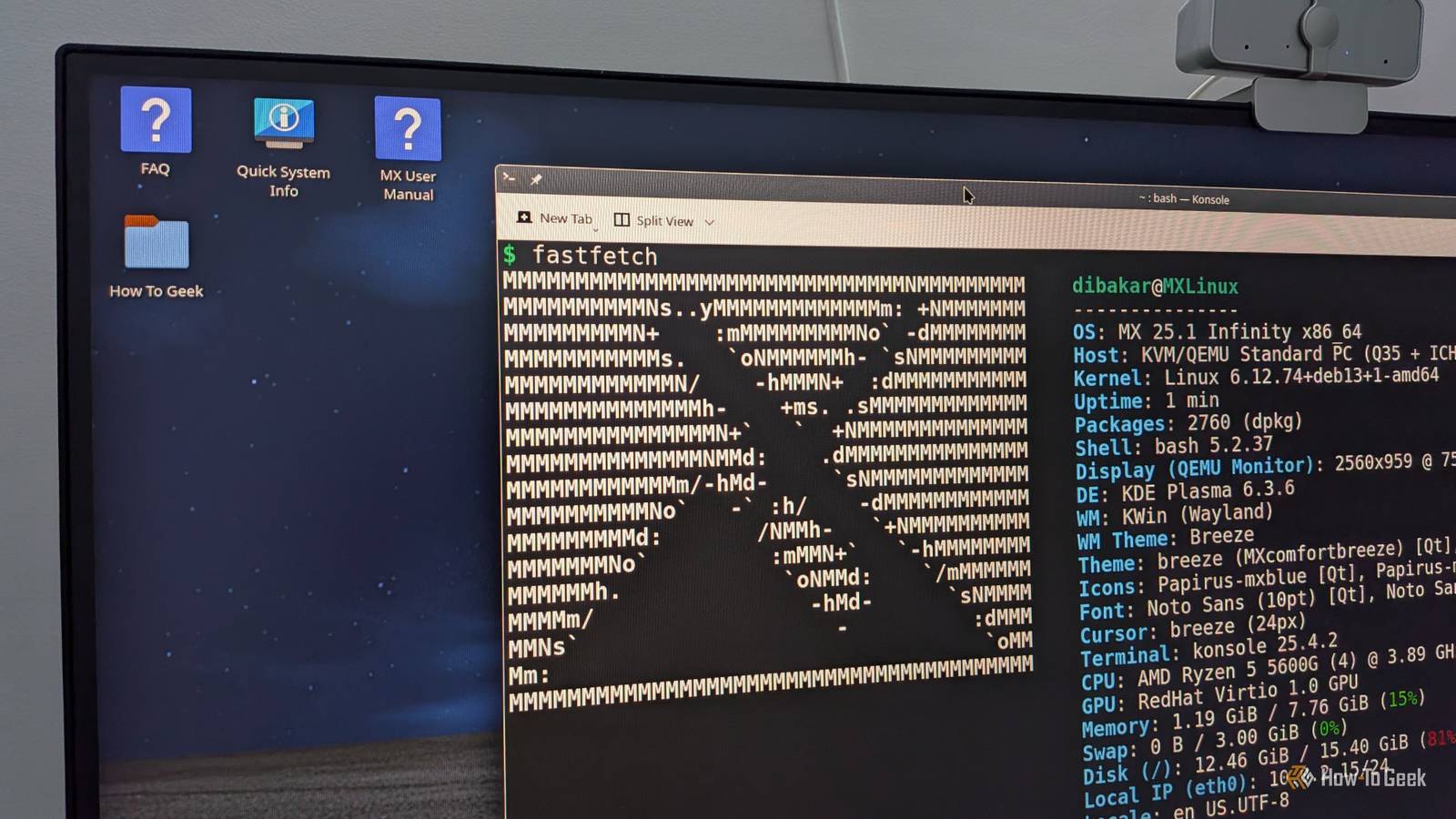
KDE Plasma is designed for modern machines that can handle a visually rich, feature-heavy experience.Xfce is the default and offers a solid middle ground for systems that are a few years old.Fluxbox is aimed at genuinely under-powered machines, where even Xfce can feel heavy.
There’s also an official ARM edition for the Raspberry Pi, running Xfce with the full MX tool set.Furthermore, the distro is based on Debian Stable, and by virtue of that heritage, you get a robust and stable user experience.All the apps and software packages in its repositories go through thorough testing.
The only trade-off is that its drivers may not be fully optimized for cutting-edge, high-end hardware—especially when it comes to graphics.Quiz 8 Questions · Test Your KnowledgeLinuxTrivia ChallengeFrom a Finnish student's side project to powering the world's supercomputers — how well do you really know Linux?HistoryCultureCommandsKernelFun FactsBegin 01 / 8HistoryIn what year did Linus Torvalds announce the first version of the Linux kernel to the world?A1989B1993C1991D1995Correct! Linus Torvalds posted his now-famous message to the comp.os.minix newsgroup on August 25, 1991, describing Linux as 'just a hobby, won't be big and professional.' That turned out to be quite the understatement.Not quite — Linus Torvalds made his famous announcement in 1991, when he was just 21 years old and a student at the University of Helsinki.He described it as a 'hobby' project, which is arguably the most successful hobby in computing history.Continue 02 / 8CultureWhat is the name of the Linux mascot, and what kind of animal is it?ABeastie, a daemonBTux, a penguinCGNU, a wildebeestDRex, a foxCorrect! Tux the penguin became the official Linux mascot in 1996, designed by Larry Ewing.
The name 'Tux' is often said to stand for Torvalds UniX, and the penguin was chosen after Linus mentioned he was once bitten by a penguin at a zoo.The answer is Tux, a penguin! The mascot was chosen after Linus Torvalds mentioned being bitten by a fairy penguin at a zoo in Canberra, Australia.Designer Larry Ewing created the iconic image in 1996 using GIMP — fittingly, free software.Continue 03 / 8KernelWhat type of kernel architecture does Linux use?AMicrokernelBExokernelCHybrid kernelDMonolithic kernelCorrect! Linux uses a monolithic kernel, meaning the entire operating system runs in kernel space.This famously sparked a heated debate between Linus Torvalds and computer scientist Andrew Tanenbaum in 1992, who argued microkernels were the superior design.Not quite — Linux uses a monolithic kernel, where the OS core runs as a single large process in kernel space.
This was actually controversial, leading to a famous flame war between Linus Torvalds and professor Andrew Tanenbaum, who believed microkernels were the future.Continue 04 / 8CommandsWhat does the classic Linux command 'sudo' stand for?ASystem User DoBSwitch User and DoCSuperuser DoDSecure Unix DoCorrect! 'sudo' stands for Superuser Do, and it allows permitted users to run commands with the security privileges of another user — typically the root superuser.It's one of the most typed commands in Linux and has inspired countless memes about power and responsibility.The answer is 'Superuser Do'! While 'switch user' logic is involved, the name specifically refers to executing a command as the superuser (root).First developed in the 1980s, sudo is now a cornerstone of Linux security, letting admins grant elevated privileges without sharing the root password.Continue 05 / 8Fun FactsWhat percentage of the world's top 500 supercomputers run Linux?AAround 75%BExactly 50%C100%DAround 90%Correct! As of 2017, Linux achieved 100% domination of the TOP500 supercomputer list — and has maintained it ever since.
From weather modeling to nuclear research to AI training, every single one of the world's fastest supercomputers runs Linux.Remarkably, the answer is 100%! Since November 2017, every single computer on the TOP500 supercomputers list has run Linux.It powers everything from climate simulations to particle physics research at CERN to AI model training at major tech companies.Continue 06 / 8HistoryWhich operating system directly inspired Linus Torvalds to create Linux?AMS-DOSBBSD UnixCMinixDSolarisCorrect! Torvalds was inspired by Minix, a small Unix-like OS created by Andrew Tanenbaum for educational purposes.Frustrated by Minix's limitations and licensing restrictions, he set out to build his own kernel — and the rest is history.The direct inspiration was Minix, a small educational Unix-like system created by professor Andrew Tanenbaum.
Torvalds was using Minix on his new PC but found it too limited.His desire for a more capable, free system drove him to write Linux from scratch starting in 1991.Continue 07 / 8CultureWhat does the 'GNU' in 'GNU/Linux' stand for?AGeneral Network UtilityBGNU's Not UnixCGlobal Networked UnixDGNU Null UnixCorrect! GNU stands for 'GNU's Not Unix' — a classic recursive acronym beloved by hackers.The GNU project was started by Richard Stallman in 1983 to create a completely free Unix-like operating system.
Linux provided the missing kernel to complete the GNU system.GNU stands for 'GNU's Not Unix' — a recursive acronym, which is a playful trick where the abbreviation refers back to itself.Richard Stallman launched the GNU Project in 1983, years before Linux existed.When Torvalds released the Linux kernel, it completed the puzzle Stallman had started.Continue 08 / 8Fun FactsWhich of the following runs on the Linux kernel?AmacOSBAndroidCWindows Subsystem for LinuxDiOSCorrect! Android is built on top of the Linux kernel, making Linux the most widely used OS on the planet when you count smartphones.
Billions of Android devices worldwide are technically running Linux — Torvalds' 'hobby' project ended up in nearly everyone's pocket.The answer is Android! Google built Android on top of a modified Linux kernel, which means billions of smartphones worldwide are running Linux under the hood.macOS and iOS use a Darwin/XNU kernel, and WSL runs Linux tools but translates syscalls rather than running the kernel natively.See My Score Challenge CompleteYour Score/ 8Thanks for playing!Try Again That said, this limitation isn’t unique to MX Linux and affects most stable-release distros.In fact, MX actually addresses this with Advanced Hardware Support (AHS), available both as a separate ISO and as a repository you can enable post-install.
It ships with a newer Liquorix kernel and an updated graphics stack, which helps systems from around 2019 onward that struggle with Debian’s more conservative drivers.If you're using bleeding-edge hardware, AHS won’t solve everything—but for most moderately new systems, it closes the gap enough to matter.Related 7 Things You Didn't Know Run on Linux Linux may not rule the desktop, but it's king everywhere else.
Posts 18 By Sydney Butler Be a power user, without needing to touch the terminal You don’t need a tech degree to use this Close The modern Linux desktop is very beginner-friendly, and for most day-to-day computing needs, the terminal is completely optional.The only time you might need to use the terminal is if you're a power user who wants to make system-level changes.This is one of the main pain points for Windows power users switching to Linux.
They want to do more but feel held back by the terminal—which isn’t necessarily difficult, but it is certainly different.Now, MX Linux removes much of this friction by bundling MX Tools.It's similar to Windows Control Panel: a collection of tools that lets you tweak system-level settings through a graphical interface.
Here’s a quick look at some of my favorite tools: Package Installer: View and select multiple packages from different repos and install them all at once.Boot Options: Customize the GRUB menu.Disable it, increase its default timeout, or change the boot order to another distro or Windows, if you’re running a multi-boot system.
Tweaks: A single graphical box that gives you complete control over the desktop layout and appearance.Snapshots: Lets you create an ISO that mirrors your current system.You can install it on another computer and get the exact same setup.
Especially useful for sysadmins.Cleanup: Helps you find and remove files that are clogging up your system.Similar to CCleaner on Windows.
All of this is technically possible on other distros, but the tools are often fragmented or lack a graphical interface.MX Tools bring everything together and make these options far more accessible.Related Can You Use Linux Without the Terminal? Try not to use the terminal challenge: Linux edition! Posts By Zunaid Ali You can carry MX Linux in your pocket Keep your OS on your keychain If you’ve installed any Linux distro in the past, you’re probably familiar with the live environment.
It gives you a full-blown operating system before installation—running directly from a USB drive.The main difference between a live environment and an installed OS is that none of the changes you make persist.If you install an app or create a file in a live environment and then shut down the system, those changes disappear.
On the next boot, the live environment resets to its default state.MX Linux solves this with persistent live booting.When booting from the live USB, you can go to Advanced Options > Persistence Options.
If you enable persistence, you’ll enter a live environment where all the apps you install, the files you create, and even the settings you change are saved directly to the USB.This means you can shut down, plug the USB into another machine, and pick up exactly where you left off.You essentially get a portable OS on a USB drive.
Close If you’re planning to create a persistent live USB for MX Linux, choose the Xfce or Fluxbox editions.This keeps the system lean enough to boot reliably on almost any machine.Now, persistent live booting isn’t exclusive to MX Linux.
You can configure Ubuntu—or almost any other distro—to support it, but the process is far more technical.Whereas, on MX Linux, this feature is built in and accessible even to beginners.SanDisk Cruzer 8GB Flash Drive Storage Capacity 8GB Compatible Devices PCs and laptops Suitable for Portable apps, Linux installations Boot or install Linux on any PC with this super inexpensive USB 2.0 flash drive.
See at Amazon Expand Collapse MX Linux is definitely worth your consideration If you've been dismissing MX Linux as a DistroWatch curiosity, these three reasons should make you reconsider.It’s not the most glamorous or cutting-edge distro—but it runs on almost anything, keeps power users productive without the terminal, and can fit in your pocket.
Read More