3D printing is such a fantastic tool for so many reasons.However, one of my favorite things to do with 3D printing has to be creating upgrades for my office that I couldn't get any other way.Here are three office upgrades that I was able to do with 3D printing that gave me a huge quality of life upgrade.
A stand for my label printer Some things are easier printed than bought Close I ship a lot of packages for my small business, so I have a thermal label printer that I keep on my desk.I’ve always just kept the labels behind the printer, and it’s worked just fine, but it was never a clean setup.So, I set out to find a better solution, and 3D printing delivered exactly what I was hoping for.
I was able to find a model that was designed specifically for my label printer so the model fit it perfectly.The stand also has an area below the raised printer for fan-folded labels, and a roll holder behind it depending on what labels I’m currently using.The overall print only took a few hours, and it used probably less than $2 in filament.
The project went together quite easily and was an instant upgrade to my desk.Since I’m a big Iron Man fan, I printed it using silk PLA in both red and yellow and love the pop of color that it adds to my desk.Under-desk mounts for my Thunderbolt dock and MacBook Pro These are things I couldn't just buy from Amazon even if I wanted to I’ve long wanted to mount my MacBook Pro and Thunderbolt dock under my desk.
Having them on the desk was fine, but it took up a ton of real estate that didn't really benefit anything.I don't really plug anything into my Thunderbolt dock all that often, and on my MacBook, I only need access to a single USB-C port and the SD card slot.So, I went to MakerWorld to find the MacBook mount that would work for me.
I browsed several models, but eventually landed on a pretty minimalistic design that just has two side holders and then a rear stopper.It took me a few tries to get it into my desk without stripping a screw out, but once I finally got the pieces installed, the mount has worked flawlessly for me.I slide my MacBook right into it without a problem whenever I get to my desk, and it slides out just as easily.
I keep the SD card side facing me, which also has one USB-C port so I can plug my external SSD or UV printer in.But my MacBook now stays completely out of the way and takes up basically no room anymore since it's just mounted under the desk.I had to design a mount for my Thunderbolt dock as there wasn't one already out there.
It was fairly easy to do in Shapr3D, my CAD program of choice, but I do need to make some changes to the design and re-print it.Either way, having the Thunderbolt dock under the desk is another fantastic upgrade for me because it means I don't have to worry about one more thing on the top of my desk that I rarely access.If I do need access to one of the ports on the Thunderbolt dock, it's easy enough to get at under the desk.
But, for now, my desktop is cleaner than it ever has been, and I'm able to enjoy a space free of laptops and docks that don't need to be in my line of sight.Bambu Lab P2S Build Volume 256x256x256mm Printing Speed 600mm/s The Bambu Labs P2S 3D printer is ready to go out of the box and can have you printing within 15 minutes.It features up to 20-color printing with the AMS unit, has an upgraded built-in camera for remote monitoring and time lapses, and has an enclosed body for printing even high-temperature filament.
$549 at Bambu Lab $549 at bhphotovideo $550 at Micro Center Expand Collapse Elegoo Centauri 2 Brand Elegoo Build Volume 256x256x256mm Elegoo's latest Centauri 2 brings all the features that we love about the Centauri 2 Combo to a more affordable package.With the same build volume, print speed, and even nozzle and bed temperatures, the Centauri 2 delivers an affordable yet capable 3D printer for the masses.$299 at Elegoo Expand Collapse A wall of organization to keep my desk clear of clutter It's cheaper and more customizable Close I used to have Wall Control in my office, but it didn't do a very good job at controlling my wall.
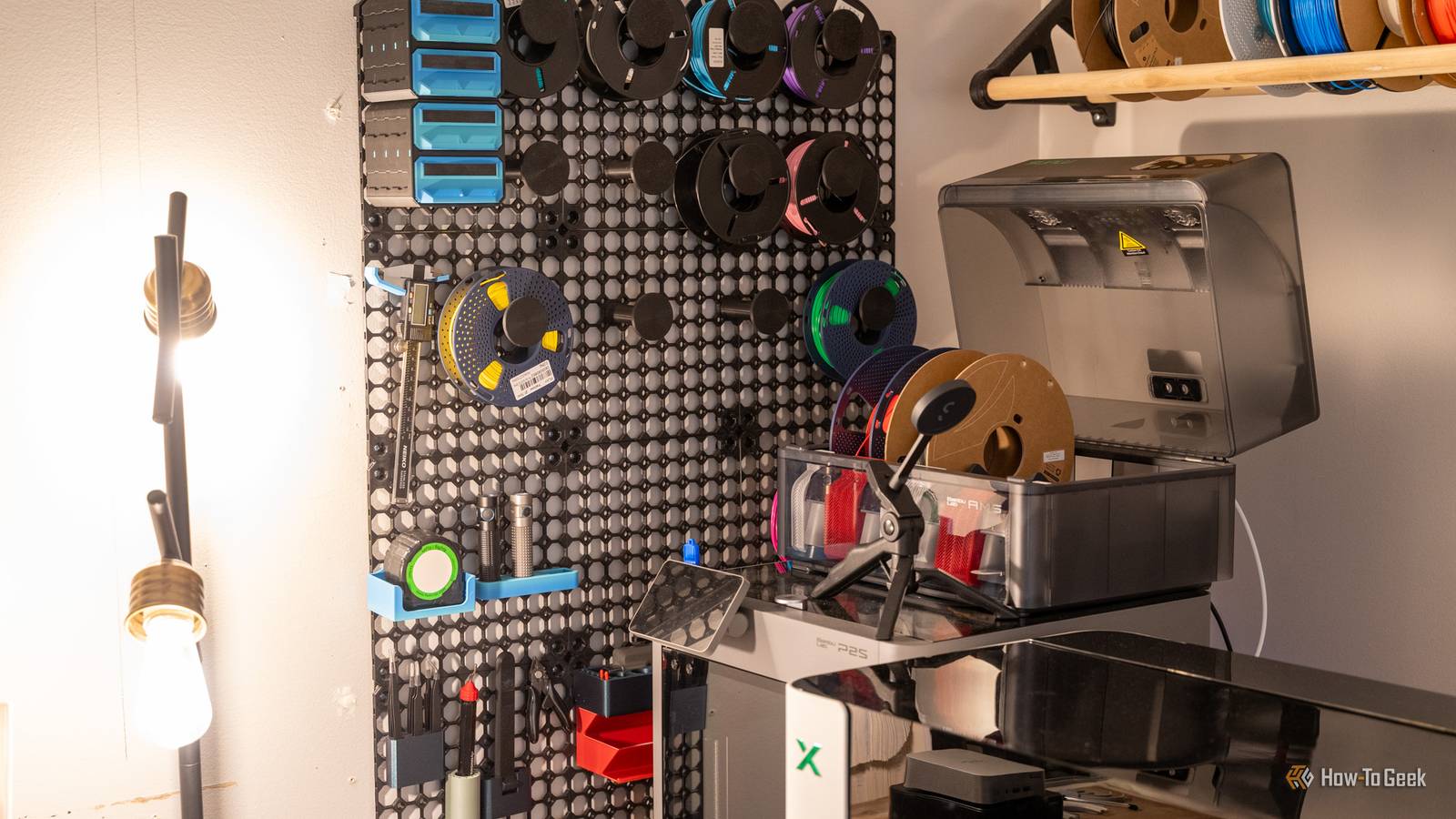
Honestly, the Wall Control panels I had weren't really ideal for the needs of my office, so I eventually sold them and decided to 3D print my own solution with MultiBoard.I considered OpenGrid or Honeycomb Storage Wall (HSW), but MultiBoard just fit my needs better and was exactly what I was looking for.While MultiBoard is more complicated and has way more options than I think it should for a storage system, it does get the job done.
After printing MultiBoard, I was able to get some filament stored up there, random screws I used to keep on my desk in a drawer, my calipers found a home, flashlights, tweezers, and so much more that used to sit on my desk no longer had to sit in front of me.There's a lot more I still want to get up on the MultiBoard wall, but it's slowly filling in and I love seeing the fact that it's being utilized more now.If you've not considered 3D printing a wall organization system before, you definitely should.
3D printing enables me to do things I never could before In the past, there's no way I could have had something so perfectly designed for mounting my MacBook or Thunderbolt dock under my desk.Sure, I could have used straps, or come up with some janky other system for it, but it wouldn't be nearly as clean as 3D printing.3D printing just simply makes it so I can do things I never would have been able to do any other way.
So, I'm so thankful I have 3D printing to upgrade my desk setup, because there are just some accessories money can't buy.
Read More