Android Auto is a bit of a double-edged sword.It makes driving easier in plenty of ways, but throw Gemini into the mix, and suddenly there’s a lot more you can ask your car screen to do.It’s not just “play this” or “text that” anymore.
Gemini can actually have a conversation with you.A little experimenting showed me there’s more to it.From checking my schedule to finding something buried in Gmail, there are a few tricks that can make Gemini much more useful on the road.
And yes, one of them is simply talking to it like an actual person.Put Gemini in charge of my calendar Because checking my schedule is boring My calendar just got a voice upgrade.Gemini can check my schedule, so I don’t have to pull over, unlock my phone, and play calendar detective just to figure out whether I’m free.
I can ask while driving, even when I’m making a last-minute turn and suddenly remember I need to fit something else into the day.Today, while coming to work, I remembered I needed to get my nails done before my weekend trip, so I asked Gemini, “Check my calendar for today and see if I’m free at 6 p.m.If I am, add a manicure to my calendar at 7 p.m.” Ignore my proper English.
Gemini can understand me even when nobody else can.Instead of making me dig through my calendar, Gemini checked and replied, “You have a work meeting with Mr.Joe at 6 p.m., but 7 p.m.
is free.” That was all I needed to know.I could then schedule the appointment for 7.It’s a good example of why Gemini feels more useful in Android Auto than a basic voice assistant.
I’m not just asking it to do one thing.I’m giving it a task, and it can check my schedule and help me figure out where that task fits.Make Gemini search my inbox Because my inbox is a mess My Gmail inbox has a talent for hiding the emails I’m looking for.
I can remember getting one, but ask me where it is and suddenly I have no clue.That’s where Gemini comes in handy.I don’t have to scroll through pages of newsletters and random receipts while I’m driving — which is risky, by the way.
Before a weekend trip, I can ask, “Find the hotel confirmation email for my Rajasthan trip and tell me what time check-in starts.” Gemini can look for the information and read back what matters, without me having to touch my Android.I can also ask it to find something I know I received but can’t remember where.That’s pretty much my everyday chaos.
“Find the email with the restaurant reservation for Saturday” is much easier than trying to remember the sender, subject line, or five different keywords.I’m still driving, but I can get the check-in time, reservation details, or whatever else I need from my inbox.Say it, and Gemini will send it on WhatsApp No need to type “Hi baby” Close WhatsApp is something I’m constantly using, so naturally, I don’t want to ignore a message just because I’m behind the wheel.
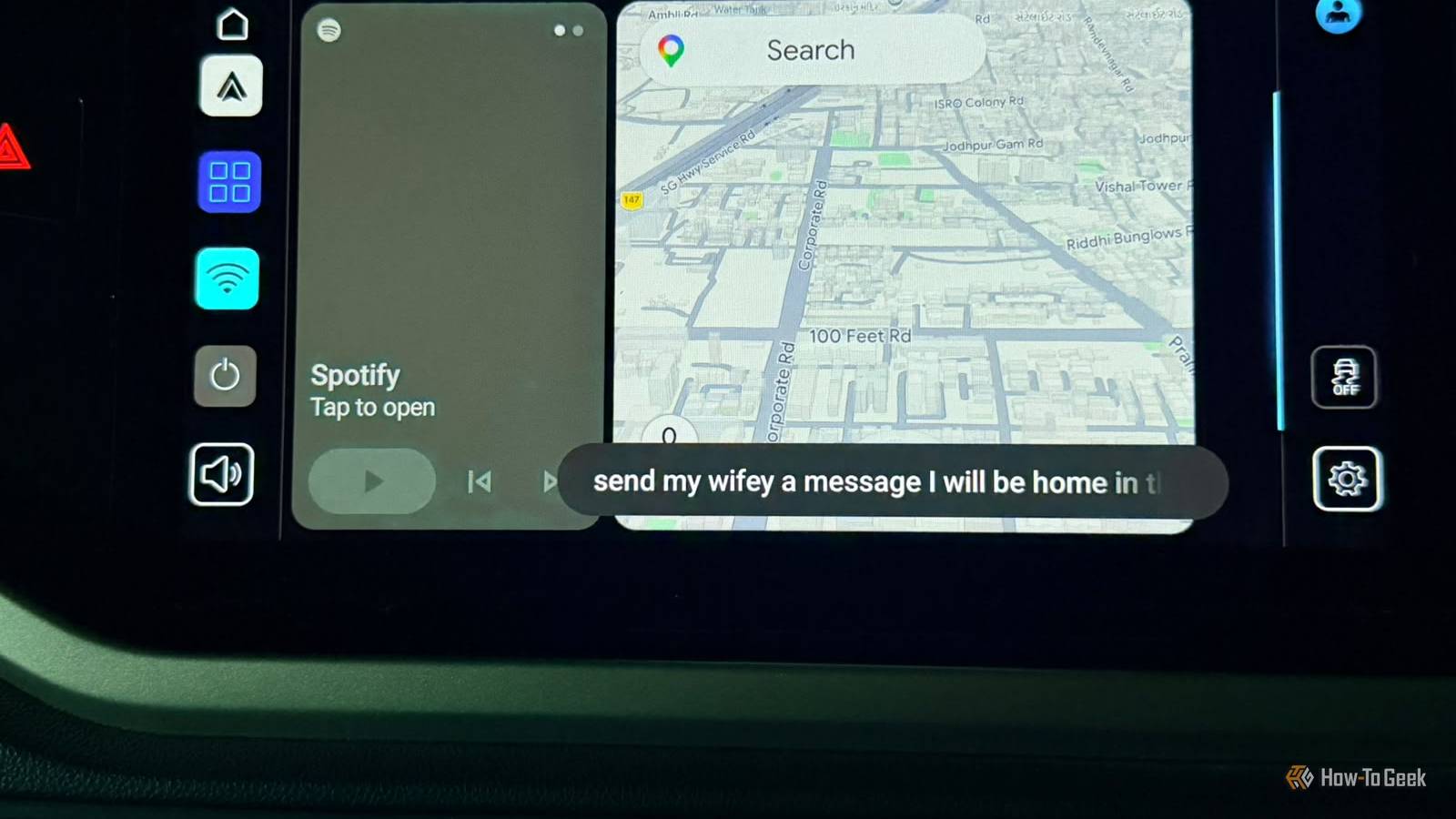
That’s where Gemini makes things easier.Instead of reaching for my phone and typing out a reply, I can simply tell it what I want to say.For example, if I want to message my husband, I don’t have to start with the usual “Hi baby” and then awkwardly dictate the rest while driving.
I can just say, “Send a WhatsApp message to Harsh saying I’ll be home by 7.Ask him if he wants me to pick up anything.” Gemini can turn that into a proper WhatsApp message and send it for me.That’s what I like about it.
I’m still communicating, but I’m not holding my phone, tapping away at WhatsApp, or trying to type a sentence while watching the road.Related I discovered these hidden Google Maps features while waiting for my kids after school My waiting time wasn't wasted.Posts By Sanya Shah Stop giving Gemini one-line orders Have an actual conversation instead This is probably the Gemini feature I didn’t expect to use as much as I do.
Gemini Live lets me have an actual back-and-forth conversation while I’m driving, instead of asking one question, getting an answer, and starting over with another command.I’m a heavy planner, so I use my commute time wisely.If I need to plan a weekend trip, I can ask Gemini for ideas and keep the conversation going.
I can ask it to suggest places, narrow them down, change the plan, or ask for a follow-up without having to repeat the whole thing every time.My husband recently asked me to use it to research my next article.A good idea, as always.
It’s especially useful on longer drives when I’m bored or feeling sleepy.I can just start talking and let Gemini keep up with the conversation.Just say, “Hey Google, let’s talk Live,” and suddenly I have a new friend.
Not bad for a car screen These are the four ways I use Gemini right from my dashboard.Now imagine how many annoying little tasks you could get done without touching your phone.And if I can get some planning done on my way to work instead of doing it later at home, I’ll take it.
I love you, Gemini.Or should I say, my favorite passenger? Related These 4 apps make Gemini feel like a real assistant The apps that supercharge Gemini.Posts By Sanya Shah
Read More