Nowadays, in this hustle culture, everyone is already trying to squeeze another hour of work out of themselves, so you don’t need another app telling you to work harder.What you might need instead are tools that help you set boundaries, step away, understand your habits, and reflect on where your time is going.Let’s look at five Linux apps that do exactly that, all of which are open-source.
I’ll cover everything from controlling how you work and protecting yourself from overworking to understanding where your time goes and reflecting on whether that time was actually worthwhile.You don't need to install all of them as some magical productivity stack.Instead, pick one or a few that address what your workday is missing.
Focus Tracker (formerly GNOME Pomodoro) Put boundaries around how long you focus Focus Tracker (previously known as GNOME Pomodoro) is a popular open-source time management app for GNOME based on the Pomodoro technique.You’ve probably heard of it, but if not, it’s a simple focus method where you work for 25 minutes, take a five-minute break, and repeat this four times before taking a longer break.Focus Tracker lets you customize your focus and break lengths, displays a screen overlay when it’s time to take a break, and offers daily, weekly, and monthly stats.
Another interesting feature is that if you’re watching a work-related video, it can pause the media when your focus session ends, display the break overlay, and resume the media when the next Pomodoro session begins.The app is actively maintained and has seen several releases in 2026.If you want to give it a try, the Focus Tracker team recommends installing it from Flathub.
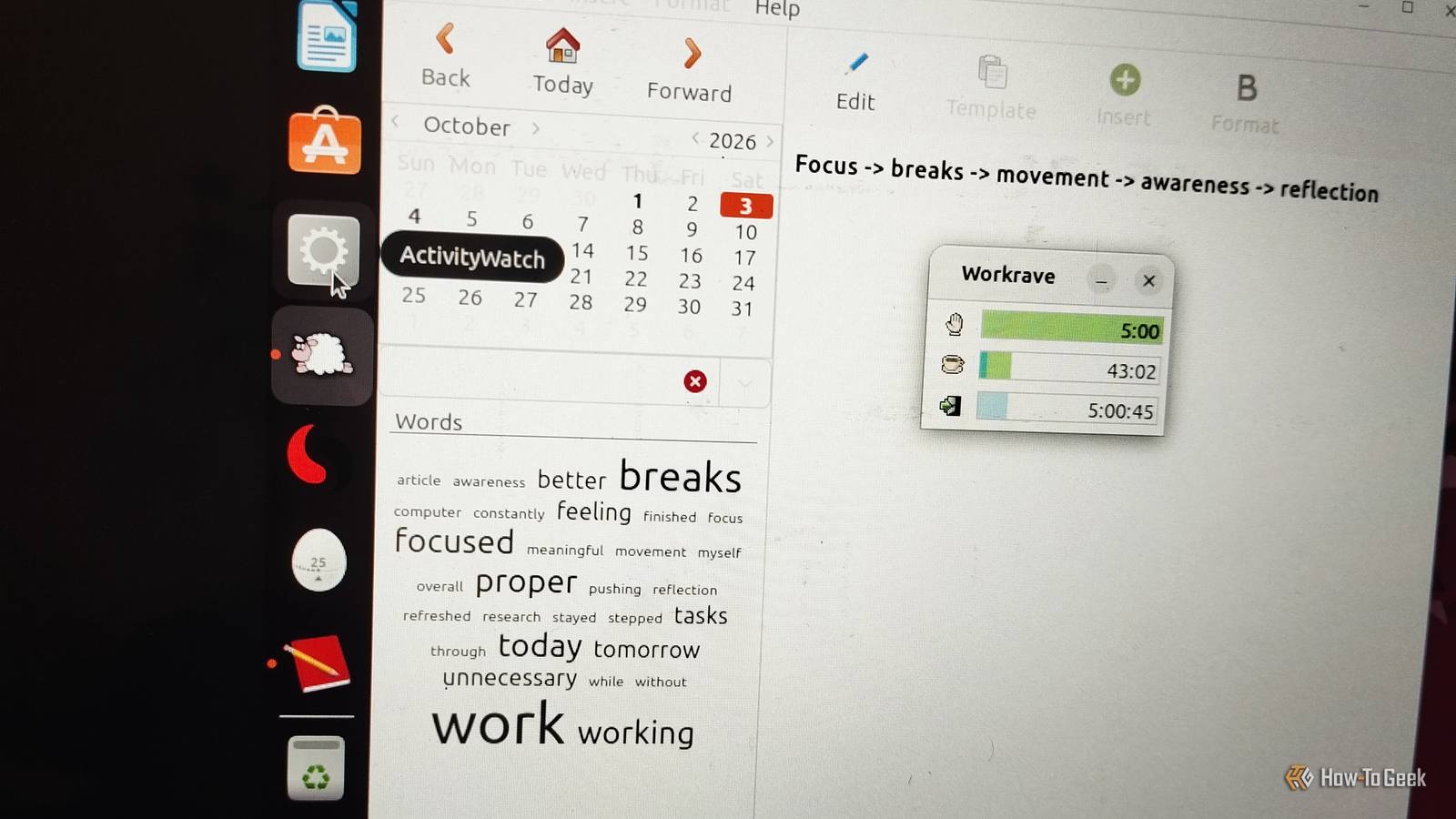
Workrave When you need stricter reminders to step away Workrave is a free, open-source break reminder designed to help prevent repetitive strain injuries and eye strain.It was first released in 2001 and is still actively maintained.Workrave monitors your keyboard and mouse activity and reminds you to take micro-breaks, longer rest breaks, and eventually stop using your system for the day.
It even shows you exercises to do during longer breaks.Most people refer to Workrave as aggressive because its settings are strict and highly visible.It displays a semi-transparent or solid overlay that can block you from typing or clicking until the timer runs out, and it won't reset the timer until you completely stop interacting with your computer.
While this design can feel frustrating or intrusive, it's entirely intentional.Luckily, Workrave is highly configurable, so you can adjust the timing and how breaks are enforced.My only complaint is that its interface feels a little dated.
Stretchly A break reminder that tells you what to do Stretchly covers the same ground as Workrave but with a softer touch.It schedules short mini breaks and longer ones, filled with friendly prompts and simple movement ideas, so you're never staring at a blank screen wondering what to do.Moreover, Stretchly automatically pauses when you are idle for five minutes or when your system is in Do Not Disturb mode.
I didn’t encounter any issues while installing or using the apps, except with Stretchly.On Wayland, it may run into input permission issues during installation, but you can check Stretchly’s official documentation for instructions on resolving this issue.It also supports dark mode and can follow your system theme.
Other than the installation issue, I loved using Stretchly.ActivityWatch Find out where your workday actually went It's surprisingly easy to finish an eight-hour workday convinced you were busy the entire time, only to realize you can't remember where most of those hours went.ActivityWatch gives you that answer.
It's an open-source, cross-platform time-tracking application that automatically records which apps and windows you use and when you're away from your keyboard.Everything is stored locally (privacy-first), so it isn't a surveillance tool.You can view all these details in a dashboard inside your browser.
This is where awareness matters more than optimization.Tracking isn't always about squeezing more work into your day.It can also help you notice patterns in your work habits, such as spending more time switching between apps than actually working.
Sometimes, simply seeing those patterns is enough to make small, gradual changes.RedNotebook Sometimes, reflecting on the day is more important than just measuring it ActivityWatch can tell you where your time went, but it can't tell you whether that time was actually worthwhile.That's where a simple journal can help.
RedNotebook is a privacy-focused, open-source desktop journaling application built around a simple calendar.You pick a day, write an entry in plain text, and can find it later using any keyword with its full-text search feature.RedNotebook also supports templates, word clouds, and exports to plain text, HTML, LaTeX, or PDF.
Moreover, you can insert images, files, and important links when needed.I'd recommend using RedNotebook or any other journaling app to become more mindful of your workday, what you achieved, what you didn't, and what needs improvement.This can eventually help you feel better about your day and give you a clearer sense of what you accomplished.
Make your workday more sustainable Linux has no shortage of tools that promise more output, but productivity isn't always about fitting more into your day.Sometimes it's about knowing when to focus, when to step away, and whether the time you spent working actually mattered.You don't need to use all of these apps; simply pick the one that fixes the biggest gap in your workday, and make the hours you already work more deliberate and sustainable.
Read More