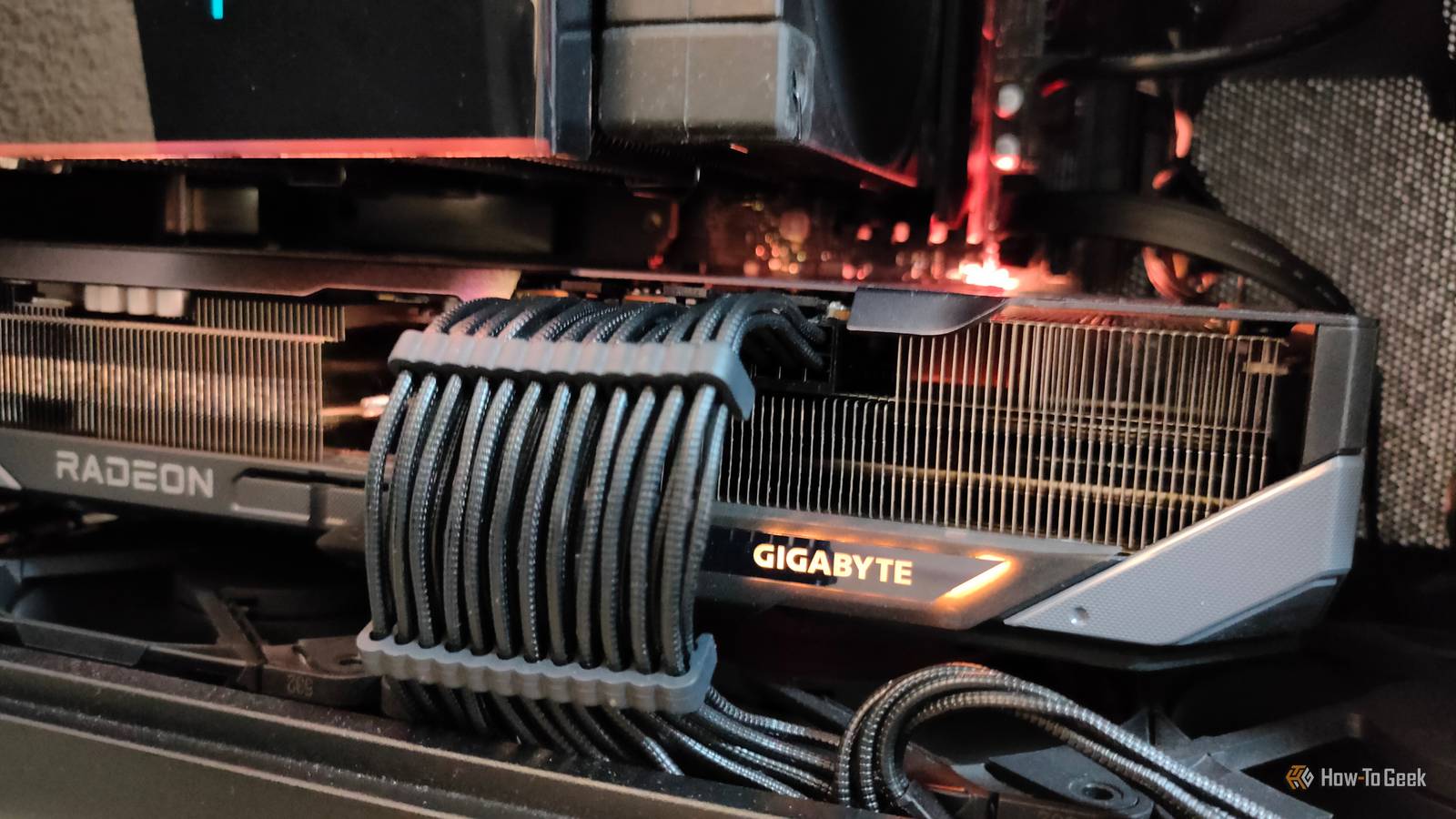
In some ways, your GPU is just an expensive and fancy way to turn electricity into heat and noise.These high-performance components try to squeeze every possible frame out for you, but the cost of the last few frames is much higher than the first few.There's a point of diminishing returns when it comes to the performance of a GPU, and you might find that exchanging a little performance for a nice reduction in heat, noise, and power use could be worth it.
But, is undervolting the best way to achieve that? For most people, the right answer might actually be a simple power level limit.Why you might not need to undervolt your GPU Keep it simple, stupid In case you didn't know, undervolting is the process of reducing the voltage of your GPU (or CPU) until it no longer works correctly, and then pushing it just enough so that it's all stable as expected.If you win the silicon lottery, you might have a GPU on your computer that can work without problems using much less voltage than the standard for its model.
Since the total wattage is determined by multiplying the voltage by the amperage, undervolting can have a significant effect on total power.Which means less heat, and no loss of performance.Paradoxically, undervolting might actually increase performance, because it can raise the cap on thermal throttling, or allow for a higher boost clock.
With less total power going into the card, it will run cooler, and if it's cooler it can push its clocks higher.There's nothing wrong with undervolting, and it's not particularly risky, but just like overclocking a GPU, undervolting can require a lot of tweaking and testing to find the voltage your specific individual GPU is happy with.You can also introduce instability that takes time and testing to weed out.
Personally, I think undervolting makes the most sense in laptops, where you're in a thermally-constrained environment, and you want to use as little power as possible for the most performance you can get.For a desktop PC plugged into the wall, an easier and potentially just as effective alternative is to set a GPU power limit.What a GPU power limit actually does I've had it up to here with GPU power consumption Close Modern GPUs are excellent at controlling their own parameters.
They don't run at fixed voltages (you're adjusting an offset when undervolting) and they don't run at full frequency all the time either.If, for example, you have a video game that's capped at 60fps, and it only takes your GPU half of its processing power running at its lowest clock speed to maintain that frame rate, then it will only use as much power as it needs to achieve that result.A power limit tells the GPU the maximum amount of power it's allowed to use.
When your card hits that limit, it can manage its own voltage and frequency to keep within the bounds of that setting.Now, if you set your power limit to 90%, that doesn't mean you'll suddenly only get 90% of the performance.In fact, you might see no performance difference at all, because in some cases, more available power doesn't really translate to better frame rates.
Our friends over at XDA tested undervolting performance compared to power limiting, and with an 80% power limit, the difference in performance was negligible.Quiz8 Questions · Test Your KnowledgeWeird and wonderful GPU uses beyond gamingTrivia challengeThink GPUs are just for gaming? Think again — test your knowledge of their strangest and most surprising real-world uses.AIScienceCryptoCreativeComputingBegin01 / 8AIWhich GPU-accelerated computing platform, developed by NVIDIA, became the standard framework for running AI and machine learning workloads on desktop GPUs?AOpenCLBDirectComputeCCUDADVulkan ComputeCorrect! CUDA (Compute Unified Device Architecture) was introduced by NVIDIA in 2006 and became the dominant platform for GPU-accelerated computing.It allows developers to write code that runs directly on NVIDIA GPU cores, making it the backbone of modern AI training and inference.Not quite — the answer is CUDA.
While OpenCL is a real cross-platform alternative, NVIDIA's CUDA became the industry standard for AI workloads due to its deep integration with frameworks like TensorFlow and PyTorch.Most AI researchers rely on CUDA-compatible GPUs to train their models.Continue02 / 8CryptoIn the early days of cryptocurrency mining, desktop GPUs were used to mine Bitcoin far more efficiently than CPUs.What property of GPUs made them so much better suited to this task?AHigher clock speeds than CPUsBAbility to perform thousands of parallel floating-point calculations simultaneouslyCDirect access to system RAM without a memory busDBuilt-in cryptographic hash acceleratorsCorrect! GPUs contain thousands of smaller cores optimized for doing many simple calculations at once, which is perfect for the repetitive SHA-256 hashing required by Bitcoin mining.
A single GPU could outperform a CPU by orders of magnitude for this task, making them highly sought after during early crypto booms.Not quite — the answer is their massive parallelism.GPUs don't actually have built-in hash accelerators, and their individual cores are slower than CPU cores.The key advantage is the sheer number of cores working simultaneously, which lets a GPU churn through millions of hash attempts per second while a CPU plods along comparatively slowly.Continue03 / 8ScienceThe Folding@home project uses idle GPUs on home desktops to help researchers study diseases.
What is Folding@home primarily simulating?AClimate change weather patternsBProtein folding and misfoldingCGravitational wave detection algorithmsDNuclear decay chain reactionsCorrect! Folding@home simulates how proteins fold into their three-dimensional shapes, a process critical to understanding diseases like Alzheimer's, Parkinson's, and cancer.GPUs are ideal for this because the physics simulations involve massive numbers of parallel calculations, and during the COVID-19 pandemic, the project briefly became the world's most powerful distributed computing network.Not quite — the answer is protein folding.Folding@home was launched in 2000 by Stanford University and has become one of the most impactful distributed computing projects ever.
It gained enormous public attention during COVID-19 when millions donated their GPU cycles to study the SARS-CoV-2 spike protein, briefly surpassing even the world's fastest supercomputers in combined processing power.Continue04 / 8Creative3D artists and video editors use desktop GPUs to accelerate rendering.What is the name of NVIDIA's dedicated GPU-accelerated rendering engine, built into applications like Blender?ARenderManBV-Ray GPUCCycles GPUDOptiXCorrect! NVIDIA OptiX is a ray tracing engine that leverages GPU hardware — especially the dedicated RT cores found in RTX-series cards — to dramatically accelerate rendering in applications like Blender, which uses OptiX as one of its GPU rendering backends.It can reduce render times from hours to minutes on complex scenes.Not quite — the answer is OptiX.
Blender's own renderer is called Cycles, and it can use the GPU for acceleration, but the specific NVIDIA engine that powers hardware-accelerated ray tracing is OptiX.V-Ray GPU is a real product but from Chaos Group, not NVIDIA.OptiX takes advantage of dedicated RT cores in RTX cards to make photorealistic rendering practical on a desktop machine.Continue05 / 8ComputingPassword security researchers sometimes use arrays of desktop GPUs to test the strength of password hashing algorithms.
What is this technique commonly called?ABrute-force tunnelingBGPU hash crackingCRainbow table injectionDSalted dictionary floodingCorrect! GPU hash cracking uses the parallel processing power of graphics cards to test billions of password combinations per second against stolen or leaked password hashes.Tools like Hashcat are widely used by security professionals to audit password policies and demonstrate why weak passwords are so dangerous, even when stored as hashes.Not quite — the answer is GPU hash cracking.Rainbow tables are a different technique involving precomputed hash lookup tables, and they are largely defeated by password salting.
GPU hash cracking, by contrast, computes hashes on the fly at incredible speed.A modern GPU can test hundreds of billions of MD5 hashes per second, which is why strong, unique passwords and modern hashing algorithms like bcrypt matter so much.Continue06 / 8ScienceAstronomers and physicists use desktop GPU clusters to run N-body simulations.What does an N-body simulation model?AThe behavior of subatomic particles in a magnetic fieldBThe gravitational interactions between large numbers of objects like stars or galaxiesCThe spread of electromagnetic radiation through a vacuumDChemical bonding reactions at the molecular levelCorrect! N-body simulations calculate how gravity causes large numbers of objects — from star clusters to entire galaxies — to move and interact over time.
The computation scales dramatically with the number of bodies, making GPU parallelism essential.Researchers have used GPU-accelerated N-body codes to simulate the formation of galaxy clusters and the merger of black holes.Not quite — the answer is gravitational interactions between large numbers of objects.N-body problems have been studied since Newton, but they become computationally explosive as object counts grow.
GPUs can evaluate many gravitational force pairs simultaneously, making them a natural fit.Projects like GADGET and AREPO use GPU acceleration to simulate the large-scale structure of the universe in ways that would be impractical on CPUs alone.Continue07 / 8AIWhich of the following tasks is a common non-gaming use of a desktop GPU in the field of computer vision?ACompressing video files using H.265 codecBRunning real-time object detection models like YOLO on a webcam feedCUpscaling image resolution using bicubic interpolationDRendering web page fonts with anti-aliasingCorrect! Running real-time inference on models like YOLO (You Only Look Once) is a popular desktop GPU use case for developers, roboticists, and security researchers.The GPU can process video frames fast enough to detect and classify objects in real time, enabling applications from smart security cameras to gesture-controlled interfaces — all on a home desktop.Not quite — the answer is running real-time object detection like YOLO.
While GPUs can assist with video encoding and font rendering, those tasks don't meaningfully require GPU compute.YOLO and similar neural network models require thousands of matrix multiplications per frame, which is exactly what GPU cores excel at.Hobbyists regularly run these models on desktop GPUs to build everything from wildlife cameras to home automation systems.Continue08 / 8CreativeSome musicians and audio engineers have explored using desktop GPUs to accelerate a specific type of audio processing.
Which of the following audio tasks has been experimentally offloaded to GPUs?AConverting audio sample rates from 44.1 kHz to 48 kHzBReal-time convolution reverb processing using large impulse responsesCDecoding lossless FLAC audio filesDApplying equalization curves in a DAW mixerCorrect! Convolution reverb works by mathematically convolving an audio signal with an impulse response — essentially a recording of how a real space sounds.This process is computationally expensive, especially with very long or high-resolution impulse responses.Researchers and developers have experimented with offloading this to GPUs, since convolution maps well to the parallel FFT (Fast Fourier Transform) operations GPUs handle efficiently.Not quite — the answer is real-time convolution reverb.
Tasks like FLAC decoding and sample rate conversion are lightweight and easily handled by a CPU.Convolution reverb, however, involves thousands of multiply-accumulate operations per sample, making it a candidate for GPU acceleration.While not yet mainstream in standard DAW workflows, GPU-accelerated convolution has been demonstrated in research and specialized audio tools, hinting at a possible future for GPU-powered audio production.See My ScoreChallenge CompleteYour Score/ 8Thanks for playing!Try Again How to set a power limit in seconds As easy as mousing a slider The easiest way to reduce the power limit of your GPU is to use an application like MSI Afterburner.
It's as simple as moving the power limit slider left until you hit the desired limit.If this slider is grayed out, you're probably trying to do this on a gaming laptop, where generally the laptop's firmware or preloaded software won't let you.If it's greyed out on a desktop card, you likely need to enable voltage control in Afterburner's settings or adjust driver permissions.
Or, in extreme cases, you might need a modded BIOS for your GPU.The power limit sweet spot is probably all you need The interesting thing about GPU power usage is that while pumping more power into a GPU leads to more performance, it's not proportional.You have to look no further than gaming laptops or PC handhelds to see this is true.
In two gaming laptops, you often have the same GPUs but with different hard-wired power limits to match the cooling systems of each.It's not uncommon for one machine to use 20-30% less power on its GPU, but perform 10% worse at best.For every GPU, there is a sweet spot where you get the most frames-per-watt, and beyond that you have to put in more power for less of a return.
The optimal sweet spot isn't necessarily where you should be setting the limit, but you might decide that 95% of your peak performance is fine, and then find the power limit that yields that.Undervolting is still something everyone should at least consider, but there's no doubt that a simple power limit is much easier and less time-consuming to do, and it's a totally legitimate option in the quest for balance between performance and noise.
Read More