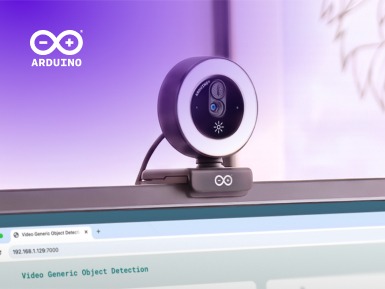
The Arduino ecosystem is expanding with a new USB-connected accessory designed to help simplify edge AI and computer vision: meet our first official, standalone Arduino USB Camera! And if you are thinking “Well, it’s just a camera” – think again.When paired with single-board computers like the Arduino UNO Q and Arduino VENTUNO Q, it is built to unlock real-time visual perception and audio processing without requiring additional driver setups, custom kernel compiles, or complex hardware configurations.Instead of spending hours troubleshooting connections, you can plug it in and route high-fidelity video feeds and microphone audio directly into local AI models for real-time inference.
Ready for a hands-on experiment? In a recent online workshop, Andrea Richetta, Senior Product Evangelist at Arduino (Qualcomm Europe), built a face recognition system from scratch with UNO Q and Arduino App Lab.Now imagine giving that project a pair of eyes made for the job: the brand-new Arduino USB Camera.Follow along, plug it in, and see your first face recognition system come to life.
The complete audio-visual hardware Let’s dive deeper into what the Arduino USB Camera is and can do.It’s a workspace-ready device that integrates HD imaging and audio into your next project: Minimal-configuration setup: Plugs directly into the USB ports of UNO Q or VENTUNO Q, designed so you can begin running computer vision models quickly.Integrated HD microphone: Captures audio alongside video, helping enable voice-and-vision multimodal applications without secondary audio hardware.
Adaptive ring lighting: Features a touch-dimmable LED ring with adjustable color temperature, created to help maintain image consistency in varying ambient light.Flexible mounting: Includes a monitor clip, flat desk stand, and standard tripod thread.Now for the fun part: the exciting feature is not what it can do but what you can do with it! Because it’s designed for the AI models available in Arduino App Lab, the Arduino USB Camera connects directly into local, on-device workflows for a huge range of practical applications.
Here are just a few examples we’ve brainstormed while developing the new accessory for you: Object detection and classification: Run YOLO-X or MobileNet on UNO Q or VENTUNO Q to detect faces, count objects, and trigger low-latency physical responses through the onboard real-time MCU.Touchless gesture control: Deploy MediaPipe gesture recognition to translate hand movements into control commands for robotics and user interfaces.Scene understanding via VLMs: Feed real-time video into local vision-language models like Qwen VLM on VENTUNO Q to generate on-device natural language scene descriptions.
Multimodal assistants: Combine image feed and HD microphone audio with local ASR and LLM models to build interactive desktop companions and automated kiosks.Ready to simplify your next AI vision project? Light up your AI vision projects with our new USB Camera. Check out the documentation.
Read More