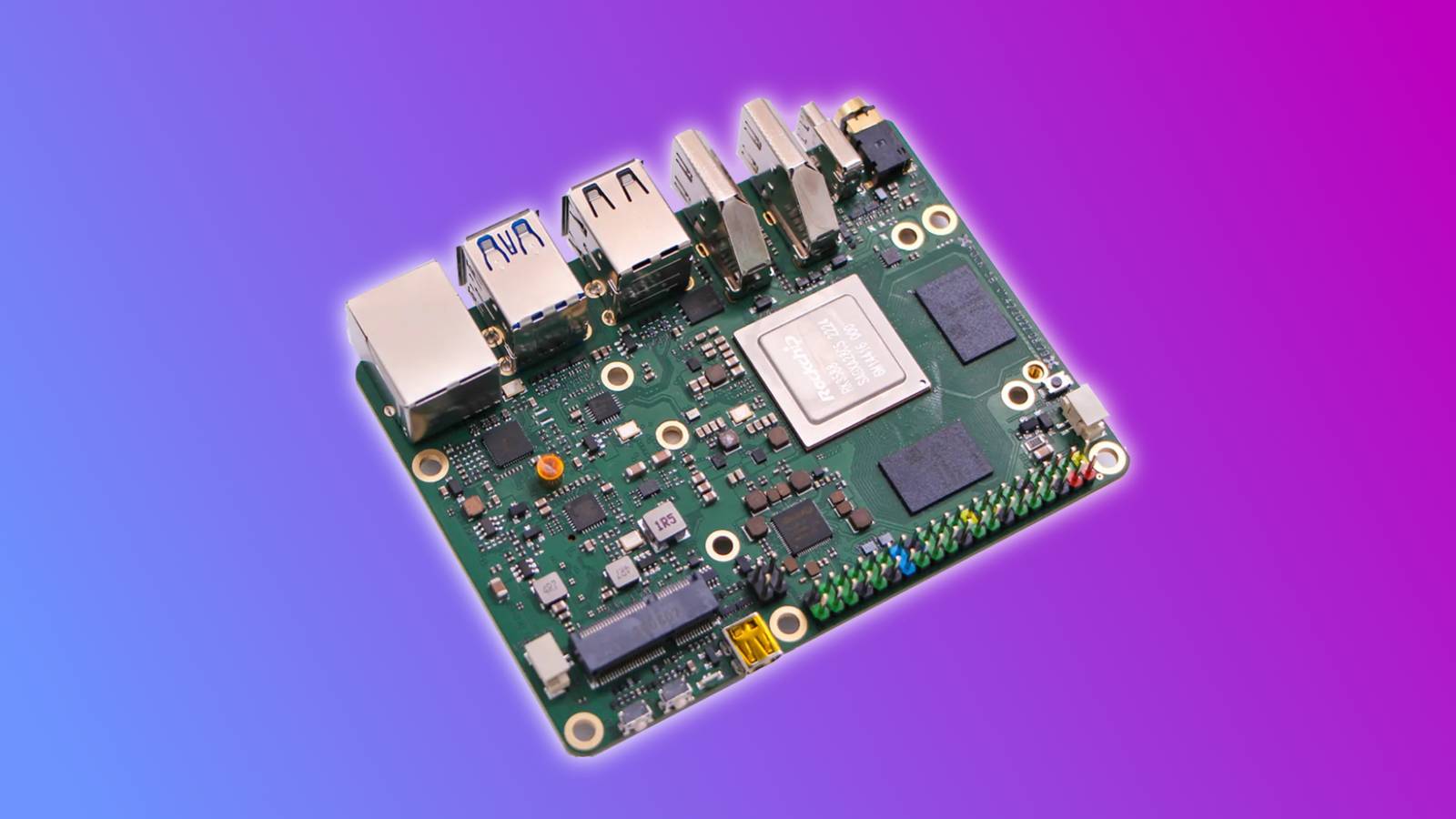
The Rock 5 family of single-board computers (SBCs) includes multiple members, four of which are built on the RK3588.The RK3588 is very capable as SBC CPUs go—it has four "performance" cores running at 2.4Ghz, another four efficiency cores running at 1.8GHz, a decent GPU, and a 6 TOPs NPU.It also supports PCIe 3.0 x4 and up to 32GB LPDDR5.
Those specs aren't just a theoretical bonus over the Raspberry Pi 5 either.In real-world applications, they make a huge difference, especially for These are 5 examples of specific applications where a Rock 5 board would be a better board than a Pi 5.Running a real NVMe or SATA NAS The B Plus and B ITX have great connectivity You can build a NAS using a Raspberry Pi 5, but you're immediately going to run into a bottleneck imposed by the PCIe 3.0 x1 interface, which tops out at a modest 800 MB/s.
If you want to add drives over PCIe, you either need to connect additional drives using stacked HATs by plugging in a USB adapter.USB adapters are famously a bit finicky and tend to accidentally drop drives, which is an unacceptable problem for a device that needs to reliably back up your data.The Rock 5 goes a long way toward alleviating those problems.
It features a PCIe 3.0 x4 interface and the B Plus model specifically allows you to connect NVMe SSDS (splitting the x4 interface), which is enough to have a fully redundant setup without adding a mess of different adapters.If you opt for the ITX version, you get four SATA ports, which is potentially even better, since it makes it trivial to attach multiple large mechanical hard drives for storing files that don't demand fast read or write speeds.The ITX board also has dual 2.5GbE interfaces, which ensures you have plenty of bandwidth available if you need to move large files.
Hardware transcoding a media library The Pi is great, but it struggles with transcoding Close Transcoding is the process of decoding and then reencoding a media file in another format.If you're trying to run something like a Jellyfin media server, it is essential.Without it, you can't stream your stored media files from your server to a playback client unless the client supports the format you have stored.
That specific workload is a critical weak point for the Pi 5.It has for H.264 encoding or decoding and relies on the CPU instead.The Pi 5 transcode files, but it is much too slow to transcode a 4K video file in real time.
Related Plex transcoding is killing your streams (and your NAS isn't to blame) Why upgrading your cheap streaming stick is the ultimate fix for a buffering Plex NAS Posts 1 By Andy Betts On the other hand, the RK3588 is designed to handle 8K decoding at 60FPS, and has hardware support for both H.264 H.265.Looking purely at hardware, the Rock 5 is indisputably better.The only drawback is that Rockchip's software ecosystem isn't as well-developed or supported as the Raspberry Pi 5's, which means you will have to do more work to get everything running well at the beginning.
Serving as a 2.5GbE router or firewall Native ports matter Close A router built on a Pi is essentially a test project because it only has one gigabit NIC.Any "router" setup requires some kind of additional hardware, like a USB Ethernet dongle or an Ethernet HAT.If I can avoid adding extra components to make a setup work, I try to.
The Rock 5 provides 2.5GbE onboard with PoE support on the 5B Plus, and dual 2.5GbE on the ITX boards.Having WAN and LAN on separate, real controllers is the only way to build a reliable gateway.Keep in mind that OPNsense and pfSense are x86-only.
You'll be limited to OpenWrt or a custom Linux router.If you want full control over your traffic, you should use nftables combined with systemd-networkd.Hosting a ton of containers Memory becomes a problem When I'm hosting a lot of small appliances on an SBC, RAM almost always becomes an issue before the CPU does.
After all, every container and service has a minimum amount of RAM that it requires just to exist, while processor usage can drop down to basically nothing.The Pi 5's most expensive variant tops out at 16GB—which, due to LPDDR4 shortages, can cost upwards of $300—while the Rock 5B Plus offers 32GB of LPDDR5.The Rock 5B Plus does cost more than a Pi 5, but at least paying the premium for the top-shelf models gets you a reasonable ceiling.
If 16GB is your ceiling anyway, you're almost certainly better off buying a used, slightly older laptop or mini PC instead, since they offer better performance per watt.Running local AI inferences The Pi 5 can handle AI, but it struggles The Pi has no neural processing unit (NPU), its slower memory limits model throughput, and its fairly austere ceiling (16GB) caps model size.The Rock 5 combines a 6 TOPS NPU with up to 32GB of unified memory, which gives you a huge amount of headroom in terms of both performance model size.
You shouldn't expect to run massive 30B-class chat models on a Rock 5, but it is close to ideal for small models like Gemma 4 (E2B or E4B) and vision jobs.It makes Frigate object detection, Whisper transcription, and always-on assistants workable.Only get a Pi if you need a Pi The pattern is pretty clear: when the Pi 5 is held back by I/O limitations memory capacity, a Rock 5 series board will probably be the winning alternative.
If you need a compact multipurpose server, go with the 5B Plus.If you want SATA ports and a standard ATX power supply, choose the 5 ITX or ITX+.Just remember that Rockchip software support isn't as mature as the Pi's, so plan to spend more time getting the software end working than you might otherwise.
Read More