Wi-Fi 6 has been around for five years now.If you haven't upgraded your router since the early days of the smartphone, or if your last upgrade was to a dual-band Wi-Fi 5 router, it might finally be time to take the plunge and switch to a Wi-Fi 6 router.Wi-Fi 6 provides a lot more bandwidth and is just plain better Bandwidth isn't the only thing that matters with Wi-Fi, though it’s still worth touching on.
Wi-Fi 5 has a maximum theoretical bandwidth of 6.93Gbps, and that assumes a powerful router that supports 8 streams with a perfect signal.An average consumer-grade Wi-Fi 5 router tops out at much lower speeds.For instance, my low-to-mid-end Wi-Fi 5 router, the TP-Link Archer C6 AC1200, has a total of 1200Mbps (2.4GHz 300Mbps and 5GHz 867Mbps) of available bandwidth—again, assuming a best-case scenario combined across multiple devices.
My internet speed tops out at 250Mbps, so I have plenty of overhead even with that limited bandwidth available.But if you’re paying for Gigabit internet, you’re absolutely being bottlenecked if you’re still running a Wi-Fi 5 router.In contrast, Wi-Fi 6 has a theoretical maximum bandwidth of 9.6Gbps.
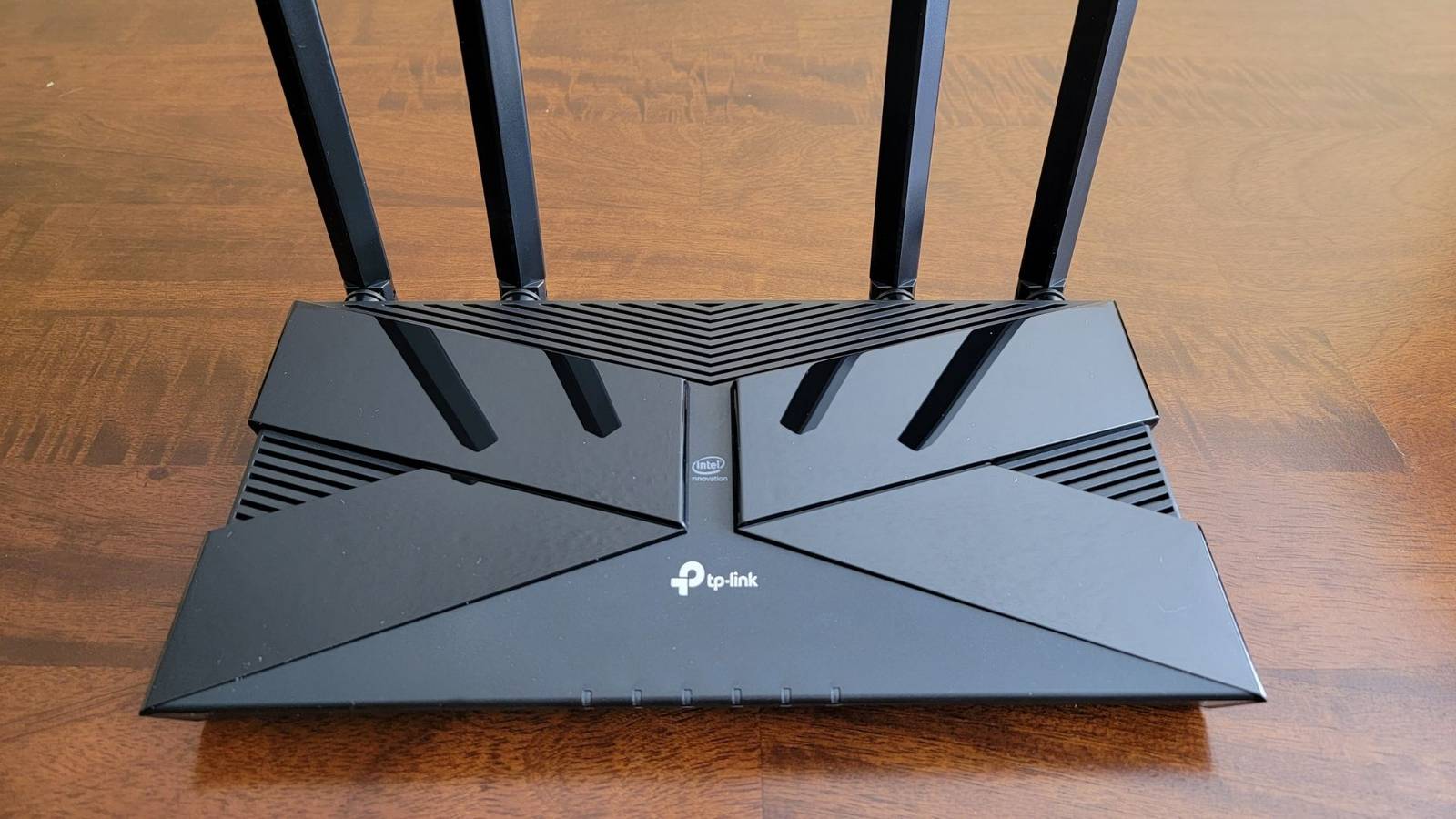
Consumer-grade routers achieve much lower figures, but even something cheap and basic like the TP-Link Archer AX55 AX3000 has a total bandwidth of nearly 3Gbps, with 2402Mbps on the 5GHz band and 574Mbps on 2.4GHz.In this apples-to-apples comparison, a Wi-Fi 6 router provides roughly 2.5x more bandwidth.TP-Link Archer AX55 $75 $90 Save $15 An upgraded version of the beloved AX50, the PT-Link AX55 offers a new Qualcomm chip to provide better stability and the addition of OneMesh and WPA3 support.
$75 at Amazon Expand Collapse That's just the start, though.Wi-Fi 6 routers also introduce loads of other technological improvements and features that Wi-Fi 5 routers lack, especially the older "Wave 1" units.One of the key selling points of Wi-Fi 6 is OFDMA (orthogonal frequency-division multiple access), which splits a channel into smaller sub-channels called resource units.
These allow the router to talk to multiple devices at once, even when tiny data packets are involved.OFDMA works hand-in-hand with MU-MIMO (multi-user, multiple input, multiple output), which lets a router send and receive data from several devices simultaneously instead of one by one.As you can probably guess, MU-MIMO significantly reduces latency on a busy network.
Downlink (router to devices) MU-MIMO was actually introduced with Wi-Fi 5 Wave 2 routers, but all Wi-Fi 6 routers include uplink and downlink MU-MIMO as standard.OFDMA and MU-MIMO work together seamlessly.Here's an analogy: the difference between not having these technologies and having them is essentially like a single delivery truck that can only carry a single large parcel at a time versus a whole fleet of trucks, each carrying a variety of parcel sizes.
Aside from those two major technological improvements and the higher bandwidth overhead, Wi-Fi 6 includes a long list of other enhancements: the mandatory WPA3 security protocol, Target Wake Time for improved battery life, 1024-QAM, which increases raw throughput by 25% over Wi-Fi 5, BSS coloring, which "marks" your network's traffic to reduce latency in crowded areas, and numerous other small tweaks.By the way, I haven't even touched on Wi-Fi 6E, which adds a whole new 6GHz band that compatible devices can take advantage of for faster speeds and less interference.Wi-Fi 6 support is finally widespread When Wi‑Fi 6 first hit the market in late 2020, few devices supported it.
Mostly higher-end laptops and phones offered Wi‑Fi 6, and how many of us were upgrading everything at once, or even bothered to upgrade our routers? Today, the situation is very different.You likely have half a dozen or more Wi‑Fi 6‑capable devices in your home.Mid-range smartphones, laptops, mini PCs, game consoles, tablets, AR/VR devices, TVs, and even select smart home gadgets now support Wi‑Fi 6 or Wi-Fi 7 (which is backward-compatible).
Even if your current internet plan can't take advantage of the additional bandwidth that Wi-Fi 6 provides, you should still upgrade to take advantage of all the other technological improvements.It's the reason why I'll be upgrading my router as well.Wi-Fi 6 routers are cheaper than ever When Wi-Fi 6 routers first hit the shelves, they were expensive—as new networking hardware often is.
Basic routers started at $150, with more advanced tri-band Wi-Fi 6E models costing closer to $300.Today, you can get an affordable dual-band Wi-Fi 6 router for fairly cheap.For instance, the TP-Link Archer AX1500 is on sale for under $50 right now.
It only offers up to 1.5Gbps of bandwidth, which is still a huge upgrade if you’re coming from an older Wi‑Fi 5 Wave 1 device.TP-Link Archer AX1500 (AX10) $41 $69 Save $28 It's hard to complain when you're getting a Wi-Fi 6 router for only $80, and while it is missing a USB port, it still has excellent 5GHz performance and stability.$41 at Walmart $50 at Amazon Expand Collapse If you want more bandwidth and a USB 3.0 port, the aforementioned TP-Link Dual-Band Archer AX55 AX3000 is popular for a reason—and it’s only $75.
And if you’d prefer a mesh system, a two-pack of the TP-Link Deco AX1800 is available for just $84.Subscribe to the newsletter for smart Wi‑Fi 6 advice Want clearer Wi‑Fi 6 decisions? Subscribe to our newsletter for straightforward comparisons, practical router picks, and plain-English explainers of OFDMA, MU‑MIMO, WPA3, Wi‑Fi 6E and other features to help you choose wisely.Subscribe By subscribing, you agree to receive newsletter and marketing emails, and accept our Terms of Use and Privacy Policy.
You can unsubscribe anytime.However, if your goal is to take advantage of 6GHz that's available with Wi-Fi 6E, you should look for a tri-band router.These are a bit more expensive but are worth it if you typically sit close to your router and care about maximum wireless performance.
The TP-Link Tri-Band Archer AXE75 AXE5400 and NETGEAR Nighthawk Tri-Band RAXE300 are among the most affordable Wi-Fi 6E routers, while the TP-Link Deco XE75 AXE5400 offers a strong alternative if you want mesh.Related This Is How 6GHz Wi-Fi Fixed My Home Network I can't run cables everywhere, but Wi-Fi 7 and 6 GHz can fill in the gaps.Posts 3 By Corbin Davenport Wi‑Fi 6 is now widespread and reasonably affordable.
Even if your internet connection isn’t particularly fast, you can still benefit from the various performance enhancements that Wi‑Fi 6 offers.Wi‑Fi 7 routers, on the other hand, are still often priced at a premium.While we wait for their widespread adoption, there’s plenty of reason to enjoy a few years of Wi‑Fi 6.
Read More