One of Google’s oldest Pixel-exclusive features is the ever-present “Now Playing” music recognition.It also happens to be one of the most difficult to hack onto other Android phones.Thankfully, there’s already a built-in solution that’s as good.
“Now Playing” first appeared on the Pixel 2 and Pixel 2 XL back in 2017.Google recently launched a standalone app for the feature on Pixel phones, but the functionality is tightly integrated.That’s what allows it to run privately with an offline, on-device library, but it’s also what makes it hard to port to other Android devices without ADB commands or root.
So, what’s a non-Pixel Android user to do? The alternative isn’t Shazam or some other third-party app—it’s a Quick Settings toggle you’ve probably never noticed.Quick Settings to the rescue Don’t sleep on those classic toggles Android’s Quick Settings panel offers a cornucopia of toggles for a wide variety of system-level and third-party actions.It’s an area that many of us probably aren’t utilizing to its full potential.
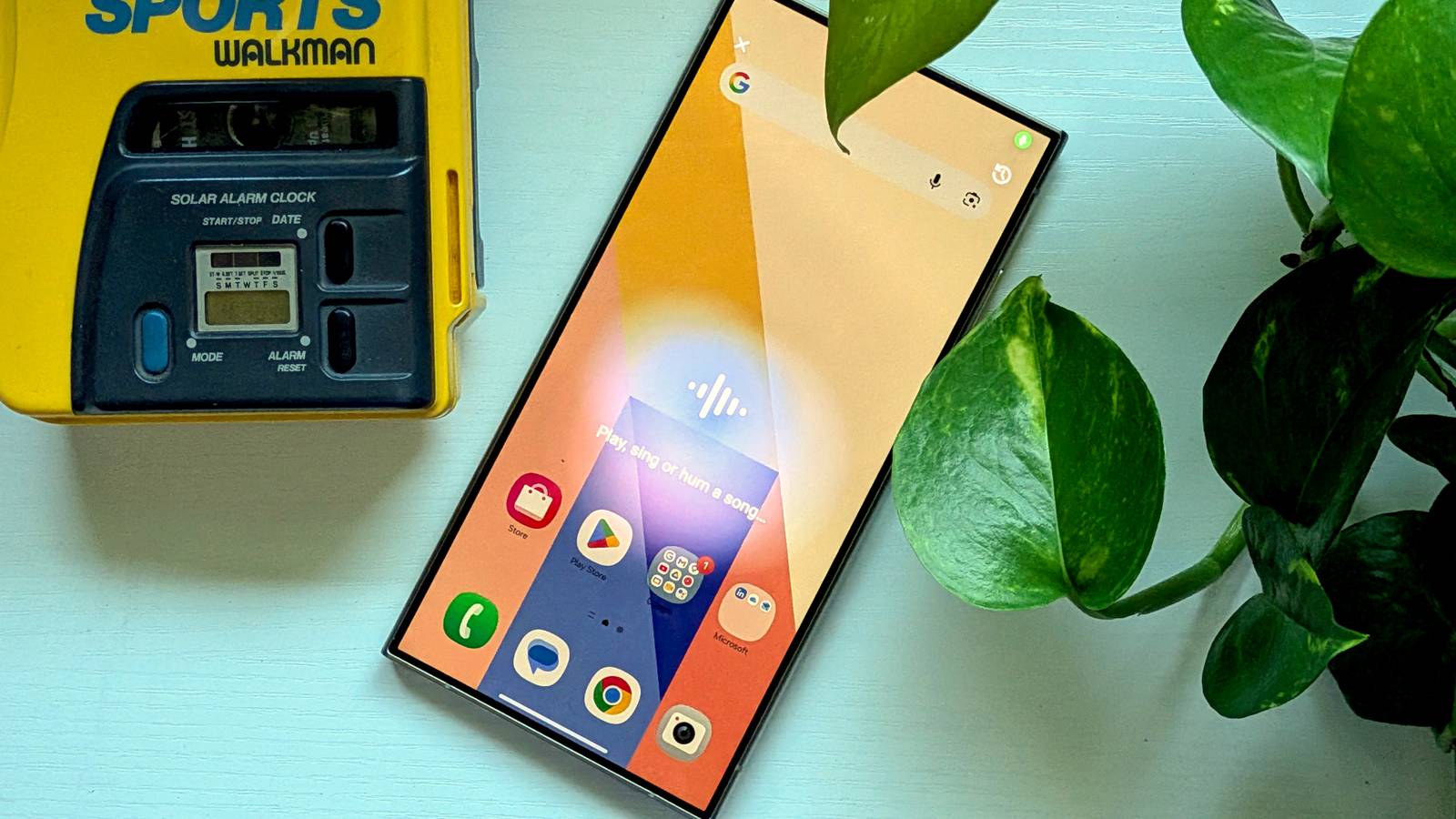
With Samsung recently revamping its Quick Settings panel, there’s never been a better time to take a look.The Quick Settings toggle I’m talking about is aptly named “Song Search.” Tapping it immediately launches Google listening for the song.When the music is identified, it jumps into a search for the song.
From the listening screen, you can also go to a history of the songs you’ve identified—similar to “Now Playing.” Customizing the Quick Settings on your phone will depend on the specific Android software you’re dealing with.I’ll show you how it works in One UI on a Samsung Galaxy phone.Related I tried switching to Samsung Galaxy, but a surprising app pulled me back to Pixel I had a Galaxy phone that was better than my Pixel by almost every measurable standard.
Better chip, better display, more features, more customization—the list goes on.Yet, here I am, back on the Pixel.And it wasn’t because Samsung did something wrong, but because one app—one I had never thought twice about.
Posts By Dibakar Ghosh First, you need to either swipe down twice from the top of the screen or swipe down from the top left to reveal the full Quick Settings panel (depending on this setting).From there, tap the pencil icon at the top.In newer versions of One UI, tap “Add a control” at the bottom of the screen—tap “Edit” in older versions.
Find “Song Search” from the available toggles and drag it into the panel.For the quickest possible access to “Song Search” on a Galaxy phone, go to “Panel settings” and “Edit top quick settings.” These are the toggles you see along with notifications in the “Together” layout.“Now Playing” isn’t always what it's cracked up to be Of course, the advantage of “Now Playing” is that it doesn’t take any manually input—.
As a long-time Pixel owner, I can tell you it’s not always as magical as it sounds.If a song doesn’t seem to be getting identified, you have to tap “See what’s playing” to sort of give it a nudge.This usually works, but it makes it just as “quick” as the Quick Settings panel.
If you’re interested in bringing a closer “Now Playing”-like experience to your non-Pixel phone, there’s a port called “Ambient Music Mod” available on GitHub.It requires running an ADB command to get it set up, but not root.Ambient Music Mod is made by a trusted developer in the Android community.
Check it out if the “Song Search” toggle isn’t enough for you.Motorola Razr Ultra SoC Snapdragon 8 Elite RAM 16 GB Ports 3.5mm headphone jack Operating System Android 15 Colors Cabaret, Mountain Trail, Rio Red, Scarab Weight 0.33kg The Razr Ultra is Moto's best, most advanced clamshell foldable.It offers a large cover screen, a titanium-reinforced hinge for added durability, the powerful Snapdragon 8 Elite processor, and three 50MP cameras (two on the back and one on the front).
It builds on the nostalgia of flip-style phones but adds modern sophistication to the form factor.$1300 at Amazon $1300 at Motorola Expand Collapse Samsung Galaxy S26 Ultra Brand Samsung SoC Snapdragon 8 Elite Gen 5 Display 6.9-inch Dynamic Super AMOLED 2X RAM 12 or 16 GB Storage 256GB, 512GB, or 1TB Battery 5,000 mAh Get the new Galaxy S26 Ultra with AI smarts and an all-new privacy display.It's big, powerful, packed with AI, and you'll love the S-Pen stylus. $1300 at Samsung $1050 at Amazon Expand Collapse
Read More