I spent hundreds, if not thousands of dollars overbuilding my homelab over the years.I really wish I didn't do that.Here's what I wish I did, and why I think you should follow in my (untaken) footsteps.
Only upgrade when I need to Getting more servers just for the heck of it is a big headache, it turns out For the first four or so years of having my homelab, I really just had one system in it: my Lenovo RD440.I bought the server back in January 2021 and it has served me well ever since.In fact, I still use it to this day.
However, in early 2025, I was given the opportunity to trade some old and outdated PC gaming hardware for two new servers and I immediately jumped at it.I had been itching to get more enterprise-grade servers and thought it was the perfect solution.The problem is, I didn't actually need an upgrade at that time.
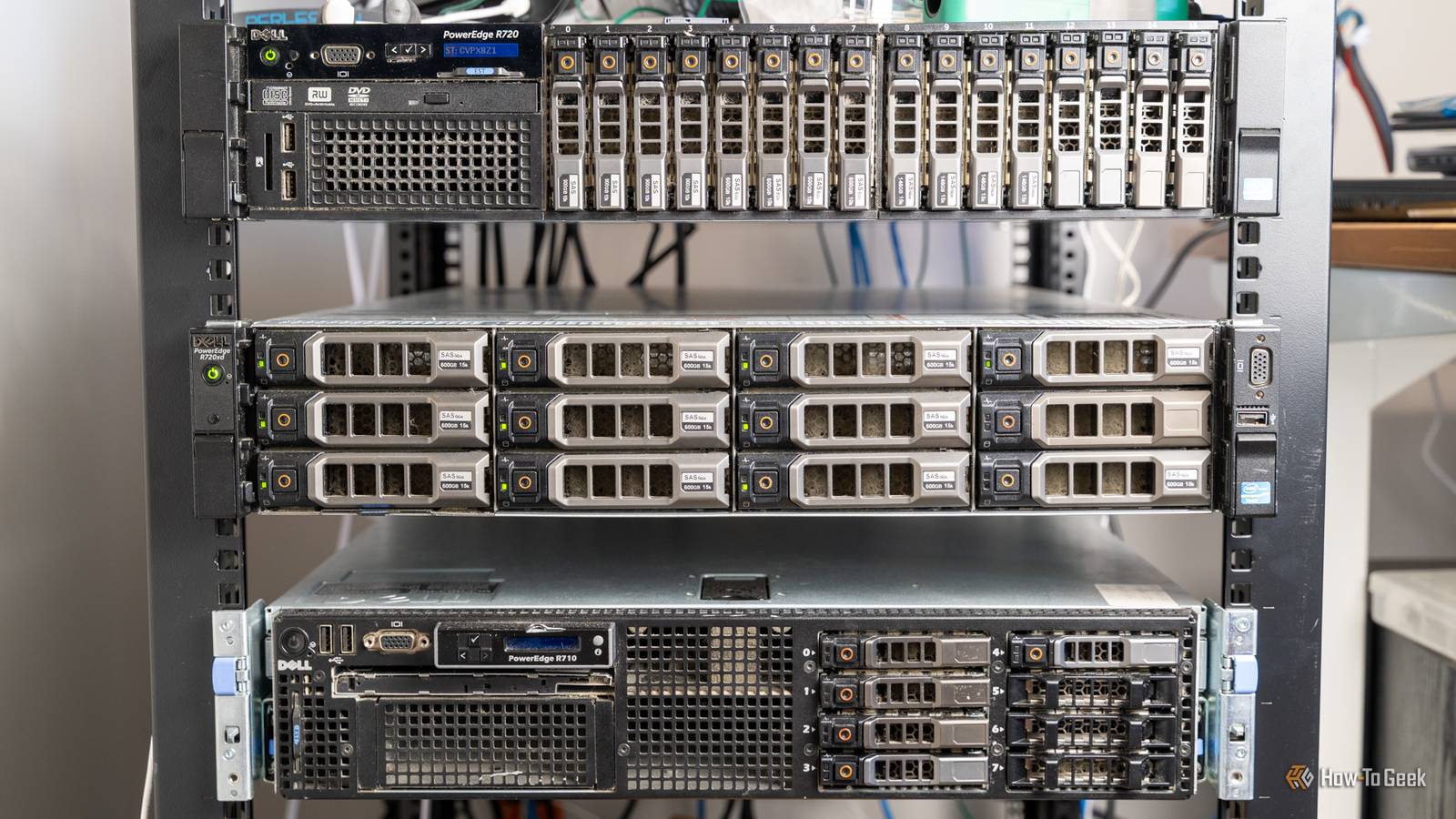
One of the systems was a 12-bay Dell R720xd server with 30TB of storage in it.I was immediately happy to have it and couldn't wait to start using it.However, that server stayed powered off more than it was powered on.
It turns out that I didn't need massive rack-mount server with tons of storage.The other server I got, the Dell R720, did see quite a bit of use, but was way overkill for what I needed, which leads me right into my next point.Enterprise hardware isn’t always worth it Mini PCs don't have to mean mini power So, I had that Dell R720 deployed and I was using it as my main virtual machine host with Proxmox.
It was great, and had 192GB of DDR3 ECC RAM.I loved having so much RAM, as I could run anything I wanted and I felt invincible when it came to virtual machines.A few months after getting these enterprise-grade servers, I ended up switching to a desktop running Proxmox.
It had an i9-13900K and 96GB of RAM, still quite a bit of power, but not enterprise-grade.My virtual machines ran 10 times faster with far less RAM, and everything was just smoother.Fast forward a few more months and I picked up some mini PCs in order to try and downsize the homelab a bit more—and noticed almost no perceivable difference in virtual machine performance from the i9-13900K system, nor the Dell R720.
Now, I do use the i9-13900K system for heavy-hitting virtual machines for development and stuff.Things that need lots of RAM like heavy compilation tasks of either web services or Android apps.However, my entire homelab runs on mini PCs or NAS devices at this point, and I wish I would have made the switch sooner.
Mini PCs are quite powerful these days, and shouldn't be ignored when building out a homelab.Enterprise gear seems nice because it's designed for enterprise use, but that also means it comes with higher cooling and power bills.Bigger homelabs come with bigger costs More power sounds great at first, but then the actual power bill comes in, and nobody is happy I recently measured the electricity usage of my homelab and found that it draws about 600W continuously, consuming 0.6 kWh per hour.
That puts me at over $400 per year in electricity costs, and that's the two Dell servers I mentioned above.Those servers alone pulled around 200-250W of power, which means if I still had them in my homelab, I'd be sitting at 1 to 1.1kWh of power draw.Enterprise hardware requires a lot of power to run.
While my Dell R720 took 250W to operate, my i9-13900K system takes about 50W, and my mini PCs take under 30W.Power isn't the only cost, however.You see, when a computer uses power, it expels that power as heat.
My Dell R720 that was consuming around 250W of power was outputting around 850BTU/hour of heat.That means I was sitting at around 1,600BTU/hour when I was running both Dell servers.This heat output meant I had to add a window air conditioner to my office to help keep it cool in the summer because it was getting unbearable, pushing over 80F even though the rest of the house was around 72F.
Adding up the electrical, heat, and comfort costs really pushed me to realize that an overbuilt homelab wasn't a benefit, it was a hinderance.GEEKOM A5 mini PC $395 $439 Save $44 Brand GEEKOM CPU AMD Ryzen 5 7430U Graphics AMD Vega 7 Memory 16GB DDR4 SO-DIMM Storage 512GB NVMe (expandable) The GEEKOM A5 mini PC packs 16GB of user-replaceable RAM, a user-swappable NVMe SSD, plus two other storage slots, giving you plenty of user-upgradability in this compact system.The Ryzen 5 processor packs plenty of power for general tasks, and it's even great at lightweight gaming and CAD work too.
$395 at Amazon $439 at Best Buy $439 at GEEKOM Expand Collapse ACEMAGIC M5 mini PC Brand ACEMAGIC CPU i7-14650HX Graphics Intel UHD Graphics Memory 32GB DDR4 Storage 1TB NVMe Operating System Windows 11 Pro The ACEMAGIC M5 mini PC is perfect for setups that need a high-performance desktop with a small footprint.It boasts the Intel i7-14650HX 16-core 24-thread processor and 32GB DDR4 RAM (which is upgradable to 64GB).The pre-installed 1TB NVMe drive can be swapped out for a larger one though, and there's a second NVMe slot for extra storage if needed.
$900 at Amazon $900 at ACEMAGIC Expand Collapse KAMRUI Hyper H1 Mini PC Brand KAMRUI CPU AMD Ryzen 7 7735HS Graphics AMD Radeon 680M Memory 16GB LPDDR5 Storage 512GB NVMe The KAMRUI Hyper H1 mini PC is perfect for setups that need a high-performance desktop without spending an arm and a leg.It boasts the AMD Ryzen 7 7735HS 8-core 16-thread processor and 16GB of LPDDR5 RAM (which is not user-upgradable).The pre-installed 512GB NVMe drive can be swapped out for a larger one though, and there's a second NVMe slot for extra storage if needed.
See at Amazon Expand Collapse Building a homelab slowly and methodically is the better route Instead of jumping in with both feet, I wish I could go back and build my homelab out a very different way.A way that focused on efficiency first, because, now that I'm focusing on efficiency and distribution, I have a better homelab for far less power.Yes, my homelab is using 600W total, but that includes 200W from the Lenovo RD440 and a 500W PoE switch (that isn't quite pushing out 500W yet).
The majority of my homelab is made up of small, efficient systems that sip power and barely output any heat.So, take my advice here and only build out your homelab when necessary.If you run one storage server and want to add a few virtual machine hosts, do it, but don't pick up enterprise gear for the task unless you're ready to deal with all the other issues that brings with it.
Read More