When thinking of processors, what comes to your mind first? (Outside of a food processor, that is.) I'd wager that you're thinking of an AMD or Intel CPU that powers up your desktop or your laptop.However, your router has a CPU too, and certain settings are absolutely capable of killing its performance.QoS The feature that fixes lag by capping everything Close QoS, or Quality of Service, is the type of thing that kind of sneaks up on you and ends up being a performance hog.
This is a feature that basically holds on to your traffic and reorganizes it, and that makes it useful if you're lagging or have several devices on the same connection (as we all do, I'd imagine).But there's a huge performance-shaped problem with QoS: The CPU itself handles every single packet.Your router basically has to stop using the hardware acceleration that lets it hit the speeds you bought it for in the first place, and then it has to switch gears to deal with QoS.
Related I upgraded to fiber and my Wi-Fi still lagged: How to find the hidden bottlenecks in your home network Your fiber internet is fast, but your home network probably isn't Posts By Monica J.White Built-in security suites AiProtection, Armor, and HomeShield all read your packets Sometimes, you have to make the difficult choice between maximum security and maximum performance.Only really expensive routers will excel at both things at the same time with limited compromise.
Built-in security suites vary based on router brand, but they work by inspecting your traffic against a signature database.Router brands, like Ubiquiti, admit that enabling IDS/IPS raises CPU and memory usage and may drop performance as a result.If your router isn't hitting whatever speeds are advertised on the box, you might be trading in performance for added security.
Parental controls You may need them, but if you don't, they can cost a whole lot of performance Parental controls can mean a whole host of different things, depending on your router.You may have them set to simply block a device at night so that the kids can't doomscroll instead of sleeping—that's not too bad at all.All the router has to do here is match a MAC address against a schedule.
However, category-based filtering is a whole different story.If all you want is to keep certain sites off the network, DNS-level filtering does the job at a fraction of the cost, and something like Cloudflare for Families is super easy to set up in your router's DHCP settings.VPN on the router Encryption running on the weakest chip in the house A router-hosted VPN is a great alternative for security buffs, but the performance downside is definitely there, too.
Every packet that goes through such a VPN needs to be encrypted and decrypted.Many routers don't have a dedicated crypto engine, so that work gets pushed onto the CPU.Another thing is that these workloads are often single-threaded, so even if you shelled out some extra money to get a multi-core CPU router, you won't really benefit in this case.
Honestly, running the VPN client on the devices that actually need it is the better option for most people, but if you know you need router-level VPN protection, then know it comes with some trade-offs.Quiz 8 Questions · Test Your KnowledgeWeird WiFi and networking quirksTrivia challengeFrom bizarre range tricks to hidden protocol secrets — how well do you really know your network?WiFiProtocolsHardwareHistoryFun FactsBegin 01 / 8Fun FactsIn 2012, a small village in Wales was mysteriously losing its broadband every morning at the same time.What was the cause?AA faulty undersea cable that expanded in morning tidesBAn old TV emitting electrical interference when switched onCA neighbor's microwave running on a scheduled timerDMorning dew condensing on exposed copper telephone linesCorrect! An elderly villager's old television set was emitting a powerful electrical signal every morning when he turned it on, wiping out broadband for the entire village.
Engineers used a spectrum analyzer to track down the source after years of complaints.It's a perfect example of how everyday electronics can wreak havoc on networking signals.Not quite! The culprit was an old television set that an elderly resident switched on every morning, sending out a burst of electrical interference that killed broadband for the whole village.Engineers used specialist equipment to track it down after years of frustrating outages.Continue 02 / 8WiFiWhy does placing your WiFi router near a fish tank often degrade wireless signal quality?AThe metal frame of the tank acts as a Faraday cageBWater absorbs and attenuates 2.4GHz radio waves very effectivelyCFish produce bioelectric fields that interfere with radio signalsDThe tank's fluorescent lighting creates electromagnetic noiseCorrect! Water is a surprisingly effective absorber of 2.4GHz radio waves, which is the same frequency used by most WiFi routers.
This is actually the same principle microwave ovens use to heat food — the frequency is tuned to excite water molecules.A large fish tank can create a significant dead zone behind it for WiFi signals.Not quite! The answer is water absorption.Water molecules absorb 2.4GHz radio waves very efficiently — it's the same reason microwave ovens cook food at that frequency.
A large fish tank can significantly dampen your WiFi signal, creating dead zones on the other side of it.Continue 03 / 8HistoryThe term 'WiFi' is often believed to stand for 'Wireless Fidelity', but what is the actual origin of the name?AIt was an acronym coined by the IEEE standards committee in 1997BIt was invented by a marketing firm as a catchy brand name with no true meaningCIt derives from the Japanese term 'Wi-Fai', meaning wireless connectionDIt was named after Wi-Fi pioneer Victor Fidelity HayesCorrect! 'WiFi' was coined by a branding consultancy called Interbrand in 1999, hired by the Wireless Ethernet Compatibility Alliance.It was designed purely as a marketable, memorable name — not an acronym.The 'Wireless Fidelity' backronym was actually invented afterward to give the name a plausible meaning, and even the Wi-Fi Alliance has admitted the term has no real meaning.Not quite! WiFi was invented by a branding company called Interbrand as a catchy, memorable marketing term with no underlying meaning.
The popular explanation that it stands for 'Wireless Fidelity' was actually created after the fact as a retronym, and even the Wi-Fi Alliance has acknowledged the name doesn't technically stand for anything.Continue 04 / 8ProtocolsWhat is the maximum theoretical speed of the original 802.11 WiFi standard released in 1997?A11 MbpsB54 MbpsC2 MbpsD10 MbpsCorrect! The original 802.11 standard from 1997 topped out at just 2 Mbps — barely enough to stream a low-quality video today.It feels almost laughably slow compared to modern WiFi 6E speeds that can exceed 9 Gbps in ideal conditions.The jump in wireless speeds over just 25 years is one of the most dramatic improvements in consumer technology history.Not quite! The original 802.11 standard could only manage 2 Mbps — painfully slow by today's standards.
The 11 Mbps speed came with 802.11b in 1999, which was a big deal at the time.Modern WiFi standards have improved speeds by over 4,000 times compared to that humble beginning.Continue 05 / 8HardwareWhich common household appliance is most notorious for interfering with 2.4GHz WiFi networks?AA refrigerator compressor motorBA microwave ovenCA plasma televisionDAn electric kettleCorrect! Microwave ovens operate at approximately 2.45GHz, sitting almost exactly on top of the 2.4GHz WiFi band.When running, a microwave leaks enough radio frequency energy to noticeably disrupt nearby WiFi connections.
This is one of the main reasons the 5GHz WiFi band became popular — it completely avoids this kitchen interference problem.Not quite! Microwave ovens are the biggest culprit.They operate at around 2.45GHz, almost identical to the 2.4GHz WiFi frequency band.Even a well-shielded microwave leaks enough signal to cause noticeable interference.
Switching to the 5GHz band on your router completely sidesteps this issue.Continue 06 / 8Fun FactsWhat unusual material was found to dramatically boost WiFi signal strength in experiments by researchers at Dartmouth College?AAluminum-coated wallpaperB3D-printed plastic reflectorsCGraphene-coated glass panelsDCopper mesh window screensCorrect! Researchers at Dartmouth College discovered that custom-shaped 3D-printed plastic reflectors, coated in a thin layer of metal, could dramatically focus and redirect WiFi signals throughout a space.The reflectors could boost signal strength in desired areas by up to 55% while simultaneously reducing signal in areas where security or privacy was needed.It's a remarkably cheap solution using off-the-shelf printing technology.Not quite! Dartmouth College researchers found that 3D-printed plastic reflectors with a metallic coating could focus WiFi signals like a lens, improving signal strength by up to 55% in targeted areas.
The approach also has a useful privacy angle — you can intentionally block signal from going outside your walls without expensive equipment.Continue 07 / 8ProtocolsWhat does the 'ping' command measure, and where does the name actually come from?APacket integrity — named after the sound of a sonar pulseBRound-trip signal time — named after the sound a submarine sonar makesCPort availability — it's an acronym for Packet InterNet GroperDNetwork bandwidth — named after the creator Mike Ping at MITCorrect! Ping measures the round-trip time for a data packet to travel to a host and back, measured in milliseconds.The name is inspired by sonar technology used in submarines — when sonar emits a pulse and 'hears' it bounce back, operators call that a ping.The networking tool was written by Mike Muuss in 1983, and he explicitly confirmed the sonar analogy was intentional.Not quite! Ping measures round-trip latency — how long it takes for a packet to go to a destination and come back.
The name comes from submarine sonar, where a sound pulse sent out and detected returning is called a 'ping.' Creator Mike Muuss confirmed this analogy in 1983 when he wrote the tool, though the 'Packet InterNet Groper' backronym was invented later.Continue 08 / 8WiFiWhat phenomenon causes WiFi speeds to mysteriously slow down when many neighbors are using their networks simultaneously, even if you're not sharing bandwidth with them?AIP address collisions caused by overlapping DHCP poolsBChannel congestion from competing radio signals on the same frequencyCDNS server overload from too many simultaneous lookup requestsDMAC address flooding causing router memory overflowCorrect! WiFi operates on shared radio frequency channels, and nearby routers broadcasting on the same channel compete for airtime even between separate networks.This is called co-channel interference, and it causes routers to 'take turns' transmitting more often, reducing effective throughput.Using a WiFi analyzer app to find the least congested channel — or switching to the less crowded 5GHz or 6GHz bands — can significantly improve speeds in dense neighborhoods.Not quite! The culprit is channel congestion.
WiFi channels are shared radio spectrum, and when many nearby networks use the same channel, they all have to take turns broadcasting — slowing everyone down even though no one is stealing your bandwidth.A WiFi analyzer can help you find a quieter channel, and moving to 5GHz or 6GHz usually helps escape the congestion.See My Score Challenge CompleteYour Score/ 8Thanks for playing!Try Again Router-level ad blocking Cheap on the CPU until your blocklist grows huge If router-level VPN is heavy, then router-level ad blocking has to be as well, right? Yup, but maybe not to the same extent.The router only needs to answer or refuse name lookups rather than study your entire traffic, but it's still some tedious work for the CPU.
If your blocklist is relatively small, it's not going to make much of a dent.But a bigger blocklist means more of a hit, because the router holds that list in memory, so it's entirely unrelated to your internet speed.However, there exists a scenario where you actually come out ahead on how fast things feel, because every blocked tracker is a request your browser never has to make.
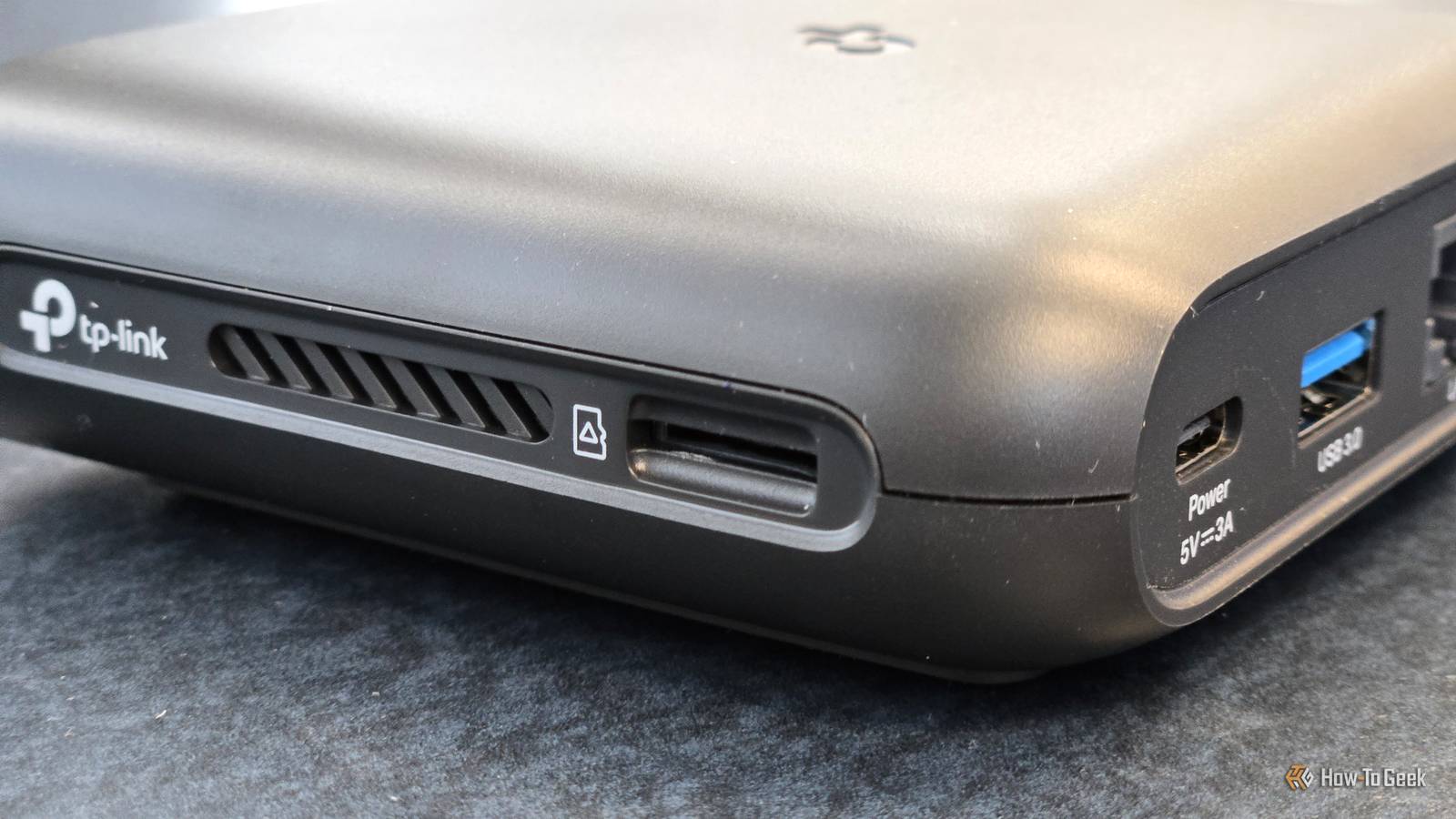
USB file sharing The port promises more than the SoC can deliver Using your router's USB port for file sharing is pretty nice, but it also means that every byte needs to travel through the same CPU that's actively managing your internet traffic.The port itself may offer some nice bandwidth, but that doesn't matter much if your router's CPU is bottlenecking that entire workload.Built-in download managers are the worst version of this, since they'll keep the CPU busy for ages and ages.
Worth knowing that USB 3.0 is also a documented source of 2.4GHz interference, which is a fun extra problem to have on a device whose main job involves 2.4GHz.Keeping a small drive plugged in for some backups is fine, but constantly moving files may not be ideal.The best way to upgrade your router may just be to turn stuff off Router settings are pretty much endless, or so it feels.
Some are helpful, some are kind of useless, and some are actively harmful (if you don't need them).If your router is getting slow, you might want to go through some of these and see if you can't win back some breathing room by disabling certain settings.
Read More