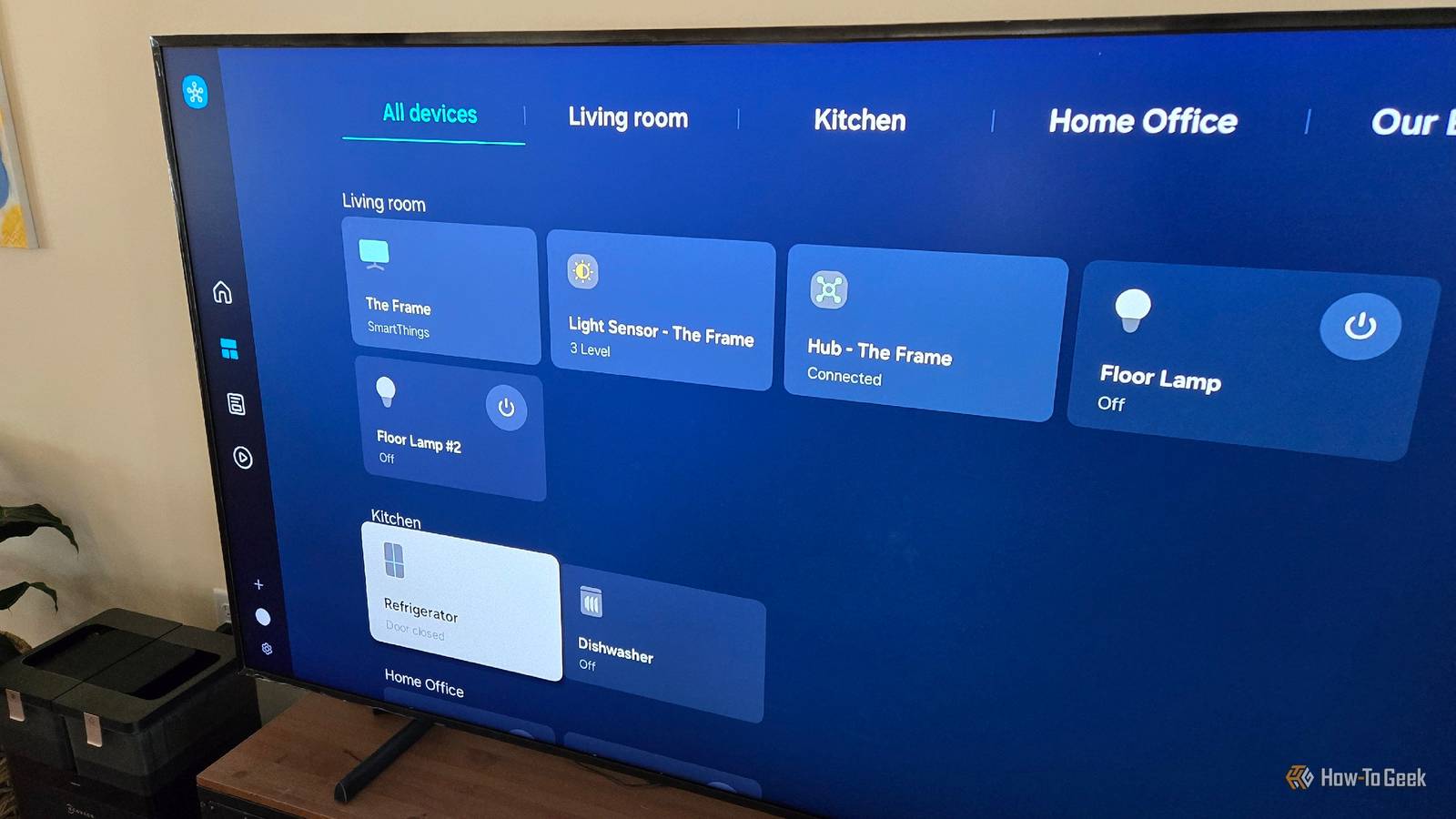
What's the biggest smart home device that you own? For many of us, the answer may come as a surprise, despite the fact that the smart capabilities of this device are explicitly included in its name.Your smart TV is already part of your smart home It's easy to overlook the fact that a smart TV is a smart home device, despite the word "smart" being front and center.When we talk about smart home devices, smart TVs aren't usually the first things that spring to mind.
The fact is that a smart TV can be an integral part of your smart home, even if you're not currently using it that way.There are two main purposes that a smart TV can serve.Firstly, a smart TV can be an endpoint of your automations.
You can create automations that turn your TV on, change channels or inputs, or launch streaming apps.You can even use a TV to display notifications or to show who's at the front door.Secondly, a smart TV can act as a smart home sensor.
The state of your TV can provide useful signals you can use in your smart home automations.For example, if your TV is on, it's a reasonable indication that at least one person is still at home.In combination with other indicators, it can become part of a reliable method of determining when everyone is away.
Even if your TV itself isn't smart, it may be connected to something that is, such as a streaming stick, soundbar, or game console.You may be able to integrate your dumb TV into your smart home using these devices.Related How Home Assistant Changed My Apple Smart Home for the Better It's not only useful, it saved me money too.
Posts 1 By Patrick Campanale Simple automations can make your TV more useful There are several ways you can use your smart TV in your smart home automations.For example, you can use the state of your TV as a trigger to run an automation using apps such as Apple Home or more powerful solutions such as Home Assistant.In Apple Home, you can create an automation that automatically dims the lights when you turn the TV on, so that you don't need to touch the lights yourself.
You can also create automations that control your TV.Using a motion sensor, for example, you could create an automation that automatically turns your TV on when you walk into the living room after 7 pm.When it gets to 9 pm, you could have the volume on your TV automatically lower so that it doesn't wake the kids.
You could also use a smart button or voice command to turn on different viewing modes.For example, with one button, you could turn on your TV and select the right input for your game console.Turn your TV into a living room notification screen Another way that your TV can be highly useful in your home is as a notification center.
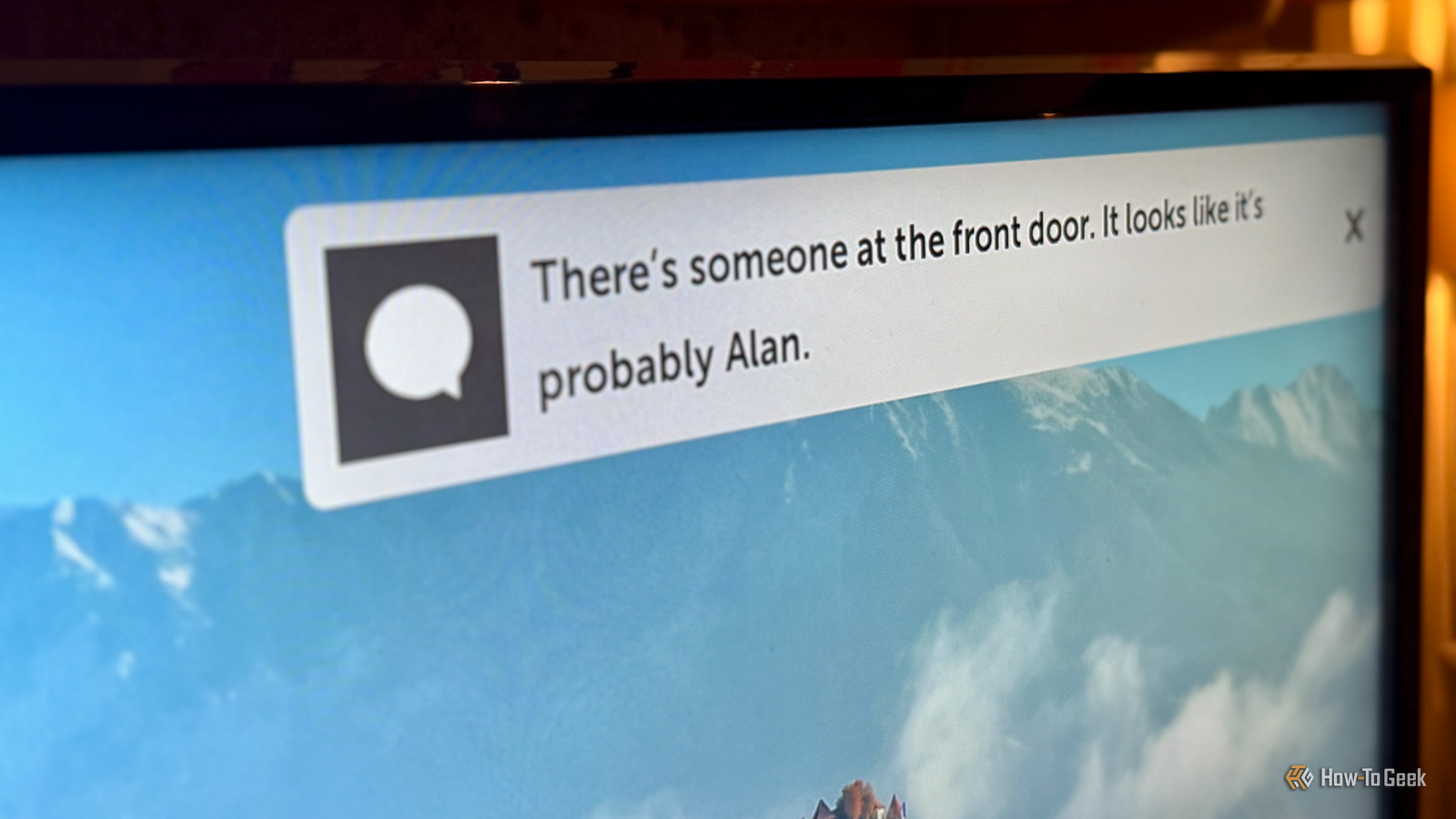
For example, I have an automation in Home Assistant that describes the person at the front door when my video doorbell detects a person.This notification is usually sent to my phone, but if my smart TV is detected as being on, it's also sent to my TV screen, so that I can see the notification without having to pick up my phone.With some smart TVs or streaming devices, you can even use your smart TV to display video.
For example, some Amazon Fire TVs can display the stream from your Ring video doorbell when someone rings the bell.The same is possible with a Google TV or through any TV connected to an Apple TV 4K.You don't want your smart TV constantly switching to your video doorbell stream or being spammed with notifications, but if you set things up properly, it can be a useful way to get instant information while you're watching your favorite shows.
Integrating your smart TV into your smart home Using your TV as a smart home trigger or a smart home endpoint makes it far more useful.Having your lights dim when you turn the TV on, for example, can feel a bit like magic.The real power, however, comes when you use your smart TV in combination with the rest of your smart home.
For example, using Home Assistant, when you turn on your TV, as well as dimming the lights, you can have a whole host of actions occur.You can have your phone turn to Do Not Disturb mode, so that your viewing isn't interrupted.You can fire up your surround sound system, turn down your AC so it doesn't drown out the sound, close the blinds, and much more.
Subscribe to the newsletter for smarter TV automations Get the newsletter for practical smart-home guides that show how to turn your TV into a control point and sensor.Subscribe to receive hands-on automations, device-integration tips, and real setup ideas you can apply at home.Subscribe By subscribing, you agree to receive newsletter and marketing emails, and accept Valnet’s Terms of Use and Privacy Policy.
You can unsubscribe anytime.When you turn your TV off after a set time, you can trigger an automation that waits a few minutes then turns off all the downstairs lights, powers off all the devices downstairs, locks the front door, and does anything you need to happen before going to bed.It's easy to overlook your smart TV as being part of your smart home.
Used well, however, it can be a very useful addition to your smart home arsenal.If you haven't already integrated your smart TV into your automations or routines, why not give it a try?
Read More