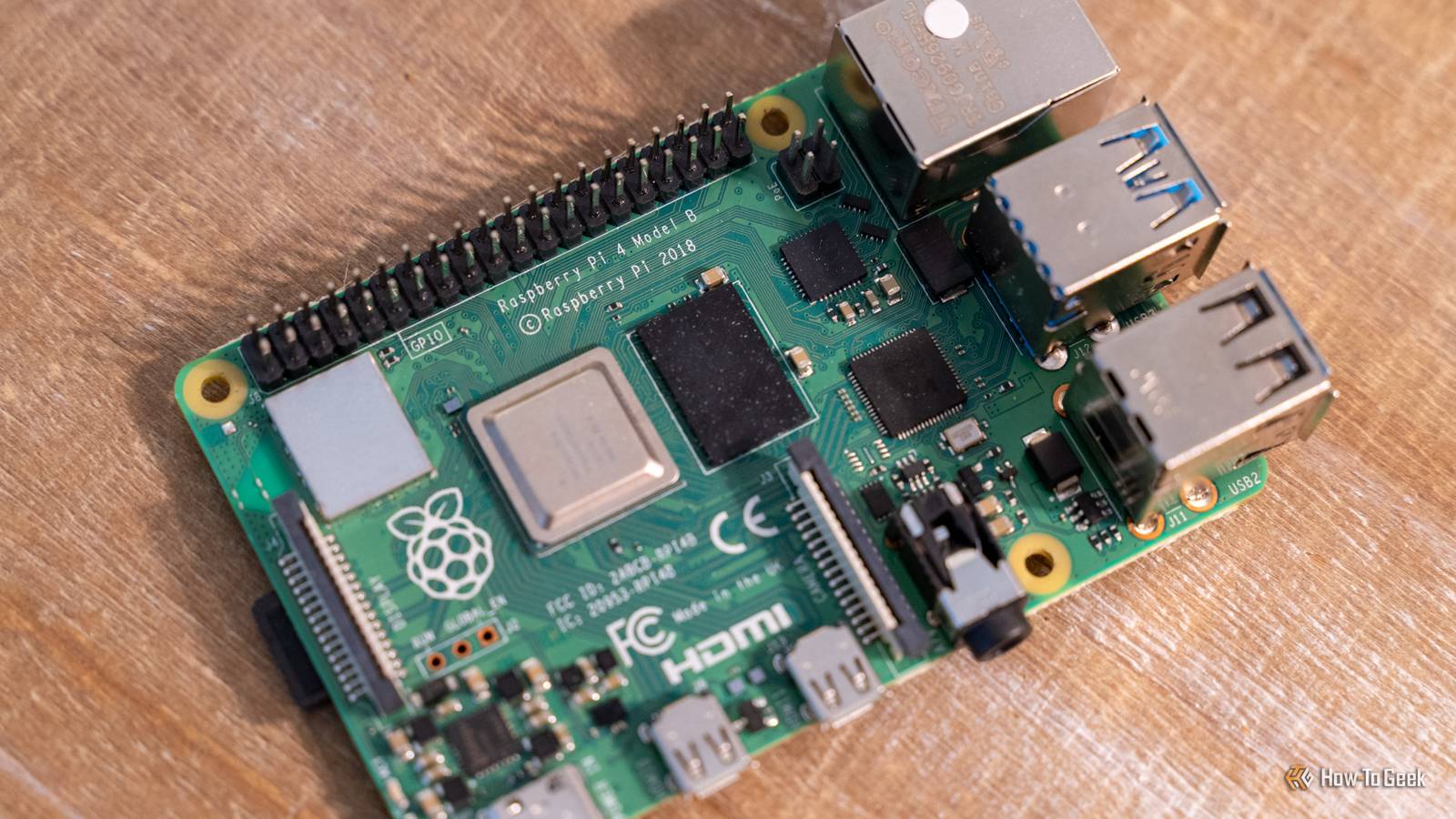
Do you still have a drawer full of Raspberry Pis? Well, get them out, because here are three fun and simple Pi projects for you to do this weekend.Raspberry Pi 4 Model B Brand Raspberry Pi CPU Cortex-A72 (ARM v8) Memory 2 GB With the Raspberry Pi 4 Model B, you can create all kinds of fun projects, and upgrade gadgets around your home.Alternatively, install a full desktop OS and use it like a regular computer.
$38 at CanaKit See at Amazon Expand Collapse A USB auto-backup station Just plug a USB drive or SD card in, and the Pi automatically backs it up to the NAS If you have non-techy people in the house that need to back up stuff to the NAS, then this project is perfect for them.Instead of having people back up directly to the NAS—as that might be confusing for some if it doesn't mount properly on boot—you can simply have them back up to a flash drive or external hard drive.From there, you can have the Pi set up as an automated backup transfer tool.
You should use at least a Pi 4 for this project to get Gigabit Ethernet.I'd also recommend an OLED or LED status setup, but that's optional.The core of this project is done through the Little Backup Box project on GitHub.
With the Little Backup Box, your Pi will detect things like SD cards, USB drives, cameras, or phones and automatically back them up to either attached storage or network storage.In this case, I'd recommend using network storage.You won't have to deal with manually mounting anything or writing rsync scripts, as Little Backup Box handles it all for you.
It really is a neat little piece of software that works at home on your network or offline when you're in the field.Little Backup Box was designed for photographers and videographers in mind, which is primarily why it has the offline local attached storage backup solution.This would be a great choice if you had a large USB drive that you kept with you and wanted to use the Pi to back up your SD card while on-location doing a photo or video shoot.
This is a fun project that will be useful anywhere you are, so definitely give it a shot.A household chore dashboard Use Home Assistant to track family chores and show tasks, reminders, and more If you have kids in the house and want to keep track of family chores, a Pi is perfect for the task.This project centers around two things: a Raspberry Pi and a touchscreen display of some sort.
What touchscreen you use is entirely up to you, as there are many on Amazon that are built for the Pi.I'd just recommend finding something that work with Pi.From there, you have a lot of options for building a household chore dashboard.
One option is to build out a custom Home Assistant dashboard that does everything you want.Home Assistant can integrate with task managers, calendars, and so much more to create the ultimate family dashboard.Setting up Home Assistant in this way will definitely take some time, so be ready for the time investment on that side of things.
On the other hand, you could use something like DAKboard, which is an online-based family dashboard that can be easily run on a Pi.It's all cloud-based, so the Pi is merely a window into the platform.There's a free plan if all you need is up to two calendars and you're okay with pre-defined screen layouts.
However, there's also paid plans starting at $5 per month if you want more features (and less branding) on your family dashboard.If you're just wanting a fun weekend project to do that the whole family would enjoy, then building a family dashboard is a fantastic choice.Personal daily briefing generator Hook up a screen and have the Pi show your calendar, weather, news, and more Another screen-based Pi project is simply a personal daily briefing generator.
This is a much simpler project, and you can use something like Glance for this.Glance is typically seen as a homelab-style dashboard, but you can definitely use it for a personal daily brief.You simply self-host it on the Pi itself (or even another system if you want) with Docker and then use a kiosk browser to display it on whatever screen you attach to the Pi.
With Glance, you can set up a dashboard that shows you all sorts of stuff .From feeds to weather, your calendars, news, stocks, RSS, and more, Glance really is a one-stop morning brief.You can fully customize how Glance looks so you can have the information you need right in front of you.
Building out a little Pi system with a 5- or 7-inch touchscreen is the perfect dashboard to use for Glance though, as it's just sitting there ready for you the moment you sit down at your desk.Don't leave your Pis to rot in a drawer There are so many Pi projects that you shouldn't have any Pis that just sit unused in a drawer.Whether you're doing one of these projects, or one of the many other Pi projects I've talked about over the years, there's definitely that your Pis could be doing outside of gathering dust.
Read More