I have several old Echo smart speakers around my house that I've accumulated over the years.Despite not being a fan of Alexa, they still get regular use.Having repurposed my Echo Show devices, I missed having a screen with my smart speakers, so I decided to add my own.
I used a $15 ESP32 touchscreen as the display A Cheap Yellow Display was a perfect fit When I thought about adding my own screen to my Echo speakers, a few options came to mind.I thought about using a jailbroken Kindle as a display, since the E-Ink screen would look great, and the internal battery would mean that I wouldn't have to worry about connecting it to power.In the end, I decided to go with a Cheap Yellow Display (CYD).
This is an ESP32 board connected to a small color touchscreen panel.You can buy them for $15 or less, and they're really useful for all sorts of smart home projects.I chose to use the Cheap Yellow Display for a couple of reasons.
The first was that I was planning on displaying album artwork, so I wanted a nice bright color display rather than monochromatic E-Ink.I also wanted to be able to use the display to interact with my Echo, so the touchscreen CYD made far more sense.Related 7 Smart Home Devices I Wouldn't Buy Again (and What I'd Get Instead) Not every smart home purchasing decision turns out to be that smart.
Posts 11 By Adam Davidson Home Assistant is the glue between the Echo and CYD The Alexa Media Player integration exposes what I need This whole project is made possible by a Home Assistant integration that I've been using on and off for several years.The Alexa Media Player integration is a third-party custom integration that lets you connect your Echo devices to Home Assistant.Once installed and authenticated with your Amazon account, it creates Home Assistant media player entities for your Echo smart speakers and exposes data and controls that aren't otherwise available.
Using Alexa Media Player, Home Assistant sits between my Echo and my CYD, passing the Echo data to the display and receiving touch data back.The CYD is running firmware created using ESPHome, which allows Home Assistant to tell the CYD what to display, and for interactions with the CYD screen to get sent to Home Assistant to act upon.In other words, even though the CYD is sitting right next to the smart speaker, they aren't talking directly at all.
It's Home Assistant that's doing all the hard work.My smart speaker now has a proper Now Playing screen Music is what my Echo speakers get used for most Close The first feature I set up was a Now Playing screen.I rarely use my Echo smart speakers for voice commands or asking Alexa for information, but I use them all the time for playing music.
In some rooms, Echo devices are the only speakers, while in other rooms, the Echo acts as a voice input for a better-quality speaker, such as my old Sonos Play:1.When I play music through my Echo Show devices, I get nice album artwork showing the music that's currently playing, along with controls for pausing the music or skipping to the next track.I wanted to recreate this feature with my CYD.
The Alexa Media Player integration exposes details about the music that's currently playing on the device, including the song, artist, and album.Since I have Music Assistant set up, Home Assistant can find the corresponding album artwork in Music Assistant and share a URL that points to Music Assistant's album artwork image.The CYD then downloads the image and displays it on the screen.
I added simple controls to pause the music and skip backward or forward.The result was a reasonable replica of what I get on my Echo Show.I get features that even an Echo Show doesn't offer I can see what my Echo speaker thinks it heard Close Once the Now Playing feature was working, I added a few more.
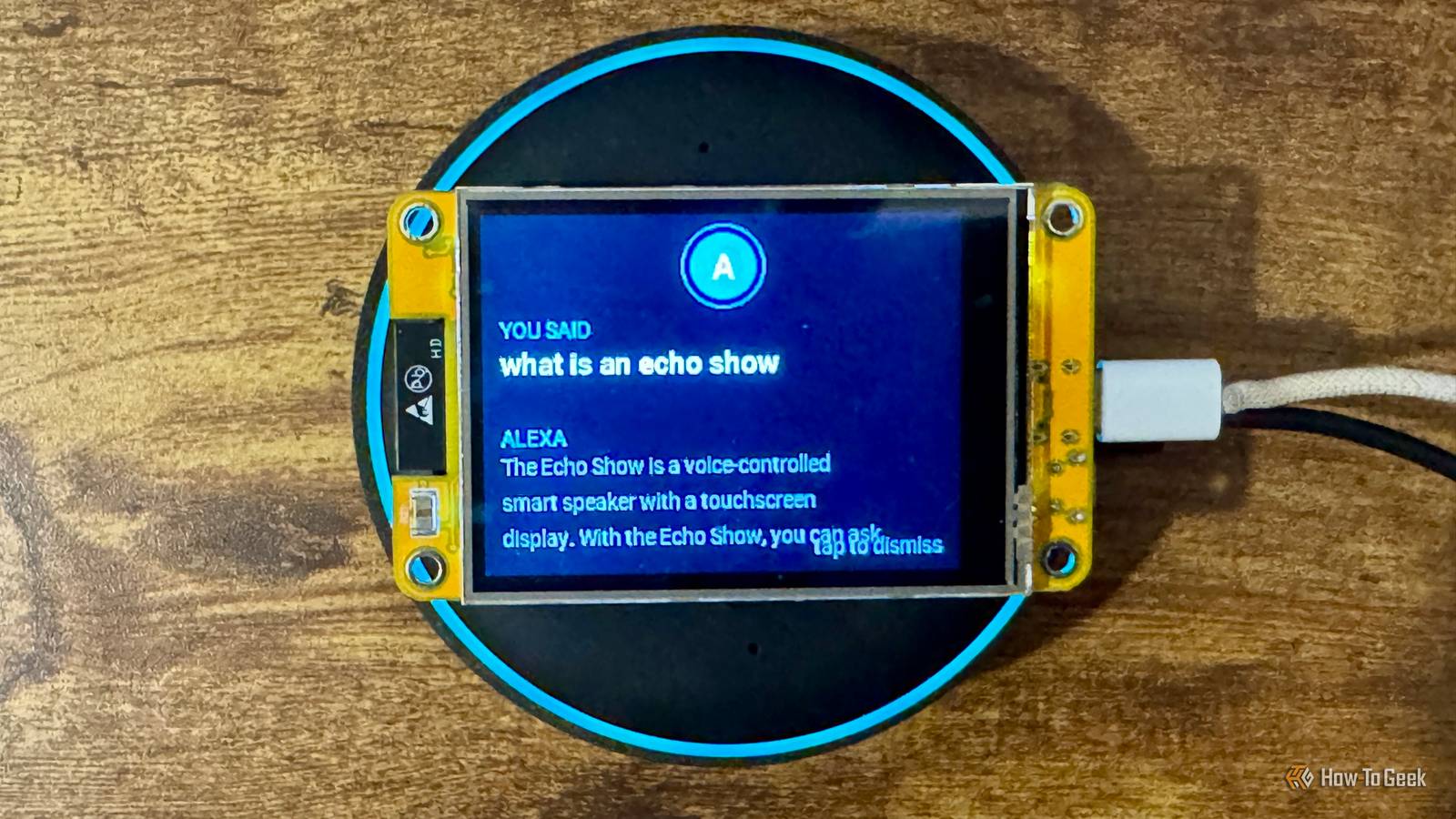
When no music is playing, the display defaults to showing the current time and date, which is what my Echo Show devices do.Tapping the display opens four smart home controls that I can activate with another tap.Perhaps my favorite feature is made possible by the last_called_summary and last_called_response attributes exposed by the Alexa Media Player integration.
These tell you what the last voice command spoken to Alexa was, and the last response that Alexa gave.I added a feature that briefly shows the written text of the spoken command and the smart speaker's response when you speak to Alexa.If Alexa ever goes wrong, it's an easy way to see if it's because she misheard you, since you can see the words that Alexa thinks she heard on the screen.
While you can get an Echo Show to display the spoken response, I've never found a way to make it show the spoken command, so my setup actually gives me features beyond what an Echo Show can do.You don't always need to buy new hardware I wanted the benefits of a smart display without having to buy one, and a cheap CYD was all I needed to make it happen.It's made the experience of using my Echo smart speakers much better, although eventually I'd like to leave Alexa behind completely.
Read More