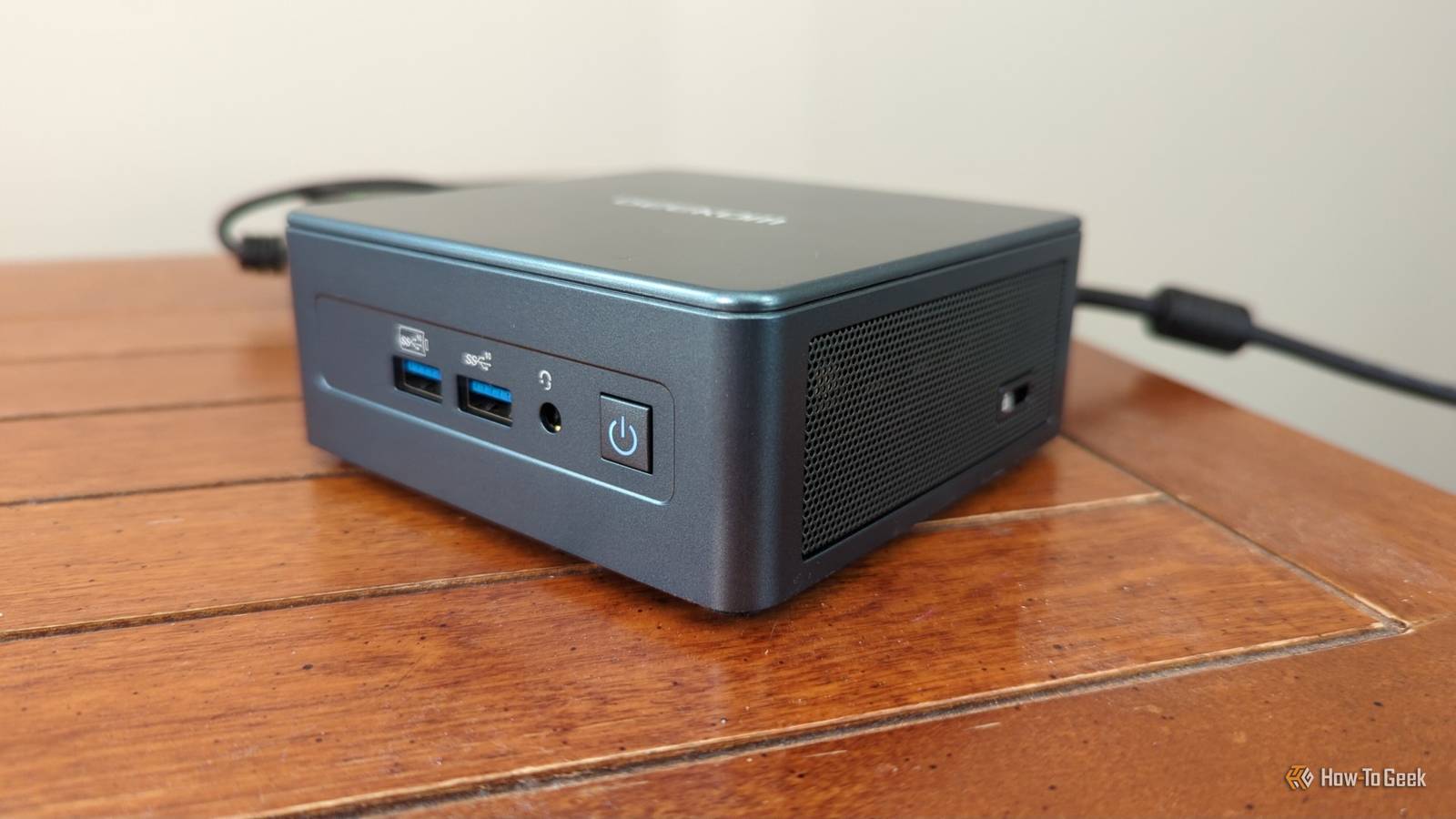
I love me a good mini PC.Even a semi-bad one will do.I use them for all manner of things, although my favorite use case is as a dedicated sidekick to my main desktop.
But, having tested and used a bunch of these little champs over the years, I know full well that the BIOS settings on a new mini PC can be ...sketchy, to put it mildly.In my experience, the BIOS settings on a new mini PC can be weirdly conservative, or just badly tuned.
You might be leaving some serious performance on the table by just ignoring those BIOS settings.Regular desktop BIOS needs tweaks too, but mini PCs err on the side of caution even more.These are the BIOS settings I always immediately change on a new PC, and I recommend you check them out on yours, too.
Secure Boot, TPM, and virtualization The quick check that prevents many headaches Secure Boot, TPM, and virtualization may not sound exciting, or even relevant, for your situation, but they're some of the first ones I recommend checking once you dive into the BIOS/UEFI.On a Windows 11 mini PC, Secure Boot and TPM 2.0 should usually be enabled already, but I never like to assume everything is set up properly just because the PC boots.If either setting is off, you might run into issues with Windows security features, updates, encryption, or even certain apps, so you might as well check these out.
Virtualization is the other one I always look for, especially on a mini PC that might end up doing server-adjacent work later on.If you ever want to run Hyper-V, WSL, Docker, VMs, Android emulators, or some homelab tools, having virtualization disabled in the BIOS can stop you before any of that ever materializes.Quiz 8 Questions · Test Your KnowledgeMini PCs: History, hardware, hidden usesTrivia challengeFrom tiny boxes to powerhouse desktops — how much do you really know about mini PCs?HistoryHardwareBrandsUse CasesDesignBegin 01 / 8HistoryWhich company is widely credited with popularizing the modern mini PC form factor with its NUC (Next Unit of Computing) line, launched in 2013?AASUSBAppleCIntelDZotacCorrect! Intel introduced the NUC in 2013, defining what many consider the modern mini PC category.
The NUC was roughly the size of a paperback book and used laptop-grade components to pack real computing power into a tiny chassis.Not quite — it was Intel that launched the NUC (Next Unit of Computing) platform in 2013.While ASUS, Zotac, and others followed with their own mini PCs, Intel's NUC set the template that much of the industry would imitate for years.Continue 02 / 8BrandsThe Apple Mac mini, first released in 2005, was marketed with which memorable slogan emphasizing what buyers needed to supply themselves?A"Just add a screen"B"BYODKM" (Bring Your Own Display, Keyboard, and Mouse)C"Think small, compute big"D"The desktop, reimagined"Correct! Apple marketed the original Mac mini with "BYODKM" — Bring Your Own Display, Keyboard, and Mouse.It was a clever pitch aimed at Windows switchers who already owned peripherals, letting Apple offer a Mac at the then-low price of $499.The actual slogan was "BYODKM" — Bring Your Own Display, Keyboard, and Mouse.
Apple used this catchy acronym to target Windows users who wanted to try a Mac without buying an entirely new setup, positioning the $499 Mac mini as an affordable entry point.Continue 03 / 8HardwareMost modern mini PCs use which type of processor, originally designed for laptops, to balance performance and thermal output in a compact chassis?ADesktop TDP processorsBMobile (U-series or H-series) processorsCServer-grade Xeon processorsDEmbedded ARM microcontrollersCorrect! Mini PCs almost universally rely on mobile-class processors — like Intel's U-series or H-series, or AMD's equivalents — because their lower thermal design power (TDP) means less heat and no need for large cooling systems.This is the key engineering trade-off that makes the tiny form factor possible.The right answer is mobile (U-series or H-series) processors.Full desktop CPUs generate far too much heat for a small enclosure, while ARM microcontrollers are too underpowered for general-purpose computing.
Laptop chips hit the sweet spot of performance and efficiency that mini PCs depend on.Continue 04 / 8Use CasesMini PCs are extremely popular for running home media centers.Which open-source media software is most commonly installed on mini PCs for this purpose?AVLC Media PlayerBPlex Media ServerCKodiDJellyfinCorrect! Kodi (formerly known as XBMC) has long been the go-to open-source software for turning a mini PC into a full home theater PC (HTPC).It supports plugins, streaming services, and local media libraries, making it incredibly flexible for living room setups.While Plex and Jellyfin are also popular for home media, Kodi is historically the most iconic choice for mini PC home theater builds.
Originally called XBMC (Xbox Media Center), Kodi has a massive plugin ecosystem and was practically synonymous with the HTPC mini PC use case for many years.Continue 05 / 8DesignWhat storage interface, originally designed for SSDs in laptops, became the standard internal storage connection in most mini PCs, replacing older 2.5-inch SATA drives?AmSATABM.2 NVMeCPCIe x16DCFexpressCorrect! M.2 NVMe slots became the dominant storage interface in mini PCs because the small card form factor fits easily inside compact chassis, and NVMe speeds far exceed what older SATA connections could offer.Many modern mini PCs include one or two M.2 slots alongside an optional 2.5-inch bay.The answer is M.2 NVMe.While mSATA was an earlier compact storage standard, it has largely been phased out in favor of M.2, which supports the much faster NVMe protocol.
M.2 drives are credit-card-sized and slot directly into the motherboard, making them ideal for space-constrained mini PC designs.Continue 06 / 8BrandsWhich Chinese brand, often compared to a "mini PC powerhouse," rose to global prominence around 2022–2023 with highly affordable mini PCs like the MinisForum Venus series?ABeelinkBMinisForumCGeekomDAcemagicCorrect! MinisForum became a standout name in the mini PC space around 2022–2023, gaining attention for packing AMD Ryzen and even discrete GPU options into compact chassis at competitive prices.Their Venus series, featuring dedicated graphics, challenged the idea that mini PCs had to sacrifice gaming performance.The answer is MinisForum.While Beelink, Geekom, and Acemagic are all legitimate Chinese mini PC brands that gained popularity in the same era, MinisForum made the biggest splash with performance-focused models like the Venus series, which included discrete Radeon graphics in a palm-sized box.Continue 07 / 8Use CasesBeyond home use, mini PCs are widely deployed in commercial settings for one particular application.
Which of the following is the most common enterprise use case for mini PCs?AHigh-performance 3D rendering farmsBDigital signage and kiosk terminalsCPrimary data center serversDProfessional video editing workstationsCorrect! Digital signage and kiosk terminals are one of the most widespread commercial applications for mini PCs.Their small size lets them mount invisibly behind displays, their low power consumption keeps operating costs down, and their standard x86 architecture means they run ordinary Windows or Linux software without special configurations.The most common enterprise use case is digital signage and kiosk terminals.You'll find mini PCs hidden behind restaurant menu boards, airport information screens, and retail displays worldwide.
They're ideal because they're discreet, energy-efficient, and capable of running standard software without the bulk of a traditional PC.Continue 08 / 8HistoryIntel discontinued its own NUC product line in 2023, handing the brand to a partner.Which company took over the NUC brand and product line?AASUSBLenovoCMSIDHPCorrect! ASUS acquired Intel's NUC business in 2023, continuing the lineup under the ASUS NUC branding.Intel decided to exit the finished product business to focus on its core chip manufacturing and design operations, and ASUS — already a major NUC manufacturing partner — was a natural fit to carry the torch.It was ASUS that took over the NUC brand from Intel in 2023.
Intel had long partnered with ASUS for NUC manufacturing, so the transition made sense.Intel's decision to divest the NUC line was part of a broader strategy to concentrate on semiconductors rather than finished consumer hardware products.See My Score Challenge CompleteYour Score/ 8Thanks for playing!Try Again iGPU memory allocation Your mini PC's graphics memory probably isn't real VRAM If your mini PC is truly mini, it almost certainly doesn't have a discrete GPU, so it also doesn't have dedicated VRAM in the same way a desktop graphics card does.Instead, it has to borrow from your system memory.
That's why you might see a setting like UMA frame buffer size, iGPU memory, shared graphics memory, or something along those lines during your journey into the BIOS.Most of the time, leaving this on auto is fine, but I've seen mini PCs set this weirdly low for no reason, and that can be an issue for graphics-heavy workloads.With that said, I'm not suggesting you shove your entire RAM toward the iGPU, because the rest of your mini PC will suffer if you do.
If you only have 8GB of RAM, taking too much away from the rest of the system can be crippling.But on a more spacious memory config, like 16GB or 32GB, many mini PCs can do well if you bump up the memory allocation a bit.Anker 4-Port USB Hub $10 $15 Save $5 Brand Anker This Anker USB hub has been a huge game-changer for my mini PC and laptop, both of which have hardly any USB ports.
Ports 4 $14.99 at Anker $10 at Amazon Expand Collapse CPU power limits and performance mode Conservative power modes can be a problem Mini PCs live and die by their power limits, and the default setting isn't always the one you want to stick to for the rest of your PC's life.A conservative power mode can keep temps and noise way down, which is fine for a living-room media box or a basic office machine, but anything more than that will need some tweaks.Some power settings can really hold the CPU back, so if your mini PC feels slow, that's one of the first settings I'd check.
Depending on the model, this might show up as a simple performance mode, a balanced/low-power/max performance preset, or more advanced CPU power limit settings.I don't recommend setting everything to the max right away, though.Take it slow and see how your PC performs after each change.
Related Stop letting your old mini PC gather dust (it's secretly the ultimate homelab server) I stopped treating my spare mini PC like a useless backup desktop and accidentally built the ultimate network powerhouse Posts By Monica J.White Memory profile and RAM speed The free performance settings many PCs, big and small, leave off Your RAM speed is another setting you should never trust without checking it for yourself.RAM settings are among the most common fake CPU bottlenecks ever, and in mini PCs, chances are that they're not set correctly.
A lot of mini PCs ship with decent memory (both speed and capacity), but that doesn't always mean the BIOS is running it at the best profile available.It might be stuck at default speed, especially if the system uses replaceable SODIMMs, and that can leave free performance sitting there, doing nothing.Tweaking these RAM profiles is especially important on a mini PC, actually.
With both the CPU and the iGPU leaning on that same system memory, you need the RAM to do its very best at all times.But remember: this is technically overclocking, so take it easy and test after each tweak.Fan curve and cooling profile The setting that keeps your mini PC in good shape The fan curve is the BIOS setting that can make or break a mini PC.
These tiny systems don't have much room to move air, so the default cooling profile has to make a lot of compromises, and those compromises aren't always good.Some mini PCs are too eager and ramp the fan up and down constantly, while others are just as happy to ignore whatever is happening and let the CPU heat up.Both variants are bad.
If your BIOS lets you change the fan curve or pick a different cooling profile, go ahead and play around with it.I usually look for a setting that keeps the fan from spiking every temp change, but also one that's not too gentle, as performance comes first for me.Default settings are a starting point and nothing more I won't pretend that tweaking the BIOS is the best thing in the world, but it's a lot less scary than some people make it out to be.
The general rule of thumb here is to do only things you're 100% certain about.If you're not sure what a certain setting does, don't tweak it for the sake of it; turn to Google and get your answers first, then get right back to making the most of your mini PC.GEEKOM A5 mini PC $395 $439 Save $44 Brand GEEKOM The GEEKOM A5 mini PC is a great starting point if you want to see for yourself how it feels to own one of these.
CPU AMD Ryzen 5 7430U $395 at Amazon $439 at Best Buy $439 at GEEKOM Expand Collapse
Read More