You can use NFC tags with smart home platforms like Home Assistant, Apple Home, and Google Home by creating automations using a smartphone and the relevant companion app.Scan the tag to trigger a series of events with a wave of your phone.While NFC tags are cheap, you probably already have a few around your house that you can put to use.
How to set up NFC triggers Setting up NFC triggers is a simple case of scanning the tag and creating an automation with it.You’ll need to do this with a smartphone, which is how you’ll also end up triggering the automations.How you go about this differs depending on which smart home platform you’re using.
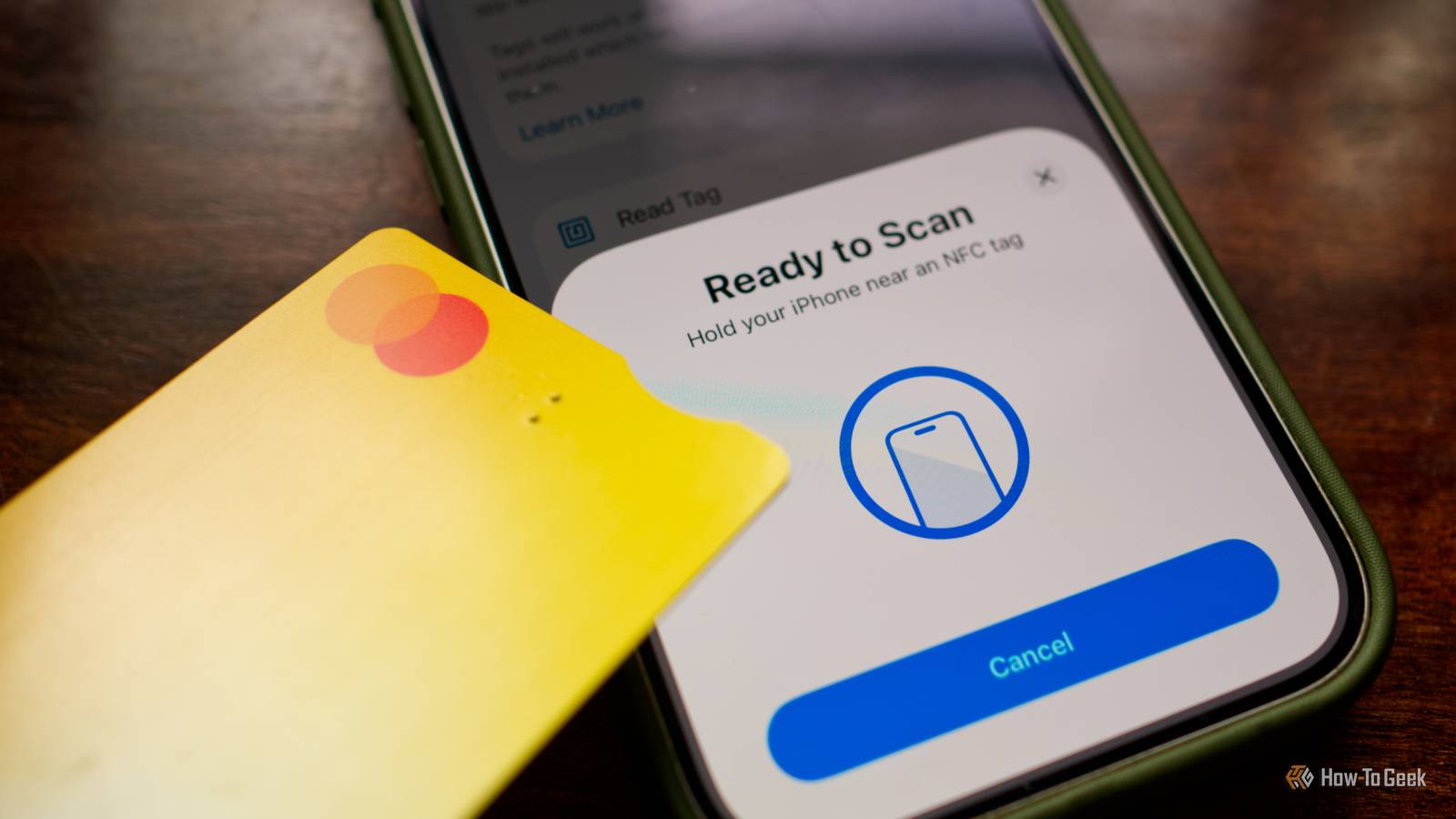
For Home Assistant, download the companion app for iPhone or Android and log in to your server.You’ll need to register and label your tags before you can use them in your automations.Open the mobile app and head to Settings > Companion app > NFC Tags and use the “Read Tag” option to identify your tag.
Home Assistant is arguably the most powerful smart home platform when it comes to NFC tag integration (among other things).Apple Home relies on Apple’s Shortcuts app for NFC triggers.Launch Shortcuts and tap on the “Automation” tab.
Now create a new automation and use “NFC” as the trigger.For more advanced workflows, I suggest creating a regular Shortcut first and then using the NFC trigger to launch it.Android users with Google Home should build their routine in the Google Home app first and then use an app like Tasker to trigger it when presented with the NFC tag.
Samsung users can use “Modes and Routines” using the “NFC tagged” trigger.Everyday items you can use to trigger smart home actions The list below is by no means exhaustive, but it should give you some ideas.If you’re not sure if an item has NFC capabilities, try creating an automation by scanning it with your phone to see what happens.
Credit and debit cards Most credit and debit cards now have NFC chips inside them for contactless payments, and you can use these as triggers in smart home automations.Each card is unique, so you can create different automations for different cards.You can even use expired cards in the same way, since there’s no need for them to be valid to be used as an NFC trigger.
Transit cards and driver's licenses Many transit cards and driver's licenses also use NFC technology, depending on who issued them.If you keep your driving license in the car, you could scan it to quickly open your garage (if it’s in the sun visor, for example).For transit-card ideas, why not scan it to trigger a message on your smart speakers that you’re on your way home? AirTags and other item finders AirTags are arguably one of the most useful NFC triggers.
Since they’re attached to items like luggage or pets, you can use them to perform context-specific actions.For example, I have a “Cat Nap” scene that turns on a few lights and turns off the TV and other media when I’m out, which I could trigger by scanning one of the AirTags on my cats.Alternatively, you could launch a “cat TV” playlist on your TV for your furry friends to watch.
Amiibo Nintendo’s Amiibo figures might be the most expensive, single-use NFC tags on this list.If you have one or two on your desk, you could assign different automations to them.Tap Tom Nook to trigger your work scene, tap Dr Mario to start a whole-home Pomodoro timer, tap K.K.
Slider to play a random playlist, and tap Jigglypuff when it’s time for bed.Gym fobs Some gym fobs may have NFC chips inside them, though many gyms are moving to the mobile app model where your smartphone becomes the key.If you still have a fob, there’s a good chance you can use it in automations.
Since it’s probably always on your keychain, you could use it for anything (not just exercise-related automations).Your passport Passports are a lot smarter than they used to be.Many modern passports now let you skip stamps altogether and fly through immigration when you land simply by scanning them.
They do this using NFC chips, the same chips you can use in your automations.I can’t think of a better way to trigger your smart home’s vacation mode! NFC rings Some smart rings have NFC functions, but you can also buy rings specifically for use as wearable NFC tags.You’re probably going to want to wear these on your less dominant hand to avoid accidental triggers, but this could be a good way to perform repetitive actions with a wave of your hand.
You could also use it as a quick way to get to your smart home control app by triggering an app action on your device with Apple Shortcuts or similar.3D printer filament spools Bambu Lab has RFID chips in its filament spools that include NFC connectivity.In my testing, these are easy to use when scanning one specific side of the spool (you might need to fish around to find it).
While unloading a spool might not be the most practical way to trigger an automation, you can also salvage these tags when your spool is empty.Alternatively, these actions might pair nicely with a 3D printer that’s been added to your smart home.Shoes and clothing In order to combat counterfeiting, some clothing and shoe manufacturers now embed NFC tags in their garments.
These are usually included in higher-end goods from manufacturers like Nike, Alpine, Adidas, and Dior (among others).Scanning the NFC tag under your shoe’s tongue as you leave the house could be useful for setting scenes, turning off lights, enabling alarms, and so on.These items, while useful, aren’t quite as versatile as dedicated tags.
It might be time to buy a roll of NFC tags and put them to use around your home.
Read More